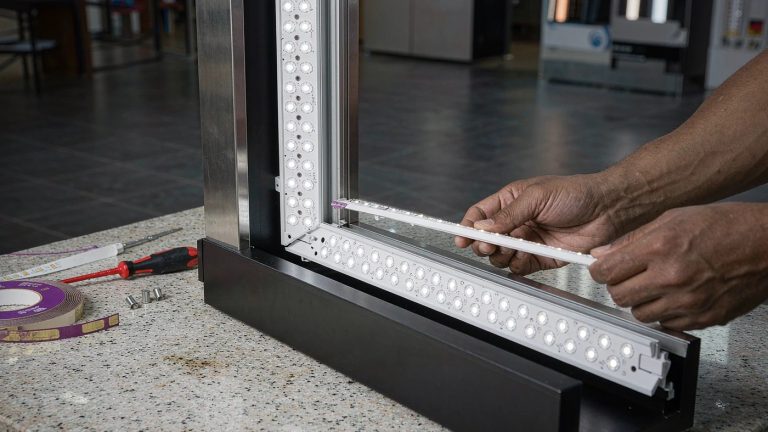
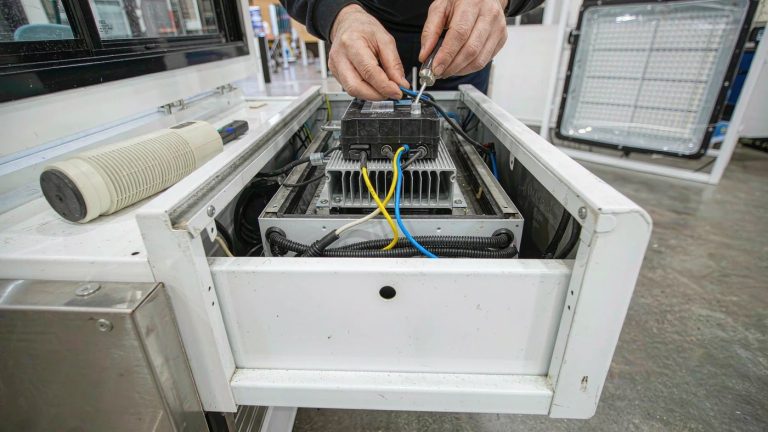
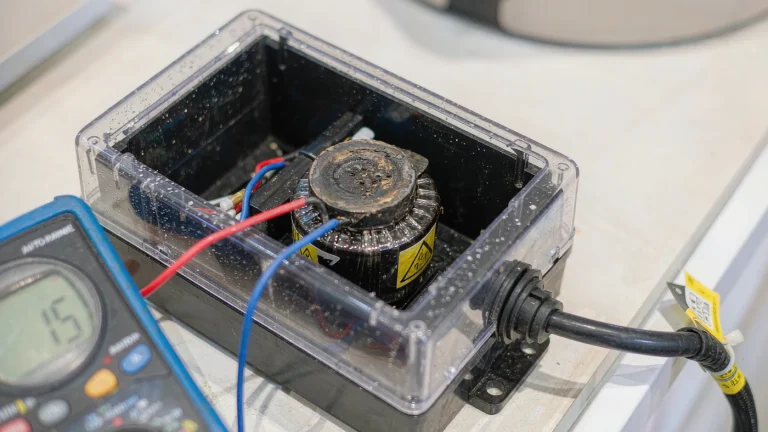
Yes. SEG lightboxes can be dimmed when their LED power and control system supports dimming. It is an option to confirm for the exact model, not a feature to assume from the frame or fabric. A basic on/off lightbox does not become dimmable just by adding a wall dimmer. Ask the supplier to identify the dimming-compatible driver or power supply, the matched controller, and the usable brightness range before you order.
The U.S. Department of Energy explains that LED dimming performance depends on driver capability and compatibility with the dimming equipment. It also warns that dimming can introduce or increase flicker.[1] The fabric affects how the dimmed graphic looks; it does not determine whether the electrical system can dim.
How to check whether your lightbox is dimmable
Check the order confirmation, specification sheet, or operating manual for your exact unit. Look for a dimming feature and an identified control method, rather than a general description such as “LED lightbox.”
- Ask for the driver or power-supply model and the compatible controller model.
- Confirm whether brightness is adjustable or the control only switches the light on and off.
- Ask for the minimum stable output and whether adjustment is continuous or limited to preset levels.
- Check whether joined frames dim together, by zone, or separately.
If the paperwork names no dimming feature, do not assume one is available. Send the supplier the product reference and any safely accessible label photos. Do not open an electrical enclosure to find a model number.
Which dimming control should you use?
Use the method specified for that lightbox. A remote or app describes how you operate the system; it does not, by itself, tell you which driver or electrical interface is inside. DOE guidance identifies options including 0–10 V, DALI, and DMX512, but that does not mean a particular SEG lightbox supports them.[1]
| Specified control | What to confirm |
|---|---|
| Remote, app, or onboard control | Whether brightness adjustment is included, which levels are available, and how each frame is selected or grouped. |
| 0–10 V | The approved driver–controller combination, who supplies the controller, and who installs the control wiring. |
| DALI or DMX512 | Compatibility of the complete system, zone or address assignments, and who programs the scenes before handover. |
For a single portable backwall display, ask whether the supplied control covers the brightness changes you need. For a multi-frame trade show booth, agree on the frame groups before setup so one command does not unintentionally change another area.
How low can a SEG lightbox dim?
Use the range documented for the complete lightbox and its controller. A “dimmable” label alone does not tell you its lowest stable setting. DOE recommends checking the claimed maximum-to-minimum range, its conditions, and the recommended control makes and models.[1]
Ask what a quoted percentage means: a controller setting or measured light output. Do not assume a 50% control setting produces half the light output, or that two models at the same setting will look equally bright. Also ask whether the lowest setting turns the light off or whether off is a separate command.
For window-facing retail displays, request a demonstration at the intended evening setting. For photography, check the actual camera result rather than choosing a percentage because its number looks suitable.
Can you add dimming to an on/off lightbox?
Possibly, but the supplier must assess the complete unit. Ask whether an approved conversion is available or a different lightbox is needed. Do not treat a driver replacement as a universal upgrade or a DIY job.
- Do not connect a mains wall dimmer unless the manufacturer explicitly approves that dimmer type and combination.
- Do not substitute a lower-rated power supply as a way to reduce brightness.
- Do not cover LEDs or fit unapproved filters inside the frame.
Have the supplier identify the approved parts and who is qualified to carry out any conversion. If no compatible conversion is confirmed, keep the unit on its approved on/off setup.
How to check dimming during setup
Use the following handover check with the installed graphic and the actual controller. This is a suggested acceptance procedure, not a report of a Milin product test.
Check the graphic at each intended setting
Start at the highest approved setting, then reduce brightness through the levels you plan to use. Stand at the expected visitor distance and check small lettering, dark image areas, and the main brand colors. Compare the graphic with an approved backlit sample under similar surrounding light.
Keep the backlit fabric and print reference on replacement orders for tension fabric displays. A suitable graphic helps preserve readability at reduced output, but it cannot make an on/off electrical system dimmable. A lux reading at the fabric alone is not a measurement of the image’s luminance.[2]
Check grouped frames and restart behavior
Where several frames are used, apply the intended scene and compare them from the aisle. Check each unit’s selected level and group assignment if outputs differ; a visual difference alone does not identify the cause. If a sensor or timer is fitted, record its mode as well.
Where the manual permits normal power cycling, check whether the unit returns to the previous level, a default level, or off. Record that behavior so the opening team knows what to expect after power is restored.
Check the camera result
Test the intended dimmed levels with the camera, frame rate, and shutter settings planned for the shoot. Dimming-related flicker depends on the driver and control combination.[1] If banding or pulsing appears, try another approved level and ask the supplier about compatibility. A clean result at one camera setting is not a guarantee for every camera or recording mode.
Keep a short handover record: unit reference, controller model, approved brightness settings, group assignments, restart behavior, and camera settings checked. Note any unresolved issue instead of describing the system as flicker-free without qualification.
Electrical and installation safety
Leave electrical alterations to qualified personnel working under local rules. OSHA’s definition of a qualified person includes demonstrated skills and knowledge of electrical equipment and its hazards; it is not simply someone familiar with assembling a display frame.[3]
Use manufacturer-approved combinations and follow the wiring and ventilation instructions. OSHA’s U.S. workplace rules address equipment suitability, including listing or labeling for an identified purpose; a supplier’s compatibility list is not itself an independent safety certification.[4] Applicable electrical and venue requirements depend on the installation location.
For suspended signs or high-mounted exhibit structures, have qualified installers handle access and control wiring. If a unit smells hot, flickers heavily, or repeatedly shuts down, switch it off and contact the supplier. Do not open the driver to diagnose it on site.
Will dimming fix a lightbox that looks dim?
No. Dimming reduces output; it is not a cure for a lightbox that already looks dim in daylight. If the image becomes clearer when blinds close without changing the lightbox setting, investigate surrounding light, reflections, and placement. If it remains patchy or unstable, ask the supplier to check the unit rather than experimenting with unapproved controls.
Need dimming specified for your SEG lightbox?
Send your frame size, installation location, and planned brightness changes. Ask about the available dimming system, compatible controls, and documented operating range.