Modular
Retail
Display systems for the range.
Ready for what changes.
Coordinate product walls, freestanding shelves and counters. Confirm the geometry, loads and graphics before deciding what can be reused.
Custom dimensions and graphics. Production photos or video before dispatch.
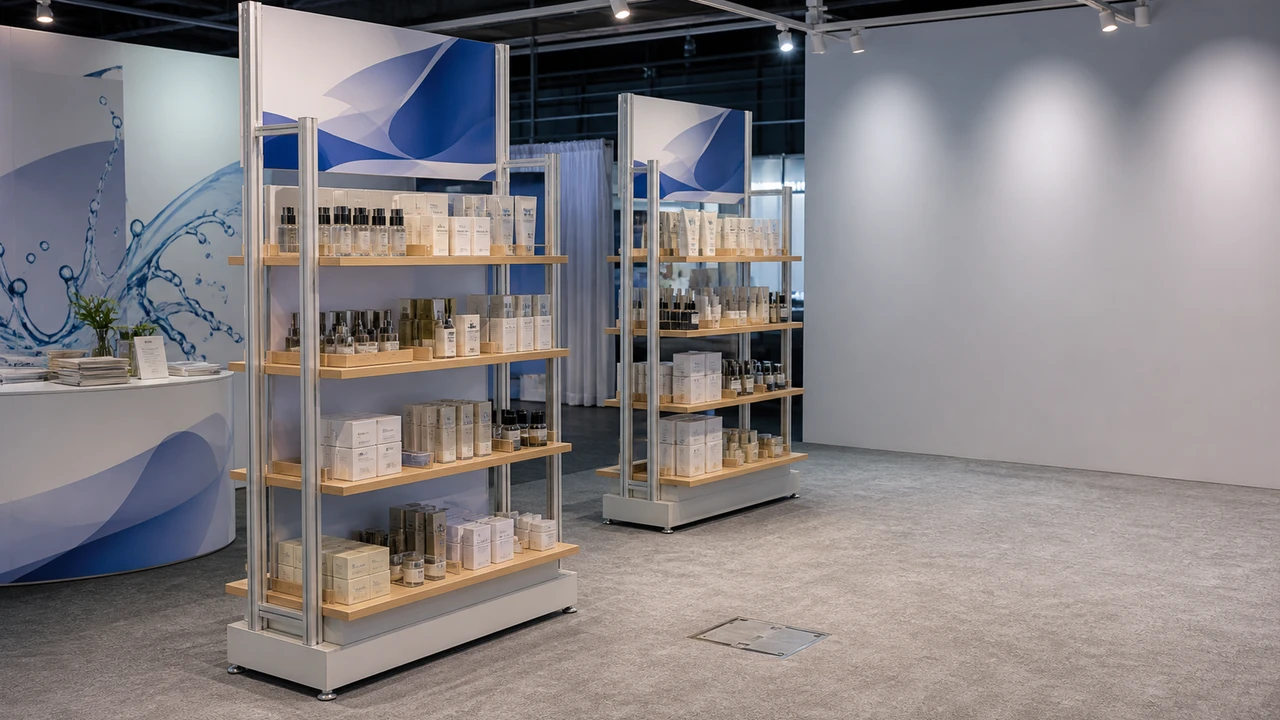
Product shelving environment · Milin catalogue scene reference
Start with the products.
Then build the system.
A useful retail display makes the range readable and reachable. The size of a module should follow the merchandise, not dictate it.
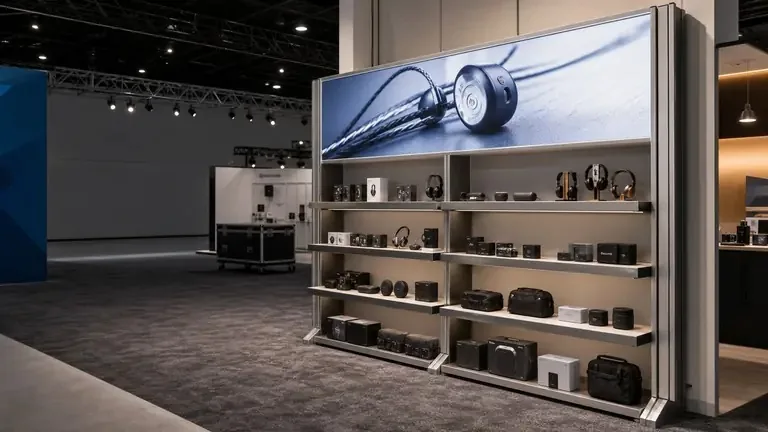
A focused product destination
Use freestanding bays for a collection within a larger store. Check the approach, reach, support method and space for replenishment.
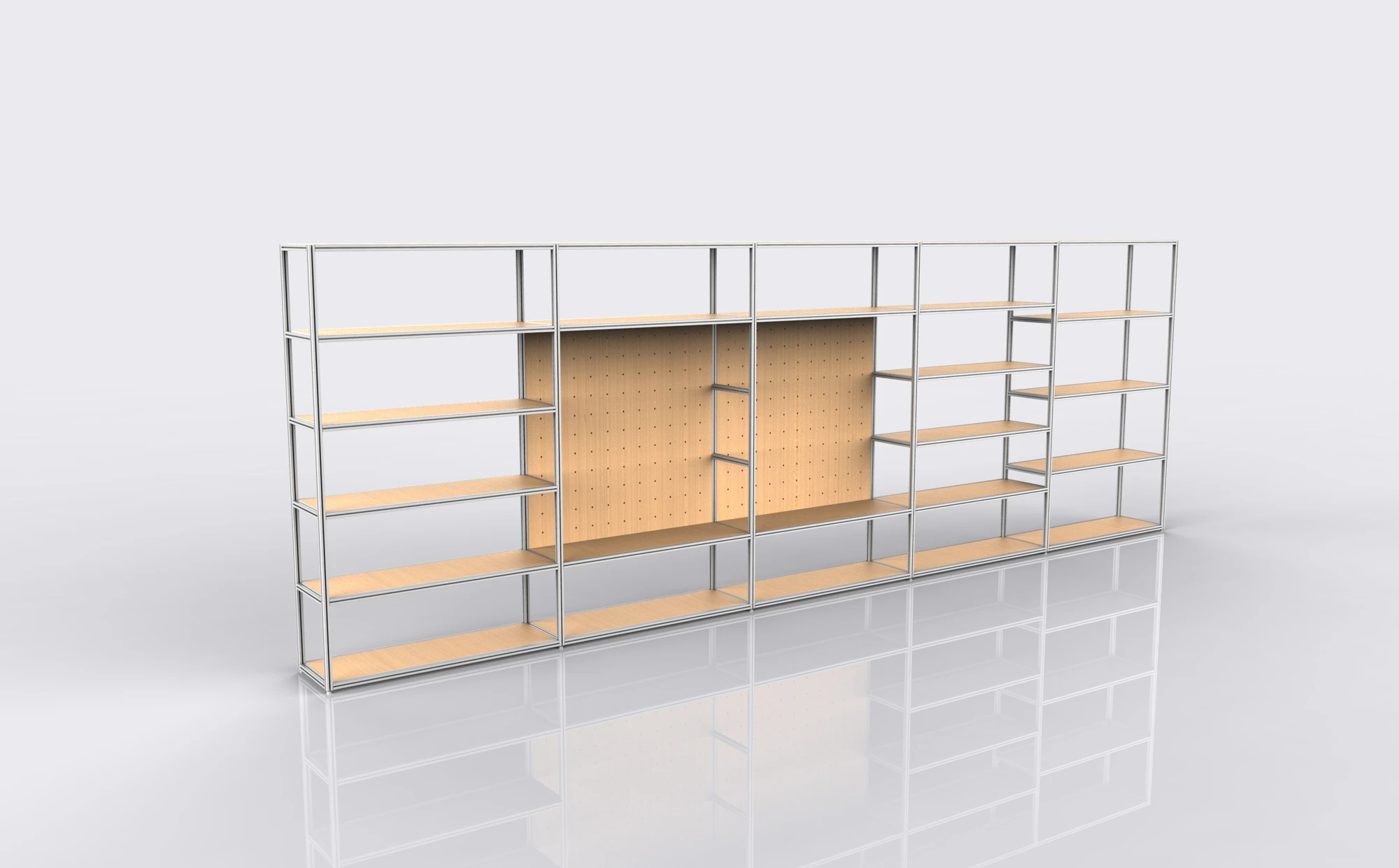
A structure you can specify
Choose shelf spacing, material and support from product height, depth and load. Confirm the connections and base arrangement for the selected build.
Milin website display references. These images are not verified case studies for this application.
Choose the layout
before the accessories.
Modular does not mean every frame, shelf and graphic can be connected in any arrangement.
| Retail configuration | Useful for | Check the trade-off |
|---|---|---|
| Wall display | A linear product story with graphic identity and sample comparison. | Fixing permission, total depth, shelf loads and service access. |
| Freestanding bay | A collection or feature range approached from the shop floor. | Stability, open sides, replenishment and the approved footprint. |
| Shop-in-shop zone | A coordinated brand area using walls, product bays and counters. | Host-retailer rules, power, circulation and accessory interfaces. |
| Demo or service point | A product conversation with a working surface and staff side. | Usable top, storage, product support and equipment cables. |
No universal shelf load, stability rating or third-party accessory compatibility is implied. Use the approved specification for the selected configuration.
What stays fixed
makes change possible.
Keep the frame geometry and connection information with the order. Future changes still need a compatibility check.
The connection
Document frame sizes, interfaces, fixing details and approved layouts.
The graphic
Retain panel templates, print dimensions and the exact finishing method.
The load & power
Recheck support, stability, cabling and access when samples or screens change.
Illustrative zoning, not an engineered structure. Lighting, mounting, product loads and the final layout must be approved for the actual store.
Refresh the message.
Reconfigure with care.
A graphic change and a structural change are different purchase decisions. Compare both against the next range and location.
Keep the frame
For a new message within the same approved geometry.

- Order matching replacement panels.
- Keep the print templates and frame reference.
- Inspect hardware and lighting before reuse.
Change the configuration
For a new product mix, layout or supported accessory.
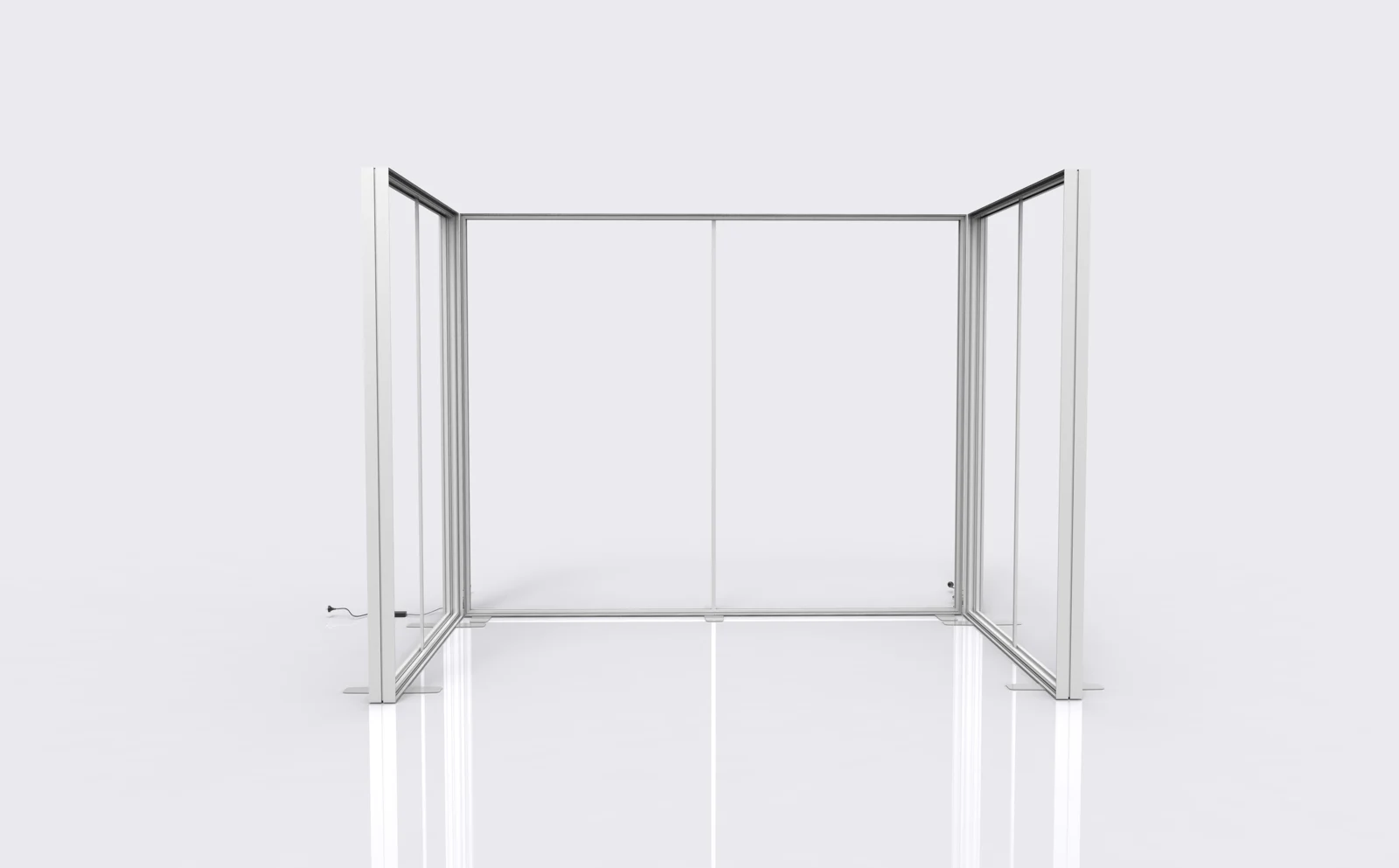
- Check compatible modules and connections.
- Approve new loads and support details.
- Include changed packing and assembly information.
When is modular the better fit?
The visuals show different systems, not a guaranteed conversion. Compare the initial hardware, future prints, inspection, transport and storage against a new build. Reuse is useful only while the dimensions, condition and required function still fit.
The compatibility dossier.
A graphic refresh, a shelf change and a bay extension need different checks. Keep the relevant compatibility records with the order.
Frame
32 / 40 mmRound tube and square profile systems exist; their connections are not interchangeable.
Graphic
SEG or zip-onFinishing must match the frame. The two methods are not interchangeable.
Load
Approved per buildNo single shelf rating covers every bay, span and accessory combination.
Send existing drawings before adding modules or third-party accessories. Geometry, stability and loads must be checked against the approved build.
RoHS record.
Check the model scope.
Summary of supplied certificate details, not an original scan. Match the listed models to your order and request the original document before tender use.
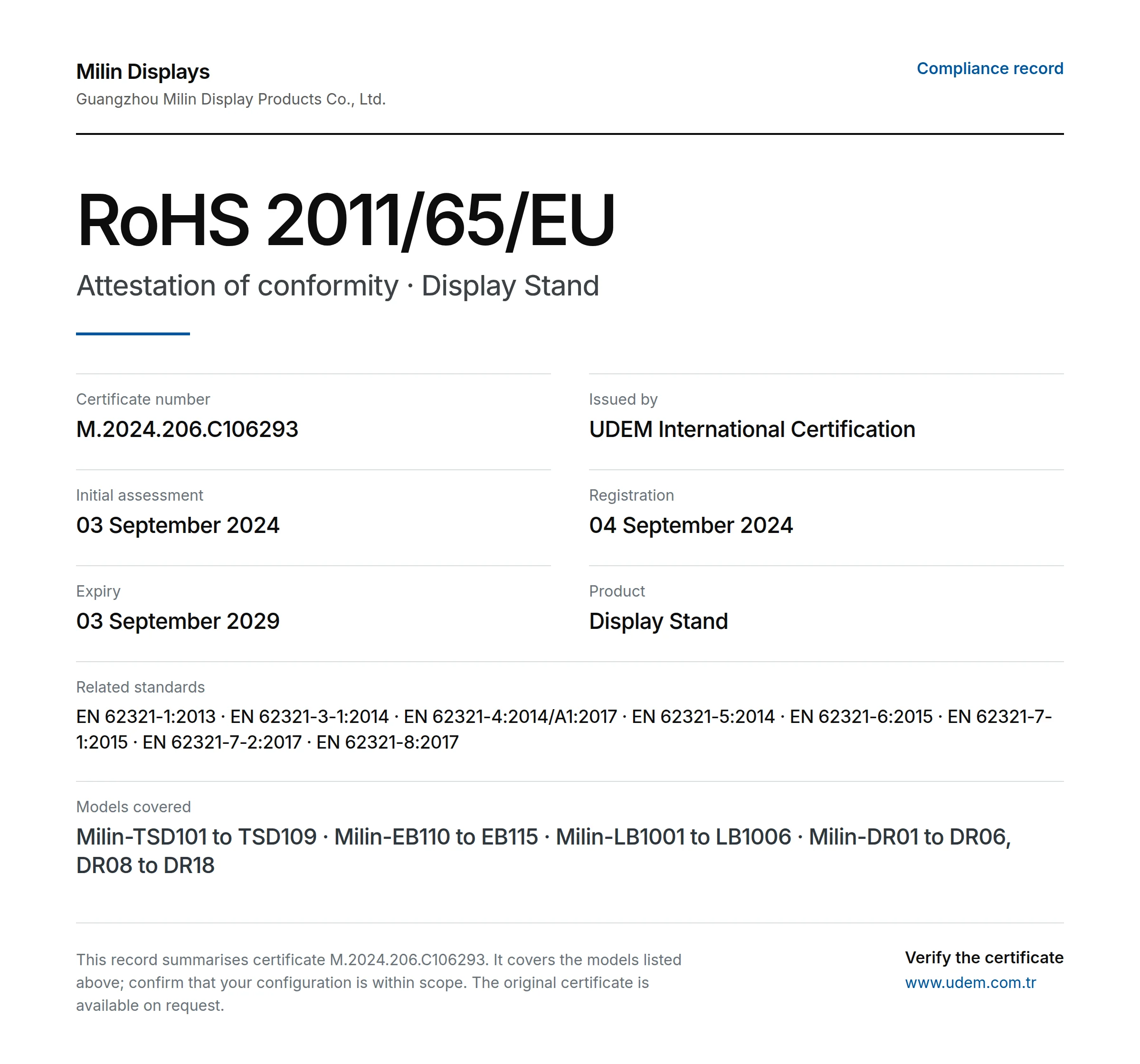
- Issuer
- UDEM International Certification
- Certificate
- M.2024.206.C106293
- Directive
- 2011/65/EU (RoHS)
- Product
- Display Stand
- Registered
- 04 September 2024
- Stated expiry
- 03 September 2029
Models in supplied record
Milin-TSD101 to TSD109 · Milin-EB110 to EB115 · Milin-LB1001 to LB1006 · Milin-DR01 to DR06, DR08 to DR18
Named holder: Guangzhou Milin Display Products Co., Ltd. Confirm its relationship to the quoted supplier and the ordered models. Current issuer status has not been independently verified here; RoHS does not establish fire performance or structural safety.
Other documents to request
ISO 9001
Request the current certificate, holder, issuer and scope. No original ISO 9001 certificate has been reviewed for this page.
CE-related documents
Ask which requirements apply to the selected product and market. RoHS details alone do not establish wider CE conformity.
Flame-retardancy records
Request the report for the actual fabric and finish. Check the test method and acceptance with the venue.
Check the build.
Not just the rendering.
Guangzhou Milin Displays Co., Ltd. describes an in-house workflow for frames, printed graphics and order checks. Ask to see the details relevant to your specification.

Check the system references.
Review the frame family, connectors and graphic finishing against the approved configuration. Retain that record before ordering replacement parts or proposing a new layout.
- Identify components by profile and connection, not visual similarity.
- Request load and support details for each specified shelf arrangement.
- Keep graphic templates, spare-fittings scope and packing identification.
A useful quote.
A defined scope.
Compare the initial configuration and a defined future change. Distinguish replacement prints from added bays, shelves, connectors, packing and any new support checks.
System architecture
Frame geometry, support, connection type and bay quantities.
Merchandising
Shelf material, approved loads, counters and selected accessories.
Graphic updates
Initial printed faces, templates and replacement panel scope.
Lifecycle costs
Assembly, transport, storage, inspection and future changes.
Display supply does not automatically include local installation, electrical work, rigging, permits, taxes or duties. Agree the scope and exclusions in writing.
Before you commit.
Resolve the practical questions before approving dimensions, artwork and the order.
Does modular mean every part is interchangeable?
No. Components must match the frame geometry, interfaces and approved loads. Send drawings and part details before combining systems or adding third-party accessories.
Can shelving and screens be integrated?
Selected systems can include both after checking sample weights, screen size, mounting, stability, power and maintenance access.
Can the display move to another store?
Plan around the limiting footprint, access and venue rules. Confirm compatible layouts, packing and which components or graphics change.
Is a full shop fit-out included?
This page concerns display systems and graphics. Retail furniture, secure storage, POS, building work, electrical work and local assembly are separate scope decisions.
Support after delivery
Keep the packaging and order reference. Send photos or video, the affected quantity and required installation date. Milin reviews missing parts, damage or production differences against the order; the remedy depends on the verified cause. Custom orders are normally non-returnable and no fixed warranty applies to every display. Read the support policy
Your range.
Your space.
Your next move.
Send the product dimensions and the layout. Discuss a system that can be specified now and understood when the range changes.
Discuss my retail system[email protected]Include with your enquiry
- Floor plan, height and fixing restrictions
- Product dimensions, weights and range size
- Shelf, counter, lighting and screen requirements
- Opening date, destination and future reuse plans