Experience
Centers
A place to see.
Try. Understand.
Custom display walls, sample stations and demonstration areas for guided brand visits. Specify the physical setting around your narrative, visitor groups and technology interfaces.
Custom dimensions and graphics. Production photos or video before dispatch.
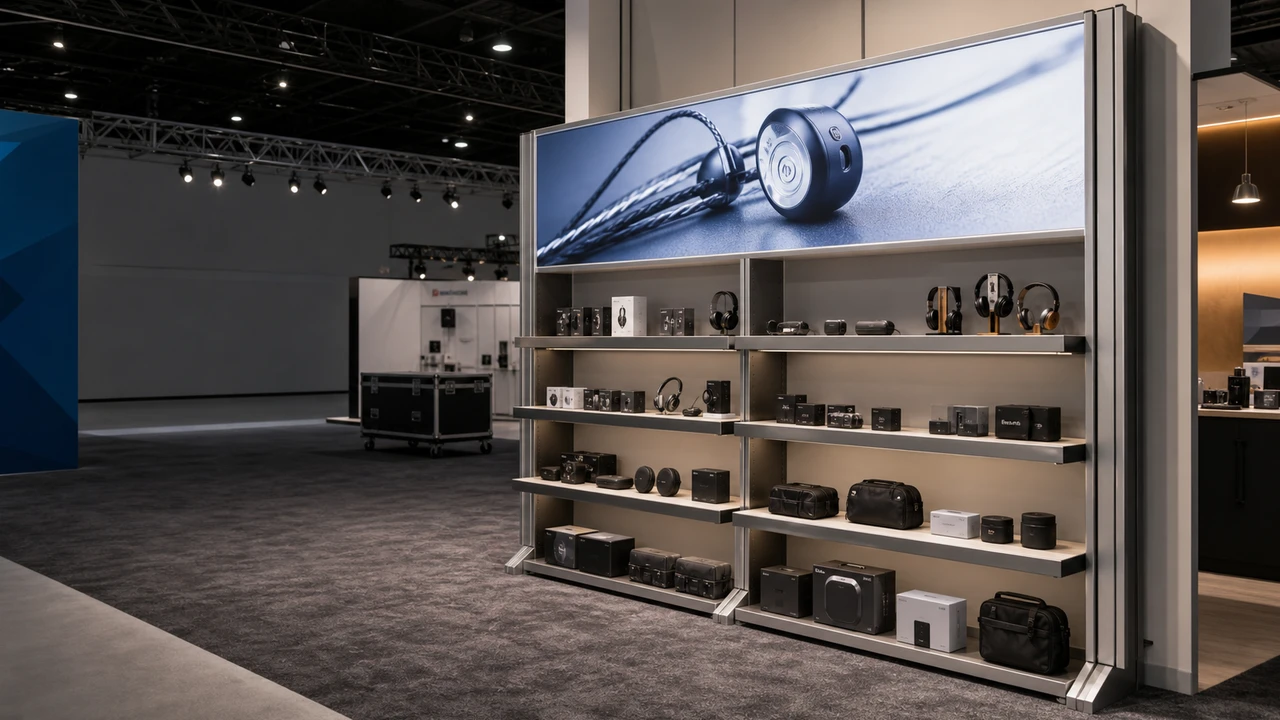
Product shelving environment · Milin catalogue scene reference
Make the brand story
easy to follow.
Set the sequence of the visit before choosing display walls. Each stop needs a message, a physical demonstration and room for the group.
Brand context
Identify the question each stop answers. Match the graphic wall to the guide’s explanation and viewing distance.
Hands-on discovery
Record how many visitors watch or participate, the demonstration equipment and the space to reset between groups.
A useful conversation
Give the closing discussion its own place. Product-by-product comparison belongs in the showroom brief.
A connected visit.
Not a row of fixtures.
The same display parts can support a product showroom, a visitor center or a guided learning space. The layout follows the purpose of the visit.
Arrive & orientate
Give visitors a clear starting point and show the main product story from the entrance.
Discover & demonstrate
Allow room to stop, handle a sample and watch a screen without closing the through-route.
Discuss & decide
Provide a closing point for questions and follow-up. Keep the guide’s route separate from equipment maintenance access.
Plan the physical display.
Define the technology.
A screen-ready structure is not a complete interactive experience. Agree the interfaces and responsibilities before making the frame.
| Part of the space | Display specification | Coordinate separately |
|---|---|---|
| Brand & information walls | Graphic size, illumination and replaceable panels. | Content approval, language versions and building interfaces. |
| Hands-on stations | Counter depth, product supports, shelf spacing and working side. | Product security, cleaning, demo consumables and operating procedures. |
| Screen demonstrations | Screen dimensions, weight, mount and equipment access. | Screens, software, media, network and AV commissioning as quoted. |
| Consultation areas | Dividers, pods and space around the display. | Furniture, noise separation and confidentiality requirements. |
Construction, architectural fit-out, local electrical work and interactive software are not automatically part of display supply.
Leave room
for the next product range.
An update is easier to plan when the original dimensions, connections and service access remain documented.
Refresh the graphics
Keep approved templates, panel dimensions and finishing information.
Maintain the equipment
Allow access to power, screens, drivers, ventilation and cable connections.
Change with care
Recheck loads and compatibility before moving shelves, adding screens or expanding modules.
Concept zoning only. Final circulation, electrical requirements, mounting and accessibility depend on the actual room and approved specification.
Designed for service access.
Guided demonstrations need an equipment-access plan. Agree who can reach screens, power and connections between visits.
Screens
Mount + ventilationEquipment size, weight, fixing and airflow confirmed with the selected frame.
Lighting
Driver accessAsk how drivers and connections are accessed; confirm whether graphic removal is required for the selected system.
Updates
Templates keptPanel sizes, finishing and frame references stored for the next range.
Building work, permanent electrical installation, software, media content and furniture are separate scopes and should appear as separate lines.
RoHS record.
Check the model scope.
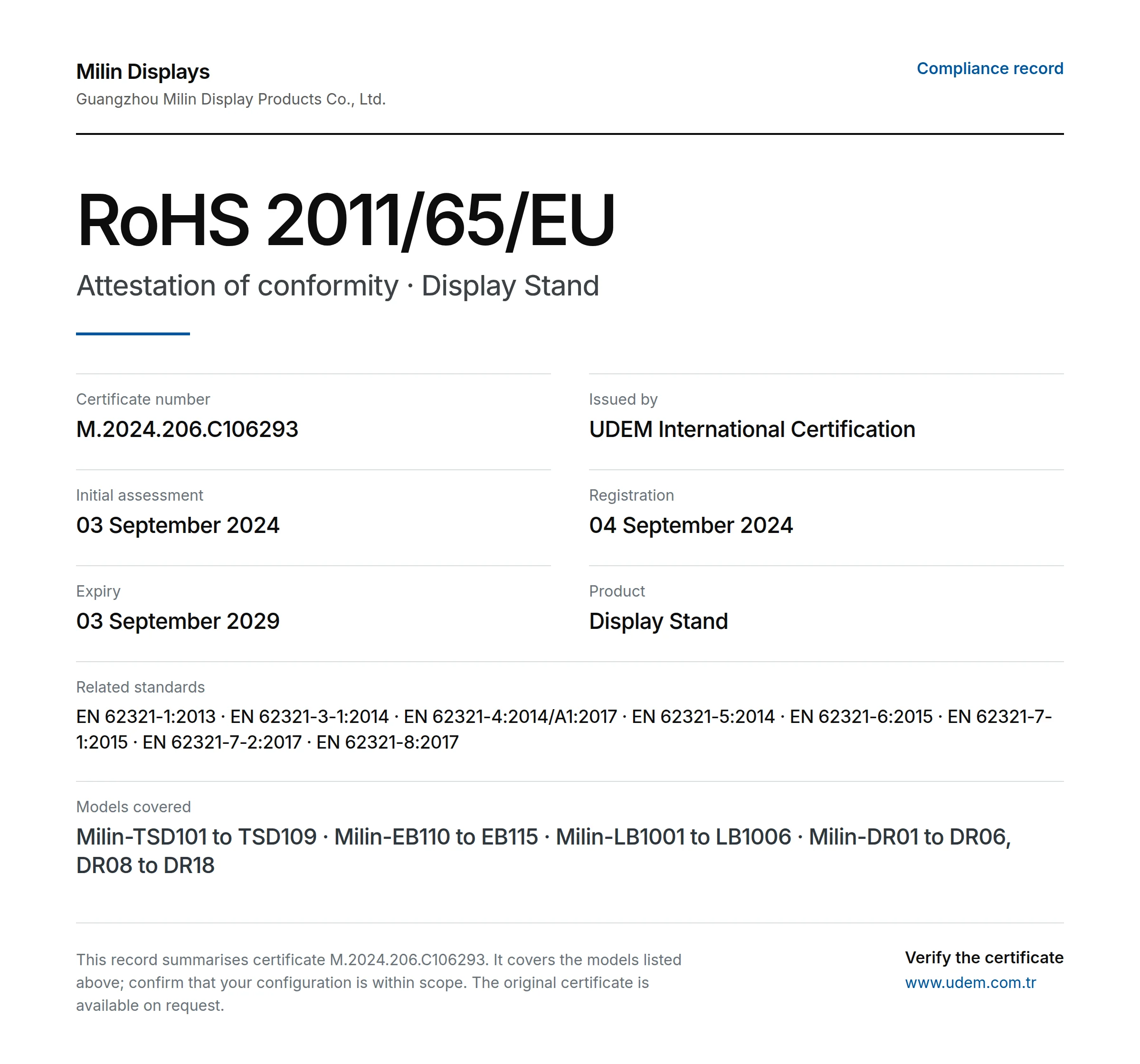
Summary of supplied certificate details, not an original scan. Match the listed models to your order and request the original document before tender use.
- Issuer
- UDEM International Certification
- Certificate
- M.2024.206.C106293
- Directive
- 2011/65/EU (RoHS)
- Product
- Display Stand
- Registered
- 04 September 2024
- Stated expiry
- 03 September 2029
Models in supplied record
Milin-TSD101 to TSD109 · Milin-EB110 to EB115 · Milin-LB1001 to LB1006 · Milin-DR01 to DR06, DR08 to DR18
Named holder: Guangzhou Milin Display Products Co., Ltd. Confirm its relationship to the quoted supplier and the ordered models. Current issuer status has not been independently verified here; RoHS does not establish fire performance or structural safety.
Other documents to request
ISO 9001
Request the current certificate, holder, issuer and scope. No original ISO 9001 certificate has been reviewed for this page.
CE-related documents
Ask which requirements apply to the selected product and market. RoHS details alone do not establish wider CE conformity.
Flame-retardancy records
Request the report for the actual fabric and finish. Check the test method and acceptance with the venue.
Check the build.
Not just the rendering.
Guangzhou Milin Displays Co., Ltd. describes an in-house workflow for frames, printed graphics and order checks. Ask to see the details relevant to your specification.
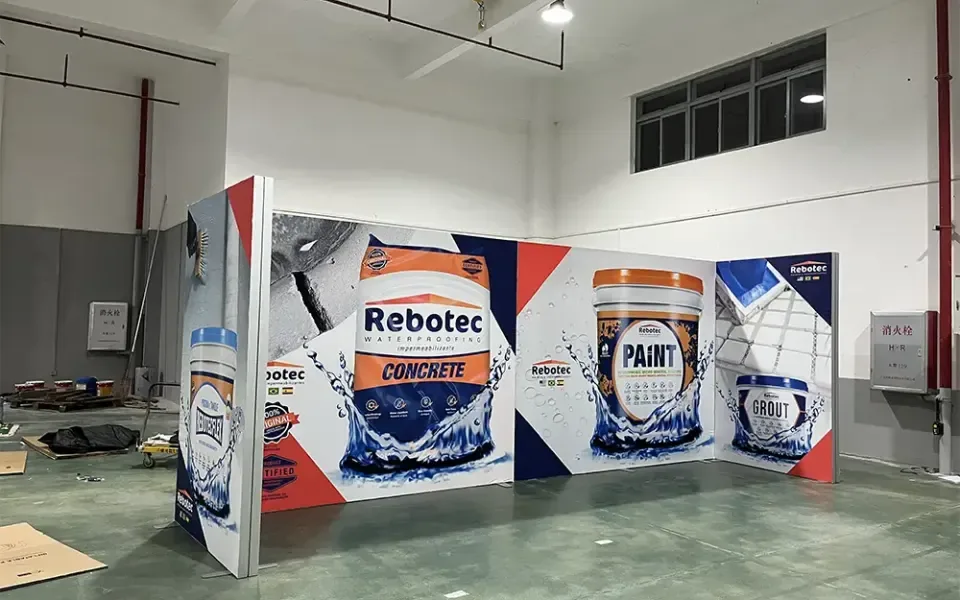
Check the visit and access.
Review display components against the guided route and equipment schedule. Ask how screen mounts, cables and drivers can be reached in the selected configuration.
- Match each physical station to its approved graphic and demonstration.
- Record access requirements for the separately supplied AV equipment.
- Keep panel templates and responsibility for content updates documented.
A useful quote.
A defined scope.
Separate the physical display stations from AV, software and building work. Compare the same visitor sequence, equipment interfaces and maintenance-access requirements.
Display architecture
Wall sizes, frame type, product bays and selected finishes.
Samples & presentation
Shelf material, support method, counters and compatible screen mounts.
Graphics & power
Printed panels, LEDs, drivers and the agreed electrical scope.
Future maintenance
Access panels, replacement templates, packing and support information.
Display supply does not automatically include local installation, electrical work, rigging, permits, taxes or duties. Agree the scope and exclusions in writing.
Before you commit.
Resolve the practical questions before approving dimensions, artwork and the order.
Does this cover a complete experience-center fit-out?
Milin supplies custom displays, graphics and compatible components. Building work, architectural services, furniture, local installation and interactive content require separate agreement.
How does this differ from a showroom?
This brief starts with a guided narrative, demonstration sequence and visitor-group movement. A showroom brief starts with comparing a product range and supporting sales discussions. The hardware can overlap; choose the page that matches the visit.
Who provides interactive technology?
Define screens, mounts and access in the display specification. Software, sensors, media, networking and AV commissioning must have named suppliers and a separate agreed scope; a screen mount does not provide an interactive system.
Do the consultation pods provide acoustic privacy?
Fabric pods define a meeting area visually. They are not soundproof rooms; plan confidential conversations and noise control with your venue or fit-out team.
Support after delivery
Keep the packaging and order reference. Send photos or video, the affected quantity and required installation date. Milin reviews missing parts, damage or production differences against the order; the remedy depends on the verified cause. Custom orders are normally non-returnable and no fixed warranty applies to every display. Read the support policy
Bring the brand
into the room.
Start with the products and the visitor journey. Share the space, technology and updates the display should support.
Discuss my experience center[email protected]Include with your enquiry
- Floor plan, opening date and visitor purpose
- Product dimensions, weight and handling needs
- Screen sizes, equipment, power and cable routes
- Graphic content, future updates and delivery destination