Choose a straight pop-up display when you need a flat graphic surface for product information and a layout that lines up with counters or cabinets. Choose a curved display when you want a wraparound backdrop for a central image, presenter, or photo area. If floor space is tight, compare each model’s full footprint: a curved wall may be narrower, but its arc adds depth.
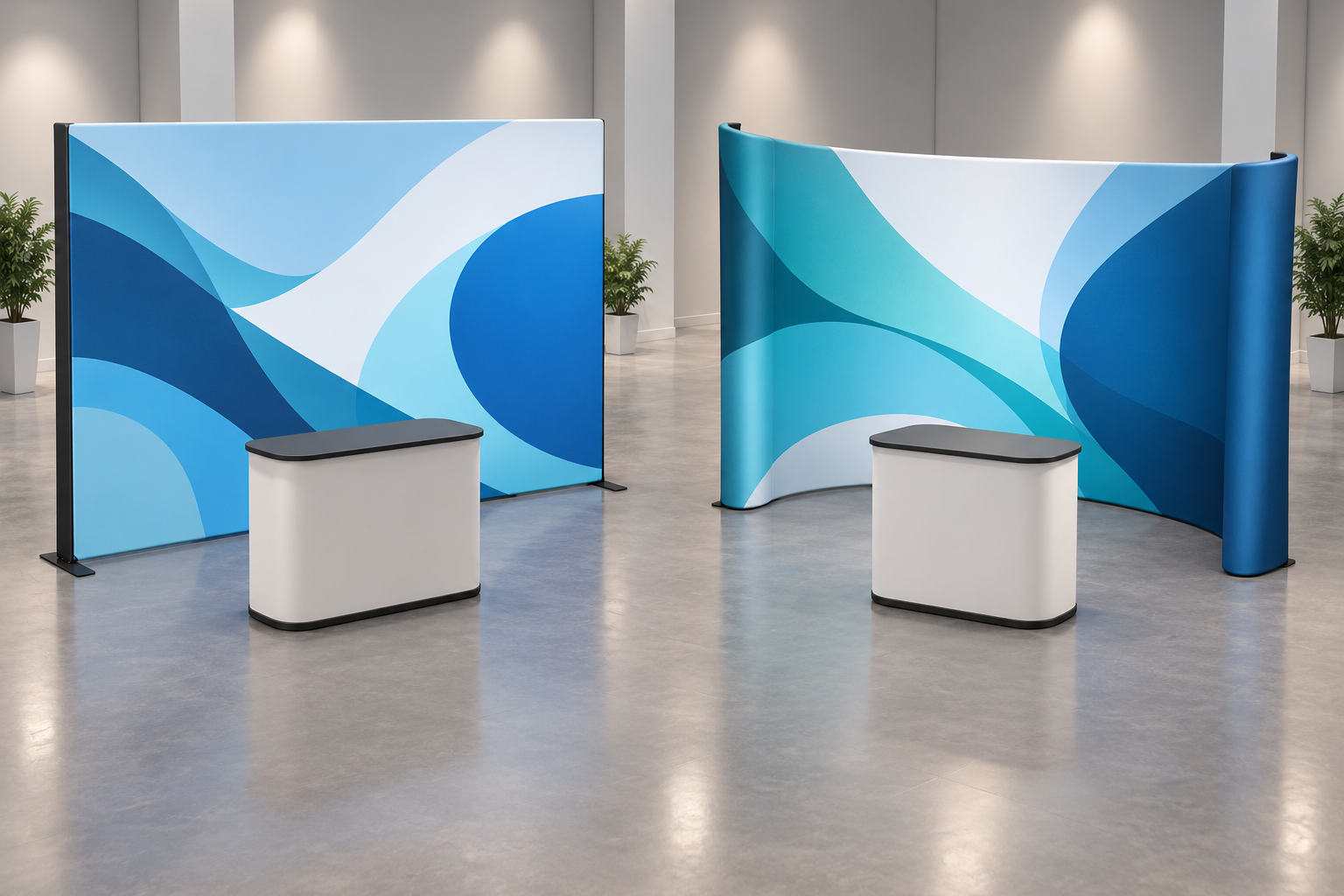
Curved vs Straight at a Glance
This comparison covers concave curved displays, whose ends extend toward the visitor.
| Your Priority | Straight Backwall | Curved Backwall |
|---|---|---|
| Product information | A flat face suits aligned product photos, names, and short descriptions. | Key text works best near the center; side content is viewed at an angle. |
| Brand imagery | Provides a flat background for logos and graphics. | Creates a wraparound setting for a large image or central subject. |
| Furniture placement | Counters and cabinets can sit parallel to the face, clear of supports. | Projecting ends need checking against furniture and staff positions. |
| Floor space | Depth depends on the frame, feet, and rear supports. | Depth includes the arc as well as feet and supports. |
Check Width and Depth Separately
A 10-foot booth is 3.048 m wide, not exactly 3 m.[1] That small difference matters when a display nearly fills the available width.
Milin’s straight pop-up fabric wall lists its 3 × 4 frame at 302 cm wide and 227 cm high. The curved version lists 280 cm wide and 226 cm high. These are frame-grid labels, not dimensions in meters. The straight model’s listed width exceeds a 3 m allocation by 2 cm; the curved model is narrower, but you still need its maximum depth.
Ask for a top-down drawing showing every foot and support. Then place your counter and furniture on the same plan.
| Measurement | Straight Example | Curved Example |
|---|---|---|
| Maximum backwall depth | 0.35 m | 0.75 m |
| Counter depth | 0.50 m | 0.50 m |
| Remaining depth | 3 − 0.35 − 0.50 = 2.15 m | 3 − 0.75 − 0.50 = 1.75 m |
This calculation places the backwall and counter front to back without overlap. The 40 cm difference applies only to these examples. Remaining depth must accommodate people and equipment; it is not a clear aisle measurement.
Tape the full-size footprints onto the floor. Check whether cabinet doors open and whether visitors can reach the products while someone stands behind the counter. For U.S. accessible routes, ADA guidance generally specifies 36 inches of continuous clear width, with limited exceptions and extra clearance at certain turns.[2] Confirm applicable access and aisle requirements with the organizer.
Account for Open Sides
- 6 m wide × 3 m deep: The booth offers 18 m², but only 3 m of depth for the backwall, furniture, and people. Extra width does not solve a depth problem.
- Two open sides: Check the logo and main product from both aisles. A projecting display end or tall cabinet may block one approach.
- An exposed rear: Request rear-view photos. Confirm whether visitors will see the frame and whether a double-sided graphic is available.
Plan the Artwork Around the Shape
For a curved wall, a workable starting layout is one large image, one logo, and one headline. Keep important content in the central viewing area. Check faces, round products, and lettering near the ends from the actual viewing or camera position; the curve can make them look compressed.
A straight wall suits product columns or a brand name above a short business description and three selling points. Keep full specifications and prices in a brochure or landing page rather than shrinking them to fit the wall.
For either shape, keep logos and small text away from seams and side returns. Print QR codes at their final size and test them at the expected distance. If visitors will scan from 1 m away, test from 1 m with several phones.
Compare Setup and Transport
Neither shape guarantees easier setup. Compare the total packed weight, heaviest package, case dimensions, and recommended crew size. A “10-minute setup” claim should state whether it includes unpacking, fitting the graphic, and attaching lights.
If one person will handle the display, request a complete solo setup video for that model. For repeated events, check replacement-part availability and the graphic’s cleaning and storage instructions.
Compare Like-for-Like Quotes
Use similar assembled sizes, graphic materials, and single- or double-sided printing. Have suppliers list lights, cases, shipping, tax, and replacement graphics separately. A frame-only price is not comparable to a complete kit.
Estimated cost per event = total purchase, replacement graphic, transport, and maintenance costs ÷ planned uses. A hypothetical CNY 3,500 budget across five events equals CNY 700 per event. This is an illustration, not a market price.
Confirm Before Ordering
- Graphic fit: Match the frame model, template, finished size, side returns, and attachment method. The same nominal width does not make graphics interchangeable.
- Shape conversion: Do not assume a curved frame can become straight. Get manufacturer confirmation and the cost of any required parts and graphics.
- Accessories: Confirm approved mounting points and load limits before adding lights or screens.
- Venue rules: Include lights in the total height and ensure required material certificates cover the supplied graphic.
- Outdoor use: Obtain model-specific suitability and fixing instructions. An indoor pop-up wall should not be treated as an outdoor display.


