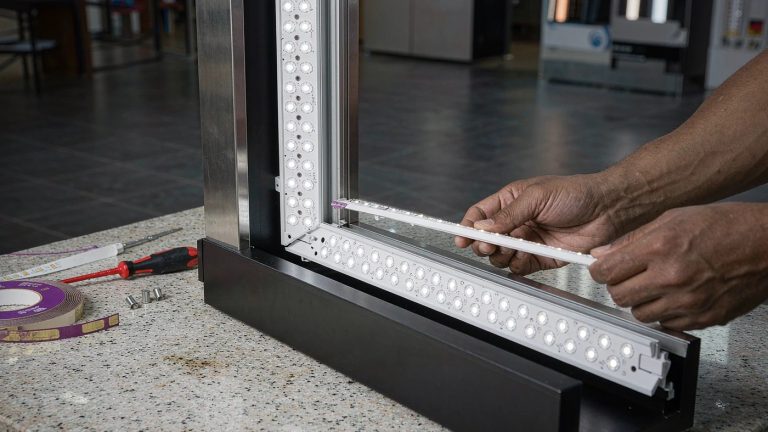
White fabric can look green at a trade show because the hall light itself has a green tint, or because it renders the fabric differently from the light used to approve the print. Two fixtures can have the same Kelvin rating and still differ in tint or in how they render colors [1]. Before ordering a reprint, compare the same offcut under the hall lights and the light you used to approve it. If the green shows up only in the hall, check the lighting first.
Why the same fabric looks different in the hall
The color you see depends on both the light reaching the fabric and what the fabric reflects. Two white materials can match under one light and look different under another because they reflect wavelengths differently. This is called metamerism [2]. On a tension fabric display, that mismatch may be easier to spot where the white print meets a white counter or another panel.
If the venue shares a fixture spec sheet, look for correlated color temperature (CCT) and Duv. CCT describes how warm or cool the light looks; a more positive Duv indicates a greener tint at the same CCT [1]. The general color rendering index (Ra) is an average based on eight test colors, not a test of your fabric [3]. If the venue and supplier give you the same Kelvin rating, don’t take that as a match. Ask for Duv if available, and still compare the physical samples. The specs can help explain a difference, but they can’t settle a print approval.
How to check the green cast on site
Compare the same swatch in two places
Say the white backwall looks green at your booth but the spare piece looked neutral at the proofing table. Start with the same printed offcut at the booth and in a nearby aisle, holding it at about the same angle. This tells you whether the same fabric changes appearance with location. To check the print itself, put the production offcut and approved fabric sample side by side under the agreed proofing light. Compare the same part of the artwork, such as the white margin or a pale gray logo, rather than comparing two different colors.
If you don’t have the approved sample on site, the aisle check can still show that lighting is affecting the appearance. It can’t tell you whether the production print matched the proof. Label the offcut with the panel or job reference and ask the supplier to compare it with the retained proof, if there is one.
Separate the booth lights from the hall lights
Leave the hall fixtures alone. From the same viewing spot, use the normal controls to switch one set of booth lights off and back on at a time. For example, leave the backlight off while you check the booth spotlights, then leave the spotlights off while you check the backlight, if the controls allow it. If green appears only with the backlight on, ask the supplier to check the fabric and light source together. The same file can look different in two display lightboxes; a loose swatch on a table doesn’t show how the finished lightbox will look.
When only one panel looks green
Suppose two panels use the same white artwork, but only the left one looks green. If you have an offcut from each panel, hold both side by side where the cast is most visible, then compare them under the proofing light. A difference that persists under the proofing light gives the supplier a reason to check the two production samples. If the offcuts match side by side but the installed panels don’t, check what differs between the two positions, including which lights are on or whether the panels use different lightboxes. Don’t take down an installed panel just to run this check.
| What you see | What to check next |
|---|---|
| Both samples look green only at the booth and match under the proofing light. | Hold the reprint while you check the booth and hall lighting. |
| The production offcut looks greener than the approved sample under the same proofing light. | Ask the supplier to confirm the mismatch and check a replacement proof before you authorize a reprint. |
| The cast appears only with the backlight on. | Review the current print in the intended lightbox with the supplier before approving a change. |
| You have no approved fabric sample to compare. | Use the location check to document the shift, not to accept or reject the print. |
What to send before approving a reprint
Give the supplier the hall and booth numbers, the panel or job reference, where you saw the tint, and which lights were on. If you have both samples, photograph them in the same frame. If your phone lets you lock white balance, keep the setting the same across comparison shots and label each lighting condition. Use the photos to show where the shift appeared, not to approve a new color.
Example message: “The white margin on the left backwall looks green in our booth with the display lights off. The same offcut looks less green in the next aisle. We don’t have the signed sample here. Can you compare this offcut with the approved proof under your proofing light before we decide on a reprint?”
How to avoid the same dispute at the next show
Keep the approved fabric sample and write down the light it was approved under. If you’re ordering a backlit backwall, review the proof in the intended lightbox with the backlight on. If the fabric has to match a white counter or another panel, put a sample of that finish next to the proof rather than approving each piece separately. When the hall lighting isn’t available before printing, agree which light determines print approval and what you’ll check again at setup. A match at the proofing table is not a promise of a match in every hall.
If the cast appears to come from above, ask the show service desk for the fixture model over your bay and what booth lighting options are permitted. If you can arrange a test, compare the sample before and after the proposed lighting change rather than trying to compensate in the artwork first. Leave changes involving venue fixtures, wiring or rigging to qualified personnel under local rules, and confirm permitted options during booth lighting and power planning.
Still seeing green on your fabric?
Tell us where the tint appears and which lights are on when you see it.