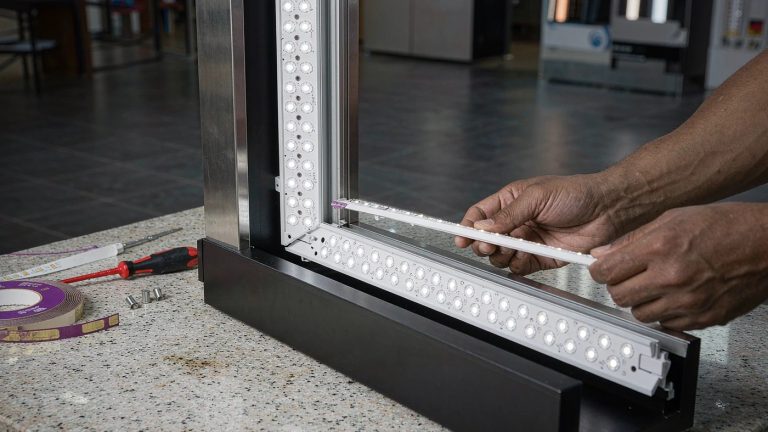
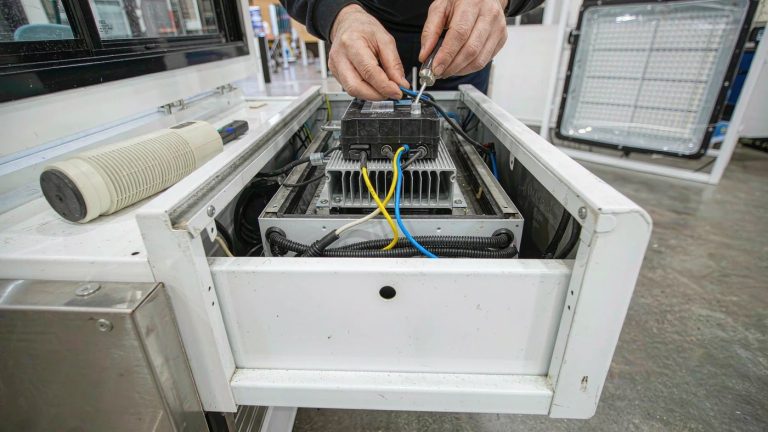
If an LED lightbox uses voltage outside its specified range, it may become dim, flicker, fail to start, shut down, or suffer permanent damage. Too little voltage can prevent normal operation; too much can damage the driver or LED modules and create an overheating or fire hazard. The result depends on whether the mismatch is at the AC input or the DC output, the equipment design, and the duration of exposure. Stop using a suspected mismatched lightbox rather than testing whether it will keep running.
A different supply voltage is not automatically the wrong voltage. For example, both 120 V and 230 V fall inside a hypothetical 100–240 V AC input range. That does not make a 120 V-only lightbox suitable for 230 V, or make the driver’s AC input rating interchangeable with its DC output rating. Check the complete equipment instructions, not just one number.
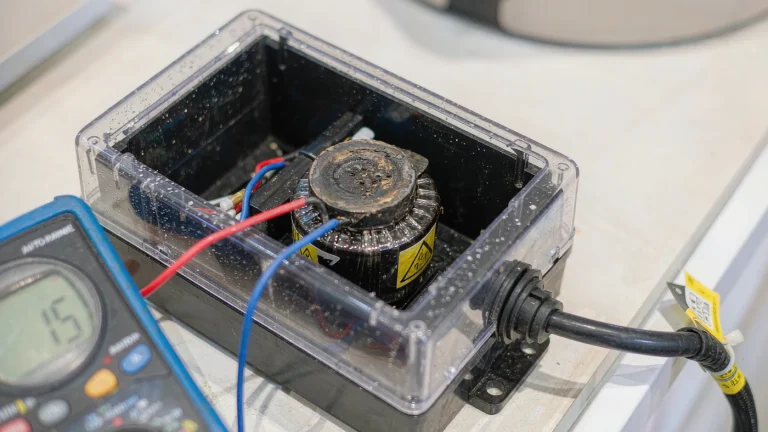
How far off the voltage can be
The following examples show the size of a mismatch relative to a stated nominal rating. They are calculations, not Milin product specifications, venue measurements, or permissible operating limits. The formula is (connected voltage − nominal rating) / nominal rating × 100%.
| Label rating | Connected supply | Difference from nominal rating |
|---|---|---|
| 120 V AC-only input | 230 V AC | (230 − 120) / 120 × 100% = +91.7% |
| 230 V AC-only input | 120 V AC | (120 − 230) / 230 × 100% = −47.8% |
| 24 V DC constant-voltage LED input | 12 V DC output | (12 − 24) / 24 × 100% = −50.0% |
| 12 V DC constant-voltage LED input | 24 V DC output | (24 − 12) / 12 × 100% = +100% |
These percentages do not predict brightness, temperature, or damage. Compatibility comes from the permitted operating range and the approved driver-and-LED combination.
Voltage also affects the current needed to deliver a given power. In a simplified single-phase example with 150 W of AC input power and a power factor of 1, current is 150 / 120 = 1.25 A at 120 V, or 150 / 230 ≈ 0.65 A at 230 V. Actual AC input current is input power / (RMS voltage × power factor). If 150 W instead describes LED output power, driver losses must also be included. This calculation does not establish compatibility or size a circuit; use the manufacturer’s input-current data and qualified electrical advice.
Where wrong voltage hits
AC input to the driver
The AC input is the supply entering the lightbox or its external driver. IEC 60038 establishes standard voltage values used as reference values for supply systems and equipment design; it does not confirm the supply at your venue.[1] Get the actual supply details from the venue’s documentation or electrician, then compare them with the equipment’s rated input voltage and frequency.
A regulated driver separates the mains input from the power delivered to the LEDs. A higher AC input therefore does not automatically mean brighter LEDs. The U.S. Department of Energy’s luminaire-lifetime guide describes driver circuits working together to provide regulated output power, and explains that driver faults can lead to complete failure.[2] Outside the specified input range, do not assume regulation or protection will keep the equipment safe.
DC output to the LED modules
The DC output is a separate compatibility check. In a constant-voltage system, compare the driver’s specified output with the LED module’s required input. A hypothetical 12 V LED section paired with a fixed 24 V output is a mismatch, not a brightness setting. For a constant-current system, the specified current and permitted output-voltage range must suit the LED load; matching a voltage number alone is insufficient.
IEC 60598-1:2024 specifies general safety requirements for luminaires operating from supply voltages up to 1,000 V, including marking and construction.[3] Its scope is not evidence that a particular lightbox is certified or that a replacement driver is approved for it. Use the exact model’s instructions and supplier confirmation.
What happens when the voltage is too low
Possible symptoms include:
- Dim light or an unevenly lit face, particularly with insufficient DC voltage at the LED modules
- Flickering, pulsing, or intermittent operation
- Failure to start or repeated attempts to restart
- A fault indication, if the driver provides one
An AC-powered driver may maintain normal output within its rated input range. Below that range, its behavior depends on its design: it may stop, restart, or operate abnormally. Undervoltage is not an approved dimming method, and a dim face does not prove that the mains voltage is low.
Loose connections, voltage drop along DC wiring, excessive load, dimmer incompatibility, and existing component faults can produce similar symptoms. Keep the checks external and let qualified personnel determine the cause. Do not raise the supply voltage to compensate for an unexplained dim section.
What happens when the voltage is too high
Excessive AC input can damage the driver without any bright warning. Excessive DC voltage applied to an incompatible constant-voltage LED section may cause abnormal brightness, overheating, or failure. Neither case has a guaranteed sequence of symptoms.
- The light may shut down or fail to start
- The driver or LED modules may fail permanently
- Abnormal heat, discoloration, a burning smell, or insulation damage may appear
- A protection device may operate, but protection must not be assumed to prevent damage
There is no universal safe exposure time. A lightbox that still illuminates after a mismatch has not thereby passed a safety check. Do not repeatedly reconnect it or reset a breaker to see whether the fault has cleared.
Low versus high at a glance
| Mismatch | Possible behavior | What it means for the owner |
|---|---|---|
| AC input below the permitted range | No start, shutdown, restarts, or unstable output, depending on the driver | Do not treat this as a low-power mode |
| AC input above the permitted range | Driver failure, shutdown, or overheating; brightness may give no warning | Stop use and obtain qualified assessment |
| DC output below a constant-voltage LED module’s requirement | Dim or unlit sections, depending on module design | Verify the approved driver and LED pairing |
| DC output above a constant-voltage LED module’s requirement | Abnormal output, overheating, or permanent damage | Do not reconnect without clearance |
Why a brief successful test is not enough
A quick illumination check cannot establish long-term safety or confirm that no damage occurred. The DOE guide identifies LED drive current and junction temperature as important reliability factors, and discusses the effects of operating temperature, voltage, and current on electronic-component life.[4] It does not provide a universal voltage-to-lifetime formula for lightboxes.
For LED lightbox displays, check the permitted environment, ventilation, and duty conditions in the manual. Do not infer suitability for permanent operation from the appearance of the frame. In larger exhibit structures and trade show booth systems, have the approved electrical arrangement confirmed before any commissioning run. A test is not a reason to energize equipment with an unresolved mismatch.
What to check before connecting power
Keep owner checks external. Do not open drivers, probe circuits, rewire LED sections, or try different power supplies. If a label is inaccessible, obtain the documentation from the supplier instead of opening an enclosure.
- Record the complete lightbox and driver model numbers. Photograph accessible AC input labels, including voltage range, frequency, and input watts or amps.
- Find the driver’s DC output specification and the LED input requirement in the approved documentation. Identify constant-voltage or constant-current operation, rather than assuming all LED systems use the same arrangement.
- For a replacement driver, obtain confirmation of the approved model, output voltage or current, load range, polarity, connectors, dimming compatibility, and installation requirements. Watts alone do not establish compatibility.
- Get the venue’s supply voltage, frequency, and connection requirements from its manual or electrician. A matching plug shape does not establish an electrical match.
- Keep the label photos, supplier confirmation, and approved layout with the shipment so the installation crew has the same information.
A worked label-check scenario
Imagine a driver labeled 100–240 V AC input and 24 V DC constant-voltage output, with documentation specifying compatible 24 V LED modules. A documented 230 V AC venue supply is within that example input range; a fixed 12 V DC replacement does not match the stated module requirement. If the original driver instead says 120 V AC-only, the 230 V supply is not an acceptable substitute. These are hypothetical label comparisons, not a tested Milin installation. Frequency, load, and the complete assembly’s approval still need confirmation.
Record the AC input, DC output, and venue supply in separate fields. That makes the comparison explicit without pretending to diagnose the equipment from its appearance. A tension-fabric display face or a backwall display frame tells you nothing about the approved electrical pairing.
In U.S. workplaces covered by the relevant OSHA requirements, listed or labeled equipment must be installed and used according to the instructions included in its listing or labeling.[5] OSHA also requires conductors and equipment to be protected against overcurrent according to their ability to conduct current safely.[6] These requirements do not replace applicable local rules or venue instructions.
What to do after using the wrong voltage
Stop using the lightbox. Switch it off only if the control is safely accessible. If there is smoke, sparking, scorching, a burning smell, damaged wiring, or suspected shock risk, keep clear and contact the venue electrician or building manager. Follow the venue’s emergency procedure for smoke or fire. Do not touch suspect equipment to check its temperature or keep resetting a tripped breaker.
From a safe location, gather the model numbers, accessible label photos, supply details, approximate time connected, and observed symptoms. For groups of illuminated product displays or retail promotion displays, use the existing circuit schedule or ask the electrician to identify the affected group; do not trace live wiring yourself.
Have qualified personnel assess the equipment before reconnection. OSHA’s work-practice rules address deenergization, verification, and restrictions on work involving exposed energized parts in covered workplaces.[7] Inspection, electrical measurements, replacement, and repair must follow the manufacturer’s instructions and applicable local requirements.
Will the lightbox work again?
Possibly, but restoring the correct supply is not proof of recovery. An undamaged system may resume normal operation after the mismatch is resolved; damaged LEDs or driver components will not be repaired by correcting the voltage. The supplier and qualified electrician should determine whether assessment, replacement, or withdrawal from service is needed. For general supplier information, see the Milin Displays FAQ.
Bottom line
Wrong voltage can cause poor light output, shutdown, or permanent damage, with overheating possible in a serious mismatch. First distinguish the driver’s AC input from its DC output, then compare the complete ratings with the LED requirements and venue supply. If a mismatch has already occurred, stop use and obtain qualified clearance before reconnecting.
Voltage check before you order
Not sure your lightbox matches the hall supply? Send the label photos and checklist values, and get a clear answer before you connect power.
Check your voltage with Milin DisplaysInclude the AC input rating, DC output rating, and venue supply voltage.
References
- IEC 60038:2009, IEC standard voltages. IEC publication scope.
- U.S. Department of Energy and Next Generation Lighting Industry Alliance, LED Luminaire Lifetime: Recommendations for Testing and Reporting, third edition, September 2014, section 3.2. Driver regulation and reliability discussion.
- IEC 60598-1:2024, Luminaires, Part 1: General requirements and tests. IEC publication scope.
- U.S. Department of Energy and Next Generation Lighting Industry Alliance, LED Luminaire Lifetime, sections 2.1.1 and 3.2. Electrical stress, temperature, and component life.
- OSHA 29 CFR 1910.303(b)(2). Installation and use of listed or labeled equipment.
- OSHA 29 CFR 1910.304(f)(1)(i). Overcurrent protection of conductors and equipment.
- OSHA 29 CFR 1910.333. Selection and use of electrical work practices.