The right exhibition stand is not the largest space you can afford. It is the smallest space that can handle your products, staff and busiest visitor period without blocking access or making the stand feel crowded.
Start with function. List what must happen inside the stand, how many people will be present at the same time and how much operating space each product or activity needs. Then compare that requirement with the clear floor area left after walls, counters, storage and equipment are installed.
Exhibition stand is the common term in the UK and much of Europe. Trade show booth is more common in North America. Metric and imperial formats are similar but not identical. A 3 × 3 m stand covers 9 m², while a 10 × 10 ft booth covers about 9.29 m². One international foot equals exactly 0.3048 m, so use the exact dimensions in the event contract when preparing the layout.[1]
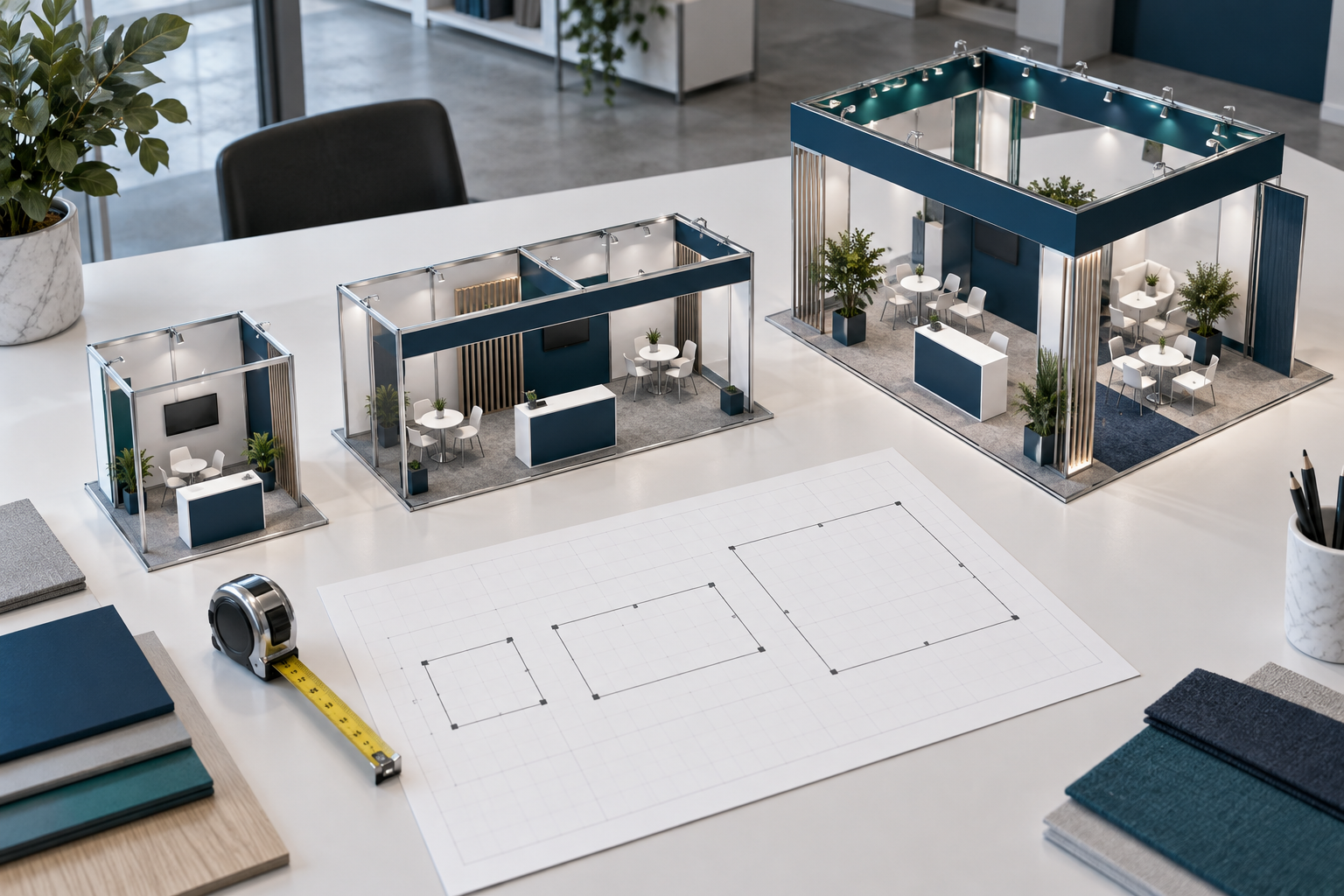
Quick Size Guide
| Common size | Approximate area | Usually suitable for | Typical layout |
|---|---|---|---|
| 3 × 3 m or 10 × 10 ft | 9 to 9.29 m² | Simple lead generation, services and compact products | One main activity, a small team, one counter and one display wall |
| 3 × 6 m or 10 × 20 ft | 18 to 18.58 m² | Demos, consultations or two activities at the same time | Product zone, standing conversations, small meeting point and storage |
| 6 × 6 m or 20 × 20 ft | 36 to 37.16 m² | Several products, meetings or a larger demo | Reception, product zones, meeting space and a service area |
| 6 × 9 m or 20 × 30 ft | 54 to 55.74 m² | Launches, machinery and several business activities | Multiple zones, screens, private meetings and technical storage |
| 9 × 9 m or 30 × 30 ft and above | 81 to 83.61 m² and above | Stages, hospitality, large products or several teams | Presentation area, lounges, product zones and support rooms |
These are planning examples, not occupancy limits. A stand containing machinery, seating, catering equipment or large structures may hold fewer people than an open stand of the same size. Always apply the current event and venue rules.
Define the Main Goal
Choose one main purpose before selecting the floor area. Common goals include collecting qualified leads, showing a product, running live demonstrations, meeting customers, finding distributors, launching a product or serving samples.
A clear goal shows which features deserve space. A lead-generation stand needs easy entry and several short conversation points. A technical demonstration needs product operating space, viewing distance, safety clearance, utilities and storage. Private sales meetings need seating and less noise.
Turn the goal into a practical target, such as:
- Complete 30 qualified conversations per day.
- Run six demonstrations for groups of eight visitors.
- Hold twelve pre-booked meetings during the event.
- Serve 500 samples per day without forming a queue in the aisle.
- Show one machine while normal sales talks continue.
Targets can be converted into simple capacity checks. Six demonstrations with eight visitors per session provide space for 48 planned viewers during the day. If each session uses 15 minutes for the presentation and 10 minutes for questions and reset, the six sessions require about 150 minutes of stand operating time. This calculation helps you decide whether the demo area needs to remain active all day or can be used for another purpose between sessions.
UFI’s exhibitor guide treats goal setting, target marketing, stand staffing and lead handling as connected parts of exhibition planning.[2]
List Activities and Peak Visitors
List every activity that must happen inside the stand. Include visible activities such as greeting visitors, scanning badges, presenting products, running demos, holding meetings and serving drinks. Also include internal work such as restocking, charging devices, storing bags, cleaning, repairing equipment and removing waste.
For each activity, record:
- The number of staff and visitors involved.
- The expected duration.
- How often it happens.
- Whether it creates a queue or audience.
- The furniture and equipment it needs.
- Its power, internet, water, drainage or air requirements.
- Which other activities must continue at the same time.
Plan for the busiest realistic period rather than the daily average. Include permanent staff, visiting specialists, customers in meetings, people watching a demo and anyone waiting.
A rough queue-planning estimate is:
Visitors inside the stand ≈ peak arrival rate × average visit length
If one suitable visitor enters every two minutes and stays for ten minutes, about five visitors may be present at once. Add staff, waiting visitors and any scheduled group. This is a layout estimate, not a legal capacity calculation.
You can also test staff capacity. In one planning example, three sales staff each complete about three 15-minute conversations per active hour after allowing time for brief notes and visitor qualification. Over five active hours, the stand could support about 45 conversations: 3 staff × 3 conversations × 5 hours. Actual results will depend on visitor quality, breaks and conversation length.
Sudden arrivals need separate planning. Visitor numbers may rise after a seminar, at the start of the day or when a group arrives for a scheduled demo. HSE guidance recommends assessing the audience, venue, entrances, movement and exit conditions when planning crowd safety.[3]
Calculate the Usable Area
Do not measure only the footprint of a product or piece of furniture. Measure the complete space needed while it is in use.
A chair needs room to move back. A cupboard needs room for its door. A machine may need an operator, open service panels and a safety zone. A sample counter needs staff space, stock and a waiting area. A screen needs a useful viewing distance.
Divide the layout into four parts:
- Activity area: conversations, meetings, demos and hospitality.
- Display area: products, counters, screens, shelves and graphics.
- Circulation area: clear routes used to enter, move and leave.
- Service area: storage, technical equipment, restocking and waste.
Required stand area = activity area + display area + circulation area + service area
The following table shows three possible space allocations. They are layout examples, not fixed ratios or occupancy standards.
| Stand size | Product or demo | Meeting or reception | Structure, storage and service | Circulation and visitor space |
|---|---|---|---|---|
| 3 × 3 m: 9 m² | 1.5 m² | 1.0 m² | 0.5 m² | 6.0 m² |
| 3 × 6 m: 18 m² | 5.0 m² | 4.0 m² | 3.0 m² | 6.0 m² |
| 6 × 6 m: 36 m² | 9.0 m² | 11.0 m² | 5.0 m² | 11.0 m² |
In the 9 m² example, displays and support items use 3 m², leaving 6 m² for staff, visitors and movement. In the 18 m² example, the product, meeting and service areas use 12 m², leaving 6 m² open. In the 36 m² example, 11 m² remains available for circulation and temporary visitor peaks. Your allocation may be very different when products are large or meetings are the main goal.
The area shown in the contract normally describes the booked floor boundary. The clear area left for visitors will be smaller after wall panels, counters, storage, structural supports, screen bases and technical equipment are installed.
Before approving the layout, confirm whether columns, floor boxes, ducts, access panels or fire equipment sit inside the stand. Also check whether the quoted dimensions are measured inside or outside supplied wall panels.
A scale drawing or 3D layout is useful at this stage. Modular systems can be arranged around the actual floor plan; for example, Milin’s aluminum exhibition booth system is offered in custom sizes rather than only one fixed format.
Shell Scheme or Space-Only
A shell scheme normally includes basic wall panels and a fascia. Some packages also include carpet, lighting or a power connection, but the exact contents differ by event. It is often easier for a first-time exhibitor, although fixed panels and height limits reduce layout freedom.
A space-only booking normally provides the marked floor area without a finished stand. The exhibitor arranges the structure, flooring, lighting, graphics and approvals. This gives more control but adds design, construction and technical work.
Compare the complete cost and clear usable area, not only the rental rate. A shell scheme may reduce build costs but lose internal width. A space-only stand may use the boundary more efficiently but require more services and approval time.
Choose a 3 × 3 m Stand
A 3 × 3 m or 10 × 10 ft stand works best when it supports one main activity. It is suitable for a small team, compact products, professional services, software demonstrations and short conversations.
A practical layout normally includes:
- One clear message on the rear wall.
- One screen or compact product display.
- One narrow counter placed to the side.
- Lockable storage inside the counter.
- An open central area for visitors.
In the 9 m² sample allocation above, only 3 m² is assigned to the product, reception point, structure and storage, leaving about two-thirds of the floor open. This is why a compact stand normally works better with one wall-based display and one narrow counter rather than several free-standing items.
Wall-mounted displays use less floor area than free-standing units. A simple tension fabric backdrop can provide a large branded surface while keeping most of the floor open. A backlit lightbox booth can also combine the main graphic wall and lighting feature in one structure when the event rules and power supply allow it.
Avoid placing a deep counter across the entrance. Large sofas, four-person tables and several separate banners can make a small stand difficult to enter. Move to a larger size when you need a seated meeting, a live demo audience, a large product or two conversations that must remain separate.
Choose a 3 × 6 m Stand
A 3 × 6 m or 10 × 20 ft stand usually supports two clear functions, such as a product demonstration and consultation area, or lead collection and a small meeting point.
Orientation matters. A 6 m frontage with 3 m depth is open and easy to approach. It suits several visible product stations and short conversations. A 3 m frontage with 6 m depth can place a meeting area or storage at the rear, but the front must give visitors a clear reason to enter.
For a wide layout, place the welcome point on one side, the main product in the centre and a small meeting point on the other side. For a deep layout, keep a clear central route and avoid tall structures that create a narrow corridor.
In the 18 m² sample allocation, 5 m² is assigned to the product or demo, 4 m² to a meeting point and 3 m² to structure and storage. The remaining 6 m² supports movement and standing conversations. A different layout may give more space to meetings or products, but the figures should still add up to the full operating area.
Use the extra area for a real function. It should add a meeting point, make a demo safer, improve storage or prevent two activities from blocking each other. The booth size and configuration gallery can help compare 10 × 10, 10 × 20 and larger layouts before requesting a custom plan.
Choose a 6 × 6 m Stand
A 6 × 6 m or 20 × 20 ft stand can support several activities, but it still needs a simple visitor route.
A practical layout may use the front for quick conversations, the centre for products or a demo, one side for meetings and the rear or central core for storage. In the 36 m² sample allocation, products use 9 m², meeting and reception activities use 11 m², storage and services use 5 m², and 11 m² remains open for circulation and visitor peaks.
Avoid adding every possible feature. A closed room, large store, hospitality bar and demo audience can use 36 m² quickly.
The number of open sides becomes more important at this size. An island stand gives access from four directions but has no natural back wall and needs staff coverage on every side. A peninsula stand has three open sides and can use the remaining wall for graphics or services.
Large blank areas are not useful. When the products are small, stronger vertical branding or lighting may work better than adding more furniture. This 20 × 20 modular lightbox and hanging-banner example shows one way to use height and illuminated walls without filling the centre of the stand.
When More Space Is Needed
In this guide, a larger stand means a space above a typical 6 × 6 m or 20 × 20 ft format. This is a planning category, not an industry-wide size classification.
More space may be justified when you need:
- A stage and audience area.
- Several product zones operating at the same time.
- Private meeting rooms used throughout the day.
- Machinery, vehicles or products that visitors must walk around.
- Hospitality with preparation, stock and waste handling.
- A media area, security point or technical control room.
Larger stands also need more lighting, power, cleaning, storage, staff, installation time and management. Every area should have a clear job. Do not add furniture only to make the floor look full.
Check Frontage and Open Sides
Frontage is the width facing the aisle. Two stands with the same area can perform very differently when one has a wide opening and the other is narrow and deep.
Wide frontage helps with visibility, several approach points and quick visitor turnover. More depth helps when you need a rear meeting area, guided product journey or hidden service zone.
- One open side: simple layout with good wall space, but only one entrance.
- Two open sides: easier access and better corner visibility, with less wall space.
- Three open sides: useful for demonstrations and central products.
- Four open sides: maximum access, but every side must be finished and staffed.
Check the direction of visitor flow, nearby columns, neighboring stand heights and the side that faces the main route. When overhead rigging is allowed, a hanging banner may improve long-distance wayfinding, but it does not replace the floor space needed for products, meetings or circulation.
Plan Products, Demos and Queues
For every product, record its transport size, static display size and full operating size. Full operating size may include open doors, moving arms, controls, operator space, safety barriers, ventilation and visitor viewing space.
For machinery, also check weight, floor loading, loading-door dimensions, lift size, forklift access, delivery times and required utilities. A machine can fit inside the stand but still be impossible to move through the venue.
A demonstration needs space for the product, presenter, audience, cables, screen and entry and exit routes. Decide whether the demo will run continuously, at scheduled times or as a stage presentation. Scheduled small-group demos often use space more efficiently. For example, six sessions with eight viewers provide a daily planned capacity of 48 viewers without requiring space for all 48 people at once.
Plan what happens when the demo ends. Some visitors will leave while others stay to ask questions. Put the lead-scanning and follow-up point beside the demo rather than inside the audience area.
Sampling, games and product trials may need more queue space than product space. Estimate service time, number of service points, peak arrivals and the maximum waiting group. If one sampling point serves one visitor every 30 seconds, its theoretical capacity is 120 visitors per hour. Two identical points provide a theoretical capacity of 240 visitors per hour. Questions, restocking, cleaning and uneven arrivals will reduce the practical result. HSE guidance says crowd controls should cover entrances, circulation and exits, and should allow people to leave a queue safely.[4]
The queue should not block the main stand entrance, neighboring exhibitors or emergency routes.
Plan Meetings, Storage and Staff
Choose the meeting type before ordering furniture. Standing points suit short qualification talks. Open seating suits informal discussions. Partial screens can reduce distractions without taking as much space as a closed room. Closed rooms are useful for confidential meetings but require walls, a door, lighting, ventilation and accessible entry.
Count chair movement and routes around the furniture. A table may fit when empty but block the stand when every chair is occupied. As a layout test, a compact standing point for two or three people can be marked within about 1.5 × 1.5 m, or 2.25 m². A small table with three or four chairs may need an operating envelope of roughly 2.2 × 2.2 m to 2.5 × 2.5 m, equal to about 4.8 to 6.25 m². These are test areas, not universal accessibility or occupancy rules.
Plan storage early. Include staff bags, coats, samples, brochures, drinks, chargers, tools, cleaning products, packaging and waste. Keep valuable items and lead data in lockable storage. Daily restocking can reduce the required area when the delivery route is reliable.
Count staff by role: greeter, salesperson, technical expert, demonstrator, meeting host, hospitality worker and stand manager. Decide who must be present at the same time and use shifts where possible. Too many staff can block a small stand, while too few leave a large stand unattended.
For self-built modular systems, the team must also understand the setup process before arriving at the venue. A real video-guided lightbox assembly case gives an example of preparing a small team for installation without using the stand floor as a training area.
Check Location and Budget
A larger stand cannot fully correct a poor location. Check the main visitor routes, seminar exits, catering areas, registration points, competitors, columns, service doors and dead-end aisles.
High traffic is useful only when the visitors match your target market. A location near a seminar exit may receive sudden groups and need more open space. A quieter location may depend on booked appointments and need a better meeting area instead of a wide entrance.
Calculate the complete event cost:
- Floor rental and registration fees.
- Design, construction, graphics, furniture and flooring.
- Lighting, electricity, internet, screens and rigging.
- Transport, material handling, installation and dismantling.
- Cleaning, waste, storage, insurance and security.
- Travel, hotels, catering, promotion and lead follow-up.
When comparing two sizes, calculate the full extra cost rather than only the floor-rental difference. The larger option should add a useful activity, improve safety, solve a storage problem or increase the number of qualified conversations. Protect part of the budget for pre-event promotion, staff training and follow-up.
Check Rules and Accessibility
Read the current exhibitor manual before approving the design. Check maximum height, wall rules, open-side limits, fire-resistant materials, electrical work, rigging, food service, sound, machinery, vehicles, storage and working hours.
Requirements differ by venue and event. CES, for example, provides venue-specific exhibitor manuals rather than one universal booth manual.[5] Messe Frankfurt’s 2026 technical guidelines also contain detailed rules for structures, technical services and stand operation.[6]
Complex, tall or enclosed stands may need drawings, structural information, fire documents and advance approval. Messe Frankfurt’s 2026 stand-authorization guidance shows that the review can depend on the stand structure, fire protection and structural requirements.[7]
Accessibility should be part of the first layout, not added at the end. Provide a level or approved entrance, clear routes, reachable meeting areas and displays that can be viewed from seated and standing positions.
Exact legal dimensions differ by location. As a U.S. example, the Access Board states that accessible routes generally need a continuous clear width of at least 36 in or 915 mm, with specific exceptions and larger clearances required at some turns.[8] Do not apply this as a worldwide rule; confirm the law and event requirements for the venue.
Keep walking surfaces clear and deal with cables through the venue-approved flooring, covers or service routes. OSHA requires walking-working surfaces to be maintained free of hazards and requires flexible cords and cables to be protected and used correctly in covered U.S. workplaces.[9][10]
Event safety applies during setup, opening hours and dismantling. HSE guidance states that organizers should protect people involved in all three stages as far as reasonably practicable.[11]
Test the Layout
Create a scale plan using the real dimensions of products, walls, counters, screens, chairs, tables, storage, doors and service points. Do not use generic furniture symbols unless they match the items you will order.
Test three conditions:
- Normal traffic: staff can greet visitors and reach displays without blocking movement.
- Peak traffic: waiting visitors can remain inside the planned area and leave easily.
- Demo time: the audience can watch while other visitors still enter and speak with staff.
Also test chair movement, cupboard doors, product doors, accessible routes, staff movement and restocking. The layout is too tight when it works only if every person and chair stays in one exact position.
For an important project, mark the boundary at full size with tape in an office or warehouse. Use boxes or temporary furniture to represent the real items. Ask the actual stand team to practise greeting visitors, running a demo, holding a meeting and restocking.
View the mock-up from the aisle. The main message and first product should be easy to understand before a visitor enters. When the standard product range does not fit the exact floor plan, a custom layout and quotation request should include the contracted dimensions, open sides, product sizes, required activities and venue rules.
Worked Example
An equipment supplier plans to show one machine measuring 2.2 × 1.2 m. Four staff will work on the stand. One operator must stand beside the machine, six visitors may watch each demo, and the company also wants a three-person meeting table, a technical screen and lockable storage.
The machine footprint is 2.64 m², but this is not the complete requirement. If the first layout test adds a 0.8 m working strip along one long side and one short side, the operating envelope becomes about 3.0 × 2.0 m, or 6 m², before adding the audience. This is only an illustrative working allowance; the machine manufacturer and venue must confirm the actual safety clearances. The layout must also include open panels, six viewers, screen visibility, staff positions, a route around the audience and storage access.
A 3 × 6 m stand may hold the equipment, but the audience could block the entrance or meeting table. The company could:
- Use 3 × 6 m and remove the seated meeting table.
- Limit demonstrations to three or four visitors.
- Hold meetings outside the stand.
- Use 6 × 6 m to separate the demo, meeting and circulation areas.
If demonstrations and meetings happen at different times, 3 × 6 m may be enough. If both must continue at the same time, 6 × 6 m is more practical. The decision comes from the full operating situation, not the machine footprint alone.
Final Checklist
- What is the main purpose of the stand?
- Which activities must happen at the same time?
- How many staff and visitors may be present during the busiest period?
- What are the full operating dimensions of every product?
- How much clear circulation, storage and service space is required?
- What clear area remains after walls, counters and structures are installed?
- Which side faces the aisle, and how many sides are open?
- Can people enter, meet, move and leave without blocking one another?
- Does the layout support accessible use?
- Have the current event manual and venue rules been checked?
- What is the complete event cost?
- What measurable benefit would the next size add?
- Has the layout been tested at full capacity?
Choose the smallest size that supports the stand’s main job during the busiest realistic period. A 3 × 3 m stand is often enough for compact products and short conversations. A 3 × 6 m stand can separate two functions. A 6 × 6 m stand is better when several activities must continue together. Larger spaces are justified by machinery, stages, hospitality, private rooms or several independent teams.
The right size lets the right visitors see the offer, enter easily, understand the product, speak with the team and take the next step.
Sources
- National Institute of Standards and Technology: NIST Guide to the SI, Appendix B.
- UFI: Successful Exhibit Marketing.
- UK Health and Safety Executive: Assess Crowd Safety Risks and Identify Hazards.
- UK Health and Safety Executive: Put Crowd Controls in Place.
- Consumer Technology Association: CES Exhibitor Manuals.
- Messe Frankfurt: Technical Guidelines 2026.
- Messe Frankfurt: Stand Construction Authorisation 2026.
- United States Access Board: Accessible Routes.
- U.S. Occupational Safety and Health Administration: Walking-Working Surfaces.
- U.S. Occupational Safety and Health Administration: Wiring Methods, Components and Equipment.
- UK Health and Safety Executive: Managing an Event.


