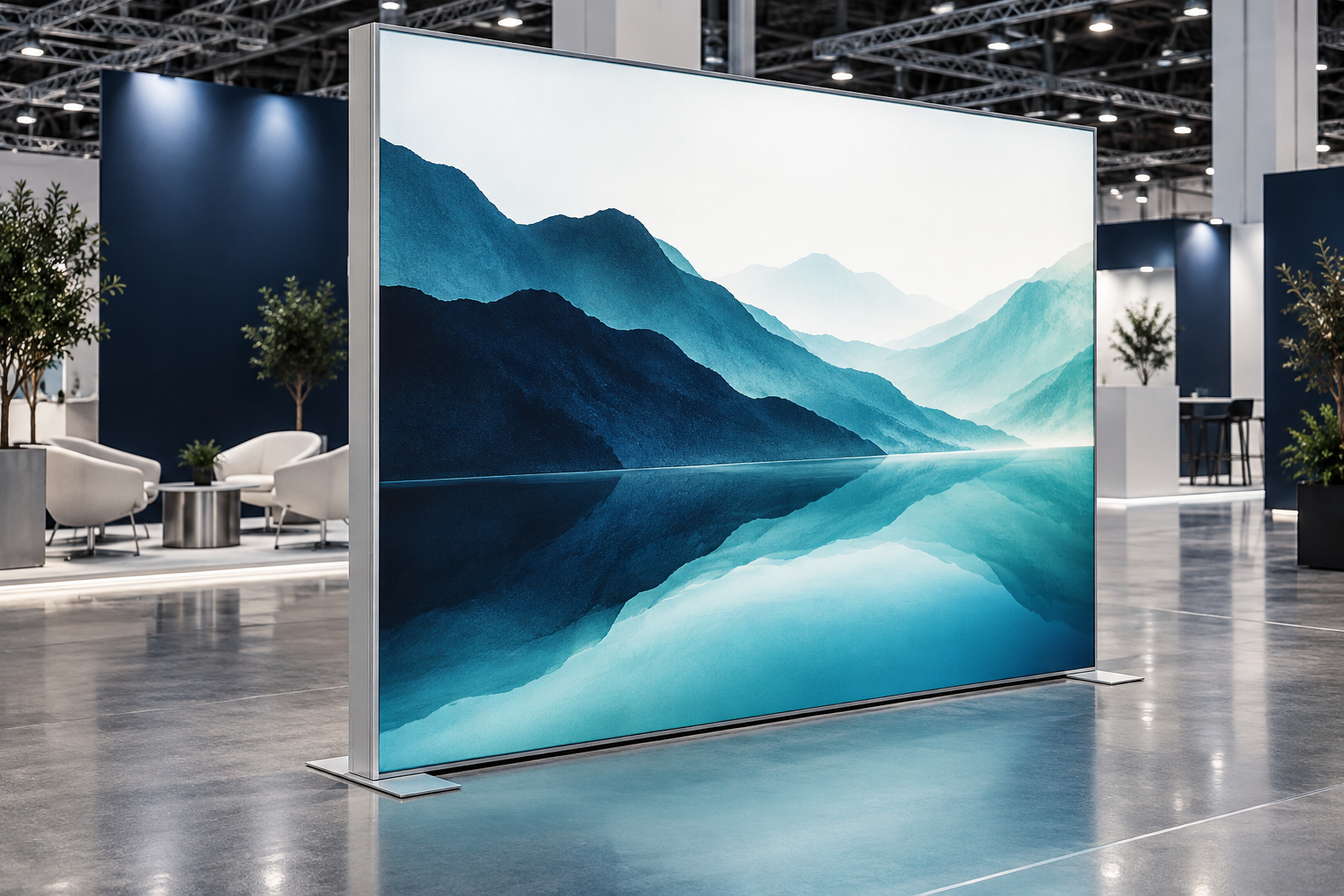
A SEG lightbox is an illuminated display made from an aluminum frame, LED lighting, and a printed fabric graphic with a silicone edge. The silicone strip is pushed into a groove in the frame, which stretches the fabric and hides the fixing system.
SEG means Silicone Edge Graphic. The term describes how the graphic fits into the frame; it does not always mean the display contains lighting. A non-illuminated SEG frame uses the same fabric-fitting method but has no LEDs. A SEG lightbox adds LEDs, drivers, wiring, and power cables.
Before comparing quotations, confirm whether the system is illuminated or non-illuminated, single-sided or double-sided, wall-mounted or freestanding, and whether graphics, feet, cases, cables, and spare parts are included. Buyers can review a complete SEG LED lightbox booth or compare models in the LED lightbox range.
Typical SEG Lightbox Specifications
The figures below are practical planning ranges, not universal pass-or-fail standards. The correct specification depends on the frame size, lighting layout, fabric, viewing distance, artwork, and venue.
| Item | Practical Planning Range | Why It Matters |
|---|---|---|
| Frame depth | About 40–80 mm for many smaller edge-lit units; about 80–150 mm for many direct-backlit or freestanding systems | Affects light mixing, visible LED dots, strength, packing volume, and service access |
| Surface luminance | About 700–1,500 cd/m² can be used as an initial indoor exhibition comparison band | Helps compare visibility under bright hall lighting |
| Power density | About 50–120 W/m² for early electrical planning | Helps estimate venue power, heat, and operating load |
| LED color temperature | Commonly around 5,000–6,500 K | Affects white areas, skin tones, and product colors |
| Color rendering | CRI 80 or above for general display use; CRI 90 or above may be useful for skin tones, clothing, cosmetics, and detailed product photography | Helps colors look more natural, but does not replace a printed color test |
| Warm-up before testing | 30–60 minutes | Allows the lightbox to reach a more stable operating temperature |
| Useful LED life claim | Often 30,000–50,000 operating hours for good-quality white LED products | Useful for maintenance planning, but not equal to the warranty of the complete lightbox |
Use these figures to compare quotations, then ask each supplier to state the exact values for the purchased configuration. A small wall-mounted unit and a 6-meter freestanding exhibition wall should not be judged by the same depth, power, or support design.
How a SEG Lightbox Works
A typical SEG lightbox has six main parts:
- Aluminum frame profiles
- LED strips or LED modules
- LED drivers or power supplies
- Internal cables and connectors
- Printed backlit fabric
- Silicone edging attached to the fabric
The frame supports the display and creates space between the LEDs and the graphic. The driver supplies the voltage and current required by the LEDs. Light spreads across the inside of the frame and passes through the printed fabric.
Four details have the largest effect on the final image:
- The distance between the LEDs and the fabric
- The spacing between LED strips or modules
- The direction and output of the LEDs
- The amount of light the fabric passes and spreads
These details must work together. Brighter LEDs will not correct poor spacing. Thin fabric may reveal LED dots and support bars. Dense fabric may reduce brightness and make colors look dull. A shallow frame reduces packing volume but gives the light less space to mix.
Graphic Size and Silicone Edge
Do not order a replacement graphic from the advertised frame size alone. Ask for the exact artwork and sewing template for that frame model.
Keep these three measurements separate:
- Outside frame size: the full assembled width and height
- Visible graphic size: the area seen from the front
- Finished graphic size: the full cut and sewn fabric size, including the edge that enters the frame groove
Two frames sold as 1000 × 2000 mm may need different finished graphics. The profile shape, groove position, silicone width, seam allowance, and fabric stretch may not be the same.
A loose graphic may sag, wrinkle, or show soft corners. An oversized graphic may be difficult to install and can bend text, distort logos, damage seams, or pull a light frame out of shape. For repeat orders, confirm the template version, fabric code, silicone size, and print process.
To install the graphic, fit the four corners first. Then insert the center of each side and work toward the corners while alternating between opposite sides. This keeps the image centered and spreads tension more evenly. Milin’s guide to replaceable SEG fabric graphics explains why the same frame can be reused while campaigns change.
Frame Strength and Stability
Most SEG lightboxes use extruded aluminum because it is light, corrosion-resistant in normal indoor use, and easy to form into reusable frame sections. However, the word “aluminum” does not prove that a frame is strong enough for a large wall.
Check the complete structure:
- Profile width and depth
- Internal ribs
- Corner connectors and locks
- Horizontal or vertical support bars
- Feet, base plates, or ballast
- Maximum approved width and height
- Approved loads for screens, shelves, counters, and doors
Graphic tension adds load to the frame. A frame that looks straight before the fabric is fitted may bow after installation. Ask for the maximum approved size of the exact setup you are buying, including its feet, supports, and accessories.
Screens, shelves, counters, doors, and storage areas change both weight and center of gravity. Do not attach them to a standard lightbox unless the supplier has approved the load and fixing position. Buyers planning a more complex stand can compare a lightbox wall with a modular aluminum exhibition booth made to support a wider mix of parts.
Edge-Lit and Direct-Backlit Designs
Edge-lit lightboxes place LEDs around part or all of the inner edge. They can use a slimmer frame, especially in smaller wall-mounted displays. Their main risks are bright edges, a dark center, and weak corners.
Direct-backlit lightboxes place LED modules behind the graphic. This is common in larger exhibition walls because the modules can be spread across the full area. The frame is usually deeper, but even lighting can be easier to achieve.
Neither method is automatically better. A good edge-lit design can outperform a poor direct-backlit design. Judge the complete illuminated sample. Check the center, corners, joints, support-bar positions, and areas around drivers and cables.
Also ask how failed lighting parts are reached. A serviceable system should allow an approved strip, module, cable, or driver to be replaced without discarding the whole frame.
How to Measure Brightness and Uniformity
Suppliers often use the word “brightness” without saying what was measured. For a completed lightbox, ask for the luminance of the graphic surface in candela per square meter (cd/m²). Illuminance is different and is measured in lux. NIST lists cd/m² as the SI unit for luminance and lux as the SI unit for illuminance.[1]
For a practical sample test, divide the graphic into a 3 × 3 grid and take nine luminance readings after the lightbox has operated for 30–60 minutes. Record the center, minimum, maximum, and average values.
A buyer may set the following project targets:
- General exhibition graphics: the lowest reading reaches at least 70% of the nine-point average
- Pale backgrounds or smooth gradients: the lowest reading reaches 80% or more of the average
These are buyer-defined acceptance targets, not universal SEG standards. A wall can meet a numeric target and still show an obvious line, shadow, or color difference, so visual inspection is still required.
Example: if nine readings have an average of 1,000 cd/m² and the lowest reading is 760 cd/m², the minimum-to-average ratio is 76%. This may be acceptable for general artwork, but the wall should still be checked with a pale graphic and smooth gradient.
Use the same test conditions for every supplier:
- Fit the final or equivalent production fabric
- Use the same artwork type
- Use the same dimming level
- Allow the same warm-up time
- Measure from the same position
- Keep the surrounding light similar
A white or pale test graphic is more useful than a dark photograph because it makes LED dots, bands, dark corners, support shadows, and panel differences easier to see.
Color and Camera Performance
Connected panels should use compatible LED batches and matching driver settings. A small color difference may be hard to notice on separate samples but obvious when several panels form one wall.
Do not approve brand colors from a paper proof alone. Check the real print on the production fabric with the planned LEDs switched on. The final result depends on the fabric, ink, print density, LED color temperature, and dimming level.
For general display graphics, CRI 80 or above is a practical starting point. Where the wall shows faces, clothing, cosmetics, food, or color-sensitive products, CRI 90 or above may provide a better result. CRI is not a guarantee of exact brand color, so a lit production sample is still required.
LED systems can lose output, change color, or fail because of drivers and other electronic parts. The U.S. Department of Energy states that good-quality white LED products are commonly expected to provide 30,000–50,000 hours of useful life or longer.[2] This does not mean every driver, cable, connector, or graphic will last for the same number of hours.
Some drivers produce flicker that is hard to see with the eye but appears as moving lines, flashing, or exposure changes on a camera. CIE provides guidance for measuring this time-based change in light output.[3] The U.S. Department of Energy also notes that driver design and current waveforms affect flicker performance.[4]
Record the sample at 25, 30, 50, and 60 frames per second where the camera allows. Repeat the test at full output and at the dimming levels likely to be used. Record moving bands, pulsing, or sudden exposure changes. A phone test is useful for screening, but it is not a full electrical diagnosis.
LED Drivers and Power Planning
A claim such as “50,000-hour LED life” does not mean the full lightbox will operate at its original output for 50,000 hours. The claim may apply only to the LED package or to a projected fall in light output. Drivers, connectors, cables, heat, dirt, and repeated transport can shorten the service life of the complete system.
Ask what the life claim covers and whether it is supported by a test report, a projection, or only a warranty. Also confirm whether the LEDs, drivers, cables, and connectors have part numbers and can be replaced.
For the exact setup being purchased, request:
- Input voltage and frequency
- Total system wattage
- Power density in W/m², if available
- Driver model and quantity
- Output voltage and current
- Plug type and cable length
- Dimming method
- Maximum approved connected load
- Driver and cable locations
Power example: a 3 m × 2.5 m illuminated wall has a graphic area of 7.5 m². If the supplier states a power density of 80 W/m², the estimated lighting load is:
7.5 m² × 80 W/m² = 600 W
Add screens, computers, chargers, counters, and other booth equipment before ordering electricity from the venue. The final electrical order must use the wattage of the actual supplied configuration, not the example above.
A travel adapter changes the plug shape; it does not change voltage. Do not connect extra walls, dimmers, extension leads, or accessories simply because the connectors fit. The total load, cable rating, and venue rules must also allow the arrangement.
Fabric and Print Quality
Backlit graphics are commonly made from polyester fabric and printed by dye sublimation or another process suitable for illuminated graphics. The fabric must pass enough light while spreading it evenly.
A suitable fabric should provide:
- Even light spread
- Enough print density
- Sharp text and logos
- Controlled stretch
- Stable size
- Strong seams
- Secure silicone edging
Check the sample both switched on and switched off. Pale areas reveal lighting defects. Dark areas show whether the print has enough density and whether shadow detail has been lost.
Judge image resolution at the final printed size:
- Graphics viewed from about 1–2 m: roughly 100–150 ppi is a useful starting range
- Very large walls viewed from farther away: roughly 75–100 ppi may be enough
- Small text, logos, product details, and QR codes: use higher-quality source files and test at final size
These figures are working ranges, not fixed print rules. A 100 ppi product photograph may look acceptable from several meters away but still be unsuitable for a close-up product detail or small text.
Use vector files for logos and text when possible. Avoid screenshots, website thumbnails, and compressed social-media images.
Deep black is difficult on backlit fabric because light passes through the material. Adding more ink may make black look denser, but too much can hide detail and reduce light output. Approve dark colors from an illuminated sample.
Large graphics may need seams. Mark seam positions on the artwork before production and keep them away from faces, logos, QR codes, small text, and straight product edges. There is no reliable rule that a vertical seam is always less visible than a horizontal seam.
QR Code Size and Testing
QR codes on backlit fabric need more care than QR codes on paper. Fabric texture, stretch, glare, seams, low contrast, and light passing through the code can reduce scanning reliability.
Use these sizes as starting points for a test:
- About 1 m scanning distance: start around 100 mm square
- About 1.5 m scanning distance: start around 150 mm square
- About 2 m scanning distance: start around 180–200 mm square
The correct size also depends on the amount of encoded data, error-correction level, phone camera, angle, contrast, and lighting. Shorter URLs normally create simpler codes that are easier to print at a useful module size.
Keep a clear quiet zone around the code. DENSO WAVE, the QR Code developer, states that a standard QR Code needs a blank margin at least four modules wide on all four sides.[5]
Print and illuminate the real graphic, then scan it with several phones from the intended distance and angle. Do not approve a QR code only because it works on a computer screen.
Main Types of SEG Lightbox
| Type | Best Use | Main Check |
|---|---|---|
| Wall-mounted | Retail walls, showrooms, and reception areas | Wall strength, fixing points, cable route, and driver access |
| Freestanding | Exhibition back walls, dividers, and entrances | Feet, base width, floor space, visitor traffic, and stability |
| Double-sided | Island booths and open aisles | Even light on both sides, two graphic costs, and greater frame depth |
| Modular | Booths that change size or shape | Connector alignment, reusable parts, wiring, and visible joint gaps |
| Hanging | Long-distance visibility above a booth | Weight, approved lifting points, rigging plan, and venue approval |
A modular system is useful only when the purchased parts can create the future layouts you expect to use. Ask for drawings of straight, L-shaped, and U-shaped setups. Doors, screen supports, storage rooms, and corners may need special parts that cannot be reused in every layout.
Hanging lightboxes need specialist rigging and written approval. If illumination is not required, a lighter tension-fabric hanging banner may provide overhead visibility with fewer electrical parts.
Installation and Setup Time
A simple assembly order is:
- Check all parts against the packing list.
- Lay the profiles on a clean floor.
- Match the numbered frame sections.
- Connect corners and locks.
- Fit approved support bars and feet.
- Connect LED cables and drivers.
- Test every light before fitting the fabric.
- Align connected frames.
- Fit the SEG graphic.
- Check tension, frame squareness, and light quality.
Confirm the booth size, floor level, final direction, power point, cable route, and clearance before assembly. A correctly built frame may still need to be taken apart if the power cable exits on the wrong side.
Do not publish a fixed setup time for every lightbox. Record the actual result for the purchased system. For example:
| Test | Installers | Setup Time | Dismantling Time |
|---|---|---|---|
| First build | 2 people | 58 minutes | 34 minutes |
| Second build after training | 2 people | 41 minutes | 27 minutes |
The figures above are an example of how to record improvement, not an industry promise. The real time depends on frame size, panel count, accessories, tools, experience, and venue access. Milin’s SEG booth assembly case also shows why numbered parts and clear video instructions can reduce mistakes.
Electrical, Fire, and Structural Safety
Certificates and test reports must match the exact parts delivered. A document for one driver or LED strip does not automatically cover the complete lightbox. Check model numbers for drivers, LEDs, cables, connectors, and fabric, then send the documents to the venue or contractor before shipment.
For products placed on the EU market, the Low Voltage Directive applies to electrical equipment within its stated voltage ranges.[6] The EU Electromagnetic Compatibility Directive covers electromagnetic disturbance produced by or affecting electrical and electronic equipment.[7] The exact legal requirements depend on the supplied product and destination market.
Inspect cables before every event. Remove damaged cables from use and protect connections from crushing, pulling, moisture, and visitor traffic. OSHA notes that flexible cords can be damaged by strain and require correct ratings and safe use.[8]
Many venues also ask for a flame-test report for decorative fabric. NFPA 701 is the NFPA standard for fire tests of flame propagation for textiles and films.[9] The venue decides which standard, laboratory, test date, report format, and product description it will accept.
The report should identify the actual fabric or product code. Avoid claims such as “100% fireproof.” Use wording such as “flame-retardant fabric tested to [standard]” only when the document supports it.
Freestanding walls must be checked with all graphics and accessories fitted. A standard indoor lightbox should not be used outdoors unless the frame, anchors, electrical parts, and graphic were designed for the expected wind, rain, moisture, and sunlight.
Packing, Transport, and Storage
Shipping cost depends on more than total weight. Long profiles, oversized cases, high case count, and special handling can make a light system expensive to move.
Request the following for every case:
- Outside dimensions
- Packed weight
- Longest part inside
- Handle and wheel positions
- Internal dividers
- Packing diagram
- Replacement-case price
Soft bags are light and low-cost but give limited protection from crushing. Molded hard cases provide more impact protection without the full weight of a flight case. Flight cases offer strong protection for frequent truck or air transport but increase freight, storage, and handling costs.
A repeatable packing plan is essential. Numbered spaces and diagrams make missing parts easier to find. Loose feet, connectors, and metal parts can scratch profiles, damage LEDs, or mark graphics.
Check that every case fits through venue doors, service lifts, loading bays, vehicles, and storage areas. Label graphics by frame position and viewing side. Follow the printer’s instructions for folding, rolling, cleaning, steaming, and storage.
Cost, Warranty, and Spare Parts
Compare the full cost of ownership, not only the frame price:
Total ownership cost = hardware + graphics + freight + labor + storage + power + repairs + spare parts + taxes and duties
Cost per event = total expected ownership cost ÷ expected number of uses
Example: if the complete three-year ownership cost is $18,000 and the lightbox is used at 12 events, the estimated cost per event is $1,500. If the booth changes size and requires $4,000 of extra modules and graphics, the revised cost becomes $22,000, or about $1,833 per event.
Run at least three cases: one event, several events, and regular long-term use. Include new graphics, booth-size changes, storage, return freight, and local labor. The quotation should separate the frame, LEDs, drivers, graphics, feet, connectors, cases, spares, freight, installation, and taxes.
Ask for separate warranty terms for the frame, connectors, LEDs, drivers, cables, graphics, and cases. Confirm when the warranty starts, who pays return freight, whether labor is included, whether international claims are supported, and how quickly parts can be sent.
Useful spares may include corner connectors, locks, approved screws, power cables, connection cables, LED modules, drivers, feet, and silicone strips. Request part numbers and compatibility notes. Ask whether later versions will still fit the original system.
Be careful with broad environmental claims. The U.S. Federal Trade Commission advises marketers not to use broad, unqualified claims such as “green” or “eco-friendly” without clear supporting details.[10] State measurable facts instead, such as the number of expected reuses, replaceable graphics, repairable parts, packing volume, and available recycling routes.
Common Problems and Likely Causes
| Problem | Likely Causes | First Checks |
|---|---|---|
| Visible LED dots | Frame too shallow, LEDs too far apart, output too high, or fabric too transparent | Lower the output, check whether the pattern covers the full wall, and inspect the fabric and module positions |
| Dark corners | Weak corner lighting, a blocked or failed module, or connector shadow | Compare all four corners and inspect the frame with the graphic removed |
| Wrinkles | Wrong graphic size, poor fitting order, a bent frame, or damaged seam | Check the template, frame squareness, silicone size, and fitting sequence |
| Visible support bars | Support too close to the fabric, weak nearby LED, shallow frame, or unsuitable fabric | Test with a known fabric and inspect nearby modules; do not remove required supports |
| Different panel colors | Different LED or print batches, driver settings, fabric rolls, or aging | Check whether the difference follows the graphic or stays with the frame |
| Loose frame | Worn lock, missing support, wrong assembly, or a setup larger than approved | Check each connector and compare the build with the supplier’s drawing |
Repairs that change LED spacing, frame depth, support positions, or structural parts should be handled by the supplier or another qualified party. Do not drill the frame, remove supports, or add unapproved screws to solve a visual problem.
Supplier Comparison Table
| Item | Information to Request |
|---|---|
| Frame | Outside size, visible size, profile depth, model, and maximum approved setup |
| Graphic | Finished size, fabric code, print method, silicone size, and template version |
| Lighting | Edge-lit or direct-backlit, LED model, module layout, color temperature, CRI, and dimming method |
| Light test | Nine-point cd/m² readings, average, minimum, maximum, test graphic, warm-up time, and dimming level |
| Camera test | Tested frame rates, dimming levels, and any visible bands or pulsing |
| Power | Voltage, frequency, total wattage, W/m² if available, driver models, plug, and cable length |
| Structure | Feet, ballast, supports, approved accessories, and fixing positions |
| Packing | Case count, dimensions, weights, longest part, and packing diagram |
| Installation | Tools, installer count, first-build time, trained-build time, and dismantling time |
| Documents | Fire and electrical reports, covered model numbers, and accepted market |
| Service | Replaceable parts, spare list, part numbers, and compatibility period |
| Warranty | Coverage by component, start date, exclusions, freight, labor, and response time |
Use the same table for every quotation. Ask for real photos and videos of the exact system switched on with a white or pale test graphic. A rendering can show the intended shape, but it cannot prove even lighting, stable feet, good connectors, easy packing, or simple repair.
Sample Acceptance Test
Test one complete sample before a large order. Use the final profile, LEDs, drivers, fabric, print method, connectors, feet, and case.
- Build: record installer count, tools, setup time, connector fit, frame alignment, and foot contact.
- Light: test every module before fitting the graphic; check cable security, driver noise, dimming, and unusual heat.
- Fit: install the production graphic; check corners, silicone grip, seams, text alignment, and wrinkles.
- Measure: warm the system for 30–60 minutes and record the nine-point luminance readings.
- View: use a pale test graphic and inspect dots, dark areas, bright edges, support shadows, joints, and panel differences.
- Film: record normal and slow-motion video at common frame rates and dimming levels.
- Repeat: assemble and dismantle the sample more than once to find locks that loosen or parts that are easy to misalign.
- Repack: confirm that all parts fit the case and that the packed case can move through the planned route.
Record the result in writing and attach the approved sample standard to the purchase order. Include photos of accepted lighting, frame alignment, graphic fit, labels, cables, cases, and spare parts.
Final Buying Checklist
- Outside size, visible size, and finished graphic size
- Exact profile model and frame depth
- Single-sided or double-sided setup
- Wall-mounted, freestanding, modular, or hanging use
- LED layout, color temperature, CRI, driver models, and replaceable parts
- Nine-point surface-luminance results and test conditions
- Dimming and camera performance
- Total wattage, power density, voltage, frequency, plug, and cable length
- Fabric, print, silicone, and template specifications
- Effective print resolution at final size
- QR code size, quiet zone, and real scanning test
- Fire, electrical, and venue documents
- Feet, supports, ballast, and approved accessory loads
- Case count, dimensions, weights, and packing plan
- Tools, installer count, and tested setup time
- Spare-part list and warranty terms
- Replacement graphic price and delivery time
- Written sample acceptance criteria
Put every important requirement in the purchase order or contract. Sales messages, renderings, and verbal promises are difficult to enforce if the final written specification does not include them.
Conclusion
A useful SEG lightbox specification should contain numbers, not only words such as “bright,” “even,” and “easy to install.” Record the frame depth, total wattage, nine-point luminance results, minimum-to-average ratio, driver models, case sizes, and actual setup time. For a 7.5 m² wall using 80 W/m², the lighting load is about 600 W; if the lowest luminance reading is 760 cd/m² against a 1,000 cd/m² average, uniformity is 76%. These simple checks make quotations easier to compare and reveal lighting, fitting, power, and transport problems before the display reaches the exhibition floor.


