Choose an SEG lightbox when the booth must be noticed from farther away, large product images matter, and the same wall size will be reused. Choose a traditional non-lit tension-fabric backdrop when lower cost, lighter shipping, faster setup, and simple local printing matter more. For many exhibitors, one illuminated main wall with non-lit side graphics gives the best balance.
“Traditional exhibition backdrop” can mean a pop-up wall, vinyl banner, rigid panel wall, or fabric frame. To keep the comparison useful, this article compares a freestanding SEG lightbox booth with a similar-size, non-lit tension-fabric backdrop booth.
Example comparison size: a 3 m × 2.4 m wall has a visible area of 7.2 m². When comparing quotations, use the same 7.2 m² wall size and include the feet, graphics, power parts, and cases. The dimensions are only a comparison example, not an industry-standard booth size.
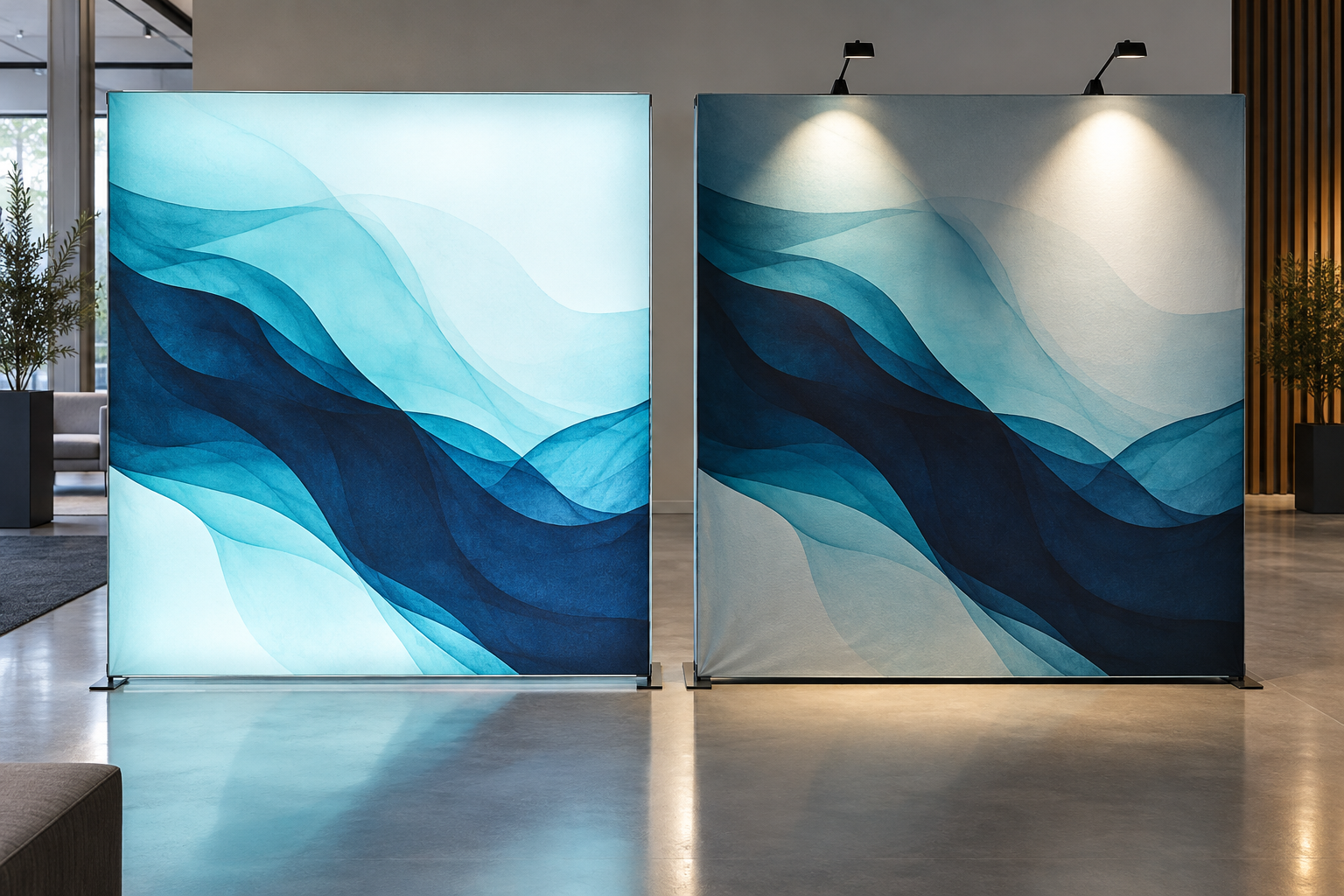
Quick Comparison
| Factor | SEG Lightbox | Traditional Fabric Backdrop |
|---|---|---|
| Lighting | LEDs built into the frame | Uses hall lights or separate spotlights |
| Look | Bright and easy to notice from a distance | Clean and professional without a glow |
| Purchase cost | Usually higher for the same wall size | Usually lower |
| Setup | Frame, graphics, wiring, power test, and cable routing | Frame and fabric graphic |
| Shipping | Usually more weight and more parts | Usually lighter and simpler to pack |
| Power | Required | Not required unless lights are added |
| Main risks | Uneven light, failed LEDs, wiring, and power supplies | Wrinkles, loose fabric, weak feet, and poor hall lighting |
| Best use | Major trade shows, launches, image-led brands, repeated use | Conferences, roadshows, small teams, short or changing events |
These are general differences. Compare two products only when the assembled size, feet, graphics, cases, and intended use are similar.
What an SEG Lightbox Is
SEG means Silicone Edge Graphic. A thin silicone strip is sewn around the printed fabric. The strip is pressed into a channel in the aluminum frame, which pulls the graphic tight and hides most of the fixing hardware. SEG is the way the graphic attaches to the frame; an SEG frame can be lit or non-lit.[1]
A freestanding lightbox normally includes an aluminum frame, LEDs, power supplies, wiring, feet, a backlit front graphic, and a rear cover. A double-sided model uses two visible graphics and a lighting layout made for both sides.
The frame can be reused, but replacement graphics must match the exact frame. Two frames with the same advertised width may use different silicone thicknesses, sewing positions, channels, fabric stretch allowances, and finished graphic sizes. Ask for the production template before ordering a replacement graphic from another printer.
What a Traditional Backdrop Is
In this comparison, a traditional backdrop means a portable aluminum tube frame covered by a non-lit printed fabric skin. The fabric may close with a zipper or fit over the frame like a sleeve.
A good fabric backdrop can look just as neat as a lightbox at close range. Its result depends on the frame staying straight, the feet being stable, the fabric fitting tightly, and the print being sharp. It does not need internal LEDs, but the hall lighting must be strong enough to keep the graphic from looking dull.
A non-lit wall is not automatically a budget-looking choice. A clean graphic on a stable frame will look better than a lightbox with dark corners, loose fabric, visible cables, or failed LED sections.
Which Option Gets More Attention?
An SEG lightbox usually performs better when people first see the booth from across an aisle. The whole graphic is lit, so a large image or block of brand color can stand out from nearby non-lit walls.
The light only helps when the artwork is simple. Use one main image, a large logo, one short message, and enough empty space. Do not fill the wall with small product photos, long service lists, or detailed specifications. Lighting makes a surface brighter; it does not make small text easy to read.
Practical 2–3 second test: show the wall design to someone who does not know the company. After 2–3 seconds, ask them to name three things: the brand, the product category, and one main benefit. If any of the three is unclear, simplify the artwork.
A non-lit backdrop works well when visitors are already close to the booth, such as at conferences, recruitment events, hotel meetings, and small regional shows. Separate spotlights can also be aimed at the wall, products, or staff, giving more control over where the light falls.
For people photography, test the booth before the event. A bright wall behind a person can make the camera darken the face. Move the person forward, reduce the lightbox brightness, or add soft front lighting.
Print, Color, and Light Quality
Backlit fabric and normal front-lit fabric are not the same. A lightbox graphic must let light pass through while keeping black areas, skin tones, gradients, and brand colors strong. A fabric that looks good under office lighting may look pale when lit from behind.
Ask for a physical color sample printed on the final fabric and view it under the intended LEDs. ICC profiles help software convert color between cameras, screens, and printers, but the final result still depends on the printer, ink, fabric, and lighting used in production.[2]
Test these areas before approving the full graphic:
- The main brand color
- Black, dark gray, white, and light gray
- Skin tones
- Large flat color areas
- Smooth gradients
- Fine text and logo edges
For a lightbox, test at least four simple screens: full white, light gray, one dark color, and the main brand color. White and gray make bright spots, dark strips, corner shadows, and changes across frame joints easier to see.
| Test | What to Record | Acceptable Result |
|---|---|---|
| White screen | Hotspots, dark strips, corner shadows | No obvious bright or dark zones at normal viewing distance |
| Light gray screen | Small changes across frame joints | No clear banding or patchy sections |
| Dark screen | Color density and internal shadows | Dark areas remain strong without visible frame shadows |
| Brand-color screen | Color match across the complete wall | No noticeable color shift between sections |
Setup and Staffing
A non-lit tube-frame wall is normally quicker to assemble because there are no LED cables or power supplies. A lightbox usually needs these steps:
- Connect and lock the frame sections.
- Install the feet or approved supports.
- Connect the LED cables and power supplies.
- Test every lighting section.
- Install the rear cover and front graphic.
- Correct the fabric tension and hide the power cable safely.
For an SEG graphic, fit the corners first, then the middle of each side, and work toward the corners. This spreads the tension more evenly.[3]
“Tool-free” does not always mean one person can set up the wall. Check the longest frame section, the heaviest single part, the graphic size, and whether a ladder is needed. Ask for a setup video of the exact model and size, not a small sample frame. Milin’s DRYPAX setup case shows how numbered parts and a model-specific video can reduce mistakes during a first installation.
Record two setup times:
- First setup: the time taken by staff who have not assembled the system before
- Second setup: the time taken after staff have watched the video and completed one practice installation
This shows the real learning time. Record dismantling and repacking separately because a wall that assembles quickly may still take longer to pack correctly.
Shipping and Storage
Do not compare only the total packed weight. Ask for the number of cases, the size and weight of each case, and the longest packed part. A light but very long case may still be expensive to ship or hard to fit into a car, elevator, or airline baggage system.
Record at least these five transport figures:
- Number of cases
- External size of each case
- Weight of each case
- Total packed weight
- Longest packed dimension
Also check the protection for LEDs, connectors, and power supplies, and ask how quickly a missing or damaged part can be replaced.
For an international event, compare three plans: ship the full system, rent a compatible frame near the venue and carry only the graphic, or rent the frame and print the graphic locally. Local printing only works when the printer has the exact finished dimensions, fabric type, silicone size, and sewing instructions.
Store graphics clean and completely dry. Keep fabric away from sharp frame parts and protect power supplies in padded sections. Follow the printer’s advice on folding or rolling because different fabrics recover from creases differently.
Power and Venue Rules
A lightbox needs more planning than simply finding a socket. Confirm the total wattage, input voltage, plug type, cable length, number of power supplies, dimming method, and replacement process before the display is shipped.
Power example: a 300 W lightbox running for 10 hours uses 3 kWh of electricity: 300 W × 10 hours ÷ 1,000 = 3 kWh. This is a calculation example, not a typical wattage for every lightbox. The venue bill may also include socket rental, installation, inspection, and late-order fees.
Venue rules can cover wall height, feet, ballast, flame-retardant documents, electrical work, and cable routes. IAEE’s North American guidance also says that each event should create its own rules, so the exhibitor manual for the actual show takes priority.[4]
For U.S. events, OSHA requires flexible cords to be suitable for their use and protected from damage.[5] Walking areas must also be kept orderly and free of hazards.[6] Use the venue’s approved cable route or cable cover, and do not place an unprotected cord across an aisle.
Run the full lightbox for a period close to the expected daily use. For example, an 8-hour test is more useful than a 5-minute check for a full-day event. Record whether any section becomes dimmer, changes color, makes noise, becomes unusually hot, or shuts down.
How to Compare the Real Cost
The purchase price alone is not enough. Use the same time period and expected number of events for both systems.
Average cost per event = (frame + lighting + cases + first graphic) ÷ expected uses + shipping + venue handling + power + setup labor + new graphics + a share of storage and repairs
Worked example only — not market-average pricing:
A lightbox package costs $3,600 and is used at 12 events. The fixed cost is $3,600 ÷ 12 = $300 per event. If shipping, venue handling, power, and labor add $450 per event, the total is $750 per event before a new graphic.
A non-lit backdrop costs $1,200 and is used at the same 12 events. The fixed cost is $1,200 ÷ 12 = $100 per event. If shipping and labor add $180, the total is $280 per event before a new graphic.
| Worked Example | SEG Lightbox | Non-Lit Backdrop |
|---|---|---|
| Package cost | $3,600 | $1,200 |
| Expected uses | 12 events | 12 events |
| Fixed cost per event | $300 | $100 |
| Example event costs | $450 | $180 |
| Example total per event | $750 | $280 |
The table shows how to calculate costs; it does not claim that these are typical supplier prices. Replace every number with your quotations and event charges.
A lightbox may be good value when the same wall is used many times in the same size. It may be poor value when it is used once, stored for years, or replaced because the next booth is a different size. Renting may be better than buying for a one-time overseas show or a large custom structure.
Graphic Changes and Reuse
Both systems can reuse the frame and replace the graphic. The key difference is that an SEG graphic needs a very exact fit. Before another printer makes it, provide:
- The supplier’s artwork template
- The exact finished graphic size
- The visible area and bleed
- The fabric specification and stretch direction
- The silicone size and sewing position
Test one finished graphic on the real frame before printing several language or campaign versions. A bad fit can create loose corners, waves, curved text, stretched logos, or a graphic that is too tight to install.
For larger reusable layouts, a modular aluminum exhibition booth may be more useful than a fixed single wall because sections can be planned around counters, product zones, and different booth layouts. Confirm which sizes and layouts are approved before assuming that every section can be rearranged.
When an SEG Lightbox Makes Sense
- Visitors see the booth from a distance: the wall faces an open aisle and must be noticed before people reach it.
- Images do most of the selling: the campaign depends on large product photos, clean color, or a retail-style look.
- The same size will be used again: repeated use spreads the frame, lighting, case, and training cost.
- The booth will be photographed: the lit wall provides a strong background when front lighting for people is also planned.
- One main wall carries the brand: other walls can stay non-lit, reducing the amount of powered equipment.
For more examples of illuminated wall formats, see the LED lightbox display range. For a corner layout, the RaceChip L-shaped lightbox case shows why color samples and panel alignment should be checked before production.
When a Traditional Backdrop Makes Sense
- Shipping must stay simple: a small team moves the display between cities or carries it into hotels and conference rooms.
- Setup time is short: the event has a tight move-in schedule and no need for internal lighting.
- Power is costly or unavailable: the wall can use existing hall lighting or a small number of separate spotlights.
- The event is small or short: visitors are already close to the display, so a bright backlit wall adds less value.
- Graphics may need quick local replacement: a simple fabric skin is often easier to source, though the exact frame template is still needed.
When a Hybrid Booth Is Better
A hybrid booth uses one SEG lightbox as the main visual wall and non-lit fabric for the other surfaces. This keeps the brightest image where visitors first look while reducing power use, packed weight, wiring, and the number of parts that can fail.
A practical setup may use one lit back wall, non-lit side walls, a standard counter, focused lights for products, and one screen for changing details. Do not make every element compete for attention. Choose one main image or message and let the other parts support it.
Buying Checklist
- Size: assembled width, height, depth, foot depth, and required rear access
- Stability: approved freestanding size, foot type, ballast, and venue limits
- Packing: number of cases, each case size and weight, and longest part
- Graphic: final fabric, exact template, silicone size, visible area, and color proof
- Lighting: total wattage, light layout, dimming, number of electrical zones, and failure effect
- Setup: first setup time, trained setup time, installer count, ladder need, and dismantling time
- Support: warranty by component, spare parts, replacement time, and future graphic supply
- Testing: full-size assembly, four-screen light test, long operating test, photography test, and repacking test
| Final Check | Number to Record |
|---|---|
| Visible wall size | Width × height and total area in m² |
| Packing | Case count, each case weight, total weight, longest dimension |
| Installation | First setup time, trained setup time, dismantling time, installer count |
| Power | Total watts, operating hours, calculated kWh, number of power supplies |
| Cost | Fixed cost per event and event-specific costs |
| Lighting | Number of dark zones, failed sections, loose corners, and visible frame shadows |
Do not approve a large order from an edited product photo or a small sample frame. Ask to see the full-size model with white, gray, dark, and brand-color test graphics. Also request the packing list, electrical documents, fabric certificate, artwork template, and replacement-part list.
Conclusion
Use numbers from the complete packed system, not only the visible wall. For the same 3 m × 2.4 m comparison size, record the case count, each case weight, longest dimension, installer count, setup time, wattage, and cost per event. A 300 W system running for 10 hours uses 3 kWh, but venue service fees may cost more than the electricity. Test the exact wall for several hours, use four simple color screens, photograph people in front of it, and replace the example prices with your real quotations before deciding.


