PRODUCT DETAILS
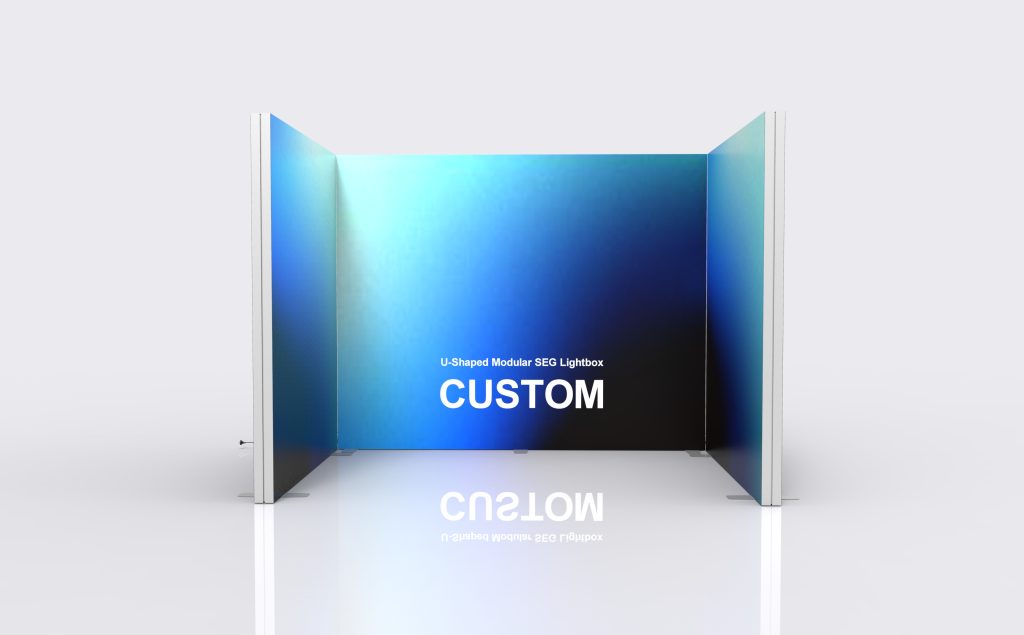
U-Shaped Modular SEG Lightbox
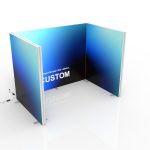
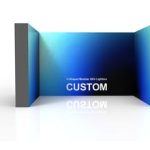
The U-Shaped Modular SEG Lightbox creates a three-sided illuminated setting with an open front. The important choices are the interior width, the depth of the returns and the faces that need graphics. Specify those around the presentation space so the lightbox arrangement does not crowd visitors or furniture.
Specifications & configuration
| Product format | Illuminated seg display |
|---|---|
| Graphic system | Custom-printed SEG textile with silicone edge |
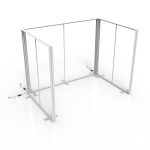
| Frame | Industrial aluminum-profile structure |
| Lighting | Integrated LED modules or edge lighting according to the approved design |
| Finish | Matte silver anodized appearance |
| Electrical | Voltage, plug and power configuration confirmed for the destination |
Product details
Start with the usable interior
Draw the product, furniture and staff positions inside the U before choosing the outside dimensions. The width between inner faces can be smaller than the total assembled width, and supports may occupy additional floor area.
Keep the front approach clear
Review the entrance with visitors arriving and leaving while a demonstration is in progress. Avoid placing a counter across the entire opening or allowing the return ends to hide the main attraction.
Separate inside and outside messages
Use the rear face for the main presentation and the returns for supporting information. If the exterior is visible from an aisle, identify which outside panels need graphics instead of assuming the inside artwork covers them.
Confirm this model’s construction
Specify the panel dimensions, connections and lighting arrangement on the approved drawing. Do not copy profile dimensions, module counts or load assumptions from another SEG product simply because the names are similar.
Artwork & print
Map the rear, returns and visible exterior faces
Use a numbered plan with one elevation for each printed side. Keep important content away from corner joins and check what is visible from outside the entrance. Each approved panel needs its own matching SEG template and final file.
Included & optional
Included in this configuration
- Single-Sided SEG Graphic
- Protective Packing
Optional accessories
- Frame Only
- Replacement SEG Fabric Graphic
- LED Module and Power Supply Set
- Shelf Kit
- TV/Monitor Mount
Applications
Focused product demonstration
Set the featured product within a coordinated illuminated background while keeping space for the presenter and audience. Confirm that equipment can enter through the planned opening.
Three-sided exhibition presentation
Use the side returns to organize supporting messages around the rear graphic. Check booth boundary and visibility requirements before selecting their depth.
Temporary brand experience area
Plan the visitor route around the intended activity. Treat the open front and internal floor space as part of the design, rather than filling every surface with graphics or furniture.
Planning & ordering
Order essentials
Share the required clear interior dimensions and the equipment that must fit inside. Request a drawing that shows the complete outer footprint, entrance, supports and electrical access before finalizing the artwork.
- Clear interior width and usable depth
- Return lengths, entrance opening and equipment access
- Rear, inside-return and outside-return print coverage
Quotation checklist
- Dimensions and construction of each identified module
- Corner fittings, supports and required power components
- Selected accessories and their mounting requirements
- Packing plan, destination and required arrival date
Questions & answers
Which dimensions should I supply first?
Start with the usable interior width and depth needed for your equipment and visitors. Then review the outer dimensions, support footprint and entrance width on the proposed drawing.
Is the outside of the U printed as well?
Specify that requirement face by face. Interior and exterior graphics are different positions, and the quotation should show which printed and illuminated surfaces are included.
Can the returns have different lengths?
Submit the desired layout for confirmation. A change in return depth can affect module sizes, connectors, supports and graphic files; it should be resolved before production.
Can I put a screen or shelf on a lightbox wall?
Request a model-specific mounting solution for the equipment dimensions and weight. The presence of optional accessory names is not a statement that any load or mounting position is supported.
Are power requirements the same as a single lightbox?
Do not assume so. Confirm the complete module count, lighting and power-supply configuration, then use the supplied electrical information to plan venue service.