PRODUCT DETAILS
Modular Tension Fabric Display 03
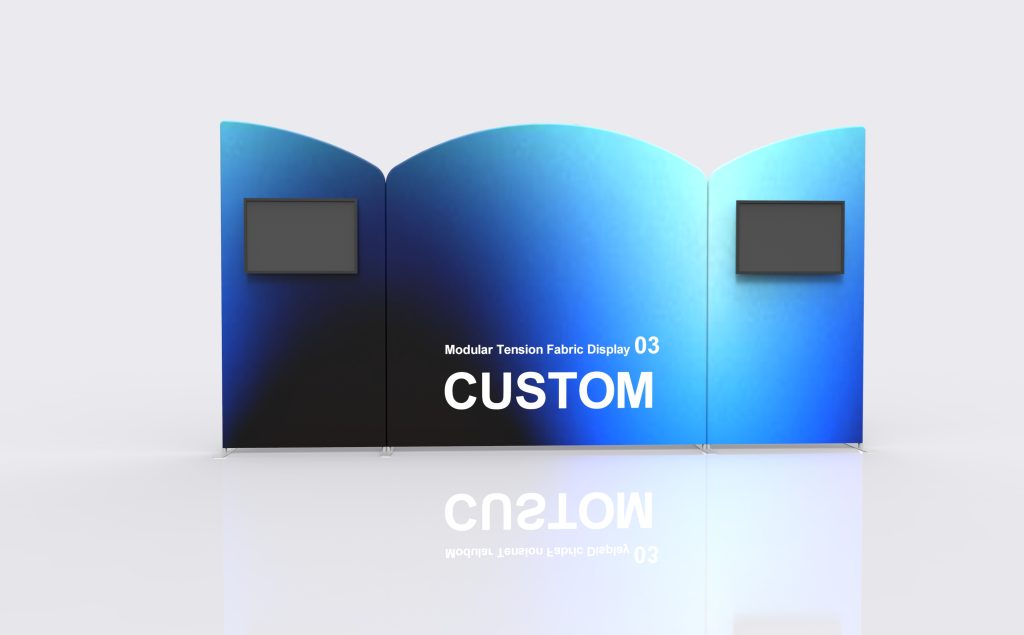
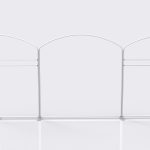
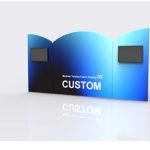
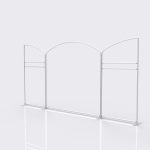
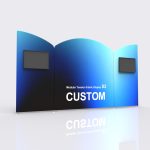
The Model 03 reference frame uses a raised curved center panel with shaped side panels to create a varied top edge. Plan the artwork around those outlines instead of treating the display as a rectangular wall. The listed tube and fabric specifications support custom sizes and combinations, with the final panel schedule confirmed for each order.
Specifications & configuration
| Product format | Model 03 modular tension-fabric display |
|---|---|
| Graphic material | 260 g stretch warp-knitted fabric |
| Printing | Full-color heat-transfer printing |
| Frame | 32 mm round aluminum tube; 1.2 mm wall thickness |
| Frame finish | Industrial sandblasted oxidation treatment in matte silver |
| Order type | Made to order; custom size and artwork |
| Module specification | Custom sizes, shapes and combinations; gray-painted steel feet. |
Product details
Use the raised center as a focal area
The reference arrangement has a curved center top with shaped panels to either side. Place the primary message where it reads clearly within that outline, then use the side panels for supporting content. Confirm the final panel shapes before approving artwork.
Protect the panel boundaries
A small logo or short product name should not accidentally land across a join. Make the boundaries visible in the approval proof and use continuous background imagery only where its interruption has been considered.
Plan around screens and counters
Show the height and footprint of any equipment in front of the wall. Place essential content outside the areas that it covers. Any frame-mounted equipment needs a confirmed mount and suitable support arrangement.
Document the finished combination
Keep the Model 03 module schedule, graphic revisions and packing identification together. For another event, compare the new booth plan with those records before ordering replacement panels or different connectors.
Artwork & print
Fit the artwork to the shaped top edge
Use the approved outline for each Model 03 panel, including its curved or sloping top. Do not place a headline using a rectangular bounding box alone. Review the complete elevation for reading order and joints, then export the matching files for the center and side panels.
Included & optional
Included in this configuration
- Full Graphic Set
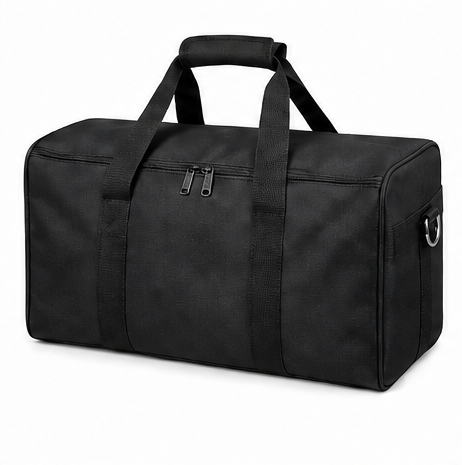
- Protective Packing
Optional accessories
- Frame Only
- Replacement Graphic Set
- Additional Connector Kit
- Shelf Kit
- TV/Monitor Mount
Applications
Product-range presentations
Give related products separate visual areas while keeping the overall brand treatment consistent. Use a clear sequence rather than repeating the same headline on every panel.
Campaign-led backwalls
Place the campaign image in the dominant area and supporting detail on adjacent panels. Confirm the final graphic dimensions after the frame arrangement is approved.
Repeat events with layout review
Compare each new booth footprint with the existing Model 03 module list. Confirm which components can be retained and which graphics or fittings need to change.
Planning & ordering
Order essentials
Supply the Model 03 reference, a proposed elevation and your viewing directions. If this order must work with existing hardware, include its component identifiers and dimensions before approving any new frames or graphics.
- Labeled Model 03 elevation and intended reading order
- Aisle approaches, counter heights and screen positions
- Panel joints, support positions and total outside footprint
Quotation checklist
- New complete arrangement or additions to identified hardware
- Individual graphic templates and revision references
- Confirmed connectors, feet and selected mounts
- Packing identification, delivery address and arrival date
Questions & answers
Is Model 03 simply a larger Model 01?
The listings do not establish that relationship. Compare the actual panel dimensions and approved combinations rather than interpreting the model numbers as a size sequence.
Can I join panels from an existing display?
Provide the frame identifiers, tube dimensions and connection details for review. Similar materials or appearances do not establish matching fittings, supports or graphic templates.
How do I avoid an awkward break in the artwork?
Show every panel boundary on the full elevation and keep small logos and essential text within one face. Review any image that continues across a joint before exporting the individual files.
Does this model include lighting inside the fabric?
The listed format is a tension-fabric backdrop. Do not assume it has the internal lighting construction of an SEG LED lightbox. Request any lighting or mounting accessories as part of the specific configuration.
What should I retain after the first order?
Keep the approved elevation, panel schedule, matching artwork templates and final print revisions. These records make later graphic replacement and layout reviews more precise.