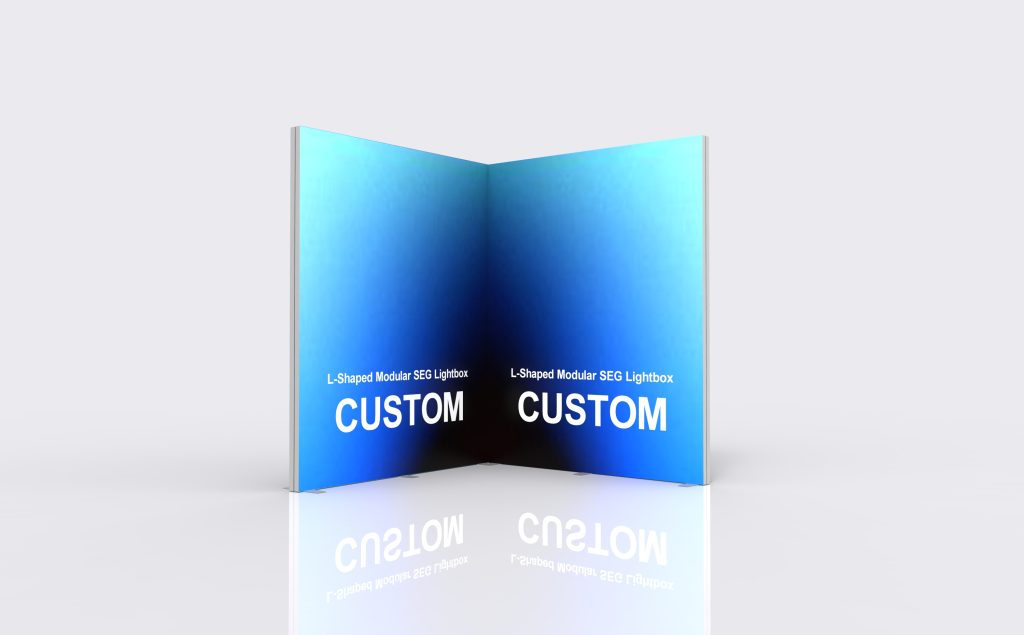
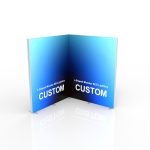
L-Shaped Modular SEG Lightbox
Two illuminated faces.
One defined corner.
| Product format | Illuminated seg display |
|---|---|
| Graphic system | Custom-printed SEG textile with silicone edge |
| Frame | Industrial aluminum-profile structure |
| Lighting | Integrated LED modules or edge lighting according to the approved design |
| Finish | Matte silver anodized appearance |
| Electrical | Voltage, plug and power configuration confirmed for the destination |
| Aluminum profile | 12 cm wide; 2.0 mm wall thickness. |
| Corner configuration | Custom dimensions and module combinations. |
10ft / 300 × 300 cm
Custom dimensions and module combinations available.
An L-shaped backdrop
with two viewing faces
A rear wall and a return
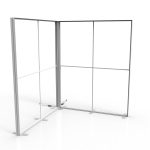
The two connected runs create a rear backdrop and a side return. The aluminum profile is 12 cm wide with a 2.0 mm wall thickness. Outside dimensions, joint construction and support feet all affect the space available inside the corner.
Visibility from adjoining approaches
Use the rear face for the main brand message and the return for visitors approaching from the side. The return belongs on the side that supports the entrance and sightline; it should leave demonstrations, counters and the booth opening visible.
A planned route for power
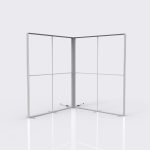
The frame images show supports and power leads around the base. Keep the power entry, connectors and power supplies accessible, with furniture positioned clear of the connection area and cables kept out of visitor routes.
Artwork that reads
from both approaches
Label the rear and return elevations
Each SEG graphic fits a specific frame face. Label the rear and return elevations, the main aisle and the inside or outside print face on one layout. Matching file names to those panel labels avoids reversing the corner artwork.
Treat the corner as a graphic break
A corner changes the viewing angle. Keep a small logo, face or key sentence on one panel, and give the adjoining panel a supporting message that reads independently. Background colour or imagery can visually connect the two faces.
Approve the faces together
Review both elevations together, then prepare each file to its approved SEG template. The nominal 10ft size label is not a print-file dimension. Panel dimensions and silicone-edge finishing determine the artwork template.
Your selected display
and optional extras
Graphic coverage
Single-sided graphics are the default selection. Double-sided graphics provide additional printed faces for layouts viewed from more than one direction. Choose the coverage to match the faces visible to your visitors.
Packing and transport
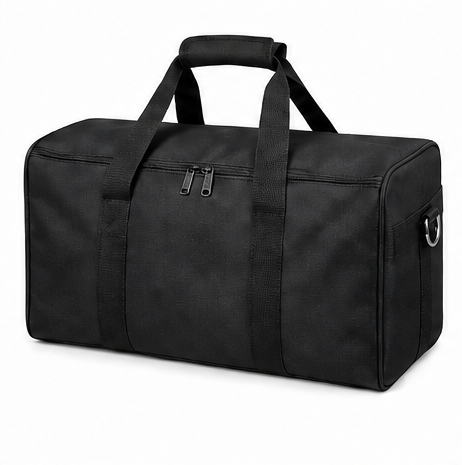
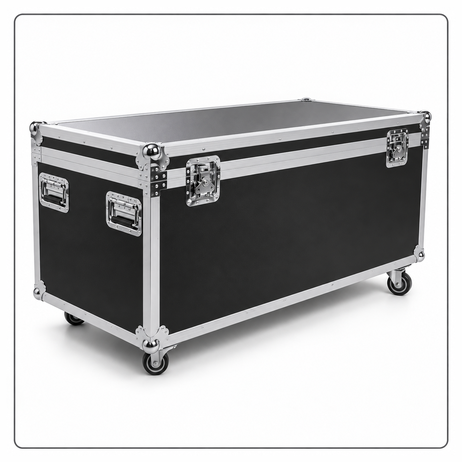
Protective packing helps protect the display in transit. Choose the default Oxford Fabric Carry Bag or the alternative Flight Case. Optional accessories and shipping are quoted separately.
Accessories and separate supply requests
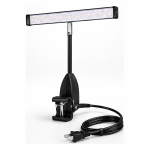
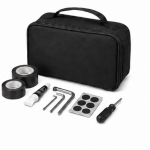
Add a Spotlight, Repair Kit or Shelf to suit your setup. For a Shelf Kit or TV/Monitor Mount, include the equipment dimensions and weight with your enquiry so the mounting arrangement can be checked against the frame.
For separate component orders, request Frame Only, Replacement SEG Fabric Graphic, or LED Module and Power Supply Set. For a complete display, the quotation details the frame, lighting, power supply, supports, selected graphics and packing for your configuration.
Use the return
where it adds visibility
Corner-oriented exhibition branding
Use the rear face for the main proposition and the return for a second product message. Check sightlines from both approaches.
Demonstration area with a side backdrop
Position the product in front of the rear run and keep the return clear of the working side. Review the layout with equipment and staff shown.
Retail presentation beside a corner
Use two lit faces to define a temporary campaign area. Confirm the supports and cable route for the actual installation position.
Open full-resolution assembly guide ↗
See how the modules
form the corner
Match the labeled frame parts
The assembly guide shows the profile sections, joining pieces, crossbars and feet before the graphic is fitted. Corresponding labels identify the connections, helping your team sort the parts before building each lightbox module.
Connect the modules at the return
Panel F shows the corner connection: a plate bridges the adjoining profiles and is secured with screws. The separate modules form the rear run and return, with support feet at the base. Follow the layout and connection positions supplied for your selected configuration.
Fit the SEG graphic to its frame face
The silicone edge seats in the frame's perimeter groove. Match each printed panel to its rear or return elevation before fitting it, keeping the artwork orientation consistent across the corner.
Get help during setup
If your team needs help with assembly, Milin provides video guidance. Share a photo or short video of the connection you are working on so we can help identify the next step.
Review your display
before it ships
Start with one set
Custom orders start from one set. We work from your booth dimensions, graphic coverage and selected accessories to define the frame and printed panels for your order.
Confirm the design
Approve the layout and print artwork before production. Confirm the required delivery date with your quotation so production and transport can be planned around the event.
See the completed order
After production, Milin sends photos and video of the finished order for your confirmation before dispatch. Review the graphics and selected configuration while the display is still with our team.
What to send for an accurate quotation
Your space and graphics
A marked floor plan and the required graphic coverage give us the basis for a configuration-specific quotation. Include the following:
- Rear-run length, return length and overall height
- Visitor viewpoint and inside/outside print coverage
- Corner clearance, support positions and cable route
Your order and delivery
- Selected transport case and any accessories
- Installation destination and required plug
- Order quantity and required delivery date
- Artwork readiness and event installation date
The quotation and approved drawing should identify the module schedule, corner hardware, numbered graphic faces and electrical configuration. Event-specific electrical and installation requirements must be checked before the order is finalised.
Questions before ordering
What does the starting price cover?
The displayed starting price relates to the default configuration. Double-sided graphics, a different transport case and add-ons can change the quotation; shipping is quoted separately. The order quotation should itemise the frame, lighting, power supply, supports, graphics and packing, so the supplied scope is clear before payment.
Can I customize the size and configuration?
Custom dimensions and module combinations are available. Send your booth layout with the desired rear-run length, return length and height to request a configuration for your space.
How do I specify left- or right-hand orientation?
Provide a floor plan with the main visitor approach marked and label the rear run and return. Direction words alone can be interpreted differently from inside and outside the booth.
Can both sides of each run carry graphics?
Identify the visible faces on the plan and request the matching printed and illuminated configuration. Do not assume every outside face is covered by the default selection.
Can a logo continue across the corner?
A design can be planned across separate faces, but the corner interrupts the viewing plane. Keep a critical logo or short headline on one face when readability from different directions matters.
Is the corner supplied as one solid frame?
The display is assembled from separate lightbox modules. The installation guide shows the profiles, supports and connection hardware; panel F illustrates the corner connection between adjoining runs.
When is a straight backwall more appropriate?
A straight wall can be sufficient when all content faces one aisle or when a return would obstruct the available floor space. Compare the complete footprints with furniture included.
What if I need help after the display arrives?
Milin provides video guidance for installation difficulties. If a part arrives damaged or is missing, send your order reference and clear photos of the affected part or packing contents. Our team will review the issue and work with you on a remedy.