PRODUCT DETAILS
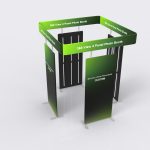
360 View 4 Panel Photo Booth
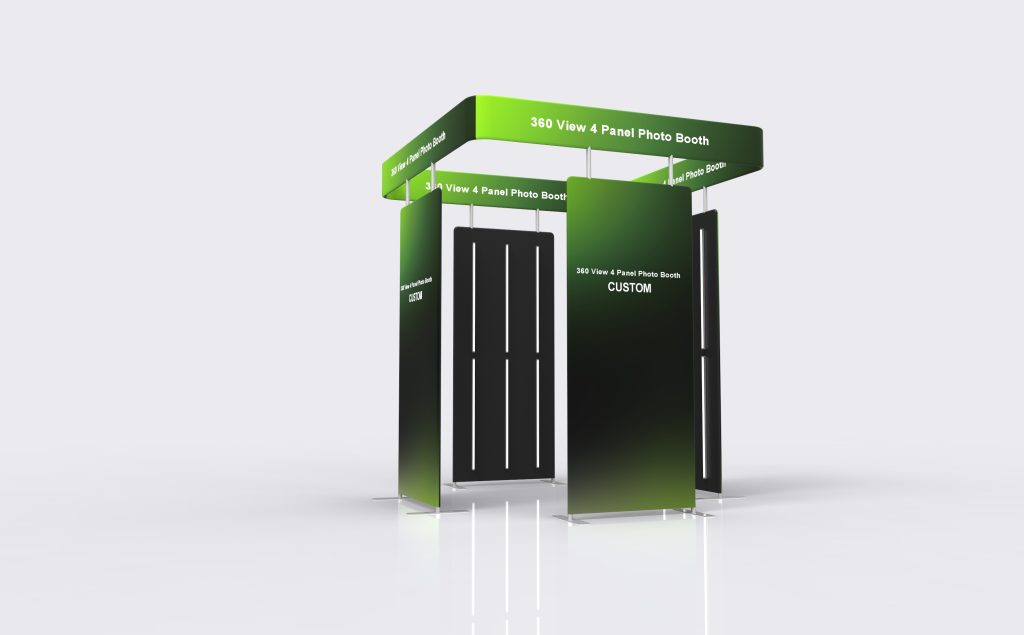
360 View 4 Panel Photo Booth organizes the photographic setting around four graphic panels. The panel arrangement and openings should be planned around the intended camera movement and participant position. The name describes the enclosure reference; it does not establish an included camera system or automated capture package.
Specifications & configuration
| Product format | Fabric photo-booth enclosure |
|---|---|
| Configuration basis | Finished dimensions and interfaces are taken from the approved order drawing |
| Artwork planning | Graphic direction follows the confirmed visible faces and openings |
Product details
Form & footprint
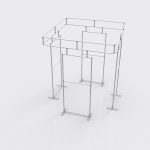
Check panel gaps, entry access and the complete movement area required by the photographic setup.
Graphic placement
Design each panel to work within the changing camera view, with seams and gaps considered deliberately.
Suitable uses
It can provide a coordinated graphic setting for a multi-view event photo activity.
Order configuration
Confirm the four-panel arrangement separately from any platform, camera or motion equipment.
Artwork & print
Artwork preparation
Review the graphic sequence around the complete setup rather than approving four unrelated front views.
Included & optional
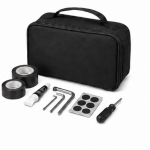
Included in this configuration
- White Back
- Soft Bag
Optional accessories
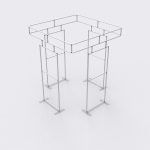
- Frame Only
- Replacement Fabric Graphic
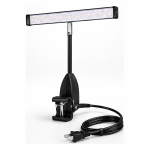
- LED Light Kit
- TV/Monitor Mount
Applications
Photo settings
Create a four-panel event photo setting.
Display applications
Coordinate graphics around a multi-view capture area.
Photo settings
Define a branded photographic zone within an event.
Planning & ordering
Order essentials
Send the equipment movement envelope, participant position and required access so panel locations can be reviewed.
- Finished dimensions and access requirements
- Artwork file and print orientation
- Selected components and packing requirements
Quotation checklist
- Quantity and preferred configuration
- Installation location and available space
- Any equipment dimensions or fit requirements
- Delivery destination and required date
Questions & answers
Does 360 View mean a complete camera package?
No equipment package is established in the product information. Confirm any camera, platform and controls separately.
How should I prepare custom artwork?
For a printed configuration, use the template for the confirmed model and dimensions. Check the visible faces, edges and fitting areas before approval; a graphic from a similarly named product is not proof of a matching fit.
Does the reference image define everything included?
No. Have the quotation identify the product configuration, selected accessories and packing items individually. Reference images can show equipment or surrounding items that are not included in the order.
How should I plan production and delivery?
After production, Milin sends photos and video of the completed order for confirmation before dispatch. Include your delivery address and event date when requesting a schedule: manufacturing and transport are separate stages. Video installation guidance is available if you need help assembling the display.