A portable exhibition booth is a good choice for multiple events when the same frame fits your common booth sizes, the graphics can be updated separately, and the packed system is practical to ship, install and store.
Buying is not always cheaper than renting. Compare the full cost over all planned events, including the booth, graphics, transport cases, freight, venue handling, setup labor, storage, repairs and updates. A low purchase price means little if the booth is expensive to move or difficult to assemble.
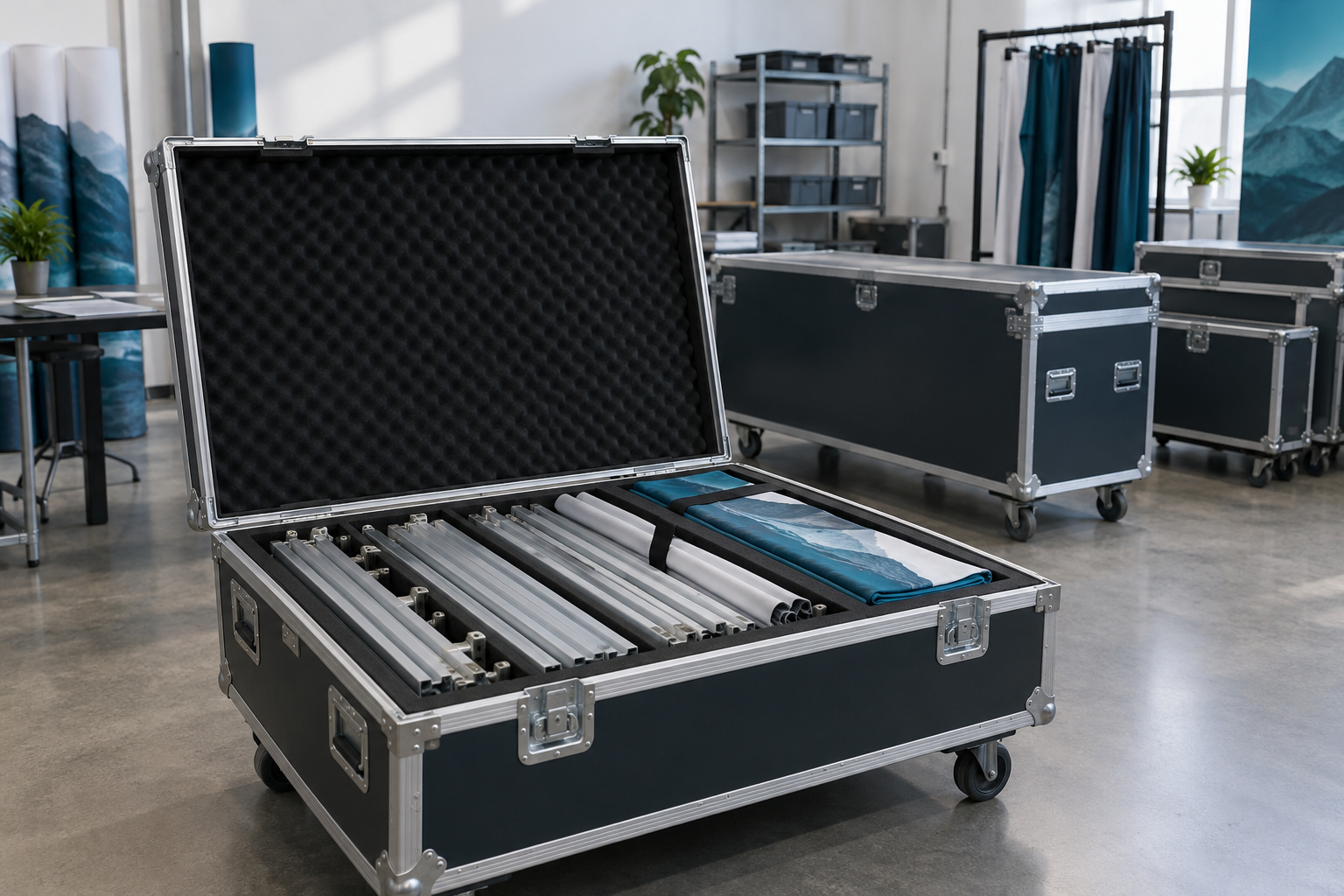
When a Portable Booth Makes Sense
There is no fixed number of events that makes buying the right choice. Some companies recover the purchase cost after three large shows. Others attend ten small events and still find local rental easier.
A portable booth is more likely to work well when:
- Most events use one or two standard booth sizes.
- The main brand message stays the same for several events.
- Product panels and promotional messages can be changed separately.
- The products, shelves and screens are within written load limits.
- The packed system fits the planned vehicles and freight method.
- The company has a dry and secure storage area.
- One person or team is responsible for the booth inventory.
Buying may not be practical when every event needs a different structure, the booth must support heavy machinery, or international transport costs more than renting locally. Large stands with meeting rooms, kitchens, raised floors or suspended signs may also require local contractors and event-specific engineering.
Start by reviewing the available exhibition display solutions. Compare them with the layouts you actually use rather than choosing the system with the greatest number of possible configurations.
Buy, Rent or Use a Hybrid System
Most exhibitors have three practical options.
| Option | Best Used When | Main Costs and Risks |
|---|---|---|
| Buy | The same frame and core graphics can be reused at several events. | Purchase cost, freight, storage, repairs and missing parts. |
| Rent | Events are infrequent, sizes change often or local support is important. | Repeated rental charges, less control and new approval work for each event. |
| Hybrid | You want consistent graphics but do not want to transport the full structure. | Owned graphics must be compatible with the rented frame. |
A hybrid system can work well for international events. A company may own its graphic files, small counters, product panels and demonstration equipment while renting large frames, furniture, flooring and screens near the venue.
Compare the same services when reviewing quotations. Do not compare a purchase price that excludes transport and installation with a rental price that includes delivery, setup and dismantling.
Start With Your Event Sizes
List the events you expect to attend during the next 12 to 24 months. Record the booth size, open sides, products, screens, storage needs, setup time, venue rules and transport distance for each event.
The following dimensions are common planning examples. Metric and imperial sizes are close but not exactly equal.
| Booth Size | Approximate Floor Area | Typical Use |
|---|---|---|
| 10 × 10 ft or about 3 × 3 m | 100 sq ft or about 9 m² | Small inline booth with one main display wall |
| 10 × 20 ft or about 3 × 6 m | 200 sq ft or about 18 m² | Product display, screen and demonstration area |
| 20 × 20 ft or about 6 × 6 m | 400 sq ft or about 36 m² | Larger island or open-sided booth |
If most events use a 10 × 10 ft or 3 × 3 m space, make that the smallest complete layout. Add only the parts needed to expand it for larger events.
A practical small booth may include:
- One main back wall
- One counter with hidden storage
- One screen or printed product panel
- One compact product display
- A clear entrance and visitor path
Do not fill a 9 m² booth with several chairs, a large table, a counter, a screen and multiple product stands. Although the items may fit on the drawing, they can leave little usable space for visitors and staff.
Only add extra layouts when your event plan requires them. A company that repeatedly uses two layouts does not need to pay for parts and cases for five theoretical configurations.
Ask the supplier for a drawing of every required layout. Each drawing should show:
- Exact dimensions
- Open sides and entrances
- Wall and counter positions
- Product and screen locations
- Storage areas
- Power points and cable paths
- Parts not used in that layout
Choose the Right Frame
The frame should match the booth size, display weight, visual style and setup method. No single frame type is right for every event.
Tension fabric backdrops are useful when you need a lightweight branded wall without heavy shelves or large wall-mounted screens. A portable tension fabric backdrop booth may suit conferences, recruitment fairs, dealer meetings and small trade shows.
Modular aluminum frames are more suitable when the booth needs separate walls, counters, shelves, doors, lightboxes or several layouts. When comparing an aluminum exhibition booth, check whether the same uprights, beams and connectors can be reused in each layout.
A system is not truly modular if every new configuration requires many special parts that cannot be used elsewhere.
SEG lightbox systems provide brighter graphics in halls with uneven lighting. Before choosing a SEG LED lightbox booth, ask about packed size, power supplies, cable access, heat, light distribution and the replacement process for graphics and LEDs.
Request real photographs and a complete setup video. Renderings do not show loose connections, difficult graphic seams, exposed cables, weak cases or unstable screen mounts.
Use Graphics That Are Easy to Update
The frame should normally last longer than the printed message. Separate graphics into two groups.
Core graphics may include:
- Logo
- Brand colors
- Main business category
- Long-term brand message
- General product imagery
Event graphics may include:
- New product launches
- Offers and campaign messages
- Local-language text
- QR codes
- Distributor details
- Event-specific calls to action
Place changing information on smaller panels. This can reduce reprinting costs.
For example, assume a complete back-wall graphic costs $1,200 to replace, while a removable product panel costs $250.
| Graphic Update Method | Cost Per Update | Cost for Four Updates |
|---|---|---|
| Replace the full back wall | $1,200 | $4,800 |
| Replace one smaller panel | $250 | $1,000 |
In this hypothetical example, using a separate product panel saves $3,800 across four updates. Actual printing prices depend on size, material, finishing and location.
Before approving the graphics, confirm:
- Who owns the editable artwork and print files
- Whether another printer can make replacement graphics
- Whether the dimensions are proprietary
- Whether one damaged panel can be reprinted
- Whether graphics should be folded or rolled
- How later reprints will be color-matched
Keep wall text short. A visitor walking past should quickly understand who you are, what you sell and why it matters. Long technical details belong in product sheets, brochures, videos or staff conversations.
Check Packed Weight and Volume
The word “portable” should describe the complete transport and setup process, not only the frame material.
Ask the supplier for:
- Total packed weight
- Total packed volume
- Number of cases
- Dimensions and weight of every case
- Weight of the heaviest component
- Required vehicle size
- Number of installers
- Tools and ladders required
Consider a 3 × 3 m booth packed into four cases:
| Case | Contents | Example Weight |
|---|---|---|
| Case 1 | Main frame components | 25 kg |
| Case 2 | Additional frame components | 25 kg |
| Case 3 | Graphics and lighting | 18 kg |
| Case 4 | Counter and accessories | 22 kg |
| Total | 90 kg | |
The shipment weighs 90 kg in total, but the handling plan should also consider the two 25 kg cases. A manageable total weight can still be difficult when one case is heavy, long or hard to grip.
If each case measures 120 × 40 × 40 cm, the volume of one case is:
1.2 m × 0.4 m × 0.4 m = 0.192 m³
Four cases occupy about:
0.192 m³ × 4 = 0.768 m³
This figure does not include pallets, protective overpacking or unused space inside a vehicle. Still, it gives the buyer a clearer transport estimate than the assembled booth weight alone.
In many North American exhibitions, the service manual may use the term “material handling” or “drayage” for moving freight between the receiving area and the booth. Treat these as one cost unless the contractor clearly lists separate services.
Courier-sized cases may reduce shipment weight and make transport easier, but they do not automatically remove venue handling charges. Check the event’s rules for warehouse deliveries, small packages, loading docks and hand-carried items.
Measure the Full Setup Time
A supplier may say that a booth takes 30 or 60 minutes to install. Ask what is included in that time.
A full setup may involve:
- Unloading and opening the cases
- Sorting the components
- Building the frame
- Installing graphics
- Mounting shelves and screens
- Connecting lights and media players
- Hiding cables
- Placing products and furniture
- Testing all equipment
- Removing packaging
Suppose two people need 90 minutes to complete the full booth.
2 people × 1.5 hours = 3 labor-hours
If labor is budgeted at $80 per person per hour:
3 labor-hours × $80 = $240
This is only a budgeting example. Actual charges may include minimum call periods, overtime, supervision, travel, venue fees or union labor rules.
Measure dismantling separately. A booth that builds quickly may still take a long time to remove products, disconnect equipment, fold graphics, inspect parts and repack every case.
There is no single OSHA rule that sets one maximum lifting weight for every employee and task.[1] NIOSH assesses lifting risk using several factors, including load weight, hand position, lift height, horizontal distance, body rotation, lifting frequency, task duration and grip quality.[2]
Even a 20 kg component may require two people or lifting equipment when it is bulky, repeatedly handled, difficult to grip or placed above shoulder height.
Use normal company staff during at least one setup test. A time recorded by experienced technicians may not reflect the experience of a sales team using the booth for the first time.
Calculate the Real Ownership Cost
The purchase quotation is not the full ownership cost.
Total ownership cost = purchase + initial graphics + cases + freight + venue handling + setup labor + storage + updates + repairs + insurance − resale value
Include only costs that change because of the buy-or-rent decision. Floor-space rental, registration and staff travel may apply under both options and can be recorded separately.
The basic break-even formula is:
Break-even events = fixed purchase cost ÷ savings per event
Savings per event = rental cost per event − owned booth operating cost per event
For example:
| Fixed booth, graphics and case cost | $16,500 |
|---|---|
| Comparable rental cost per event | $5,000 |
| Owned booth operating cost per event | $2,000 |
| Estimated saving per event | $3,000 |
The estimated break-even point is:
$16,500 ÷ $3,000 = 5.5 events
In this simplified example, cumulative savings begin during the sixth event.
A longer comparison can show the effect more clearly. Assume a company attends 12 events over three years.
| Cost Item | Owned Booth | Rental Booth |
|---|---|---|
| Initial structure and graphics | $18,000 | $0 |
| Operating cost per event | $2,200 | $5,500 |
| Number of events | 12 | 12 |
| Total operating cost | $26,400 | $66,000 |
| Three-year total | $44,400 | $66,000 |
| Average cost per event | $3,700 | $5,500 |
In this hypothetical example, ownership costs $21,600 less over 12 events.
This does not prove that buying is always cheaper. A different booth size, international freight, expensive storage, major repairs or frequent redesigns may reverse the result.
Prepare separate estimates for:
- Local events
- Long-distance domestic events
- International events
Also run a less favorable scenario that includes one delayed shipment, one damaged case, replacement graphics and additional labor. A purchase that saves money only under perfect conditions carries more risk.
Plan Screens and Power
Screens can support demonstrations, but they add weight, power use, cables and setup time. Compare the cost of carrying your own screen with renting one near the venue.
For larger digital displays, review available LED screen solutions and confirm whether the quotation includes the screen, controller, mounting system, cables and transport cases.
Use the smallest screen that visitors can comfortably view from the expected distance. A larger screen is not automatically more effective if it blocks the main message or requires a heavier wall.
Request written load limits for the screen mount and the complete wall. A strong bracket is not safe when attached to a frame that was not designed for the load.
Create a power list before ordering venue electricity. The following figures are only planning examples. Always use the ratings shown on the actual equipment.
| Equipment | Example Rated Power |
|---|---|
| 43-inch commercial screen | 150 W |
| LED booth lighting | 250 W |
| Two laptops | 65 W each |
| Total connected load | 530 W |
The calculation is:
150 W + 250 W + 65 W + 65 W = 530 W
Do not plan to operate exactly at the calculated limit. Adding a 25% planning margin gives:
530 W × 1.25 = 662.5 W
In this example, planning for at least 700 W provides more room than ordering exactly 530 W. The actual requirement may be higher if the booth includes additional lights, chargers, motors, heaters or equipment with high starting loads.
Test videos before the event. Keep backup files on at least two local devices and do not depend entirely on venue Wi-Fi. Videos should still make sense without sound, and spoken content should include captions.
A plug adapter changes the plug shape but does not change the voltage. For international events, check the voltage, frequency, plug type and grounding requirements of every device.
Plan Product Displays and Storage
Ask for written load limits for:
- Shelves
- Hooks
- Wall mounts
- Counters
- Screen brackets
- Display plinths
Heavy products should be supported by the floor or by a frame designed for that load. Do not place machine parts on a shelf designed for brochures.
If visitors can touch or operate a product, also consider pulling, leaning, tipping and repeated use. The display must remain stable when the product is used, not only when it is standing still.
For a live demonstration, plan:
- Power
- Ventilation
- Noise
- Waste and cleaning
- Queue space
- Staff access
- Emergency shutoff
Hidden storage is necessary even for a small team. Two staff members may bring coats, bags, laptops, chargers, brochures, samples, water, cleaning supplies and empty packaging.
A counter should include shelves or a lockable section. Do not use an electrical compartment for bags, drinks or personal belongings.
Improve Visitor Flow
Keep the booth easy to enter. A large counter across the front creates a physical barrier and may make visitors feel that they need permission to step inside.
In a small inline booth, a simple arrangement often works well:
- Main message on the back wall
- Product display on one side
- Screen or second message on the other side
- Counter near one edge
- Storage behind or inside the counter
Move demonstration tables far enough inside the booth for visitors to watch without standing in the main aisle.
Calculate how the booth will work during busy periods. Ask:
- How many people can watch the demonstration without blocking the aisle?
- How long does each demonstration take?
- Where will waiting visitors stand?
- Can staff reach products and storage?
- Can visitors leave without walking through another meeting?
A booth may look open in an empty rendering but become crowded after the screen, products, counter, chairs and staff are added.
Follow Accessibility and Venue Rules
Every venue has different rules. Read the exhibitor manual before approving the final structure.
Check:
- Maximum booth height
- Required open sides
- Fire-performance documents
- Electrical and cable rules
- Raised-floor requirements
- Rules for hanging signs
- Machinery, batteries, liquids and compressed-gas rules
- Approved labor requirements
- Drawing submission deadlines
A fabric described as flame-retardant may still be rejected when its certificate does not match the standard accepted by the venue. Send the documents for approval before shipping.
When U.S. accessibility standards apply, accessible routes must meet the relevant requirements for walking surfaces, doorways, ramps and other route components.[3]
When applicable, an accessible sales or service counter may need a suitable counter section and clear floor space for a seated visitor.[4]
Do not use one global measurement for every event. Accessibility, fire, labor and electrical requirements vary by country, state, city, venue and event.
Before opening each day:
- Lock all frame connectors.
- Check wall stability.
- Tighten shelves and screen mounts.
- Cover or secure cables.
- Remove empty packaging.
- Check sharp edges and damaged parts.
- Keep entrances and emergency paths clear.
Prepare for International Events
For every international event, compare three options:
- Ship the complete owned booth.
- Rent the complete booth locally.
- Ship graphics and small branded items while renting the main structure locally.
The third option can reduce freight volume, but only when the local frame matches the graphic dimensions and attachment method.
Prepare a packing list containing:
- Item description
- Quantity
- Weight
- Value
- Country of origin
- Serial number where required
- Intended use
- Return plan
Separate reusable booth equipment from products that will be sold, samples that will be given away and materials that will be consumed.
An ATA Carnet can allow eligible professional equipment, commercial samples and exhibition goods to enter participating customs territories temporarily without the normal payment of import duties and taxes, subject to the applicable conditions and re-export requirements.[5]
Items intended to be consumed or given away at a trade show are not covered by an ATA Carnet for entry into the United States because they are not expected to be re-exported.[6]
Confirm:
- Who is the importer of record
- Who prepares the customs documents
- Who pays duties, taxes, bonds or deposits
- Who is responsible for re-export
- Who handles local delivery
- Who stores the empty cases
- What happens if customs clearance is delayed
- What insurance covers the shipment
Lithium batteries are treated as dangerous goods in air transport, and the applicable requirements depend on factors such as battery type, rating, configuration and packaging.[7]
Ask the freight forwarder whether batteries in screens, media players, tools or demonstration products must be removed, marked, declared or packed separately.
Work backward from the venue warehouse deadline. Include customs clearance, local delivery, weekends, public holidays, setup day and return collection. Emergency air freight can cost more than the original planned shipment.
Compare Suppliers Using the Same Requirements
Ask each supplier to quote the same structure, graphics, cases, lighting, shelves and services. Otherwise, a lower price may simply mean that important items are missing.
The quotation should separate:
- Frame and connectors
- Printed graphics
- Lighting and power supplies
- Counters and shelves
- Screen mounts
- Transport cases
- Spare parts
- Design work
- Delivery
- Installation
- Training and instructions
IAEE identifies the evaluation and selection of official and exhibitor-appointed service contractors as an important part of exhibition planning.[8]
Ask every supplier:
- What is the total packed weight and volume?
- What is the heaviest case and component?
- How many people are required for full setup?
- Can every agreed layout be built with the quoted parts?
- What are the shelf and screen load limits?
- Which parts are covered by the warranty?
- How quickly can replacement parts be supplied?
- Can another printer make replacement graphics?
- How long will compatible parts remain available?
- What happens if the acceptance test fails?
Do not accept verbal promises for important measurements. Request written specifications, layout drawings, load limits, certificates, warranty terms and spare-part prices.
Complete a Full Acceptance Test
The final test should use the actual delivered system rather than a sample frame.
The test should include:
- Open all delivered cases.
- Count every component.
- Build every agreed layout.
- Install all graphics.
- Install shelves, screens and lights.
- Check the stability of walls and counters.
- Test all electrical components.
- Measure the full setup time.
- Measure the dismantling time.
- Repack the complete system.
Record missing parts, unstable components, poor print quality and difficult assembly steps in writing. Do not accept the booth based only on completed photographs.
Number every case and component. Add a photograph showing the correct contents of each case. A new employee should be able to understand what belongs in each case without relying on another person’s memory.
A setup video can reduce mistakes when a different team uses the booth. This video-guided booth assembly case study shows how instructions based on the actual components can support installation.
Maintain the Booth After Every Event
Inspect the booth as soon as it returns. Do not leave closed cases untouched until the next event.
- Count all parts.
- Photograph damage.
- Clean frames and counters.
- Dry fabric graphics.
- Test lights and power supplies.
- Check cables and screen mounts.
- Inspect case wheels, handles and latches.
- Order replacements immediately.
- Update the inventory record.
A small spare-parts budget can reduce emergency costs. For example, setting aside 2% of an $18,000 booth purchase creates an initial budget of:
$18,000 × 2% = $360
This $360 might be used for spare connectors, locking pins, graphic clips, cables and a replacement power supply. The 2% figure is a planning example, not an industry rule.
Track repeated failures. If the same connector fails three times in six installations, investigate the connector, packing method and setup instructions rather than treating each failure as an unrelated accident.
Replace the structure when:
- Frames no longer lock safely.
- Compatible parts are unavailable.
- Repair costs keep increasing.
- Freight costs are no longer reasonable.
- The existing layouts no longer fit the event plan.
- The booth cannot safely support current products or screens.
A change in brand colors or product messages usually requires new graphics, not a completely new frame.
Measure Business Results
A booth should be judged by both operating cost and business results.
Track:
- Qualified leads
- Meetings
- Product demonstrations
- Quote requests
- Sales opportunities
- Completed sales
- Cost per qualified lead
- Setup and dismantling time
- Freight and handling cost
- Damage and missing parts
For example, assume an event costs $12,000 and produces 40 qualified leads.
Cost per qualified lead = $12,000 ÷ 40 = $300
If 10 of the 40 leads become sales opportunities:
Lead-to-opportunity rate = 10 ÷ 40 × 100% = 25%
Now compare two events:
| Event | Total Cost | Qualified Leads | Cost Per Qualified Lead |
|---|---|---|---|
| Event A | $12,000 | 40 | $300 |
| Event B | $9,000 | 20 | $450 |
Event B costs $3,000 less overall, but each qualified lead costs $150 more. This is why the lowest event or booth cost does not always produce the best result.
Define a qualified lead before the event. A badge scan is not automatically a qualified lead. The contact should normally match the target customer, have a relevant need and agree to further communication.
For long B2B sales cycles, review results after 30 days, 90 days, six months and 12 months. Record the original event source in the CRM so later sales can be traced correctly.
Use Sustainability Claims Carefully
A reusable booth may reduce disposable construction, but reuse alone does not prove that the system has a lower environmental impact.
Consider:
- Number of expected uses
- Transport weight and volume
- Transport distance
- Ability to replace individual parts
- Ability to update one graphic instead of the full wall
- Availability of local printing
- Repair options
- End-of-life material separation
The FTC advises businesses not to make broad, unsupported environmental claims such as “green” or “eco-friendly.” Claims should be clear, limited and supported by reliable evidence.[9]
Use measurable statements instead. Examples include:
- The frame was reused at 12 events.
- Only one product panel was replaced.
- Three damaged connectors were replaced without discarding the wall.
- The graphics were printed near the event instead of shipped internationally.
Conclusion
A portable exhibition booth is worth buying when it fits your repeated layouts and lowers the total cost over several events. Do not judge it by the frame price alone. Check packed weight, case volume, setup labor, graphic update cost, storage, venue handling and repairs. In the three-year example above, ownership costs $44,400 for 12 events, compared with $66,000 for rental, but different freight or redesign needs could change the result. Test every layout before delivery, keep spare parts, inspect the system after each event, and track both cost per qualified lead and operating costs.


