An LED tension fabric lightbox is a reusable aluminum frame with LED lighting and a printed fabric graphic held in place by a silicone edge. It is a good choice for trade shows when you need a bright, smooth display wall that can be packed, moved, and used again. The best lightbox is not simply the brightest or thinnest one. It should light the full graphic evenly, remain stable, meet venue rules, fit the transport plan, and allow the graphic and electrical parts to be replaced.
Exhibitors comparing systems can first review Milin Displays’ LED light box range, then use the checks below to compare frame design, lighting, fabric, power, installation, packing, and total cost.
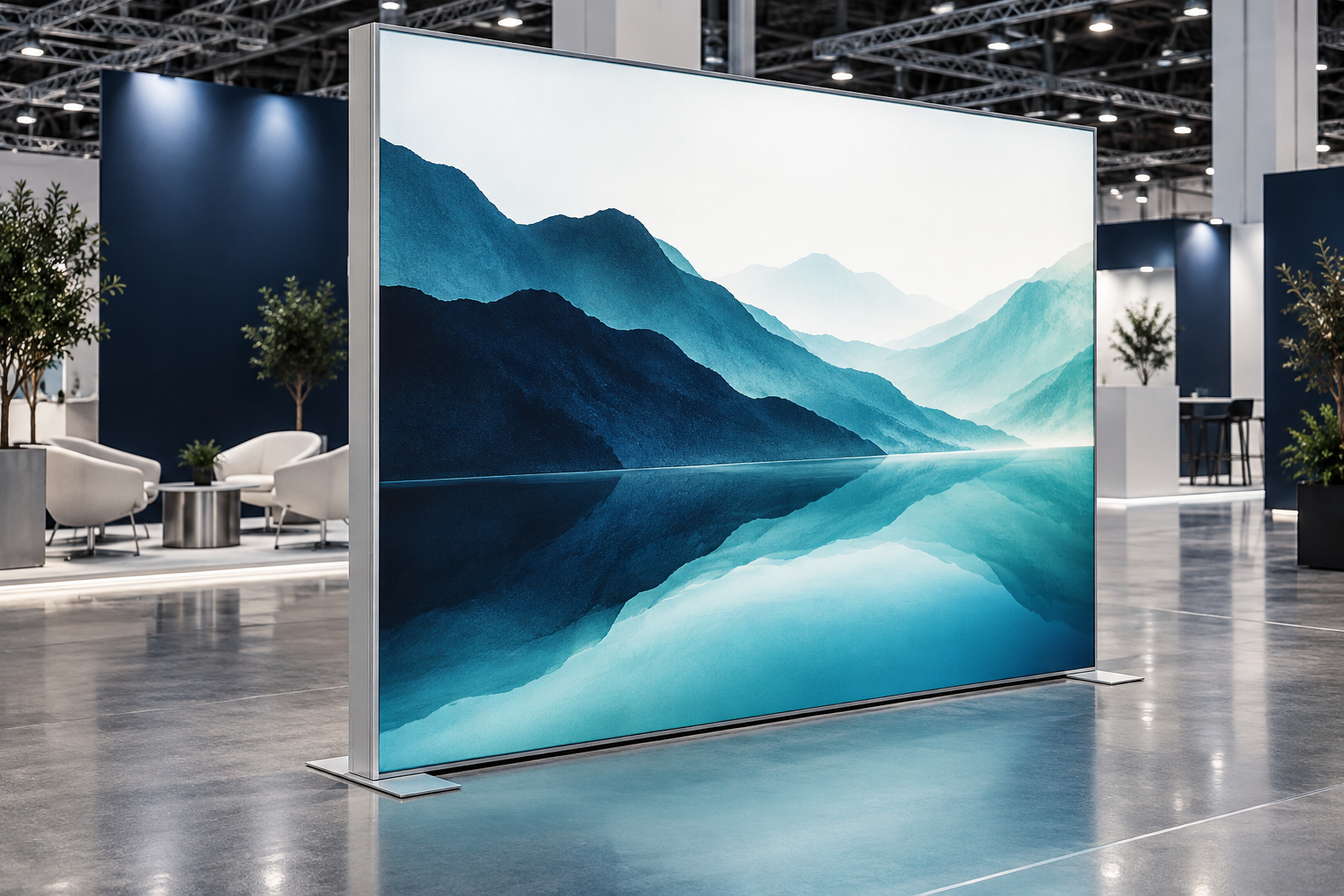
What Is an LED Tension Fabric Lightbox?
A typical system has five main parts:
- An aluminum frame
- LED strips, bars, or modules
- Power supplies, cables, and connectors
- A printed backlit fabric graphic
- A silicone strip sewn around the edge of the fabric
The silicone strip is pushed into a narrow channel in the aluminum profile. This pulls the fabric tight across the front of the frame. When the frame and graphic are made correctly, the surface should look flat, the edges should be straight, and there should be no visible hooks, eyelets, or elastic cords.
This graphic system is often called SEG, which means silicone edge graphic. SEG describes how the fabric is attached. It does not always mean the display is illuminated. A non-lit fabric wall can also use SEG, while some illuminated signs use acrylic or film instead of fabric.
Product names vary between suppliers. A quote for a “SEG display,” “fabric lightbox,” or “backlit wall” may not include the same parts. Ask for a parts list and confirm whether the price includes the LEDs, power supplies, front graphic, rear liner or rear graphic, feet or brackets, cases, spare parts, pre-assembly, and testing.
When Is a Lightbox the Right Choice?
An LED lightbox works well when the booth needs one bright visual focus, a smooth large-format graphic, reusable hardware, and graphics that can be changed for later events. It is useful for product launches, brand walls, booth entrances, freestanding signs, and island booths where the display must be visible from more than one direction.
A lightbox may not be the best option when power is limited, the display will be used only once, the hall is already brightly lit, or the message must change during the day. A non-lit tension fabric backdrop can reduce electrical and shipping needs. A screen is more suitable for video, live demonstrations, or changing content. Rental may cost less when the booth size changes at every event or the event is held in another country.
Before buying, decide:
- What visitors must notice first
- How far away they will view the graphic
- Whether the frame will be reused
- Who will install, transport, and store it
- Which electrical, fire, structural, and rigging rules apply at the venue
Direct-Lit and Edge-Lit Lightboxes
Both direct-lit and edge-lit systems create a backlit image. The difference is where the LEDs are placed and how the light reaches the fabric.
| Point to Compare | Direct-Lit | Edge-Lit |
|---|---|---|
| LED position | Behind the fabric, facing forward | Along one or more edges |
| Typical strength | Works well for large walls when depth and LED spacing are correct | Can produce a thinner profile for smaller signs and wall displays |
| Main risk | Visible LED dots, dark gaps, or shadows from internal parts | Bright edges, a dark center, or marks in the light-guide panel |
| Service | Individual modules may be easier to reach in some designs | A damaged strip or light guide may affect a larger area |
For a direct-lit system, ask for the distance from the LED lens to the fabric, the spacing between modules, the lens angle, the treatment of corners and joints, and the positions of cables and crossbars. A shallow frame can work, but only when the LEDs, lenses, spacing, and fabric have been designed for that depth.
For an edge-lit system, check the center as well as the edges. Ask whether the system has been tested at the final ordered size, whether the light-guide panel can be replaced, and whether the graphic can be changed without disturbing the optical parts.
Single-Sided and Double-Sided Systems
A single-sided lightbox has one main viewing face. The rear may use a white reflective liner to return some light toward the front, or an opaque panel to stop rear light leakage and hide internal parts. These materials do not perform the same job, so ask what is actually included.
A double-sided lightbox has two illuminated graphics. It is useful in open aisles, entrances, and island booths. Check that both sides have similar brightness and color, internal supports do not create shadows, and the power supplies can be reached without removing both graphics.
Do not assume that a single-sided frame can later become double-sided. The profile, frame depth, LED direction, wiring, internal supports, and base may be different.
Choose the Right Structure
Freestanding: A freestanding lightbox uses feet, base plates, stabilizers, ballast, or a connection to another approved booth structure. Check total height, base depth, overall weight, center of gravity, joint strength, floor condition, and likely contact from visitors or trolleys. Simply placing a tall unit near a wall does not make it stable. Milin’s Lightbox Exhibition Booth shows how illuminated walls can be built into a complete booth instead of used as a separate sign.
Wall-mounted: Confirm the wall material, fixing method, load limit, cable route, and access to the power supplies. Many shell-scheme panels are made for lightweight graphics and may not support an illuminated frame without extra structure.
Modular wall: A large wall can be divided into shorter sections for easier packing and reuse. The main risks are frame steps, misaligned graphics, different light levels, and visible shadows at the joints. Ask the supplier to assemble and light the complete wall before shipping. A module map should show which sections can be reused in other layouts. The ProCom modular lightbox case is a useful example of combining illuminated walls with overhead signage.
Hanging: A suspended sign can make a booth easier to find from across the hall, but it needs early approval. The venue or official rigging company may require the total suspended weight, lifting points, safety cables, structural drawings, approved hardware, and an installation plan. Do not move lifting points on site without approval. Milin’s hanging banner range shows the type of lightweight fabric structure used for overhead identification.
Custom shape: Curved, circular, angled, and three-dimensional frames can look distinctive, but they are harder to pack, reproduce, repair, and re-skin. Use a custom shape only when it improves visibility or supports the booth design enough to justify the added cost and service risk.
How to Check Lighting Quality
A good lightbox needs even light, suitable brightness, consistent color, safe heat levels, reliable dimming, and acceptable camera performance.
Check the final graphic, not an empty frame. A white test sheet can reveal LED dots and dark areas, but it cannot show how the finished print handles black areas, skin tones, gradients, brand colors, and unprinted white fabric.
Use a nine-point lighting check. Check the center, four corners, and the midpoint of all four edges. For a modular wall, add at least one check point at every joint. This gives the buyer a clear map of where bright and dark areas appear instead of relying on one center reading.
Record the test conditions. If measurements are used, record the meter, distance, room lighting, dimming level, warm-up time, graphic, and the maximum, minimum, and average readings. A brightness number without a test method is difficult to compare.
Do not choose the brightest system by default. Too much light can wash out pale areas, create glare in photographs, increase power use, and raise internal temperature. Dimming is useful when the same frame will be used in halls with different light levels.
Test the dimmer at three levels. A practical check is to review the complete wall at 100%, 50%, and 20% output. All sections should dim at the same rate. Look for flicker, color change, unstable low output, and different brightness between modules. Also confirm whether the setting is saved after power is disconnected and whether manual control is available if the remote is lost.
Color Temperature, Print Color, and Camera Use
Color temperature describes whether the LED light looks warmer or cooler. CRI is a common score used to show how naturally colors appear under the light. The U.S. Department of Energy explains that color temperature and color accuracy are separate parts of LED light quality.[1]
For normal exhibition graphics, CRI 80 is a practical minimum starting point. For skin tones, food, cosmetics, clothing, or strict brand colors, CRI 90 or higher gives better color accuracy, although an illuminated print sample is still necessary. DOE describes CRI 80 as a general minimum for interior lighting and CRI 90 or higher as excellent color fidelity.[1] Use the final fabric, print process, LED system, and a similar frame depth for the sample. Include the main brand colors, black, gray, a dark gradient, a skin tone when relevant, and unprinted white fabric.
For modular walls, ask for LEDs with matched color and output rather than accepting only “same batch” as proof. Test all connected sections together because small differences are easier to see when panels sit side by side.
A lightbox can look steady to the eye but show dark bands or pulsing on a phone or camera. The driver, dimmer, dimming level, frame rate, shutter speed, and rolling shutter can all affect the result. DOE notes that one flicker measure cannot predict every response, including what a video camera will record.[2]
Record the finished lightbox with the actual phone or camera that will be used at the event. Test the intended frame rate and shutter settings at 100%, 50%, and 20% light output. If the team normally records at 24, 30, or 60 frames per second, test those exact modes. Do this before production is approved when the booth will be used for interviews, livestreams, or social media.
Frame Depth, LED Layout, and Heat
Frame depth affects light spread, frame strength, service access, and packed volume. There is no single depth that is best for every lightbox. A 60 mm frame is not automatically better than a 100 mm frame. The result depends on the final size, lighting method, LED lens, module spacing, fabric, internal supports, and whether the frame is single- or double-sided.
Ask for an internal layout drawing or clear photograph that shows:
- LED rows or module positions
- Spacing between modules
- Distance from the LEDs to the fabric
- Corner and joint treatment
- Crossbars and cable routes
- Power-supply zones
Closer LED spacing can improve evenness, but it also adds power use, heat, wiring, parts, and connections. Wider spacing can reduce cost but needs the correct lens, diffusion distance, and fabric.
For a normal pre-shipment check, 4 to 8 hours of continuous operation is a useful project target. Longer testing may be justified for a large wall or an event where repair access is difficult. Record the room temperature, dimming level, power load, and temperatures around power supplies and enclosed areas. This is an acceptance target, not a universal industry rule.
Good-quality white LED lighting products are commonly rated for about 30,000 to 50,000 operating hours before light output falls to 70% of its starting level.[1] This does not mean the complete lightbox will last that long without service. Drivers, connectors, cables, fabric, and frame joints may need attention earlier. DOE treats LED reliability as a complete system issue, not only an LED-chip lifetime claim.[3]
Frame Strength, Joints, and Stability
Most reusable lightboxes use extruded aluminum profiles. Ask for the profile cross-section, wall thickness, connector design, maximum recommended size, required supports, and total assembled weight.
Large frames may need crossbars to stop bending and keep the outer frame square. Crossbars can also support LEDs and cables, but they must not sit so close to the front fabric that they create visible shadows.
Corners should hold a true 90-degree angle. Long straight sections should meet without a step or ridge under the graphic. Before production, agree on the normal viewing distance and what level of joint line, image shift, or brightness change is acceptable. For many booth walls, checking from about 1.5 to 3 meters is a practical starting range, but the contract should use the real visitor viewing distance.
A freestanding unit should remain stable when visitors pass, touch the display, or move nearby equipment. Consider:
- Height, width, and base depth
- Total assembled weight and center of gravity
- Floor level and floor strength
- Doors, trolleys, and visitor routes
- Connections to counters or other booth structures
Hidden ballast can help in some designs, but it also adds shipping weight and can create problems on raised floors. Any fixing or ballast method must follow the venue’s rules. If a frame rocks, leans, or develops a loose connection, remove it from a public area until the cause is checked.
Fabric, Printing, and the Silicone Edge
A backlit fabric must let enough light through while hiding the individual LEDs and internal parts. A fabric that transmits too little light will look dull. A fabric with poor diffusion may show LED dots or shadows.
Fabric weight alone is not a useful quality score. A heavier fabric is not always more durable or less likely to wrinkle, and a lighter fabric is not always brighter. Construction, coating, stretch, transmission, diffusion, and the lighting design all affect the result.
Record the exact fabric specification used for the approved sample. If the material or batch changes before production, check the print and lighting again.
Dye-sublimation printing is commonly used for polyester tension graphics. Final quality depends on the image file, printer setup, ink, fabric, heat-transfer process, color profile, and sewing. Check the actual pixel size of placed images after they are enlarged in the final artwork. Do not rely only on the DPI number stored in the file.
Large black areas need testing because they may look gray when illuminated. White areas are usually unprinted fabric, so they can appear much brighter than nearby colors. Review the graphic with the LEDs on and off.
The silicone edge must match the frame channel. If it is too thick, installation can be difficult. If it is too thin, the graphic may pull out. Sewing position, finished size, corner cuts, and fabric stretch also matter. A replacement graphic from another supplier may not fit even when the outer frame size appears the same.
Keep an approved graphic sample, frame profile drawing, silicone specification, finished dimensions, and artwork version. Milin’s guide to interchangeable SEG fabric displays is relevant when one frame will be reused with several campaign graphics.
Artwork Size, Seams, and Message Design
The production size is not always the same as the visible size or outer frame size. Ask for the supplier’s current artwork template. It should show:
- Outer frame size
- Visible image area
- Final fabric size
- Bleed
- Silicone sewing area
- Safe content area
- Panel or module joints
- Front and rear orientation
Do not use another supplier’s template. Two frames with the same advertised outer size may need different finished fabric dimensions.
Very large graphics may need more than one panel. Confirm the maximum print width and seam position before approving the artwork. Avoid placing a seam through a face, logo, QR code, small text, product edge, or straight architectural line. Connected panels should be printed together when possible.
For a large wall viewed from several meters away, an image resolution of about 100 to 150 pixels per inch at final print size is often a workable starting point. Close-view product images, small text, and QR codes may need more detail. Always follow the printer’s final template and file requirements because print equipment and viewing distance change the correct resolution.
A large illuminated wall should carry one main message. Visitors should be able to understand who the company is, what it offers, and why they should stop. Use a short headline, one clear benefit, and one next action. Put detailed specifications on product cards, screens, brochures, or landing pages.
Keep important content away from frame edges, seams, counters, shelves, screens, and structural columns. A headline that is centered in the print file may be hidden after a counter is installed.
For color-sensitive graphics, review a real illuminated sample rather than a paper proof. The RaceChip L-shaped lightbox case shows why sample testing is useful when a strong brand color must continue across more than one panel.
Test QR codes on the finished illuminated fabric. Keep a clear blank area around the code, use strong contrast, avoid joints, and check the code from the intended distance and angle. Link it to a page that matches the message on the wall rather than sending every visitor to the home page.
Power Planning and Electrical Safety
Ask for the input voltage, frequency, total wattage, number of power supplies, plug type, cable length, dimming method, and actual LED load on each power supply.
Do not exceed the power supply’s rated output. The correct working load depends on the manufacturer’s instructions, room temperature, ventilation, installation position, and any output reduction required in hot or enclosed conditions. Avoid using one fixed spare-capacity percentage for every model.
Power supplies should be placed where heat can escape and where they can be replaced without taking down the complete booth. An access panel must be large enough to remove the part and disconnect the wiring, not only large enough to see it.
Calculate the total booth load, including lightboxes, spotlights, screens, computers, chargers, refrigerators, product demonstrations, and audio equipment. Do not connect all equipment to one extension strip without checking the circuit rating and venue rules.
Requirements differ by country. In the European Union, electrical equipment within the stated voltage range may fall under the Low Voltage Directive, while powered equipment may also need assessment under the Electromagnetic Compatibility Directive.[4][5] A certificate for one power supply or LED module does not prove that the complete assembled display meets every local requirement.
Plan cable routes before the booth is built. Keep cables away from doors, sharp edges, wheels, and visitor routes. For U.S. work sites, OSHA notes that flexible cords are more easily damaged than fixed wiring and can be harmed by abrasion, strain, door edges, or poor maintenance.[6] Its construction rules also require work areas and walkways to be kept clear of cords where they could create a hazard.[7]
Stop using the system and disconnect power if you notice repeated tripping, a burning smell, melted or discolored connectors, damaged insulation, moisture near electrical parts, unstable output, unusual heat, or persistent abnormal buzzing. A power supply may feel warm during normal use, but it should not show abnormal temperature rise or damage. Mains-voltage repairs should be handled by a qualified person.
Installation and Removal
Complete a trial assembly before shipping when the system is large, custom, or new to the installation team. For a reusable system, two complete assembly-and-disassembly cycles are a practical minimum test. Record the real installation time, number of people, tools, difficult steps, and parts that can be fitted backward. The second cycle often reveals loose joints, unclear labels, and packing problems that are missed during the first build.
A practical setup order is:
- Lay out all parts on a clean protected surface.
- Match frame numbers, joint labels, and orientation marks.
- Connect corners and straight sections.
- Install all crossbars, supports, feet, or brackets.
- Connect LED cables and power supplies.
- Test every lighting section while the frame is open.
- Install the fabric graphic.
- Check alignment, lighting, stability, and cable protection.
For many SEG graphics, insert the four corners first, then the center of each side, and fill the remaining edges gradually. Do not fully insert one long edge before the opposite side. If the fabric is unusually tight, stop and check the frame, graphic number, orientation, channel, and finished dimensions. Do not force an undersized graphic.
Use clean gloves and a clean floor sheet. Dirt, metal dust, tape residue, and shoe marks can become more visible after the graphic is illuminated.
A project-specific setup video can help local teams avoid mistakes. The DRYPAX setup case is an example of using a video walkthrough for a real booth rather than relying only on a generic instruction sheet.
Before removal, disconnect the power. Take the fabric out gradually and support it as it leaves the channel. Keep front and rear graphics separate, inspect seams, coil cables without sharp bends, count small parts, and record damaged components before the cases are closed.
Transport, Storage, and Cleaning
Ask for the longest packed part, every case dimension, each case weight, the number of cases, and the handling method. Total shipment weight alone does not show whether one case is too long for a lift or too heavy for one person.
Check the full route, including vehicle doors, hotel lifts, loading docks, service lifts, storage rooms, and booth access. Exhibition costs may also include delivery time slots, official material handling, empty-case storage, forklift charges, waiting time, customs paperwork, and return collection.
Soft bags are lighter but provide less protection. Hard cases better protect aluminum profiles, LED parts, connectors, power supplies, and printed graphics. Use dividers or sleeves so profiles do not rub together or damage the SEG channel.
Label every frame section, joint, cable, power supply, graphic, and case. Add a packing diagram. After each event, record missing parts, bent profiles, worn connectors, failed LEDs, fabric stains, seam damage, and repairs needed before the next show.
Store the frame in a dry indoor space. Pack graphics only when they are clean and fully dry. Follow the printer’s instructions on folding or rolling, and avoid sharp pressure on the silicone edge.
Do not assume that every polyester graphic is machine washable. Ask for care instructions for the exact printed fabric. Test any cleaning method on a hidden area and avoid bleach, strong solvents, or abrasive pads unless the supplier approves them.
Fire Rules, Rigging, and Outdoor Use
Fire requirements depend on the country, venue, event, and material. Ask which standard and document are required, whether the test report must name the exact fabric, whether rear liners are included, and whether a certificate or full report is accepted.
NFPA 701 is one recognized method for testing flame propagation of textiles and films, but the venue decides which standard and edition it accepts.[8] Do not rely only on the words “flame retardant” in a product description. The report should match the supplied fabric and identify the test method, laboratory, date, and any limits on use.
For hanging displays, obtain the rigging rules and submission deadline before the frame is made. Confirm total suspended weight, lifting points, safety cables, hardware, motors, access equipment, and official contractor requirements. Do not change lifting points on site without approval.
Many portable exhibition lightboxes are intended for indoor use. Outdoor use requires a suitable frame, base or fixing method, fabric, LEDs, power supplies, connectors, cable entries, drainage, temperature range, and wind-load review.
An IP rating applies to the enclosure or part that was tested. IEC 60529 classifies the protection provided by electrical equipment enclosures, so an IP rating on one LED module does not prove that the complete lightbox has the same protection.[9] Water can still enter through joints, connectors, cable routes, or power compartments. A large fabric face also catches wind, so a normal indoor base should not be used as an outdoor wind-control plan.
Pre-Shipment Inspection
Agree on the inspection method before production. Define the final size, graphic orientation, normal viewing distance, acceptable joint appearance, lighting check points, color reference, camera settings, power use, stability method, case count, and required documents.
The supplier should test the actual ordered system, not only a small sample. The test should include:
- Complete frame assembly
- All supports, feet, brackets, and joints
- Full LED operation
- Final graphic installation
- Front, side, corner, edge, and joint checks
- Full and reduced brightness tests
- Phone or camera recording when filming matters
- Power and temperature checks
- Stability check
- Packing and unpacking trial
- Individual case weight check
- Final parts count
Record the graphic used, all agreed lighting check points, dimming level, room condition, camera settings, warm-up time, and measurement method. Also agree on what happens if the display fails: correction, re-test, replacement lead time, and responsibility for urgent shipping.
Common Problems and Practical Fixes
| Problem | Likely Cause | What to Do |
|---|---|---|
| Visible LED dots | Frame too shallow, LEDs too far apart, unsuitable lens, or weak fabric diffusion | Change the depth, spacing, lens, or fabric and test the complete frame again. |
| Dark corners or bands | Poor LED placement, cables or supports blocking light, or weak reflection | Adjust the LED layout and move internal parts away from the graphic. |
| Dark center in an edge-lit frame | Display is too large for the optical design or the light guide is damaged | Review the full-size design and replace damaged optical parts. |
| Loose fabric | Graphic too large, thin silicone, poor sewing, or a frame that is not square | Square the frame and remake the graphic to the approved dimensions. |
| Graphic is too tight | Graphic too small, thick silicone, or incorrect size compensation | Stop installation and check the frame and graphic records. Do not force it. |
| One section does not light | Loose connector, damaged cable, failed module, or failed power branch | Disconnect power, follow the wiring diagram, and use compatible replacement parts. |
| Camera bands or flicker | Driver, dimmer, low dimming level, or camera-setting interaction | Test several output levels and use a suitable driver or dimmer. |
| Frame bends or joints step | Long unsupported span, weak profile, missing crossbar, or unlocked joint | Install all supports and ask the supplier to review the structure if bending remains. |
| Different color between panels | Different LEDs, drivers, fabric batches, print runs, or aging | Use matched parts, print connected panels together, and test all sections at once. |
Cost per Event, Rental, and Purchase
Compare the complete cost, not only the frame price. Include the frame, lighting, graphics, cases, freight, installation, venue electricity, storage, repair, cleaning, spare parts, customs, and remaining value.
Use this basic estimate:
Cost per event = (initial system cost + all ownership running costs − expected remaining value) ÷ number of events
Ownership running costs include all graphics, freight, installation, storage, electricity, maintenance, and repair during the planned period. This simple formula does not include inflation or the time value of money, but it is more useful than comparing purchase prices alone.
Example: A lightbox system costs $8,000. Graphics, freight, installation, storage, and repairs total $4,000 across five events. The frame is expected to retain $1,000 in value. The estimated cost per event is ($8,000 + $4,000 − $1,000) ÷ 5 = $2,200 per event. These figures are examples only; actual costs depend on the booth size, country, labor, and shipping method.
Rental often makes sense for one event, overseas events, changing booth sizes, or companies without storage. Purchase often makes sense when the same or similar frame will be used at several events and only the graphics change.
A simple break-even estimate is:
Break-even event count = net fixed purchase cost ÷ (rental variable cost per event − ownership variable cost per event)
Use this only when the rental cost per event is higher than the running cost of using the owned system. Net fixed purchase cost should subtract any realistic resale or remaining value. Include any one-time rental setup fee separately.
Example: Assume the net fixed purchase cost is $7,200. Rental costs $3,000 per event, while freight, installation, storage, and maintenance for the owned system cost $1,200 per event. The break-even point is $7,200 ÷ ($3,000 − $1,200) = 4 events. Purchase becomes cheaper after about four events only if the same frame still fits the booth plan.
What to Include in a Request for Quotation
Give the supplier the width, height, single- or double-sided use, indoor or outdoor location, structure type, booth plan, event country, voltage, transport limits, graphic quantity, reuse plan, installation team size, camera requirements, and required documents.
Ask the supplier to return the following information:
- Frame: profile depth, cross-section, wall thickness, maximum size, joints, crossbars, base, assembled weight, packed dimensions, and case weights
- Lighting: direct- or edge-lit design, LED type, spacing, lens, distance to the graphic, color temperature, CRI, dimming method, wattage, power-supply location, and replacement method
- Graphic: fabric specification, print process, finished size, artwork template, silicone size, seam plan, fire documents, cleaning instructions, and replacement lead time
- Service: assembly drawing, setup video, wiring diagram, spare-parts list, test record, warranty by part, and future parts availability. For a medium reusable wall, a practical starting spare kit is one compatible power supply, 3 to 5 LED modules, several connectors, and common fasteners; the final quantity should match the actual circuit and module count.
- Price scope: front and rear graphics, rear liner, feet or brackets, lighting, power supplies, controllers, cables, cases, spares, testing, freight, installation, taxes, and local charges
Two quotes cannot be compared fairly when one includes graphics, cases, spare parts, and testing while another includes only the frame.
Conclusion
A reliable lightbox should pass a nine-point lighting check, work at 100%, 50%, and 20% brightness, and run for 4 to 8 hours without abnormal heat or unstable output. A reusable frame should also complete two assembly-and-packing cycles before shipment. Record the real setup time, team size, case weights, power load, graphic version, and spare parts. For a medium wall, one spare power supply and 3 to 5 matching LED modules are a practical starting kit. These checks give the buyer clear acceptance data and reduce the risk of urgent repairs during the event.


