Most modular indoor aluminum exhibition stands can be assembled without drilling, cutting, welding, or specialist construction tools. The usual order is simple: measure the booth, square the base, install the posts and top rails, fit every brace, add the graphics, mount approved accessories, route the cables, and complete a final check. Some systems are fully tool-free, while others use one supplied wrench, hex key, or connector handle.
This guide applies to portable or modular stands designed for self-assembly. It does not apply to double-deck stands, suspended signs, large overhead structures, outdoor stands, heavy machinery displays, or structures that require engineering approval. Always follow the manufacturer’s drawing and the event rules when they differ from this general guide.
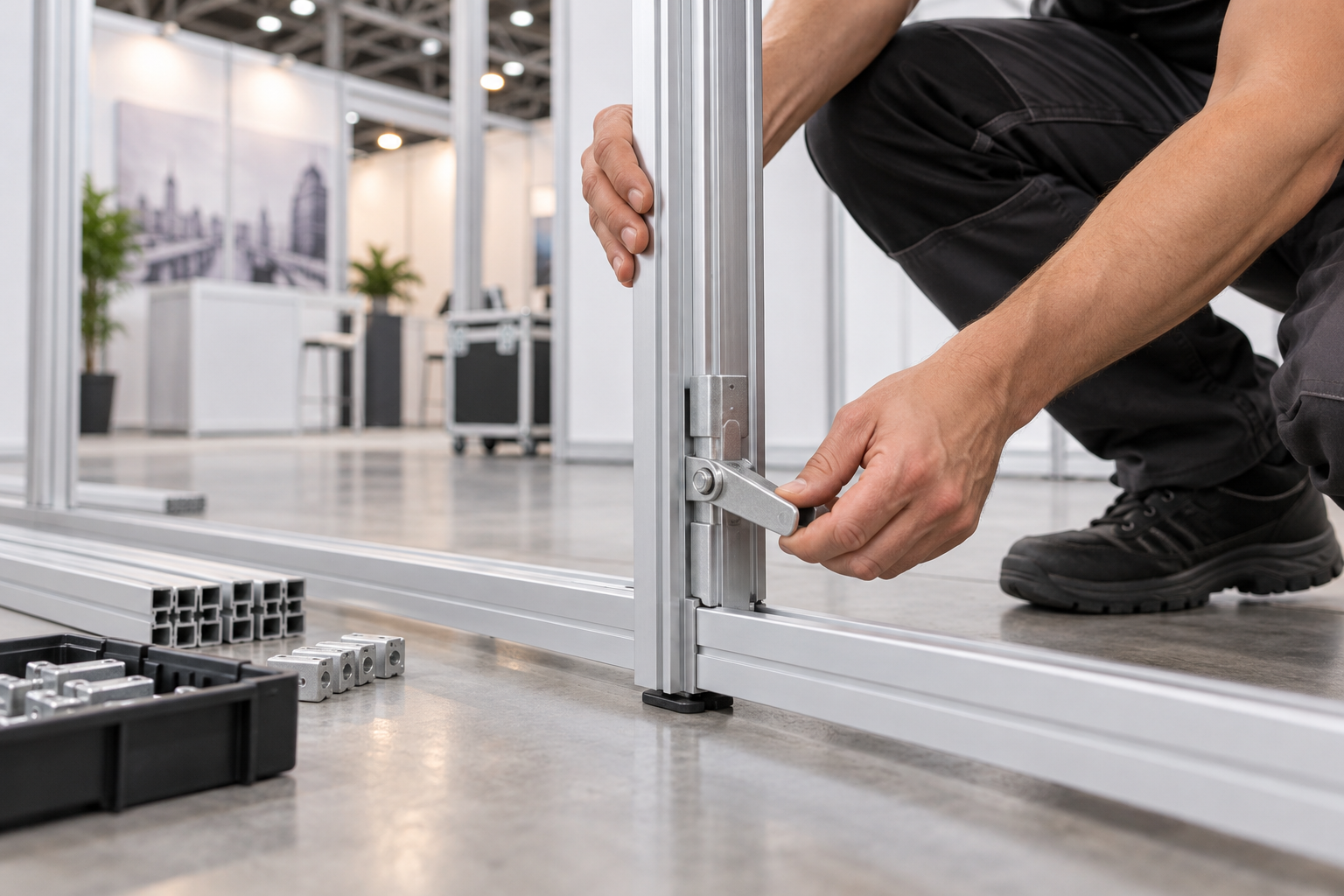
Check the Stand Before You Start
Read the assembly drawing before opening every case. Similar aluminum parts may have different functions, even when they look almost identical.
Identify:
- The base rails and base plates
- The vertical posts
- The top rails
- The braces, return walls, feet, and outriggers
- The front and rear of each wall
- The reinforced profiles for shelves or monitors
- The graphic assigned to each wall
- The cable entry and exit points
Some aluminum exhibition booth systems use numbered aluminum profiles and simple mechanical connections. Other systems use hand locks, push-fit joints, external corner blocks, or folding frames. Do not copy the assembly method from another stand unless its frame and connector design are the same.
Before building, confirm that the stand drawing matches the delivered parts. Stop if a required wall, brace, stabilizing foot, connector, or reinforced profile is missing.
Check the Venue Rules
Read the exhibitor manual before the stand leaves your warehouse. Check:
- The permitted stand height
- The booked booth width and depth
- Setup and dismantling hours
- Floor-fixing restrictions
- The approved type of floor tape
- Electrical connection rules
- Fire-performance certificate requirements
- Rules for enclosed storage rooms
- Worker passes and required safety clothing
- Restrictions on ladders or access platforms
Keep base plates, doors, shelves, counters, monitors, cable covers, and stabilizing feet inside the booked booth area. Do not block exits, fire equipment, service panels, emergency signs, ventilation openings, or public routes. HSE guidance states that event sites should be planned so workers and visitors can use them safely.[1]
In the United States, exhibition areas may also need to meet ADA accessibility requirements. An accessible route should remain clear so visitors can approach, enter, move through, and leave the area.[2]
Do not place a counter, brochure rack, open door, floor cable, display plinth, or stabilizing foot where it narrows a required visitor route. Follow the local rules for the country and venue where the event takes place.
Complete a Trial Build
Complete a trial assembly when the stand is new, repaired, modified, or being used in a different layout.
During the trial build:
- Assemble the complete frame where possible.
- Check every connector and locking part.
- Confirm the position of every brace and stabilizer.
- Fit each graphic to its correct frame.
- Test shelves, monitor brackets, doors, counters, and lights.
- Measure the finished width, depth, and height.
- Take at least one front and one rear photograph of every wall.
- Photograph unusual connectors, feet, brackets, and cable routes.
- Record the real assembly and packing time.
Add a practical time allowance when planning the venue setup. A useful starting point is to add 20%–30% to the trial-build time for unloading, access delays, floor measurement, cleaning, electrical checks, and corrections. This is a planning allowance, not a guaranteed industry standard.
For example, if a complete trial build takes four hours, allow roughly five hours at the venue rather than booking exactly four hours. Large booths, first-time teams, restricted loading access, or complicated electrical work may need a larger allowance.
Label and Pack the Parts
Label every structural part by wall, bay, and position. Clear labels reduce the risk of installing a top rail in the base or using a standard post where a reinforced monitor post is required.
Use labels such as:
- Wall A – Base
- Wall A – Left Post
- Wall A – Right Post
- Wall A – Top Rail
- Wall B – Monitor Post
Number every case in loading order, such as “1 of 6,” “2 of 6,” and “3 of 6.” Put the drawing, base parts, connector tool, and first-use hardware in the first case to be opened.
Place connectors, shelf clips, monitor screws, lighting parts, and spare consumables in separate labeled bags. Pack about 5%–10% extra non-structural consumables where practical, including approved cable straps, graphic retainers, labels, and removable floor-marking tape.
Do not treat unknown screws, connectors, or braces as interchangeable spare parts. Structural replacement parts must match the supplied system.
Keep graphics clean, dry, and protected from sharp metal edges. Do not place heavy profiles directly on folded or rolled graphics.
Choose the Right Team
Do not decide the team size from weight alone. A long profile or large graphic can be light but difficult for one person to control.
Consider:
- The length and shape of each part
- The required lifting height
- The available grip points
- The floor condition
- The space inside the booth
- Whether ladder work is required
- The number of screens, doors, and shelves
HSE recommends assessing the task, the load, the working environment, and the ability of the people doing the work. It does not set one universal safe lifting weight.[3]
As a practical planning guide:
- One trained person may be able to assemble a small, low tabletop display.
- Plan for at least two people for a simple full-height wall or long top rail.
- Plan for three people when handling large graphics, doors, heavy base plates, monitors, or several wall sections at the same time.
These numbers are planning examples, not fixed safety limits. Use more people or handling equipment when the manufacturer, part size, working height, or site conditions require it.
Prepare the Work Area
Move all cases inside the booth without blocking the aisle. Divide the working area into four simple zones:
- A frame zone for profiles and connectors
- A clean zone for graphics
- An equipment zone for electronics and accessories
- A waste zone for packaging and protective film
Keep graphics away from dirty floors, tools, packaging staples, drinks, and loose screws. Keep electrical equipment away from cleaning liquids and unstable stacks of cases.
Remove empty packaging as work progresses. Do not hide boxes behind walls, under counters, or inside spaces that are not approved for storage.
Gather the Basic Equipment
A stand designed for self-assembly may still require a small setup kit:
- The manufacturer’s assembly drawing
- The approved booth plan
- A parts checklist
- A tape measure
- A small spirit level
- Work gloves with good grip
- The supplied wrench, hex key, or connector handle
- A stable step ladder or approved platform
- A tray for small hardware
- A soft cleaning cloth
- Reusable cable straps
- Venue-approved floor tape
- A phone or camera for inspection photographs
Do not drill, cut, bend, grind, or glue the aluminum profiles unless the manufacturer has approved the change. An unapproved hole can damage an internal connector, weaken the profile, or create a sharp edge.
Use a rubber mallet only when the assembly instructions permit it. Never strike finished aluminum or a precision connector with a steel hammer.
Inspect and Sort the Parts
Open one case at a time and compare the contents with the packing list.
Check for:
- Bent or twisted profiles
- Cracked connectors
- Missing locking pins
- Loose feet
- Stripped screws
- Sharp or damaged edges
- Blocked graphic channels
- Torn graphics
- Detached silicone edging
- Frayed or crushed electrical cables
- Missing accessory hardware
Look along each long profile from one end. This makes small bends easier to see.
Move each locking connector through its normal range before installation. If it is jammed, check its position and condition. Do not force it or add lubricant unless the manufacturer has approved a specific product.
Place damaged or doubtful parts in a marked “do not use” area. Do not put them back in the main parts pile.
Mark the Booth Footprint
Measure the actual booth width and depth. Do not assume the floor tape is exact.
Mark the positions of:
- Main posts
- Base plates
- Stabilizing feet
- Electrical outlets
- Floor service boxes
- Doors
- Counters
- Neighboring walls
Stand at the planned entrance and compare the layout with the approved drawing. Check that wall faces, graphics, door swings, and counters point in the correct direction.
If the marked booth area does not match the booking, record the width and depth, take photographs, and contact the organizer. Do not move the venue’s boundary tape without approval.
Build and Square the Base
Lay the base rails or plates in their final positions. Attach the specified feet while the parts are horizontal if the manual shows this sequence.
If the stand has adjustable feet, start near the middle of their adjustment range. This leaves room for later leveling.
Join the base sections and fully seat each connector before locking it. If a handle or key suddenly becomes difficult to turn, stop and check the alignment.
Record four measurements before installing the vertical posts:
- The outside width
- The outside depth
- The first diagonal
- The second diagonal
For a rectangular base, matching diagonal measurements help confirm that a correctly sized base is square. Do not rely on the diagonals without also checking the outside width and depth.
Repeat the four measurements after the top rails are installed if the frame has moved during assembly.
Use the tolerance shown by the manufacturer. Do not invent a universal millimeter or inch tolerance because the permitted difference depends on the frame size and connector system.
Use only the supplied adjustable feet or an approved leveling method. Cardboard, brochures, folded graphics, timber scraps, and packaging are not safe leveling materials.
Install the Vertical Posts
Check the part number and channel direction before lifting each post.
One installer should guide the lower connection while another controls the upper part when the post is too long or awkward for one person.
Insert the first post and lock it. Add the next lower rail, return wall, or temporary brace at the stage shown in the manual.
If a post does not fit, remove it and check:
- Its direction
- Its part number
- The base alignment
- The connector position
- Whether the lock is already closed
- Whether dirt or hardware is trapped in the joint
Do not kick, twist, drop, or hammer the post into place.
Check the first posts with a spirit level. Correct alignment before adding graphics, shelves, or screens.
Do not leave a tall post standing without the approved support shown in the drawing. A person holding the post is not a replacement for a brace, return wall, foot, or temporary support.
Install the Top Rails
Fit the top rails only after the lower frame has the support required by the manufacturer.
Before ladder work begins, the frame must stand safely without depending on one person to hold it. Install the required base feet, return walls, or temporary braces first.
Place the ladder on a stable, level surface and fully open its locking spreaders. OSHA requires ladders to be used on stable and level surfaces unless they are secured or stabilized. It also prohibits using the cap or top step of a stepladder as a step.[4]
HSE advises using ladders only when the risk is low, the task is suitable, and the ladder can be used in a stable position.[5]
Move the ladder instead of leaning sideways. Do not stand directly below an unsecured beam.
Support the full beam while connecting it. Lock both ends before releasing it. Do not leave one end resting loosely while searching for hardware.
After fitting the top rails, complete the second structural check:
- Both ends of every rail are locked.
- There are no visible connector gaps.
- The rails are at the same height.
- The posts remain vertical.
- The graphic channels face the correct direction.
- The outside dimensions and diagonals remain correct.
Fit All Braces and Stabilizers
Install every brace, support rail, return wall, foot, and outrigger shown in the drawing.
Do not remove a brace to make room for a shelf, screen, product, or cable. Move the accessory or ask the supplier for an approved alternative.
Graphics and rigid panels are not structural supports. They cannot replace a brace, foot, connector, or return wall.
Do not attach the stand to:
- Sprinkler pipes
- Ceiling grids
- Venue columns
- Service boxes
- Neighboring stands
- Pipe-and-drape systems
Do not improvise ballast with loose concrete blocks, water containers, gym weights, product cartons, or packed cases. Use only ballast approved for the specific structure and position.
Stop work if:
- A required brace or foot is missing.
- The frame differs from the approved drawing.
- A freestanding wall has no clear stabilizing method.
- A monitor position conflicts with a brace.
- The complete supported frame still moves unexpectedly.
Complete the Structural Check
Before adding graphics or accessories, complete a third check of the bare frame.
Confirm that:
- The base is level.
- The four main measurements are correct.
- Every structural connector is locked.
- All braces and feet are installed.
- Posts are vertical.
- Top rails are aligned.
- No required structural part remains in a case.
A gentle hand check may reveal an obvious loose connection, but it is not a structural load test. Do not push hard, hang from the frame, or test it with unapproved loads.
Install SEG Graphics
Install graphics only after the full frame has been checked. A graphic can hide unlocked connectors, missing braces, and incorrect cable routes.
SEG graphics have a silicone strip sewn around the edge. The strip fits into a channel in the aluminum frame. This system is used on many modular walls and SEG lightbox exhibition booths.
Use eight initial positioning points to spread the tension:
- Insert the four corners.
- Insert the center of the top edge.
- Insert the center of the bottom edge.
- Insert the center of the left edge.
- Insert the center of the right edge.
After the eight points are positioned, work from the center of each edge toward the corners.
Before installation:
- Check the graphic label and orientation.
- Inspect the silicone strip for twists or tears.
- Clean dirt from the frame channel.
- Support large graphics so they do not drag on the floor.
If the final edge appears too short, remove part of the graphic and spread the tension again. Do not trim the silicone or push it in with a screwdriver, knife, or metal ruler.
Install Zipped Tension-Fabric Graphics
A tension-fabric backdrop normally uses a shaped fabric cover pulled over a lightweight aluminum frame.
To fit the cover:
- Identify the top, bottom, front, and rear.
- Fit the upper corners.
- Fit the lower corners.
- Work along both sides in small sections.
- Close the zipper or final fastening last.
If the cover is difficult to close, check its label, orientation, frame size, and connector positions. Do not use pliers or pull harder until the cause is known.
Do not use a heat gun or open flame to remove wrinkles. Use heat only when the graphic supplier provides a safe method.
Install Rigid Panels
Use enough people to keep large panels upright and controlled. Do not drag the lower edge across the floor.
Fit every clip, retainer, hook, magnetic strip, and protective trim shown in the instructions.
Do not force a bent, swollen, or incorrectly sized panel into an aluminum channel. Remove it and check the part number and panel condition.
After all graphics or panels are installed, stand in the main aisle and check:
- Logo alignment
- Level text
- Image matching between panels
- Loose graphic edges
- Visible wrinkles or sagging
- Important text hidden by furniture
- Glare from lights
Install Shelves and Products
Use only the mounting positions approved for the frame. A slot that accepts a bracket is not proof that the profile can support a loaded shelf.
Before adding a shelf, confirm:
- The correct support profile is installed.
- The brackets match the system.
- Both brackets are at the same height.
- All safety locks are engaged.
- The total load is within the stated limit.
The total load includes the shelf board, brackets, products, samples, cables, and electronic equipment.
For displays designed specifically for product presentation, use the fixing points and load information supplied with the relevant aluminum profile shelving system.
Keep heavy products low and spread the weight across the shelf. Load it in at least two stages rather than placing the full product load on it at once. If it tilts, moves, or causes the wall to flex, remove the products immediately.
Do not add a general kilogram or pound limit to the article. Shelf capacity depends on the profile, brackets, fixing position, wall supports, and product design.
Install Screens and Monitor Brackets
Check the actual weight of the monitor, not only its screen size. Two screens with the same diagonal measurement can have different weights.
Confirm:
- The frame has the correct reinforced post.
- The bracket is approved for the stand.
- The mounting pattern matches the screen.
- The correct screws, washers, and spacers are available.
- The feet and braces shown for the screen position are installed.
Use enough people to lift the screen without losing control of it. Fit all anti-lift locks, retaining screws, and safety clips before releasing the monitor.
After installation, check that:
- The screen cannot lift off the bracket.
- The wall remains vertical.
- The monitor does not block a brace.
- Ventilation openings remain clear.
- Cables do not pull on the screen.
- The monitor does not project into the aisle.
Install Counters
Complete and level the counter before adding products, laptops, or literature.
Install all specified panels, rails, feet, shelves, and door fittings. Keep heavy stock in the lowest approved storage area.
Check that doors and drawers do not open into the aisle. Do not stand or sit on a display counter unless it is designed for that use.
Install Lights and Cables
Keep the power disconnected while fitting lights, power supplies, adapters, and cables. Follow the venue rules on who may connect the booth to the hall supply.
Inspect each plug, flexible cable, extension lead, and power supply before use. OSHA requires cord-connected equipment and flexible cord sets to be checked for defects such as loose parts, missing pins, damaged insulation, and crushed cable jackets.[6]
Remove an electrical item from service if it has:
- Exposed conductors
- Cut or crushed insulation
- Missing or bent plug pins
- A loose casing
- Burn marks or melting
Route cables through the intended channels where possible. Keep them away from sharp profile edges, hinges, hot lights, doors, bracket locks, and places where a panel or foot could crush them.
OSHA requires flexible cords to be protected from sharp corners, projections, doorways, and other pinch points.[7]
Use cable ties or straps without tightening them enough to damage the insulation. Leave a small service loop at screens and lights so the cable does not pull directly on the connector.
Do not run an uncovered cable across the entrance. Use an approved low-profile cable cover where a cable must cross a walking route.
Do not connect one power strip to another. OSHA guidance explains that relocatable power taps should be used according to their listing, load rating, and manufacturer instructions.[8]
Keep transformers and power supplies uncovered so heat can escape. Disconnect equipment that repeatedly flickers, overheats, sparks, smells hot, buzzes unusually, or trips the electrical supply.
Do not add a universal wattage, current, or outlet limit. Use the equipment labels and the electrical capacity approved by the venue contractor.
Allow Time for Final Setup
Do not schedule structural work to finish at the exact moment the booth must be ready.
For a small booth, aim to complete the frame and structural checks at least 60–90 minutes before the final handover or opening deadline. Use this time for:
- Graphic adjustment
- Lighting and screen tests
- Cable inspection
- Cleaning
- Product placement
- Photography
- Corrections requested by the organizer
Larger booths need a longer finishing period. Use the trial-build record and the 20%–30% venue allowance to create the full schedule.
Complete the Final Check
Use the drawing and parts checklist rather than relying on memory.
- Every structural connector is locked.
- All braces, return walls, feet, and outriggers are fitted.
- Posts are vertical.
- Top rails are aligned.
- No structural-looking part is left unexplained.
- Graphics are fully retained.
- Shelves and monitors are locked.
- Products cannot fall into the aisle.
- Doors open and close freely.
- Floor coverings lie flat.
- Cables are protected.
- Power supplies have ventilation.
- Visitor routes remain clear.
- No stand component crosses the booth boundary.
- Packaging and waste have been removed.
- The main power isolation point is accessible.
Walk around the stand at adult eye level and at a lower height. Check for sharp corners, low brackets, projecting feet, unstable products, and loose cable covers.
Ask another team member to inspect the stand. A second person may find a missing clip, loose shelf, or reversed graphic that the installer has overlooked.
Take at least:
- One front photograph of every wall
- One rear photograph of every accessible wall
- One photograph of each monitor bracket
- One photograph of each main cable route
- Close-up photographs of unusual feet, braces, or connectors
These photographs provide a useful reference for daily checks, future setups, and damage reports.
Fix Common Assembly Problems
The connector will not lock: Remove the profile and check the direction, alignment, part number, lock position, and channel cleanliness. Do not increase leverage with a pipe or strike it with a metal hammer.
The frame is not square: Check the outside dimensions, both diagonal measurements, connector seating, and rail positions. Make sure nothing is trapped under a foot.
The graphic is too tight: Check the graphic label, orientation, frame size, and frame alignment. Remove part of the edge and spread the tension again.
The wall wobbles: Remove heavy accessories and check the braces, feet, return walls, locks, and floor leveling. Stop using the wall if all approved supports are installed but it still moves.
The shelf tilts: Remove the products, reinstall both brackets at the same height, and engage every safety lock before reloading.
The monitor makes the wall lean: Disconnect and remove the monitor. Recheck the screen weight, reinforced post, bracket, braces, and stabilizers. Do not add improvised counterweights.
Parts are left over: Compare them with the packing list and drawing. They may be spares, but they may also be missing braces, feet, locks, or panel retainers.
Check the Stand During the Show
Inspect the stand before visitors enter each day. A basic check of a small booth usually takes about 5–10 minutes. Larger booths with several screens, shelves, doors, or electrical circuits need more time.
Check:
- Feet and visible connectors
- Graphic edges
- Shelves and products
- Monitor brackets
- Lights and power supplies
- Cable covers
- Doors and counter panels
- Floor coverings
- Visitor routes
Product restocking can change the load on shelves and counters. Do not add more stock just because space is available.
If a wall moves, a shelf tilts, a graphic releases, or an electrical part overheats, close the affected area and correct the fault before allowing visitors to use it.
Dismantle the Stand Safely
Do not begin dismantling until the organizer permits it and visitors have left the work area.
Disconnect power and remove products first. Then remove screens, shelves, lights, counters, and other accessories.
Remove graphics while the frame still supports them correctly. Pack them immediately so they are not placed under profiles or walked on.
Follow the manufacturer’s dismantling sequence. Do not remove all braces before the remaining frame can stand safely without them.
Use this general order:
- Disconnect power and remove products.
- Remove monitors, shelves, lights, and counters.
- Remove the graphics.
- Remove top rails and wall sections in the approved sequence.
- Keep any brace or stabilizer still needed by the remaining frame.
- Control each post while its connector is released.
- Remove the base and final stabilizers last.
One person should control a beam while another releases the connector. Do not unlock both ends of a beam before its full length is supported.
Inspect parts during packing. Record damaged graphics, bent profiles, failed lights, loose locks, worn feet, and missing labels.
Separate damaged parts from items ready for reuse. Return profiles to their sleeves and keep metal parts away from printed graphics. Do not force a case closed.
Can One Person Assemble the Stand?
A small, low display may be suitable for one person if the manufacturer permits it. Plan for at least two people for full-height posts and long beams. Large graphics, rigid panels, doors, monitors, and heavy base plates may require three people or suitable handling equipment.
Do You Need a Drill?
No drill should be needed for a stand sold as tool-free or single-tool assembly. It may use a supplied wrench, hex key, hand knob, or connector handle. If a part appears to require drilling, first check its direction and part number.
How Long Does Assembly Take?
There is no reliable universal time because booth size, connector design, graphics, accessories, team experience, unloading access, and electrical work vary. Record the complete trial-build time and add a 20%–30% venue allowance. Also leave at least 60–90 minutes for final adjustment and inspection when planning a small booth.
Can You Move the Completed Stand?
Only move an assembled stand when the manufacturer allows it. Dragging a completed wall can twist connectors, damage feet, trap cables, and move the structure outside the booked area. Remove products and heavy accessories before any approved repositioning.
Can the Stand Be Used Outdoors?
Use it outdoors only when the complete system is rated for wind, rain, outdoor electrical conditions, anchoring, and ballast. Indoor fabric walls can act like sails in wind. Do not move an indoor booth outside without written approval for the exact layout.
Summary
A reliable setup follows a clear order: check the drawing, measure four base values, install the posts and top rails, fit every brace, add the graphics, mount approved accessories, route the cables, and inspect the stand. Add 20%–30% to the trial-build time for venue delays, pack 5%–10% spare non-structural consumables, and leave at least 60–90 minutes for final checks on a small booth. Use eight starting points when fitting SEG graphics and spend 5–10 minutes checking a small booth each morning. Never invent load, ballast, power, wind, or torque limits; use the manufacturer’s documents and venue rules.


