An exhibition stand can last from one event to more than ten years. A temporary timber stand may be used once, while a well-maintained modular aluminum stand may remain useful for five to ten years or longer.
The real lifespan depends on how many times the stand is built, how it is transported, how carefully it is packed and whether replacement graphics, connectors and electrical parts remain available. Do not judge a stand only by its purchase date. Check its structure, appearance, function and future cost.
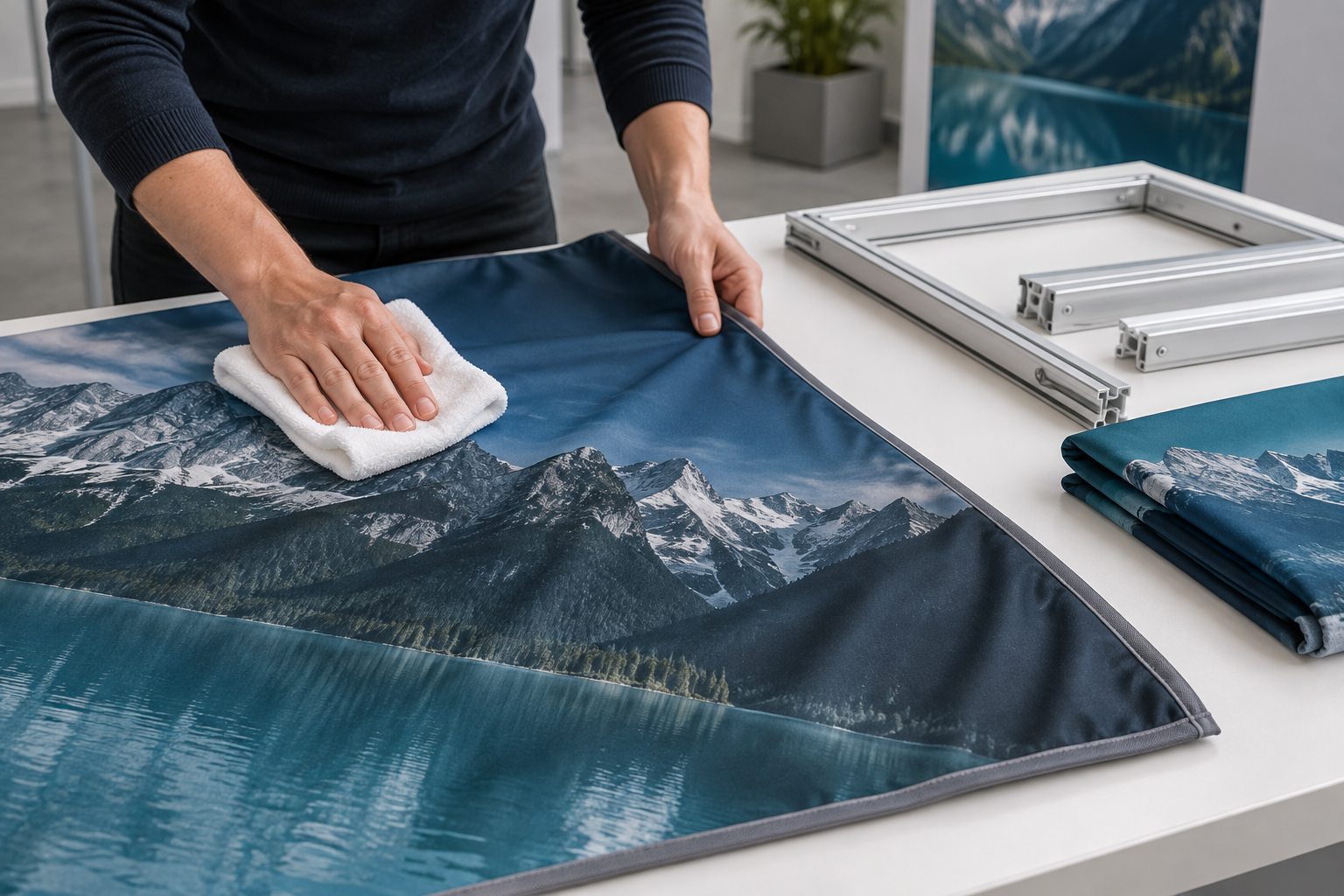
Typical Exhibition Stand Lifespan
The figures below are practical planning ranges. They are not warranties or fixed industry standards. Product quality, stand size, transport method and maintenance can produce very different results.
| Stand type | Typical planning range | Common reason for replacement |
|---|---|---|
| Single-use custom stand | 1 event | Difficult or too expensive to dismantle and reuse |
| Basic timber or MDF stand | 1–3 years | Damaged edges, screw holes, joints or finishes |
| Portable pop-up display | 3–5 years | Worn hinges, locks, rollers or plastic parts |
| Tension fabric display | 3–7 years | Worn graphics, damaged connectors or outdated branding |
| Modular aluminum stand | 5–10+ years | Worn connectors, unavailable parts or high operating cost |
| Reusable custom stand | 5–10+ years | Custom parts become damaged, unsuitable or unavailable |
These ranges assume indoor use, correct tools, suitable transport cases, dry storage and regular inspection. Outdoor use, frequent air freight, water exposure, rushed dismantling and poor packing can shorten the working life.
Four Types of Lifespan
A stand can reach the end of its useful life in four different ways:
- Structural lifespan: The frame, bases, walls and load-bearing connections remain safe.
- Visual lifespan: The graphics, flooring, surfaces and furniture still look professional.
- Functional lifespan: The stand still supports current products, screens, storage and visitor movement.
- Economic lifespan: Repair, storage, transport and installation costs remain reasonable.
These lifespans do not always end together. An aluminum frame may still be safe after eight years, while its graphics are outdated and its layout no longer fits current event spaces. In that case, replacing the graphics or changing the layout may be enough.
Count Installation Cycles
Calendar age alone does not show how much work a stand has completed. One installation cycle includes unpacking, venue handling, assembly, use, dismantling and repacking.
| Shows per year | Cycles after 3 years | Cycles after 5 years |
|---|---|---|
| 2 | 6 | 10 |
| 6 | 18 | 30 |
| 12 | 36 | 60 |
| 20 | 60 | 100 |
A five-year-old stand used twice a year has completed about ten cycles. Another five-year-old stand used every month has completed about sixty cycles. Their condition is unlikely to be the same.
Not all cycles cause equal wear. A local show handled by the same trained crew may cause less damage than one international show involving air freight, customs inspection, forklifts and several handling companies.
Keep a simple record for every event:
- Event name and date
- Location
- Stand size and layout
- Transport method
- Installation team
- Damage found
- Parts repaired or replaced
- Repair and labor cost
Use Intensity
The following categories are useful for internal maintenance planning. They are not formal industry classifications.
| Use level | Shows per year | Suggested control |
|---|---|---|
| Light use | 1–4 | Inspect before and after each show; complete a trial build after long storage |
| Regular use | 5–10 | Keep spare parts, current drawings and annual repair records |
| Heavy use | More than 10 | Record every cycle and plan regular case, surface and connector refurbishment |
International transport may create heavy-use conditions even when the stand attends fewer than ten shows each year.
Maintenance Timing
A fixed schedule cannot replace inspection after damage. However, the following timing is a practical starting point for internal planning.
| Timing | Recommended work |
|---|---|
| Before every show | Check the structure, graphics, lights, cables, counters, inventory and venue documents |
| After every show | Clean, dry, count, photograph damage and set repair deadlines |
| Every 5–10 installation cycles | Consider a complete trial build and detailed connector, case and graphic inspection |
| Every 6–12 months | Review the full inventory, repair history, documents and spare-part stock |
| 2–4 weeks before a major event | Complete the trial build early enough to order graphics, connectors and replacement panels |
| Immediately after impact or water exposure | Inspect affected structural, electrical and finished parts before further use |
Supplier instructions, venue rules and previous damage should take priority over a general calendar schedule.
Lifespan by Stand Type
Single-use stands are normally made for one event and one floor plan. They may use timber frames, MDF walls, paint, vinyl graphics and custom counters. Their materials may be good quality, but glued, filled, nailed or painted joints are difficult to separate without damage.
Timber stands can be reused when they have protected edges, removable hardware and replaceable surface panels. Plywood normally tolerates repeated fixing better than MDF. MDF edges may chip, screw holes may enlarge and unsealed areas may swell after moisture exposure.
Portable pop-up systems are easy to move but contain small working parts. Hinges, magnetic bars, roller mechanisms, feet, locks and plastic end caps often wear before the main frame.
Tension fabric systems usually combine an aluminum frame with a removable textile graphic. A tension fabric backdrop booth allows the printed cover to be updated without replacing the full frame.
Modular aluminum systems are designed for repeated assembly. A modular aluminum exhibition booth may be used for different floor plans when enough compatible profiles, bases, connectors and graphics are available.
Reusable custom stands combine standard structural parts with custom counters, arches, lightboxes or wall shapes. They normally last longer when the decorative parts can be removed and replaced separately.
Component Lifespan
Different components wear at different speeds. The following figures are planning ranges rather than automatic replacement dates.
| Component | Typical planning range | Replace or assess when |
|---|---|---|
| Aluminum profiles | 5–10+ years | Bent, cracked or damaged around a load-bearing connection |
| Reusable timber structure | 2–5 years | Joints or fixing points cannot be repaired safely |
| MDF panels | 1–3 years | Edges swell, corners split or fixing holes fail |
| Fabric graphics | 1–3 years | Faded, stained, stretched, damaged or outdated |
| Rigid graphic panels | 2–5 years | Warped, scratched, delaminated or outdated |
| Event-grade adhesive carpet | Often 1 event | Damaged during removal or cut for one layout |
| Heavy reusable carpet | About 3–10 events | Stained, curled, torn or unable to lie flat |
| Carpet tiles | About 10–30 events | Edges, backing or locking points are damaged |
| Reusable vinyl flooring | About 10–30 events | Cracked, cut, curled or permanently deformed |
| Counters and cabinets | 3–7 years | Unstable or damaged around shelves, hinges or worktops |
| Electrical cables and power supplies | No fixed universal life | Damaged, overheated or unable to pass required checks |
| Transport cases | 3–8 years | Wheels, locks, shells or internal protection fail |
| Small connectors and fasteners | Depends on use | Worn, stripped, bent, cracked or missing |
A part does not need replacement only because it has reached the end of a planning range. Its condition, safety role and manufacturer instructions are more important than its age.
Frame and Structural Parts
Inspect aluminum profiles for:
- Bent or twisted sections
- Crushed ends
- Damaged connector channels
- Cracked welds
- Loose threaded inserts
- Stripped threads
- Sharp edges
- Missing feet or base plates
- Unapproved holes or cuts
A small surface scratch normally affects appearance only. A bent profile, cracked weld or damaged load-bearing connection may affect stability. Remove the part from use until it has been assessed.
Do not drill or cut aluminum profiles without approval from the system supplier or another competent person. An extra hole may weaken the part, damage a connector channel or stop other accessories from fitting.
Check timber and MDF components for:
- Soft or swollen edges
- Split corners
- Loose screws
- Enlarged fixing holes
- Warped panels
- Peeling laminate
- Water marks
- Mould or musty smells
- Damage around doors, shelves and bases
Check the rear supports and bottom edges as well as the visible front surface. Damage around a fixing point may be more serious than a surface scratch.
Graphics and Fabric
Graphics often need replacement before the frame. Replace them when they have:
- Faded colors
- Torn or stretched edges
- Permanent creases
- Stains that cannot be removed safely
- Poor tension or an incorrect fit
- Old logos or product details
- Incorrect contact information
- Expired claims or certification marks
- QR codes that no longer work
Keep permanent and temporary information separate. The main logo and brand colors can remain on larger graphics. Dates, prices, campaign messages, specifications and QR codes are easier to update when placed on smaller panels or removable graphics.
SEG lightbox systems separate the reusable frame from the printed face. Milin Displays’ page about interchangeable SEG fabric lightboxes explains this type of replaceable graphic arrangement.
When replacing one panel beside an older panel, check the color match. Fabric age, ink, lighting, printer settings and material batches can make two graphics produced from the same file look different.
Do not pack fabric while it is damp. Canadian Conservation Institute guidance states that mould growth is unlikely below 60% relative humidity when good air circulation is maintained. This is general storage guidance, not a guarantee that every fabric will remain mould-free.[1]
Wash or dry-clean printed fabric only when the supplier allows it. Heat, strong chemicals or the wrong cleaning process may change the color, shrink the textile, damage stitching or affect a flame-retardant treatment.
Flooring
Flooring receives dirt, trolley traffic, dropped tools, furniture loads and repeated packing. Replace flooring that cannot lie flat because raised joints and curled edges can create a trip hazard.
Before reuse, check for:
- Frayed or curling edges
- Cracks and deep cuts
- Permanent dents
- Water damage
- Strong odors
- Damaged backing
- Loose adhesive
- Incorrect cable openings
- Poor fit for the next floor plan
Event-grade roll carpet fixed with adhesive is often used once. Carpet tiles can normally be reused more easily because damaged sections can be replaced individually.
Clean both sides before packing. Screws, staples and grit trapped between layers can damage the visible surface. Roll flooring that is designed to be rolled rather than folding it.
Counters, Cabinets and Shelves
Check counters and cabinets for movement, loose hinges, damaged worktops, weak shelves, broken locks, worn castors and damaged adjustable feet.
The intended load may change. A counter first used for brochures may later carry a screen, printer, coffee machine or heavy product samples. Confirm that its top, shelves and supports are suitable for the new load.
Push the assembled counter gently from several sides. It should not twist, rock or move unexpectedly.
Keep ventilation openings clear when electrical equipment is installed inside a cabinet. Route cables away from hinges, sharp edges and moving shelves.
Lighting and Electrical Equipment
Good-quality white LED lighting products are commonly expected to provide about 30,000 to 50,000 operating hours or longer. This normally describes useful light output over time. It does not mean that cables, drivers, plugs and brackets will survive the same number of hours of exhibition transport and handling.[2]
Test every light before packing. Check for:
- Flickering
- Reduced brightness
- Different color temperatures
- Dark areas in a lightbox
- Loose mounting brackets
- Damaged plugs and cables
- Unusual noise
- Hot connectors or power supplies
A SEG LED lightbox exhibition booth should also be checked for even lighting, correct fabric tension, clear ventilation and compatible drivers.
Do not replace a driver only because its plug fits. Check the voltage, current, wattage, polarity and manufacturer requirements.
Remove electrical equipment from use when it has:
- Cut, crushed or frayed cables
- Exposed conductors
- Loose plugs or sockets
- Burn marks
- Wet connectors
- Cracked power supplies
- Improvised joints
- Signs of overheating
In the United States, OSHA requires flexible cords and cables to be protected from accidental damage caused by sharp corners, projections, doorways and other pinch points.[3] Other countries and venues may apply different rules.
Before each event, confirm the available voltage, plug type, power capacity, supply position, cable-routing rules and who is allowed to make the final electrical connection.
Fire and Venue Documents
Textile graphics, curtains, films and other decorative materials may require flame-test documents.
NFPA 701 contains standard test methods for measuring flame propagation in textiles and films. Passing an NFPA 701 test does not automatically mean that a material will be accepted by every venue or local authority.[4]
Check that each certificate:
- Matches the actual material supplied
- Identifies the correct product or supplier
- Uses a test method accepted by the venue
- Still applies after cleaning or treatment
- Is available before shipment
Also confirm the permitted stand height, wall rules, floor loading, accessibility requirements, hanging-point approval and document submission dates. Approval at one venue does not guarantee approval at another.
Transport Cases
A strong stand can be damaged quickly when its transport cases do not hold the parts securely.
Inspect cases for:
- Broken wheels
- Loose handles
- Failed locks and hinges
- Cracked shells
- Water entry
- Damaged seals
- Crushed foam
- Missing dividers
- Sharp screws inside the case
- Incorrect labels or weight details
Each part should have a fixed position. Do not place loose tools, connectors or metal brackets against printed fabric, screens, acrylic, painted panels or LED lenses.
Label every case with:
- Case number
- Stand name
- Main contents
- Weight
- Correct orientation
- Fragile-item warning
A packing photograph or diagram inside the lid helps installers return each part to the correct position.
Manual Handling
Large panels, counters and cases may be difficult to lift even when their total weight appears manageable. Size, grip, balance, route and working height all affect the risk.
The UK Health and Safety Executive advises avoiding hazardous manual handling where reasonably possible, assessing tasks that cannot be avoided and reducing the remaining risk. It does not set one universal safe weight limit for every lifting task.[5]
Use enough people, suitable trolleys, lifting straps or mechanical equipment. Do not drag panels because this can damage both the stand and the venue floor.
Storage Conditions
Store the stand in a clean, dry indoor area away from:
- Roof leaks and standing water
- Direct sunlight
- Large temperature changes
- High humidity
- Dust and chemical fumes
- Pests
- Forklift routes
- Uncontrolled outdoor access
Keep cases off the floor on shelving or pallets. This reduces exposure to water, dirt, pests and vehicle impact.
If fabric or flooring must be packed damp at the venue, label the case clearly and reopen it as soon as it reaches the warehouse. Do not leave a wet item in a closed case until the next event.
Storage records should show the case location, last inspection date, known damage, repair status and next planned event.
What to Do After Each Show
- Photograph damage. Include the whole part, a close-up and the part number.
- Separate unsafe parts. Do not return damaged structural or electrical components to normal stock.
- Clean components. Remove dust, tape, adhesive, food, floor dirt and loose metal pieces.
- Dry components. Check fabric folds, flooring backs, panel edges, case foam and cabinet interiors.
- Count small parts. Count connectors, brackets, feet, bolts, cables, power supplies, keys and tools.
- Update the inventory. Record what was damaged, lost, repaired, replaced or added.
- Set a repair date. Complete repairs before the next packing date, not on the next installation day.
Use clear damage descriptions. Instead of writing “panel damaged,” record the location, size and required action.
Example: Panel P-14, lower-left corner split by approximately 60 mm. Remove from normal stock and replace before the October event.
Trial Builds
A full trial build is useful:
- After long storage
- Two to four weeks before a major launch
- After a serious transport impact
- After water exposure
- After structural modification
- Before using a new layout
- Before using an unfamiliar installation team
- When inventory records may be inaccurate
During the build, fit every graphic, install shelves, open doors, connect lights and test counters. Some problems appear only after assembly, including leaning walls, short cables, missing layout-specific connectors and graphics that no longer align.
Completing the trial build two to four weeks before an important event normally gives more time to produce replacement graphics and obtain common spare parts. Large custom components may need a longer lead time.
Spare-Part Planning
Critical parts required to build the planned layout should be 100% present before shipment. These include bases, load-bearing connectors, required profiles, approved power supplies and layout-specific hardware.
For small, frequently lost, non-structural items, keeping approximately 5%–10% spare stock can reduce emergency sourcing. Examples include approved clips, common fasteners, labels and standard plastic caps.
Where cost and space allow, carry at least two approved spares for small parts that can stop the entire installation, such as a specific connector key, low-cost power supply or remote control.
The correct spare quantity depends on the system and event location. Supplier recommendations should take priority, especially for structural and electrical components.
Repair or Replace
Use the following order when deciding whether to repair or replace the stand:
- Check safety. Stop using the stand when structural, electrical, fire or overhead safety cannot be confirmed.
- Check spare parts. A sound frame has limited value when compatible locks, connectors and panels are unavailable.
- Check function. Confirm that the stand still supports current screens, products, storage and visitor flow.
- Check reliability. Frequent drilling, emergency repairs and improvised supports show that the system is becoming unreliable.
- Check future cost. Compare the next two or three years of repairs, storage, freight and labor with replacement.
As an internal budget trigger, consider a full replacement review when expected repair and operating costs over the next two years reach about 50%–70% of the price of a suitable new system. This is a planning rule, not an industry requirement.
A $3,000 repair may be reasonable when it gives the stand another 15 reliable events. A $1,000 repair may be poor value when spare parts are disappearing and the stand will be replaced after one more event.
Replace the stand when:
- Structural repairs are becoming frequent
- Important parts are unavailable
- The system cannot meet venue rules
- The layout no longer fits current products
- Installation requires repeated temporary fixes
- Freight and storage costs are too high
- The finish still looks poor after refurbishment
Calculate Cost per Show
Use this calculation:
Total lifecycle cost ÷ completed shows = cost per show
Include:
- Design and production
- Graphics
- Transport cases
- Storage
- Transport and venue handling
- Installation and dismantling
- Cleaning
- Repairs and replacement parts
- Testing and inspection
- Major refurbishment
- Disposal or material recovery
Example:
| Initial production | $30,000 |
| Repairs and new graphics | $8,000 |
| Storage | $12,500 |
| Transport | $25,000 |
| Installation and dismantling | $20,000 |
| Total lifecycle cost | $95,500 |
If the stand completes 25 shows:
$95,500 ÷ 25 = $3,820 per show
If the same stand completes 40 shows without a large increase in total cost:
$95,500 ÷ 40 = $2,387.50 per show
This comparison shows why the number of successful reuses matters. However, a reusable stand is not automatically cheaper. A heavy stand used only a few times may cost more than a locally produced temporary stand.
How to Extend the Stand’s Life
- Use standard parts. Standard profiles, connectors and panels are easier to replace.
- Separate graphics from the frame. Change campaign content without rebuilding the structure.
- Use fitted cases. Prevent components from moving during transport.
- Label every part. Match the number on the part, drawing, packing list and case.
- Carry approved spares. Pack essential connectors, clips, cables, keys and fasteners.
- Use the correct tools. Avoid overtightening and unapproved impact drivers.
- Train installers. Provide clear assembly and packing photographs.
- Repair damage early. Small cracks and loose fixings normally become worse after repeated use.
- Keep records. Record each installation, repair, missing part and cost.
- Plan refurbishment. Replace graphics, flooring and damaged surfaces before a major event.
Special structures also need separate checks. For example, an aluminum arch display stand should be checked for frame condition, fabric fit, base stability and the venue rules for entrance structures.
Overhead signs require additional control because their suspension and venue approval are separate from the main floor structure. A hanging banner display should only be installed with the approved rigging method and venue authorization.
Questions to Ask the Supplier
- What conditions does the lifespan estimate assume?
- How many installations is the system intended to complete?
- Which parts normally wear out first?
- Can damaged parts be replaced separately?
- Can the stand fit different floor plans?
- How long will compatible parts remain available?
- Are current and older system parts compatible?
- Which tools are required?
- Are assembly drawings and packing diagrams included?
- Are fitted transport cases included?
- How should each material be cleaned?
- What storage conditions are required?
- Which fire and structural documents are supplied?
- Which electrical work requires a qualified person?
- What modifications are not allowed?
- What does the warranty cover?
- Can graphics be replaced without changing the frame?
- Can the structure support future screens or shelves?
- What is the lead time for common spare parts?
- Are spare parts available in the countries where the stand will be used?
Do not accept “it will last for years” as a complete answer. Ask what transport, installation frequency, storage and maintenance conditions are included in the estimate.
Final Pre-Shipment Checklist
- The frame has no unassessed structural damage
- All bases and load-bearing connectors are present
- Counters, shelves and doors are stable
- The layout fits the booked dimensions
- Graphics match the current campaign and floor plan
- Flooring lies flat and fits the stand
- QR codes and contact details work
- Lights, screens and power supplies have been tested
- Cables and plugs are undamaged
- Power equipment matches the destination
- Fire and structural documents are available
- All critical parts are present
- Approved tools and spare parts are packed
- Damaged parts have been separated
- Cases, wheels, locks and handles work correctly
Do not ship the stand when structural stability cannot be confirmed, a critical load-bearing part is missing, electrical conductors are exposed, required venue documents are unavailable or the planned layout cannot be built from the current inventory.
Sustainability and End of Life
Repeated use can reduce the need to produce new components, but the result depends on stand weight, transport distance, number of uses, repairs and storage.
The U.S. Environmental Protection Agency places source reduction and reuse above recycling and disposal in its non-hazardous materials and waste-management hierarchy.[6]
ISO 20121:2024 provides requirements and guidance for managing the social, economic and environmental effects of events.[7]
When a stand is no longer suitable for its original purpose, consider:
- Refurbishing the complete stand
- Converting it into a smaller layout
- Reusing frames, lights, counters and cases
- Reselling or donating suitable parts
- Separating recyclable materials
- Disposing only of parts that cannot be recovered
Conclusion
A temporary exhibition stand may last one event, while a maintained modular aluminum system may remain useful for five to ten years or longer. Track installation cycles as well as age: two shows a year equal ten cycles in five years, while twelve shows a year equal sixty. Inspect structural and electrical parts before every event, complete major trial builds two to four weeks early, and keep 5%–10% spare stock for small approved parts. Replace the full stand when safety cannot be confirmed, key parts are unavailable or two-year repair and operating costs approach 50%–70% of a suitable replacement.


