A custom trade show display attracts more visitors when people can quickly understand what you sell, see the product from the aisle, enter without feeling blocked, and know what to do next.
The goal is not to attract everyone in the hall. A booth full of people collecting gifts may look successful but produce few useful sales conversations. Focus on visitors who have a real need, influence a purchase, manage a project, recommend suppliers, or may become a distributor or business partner.
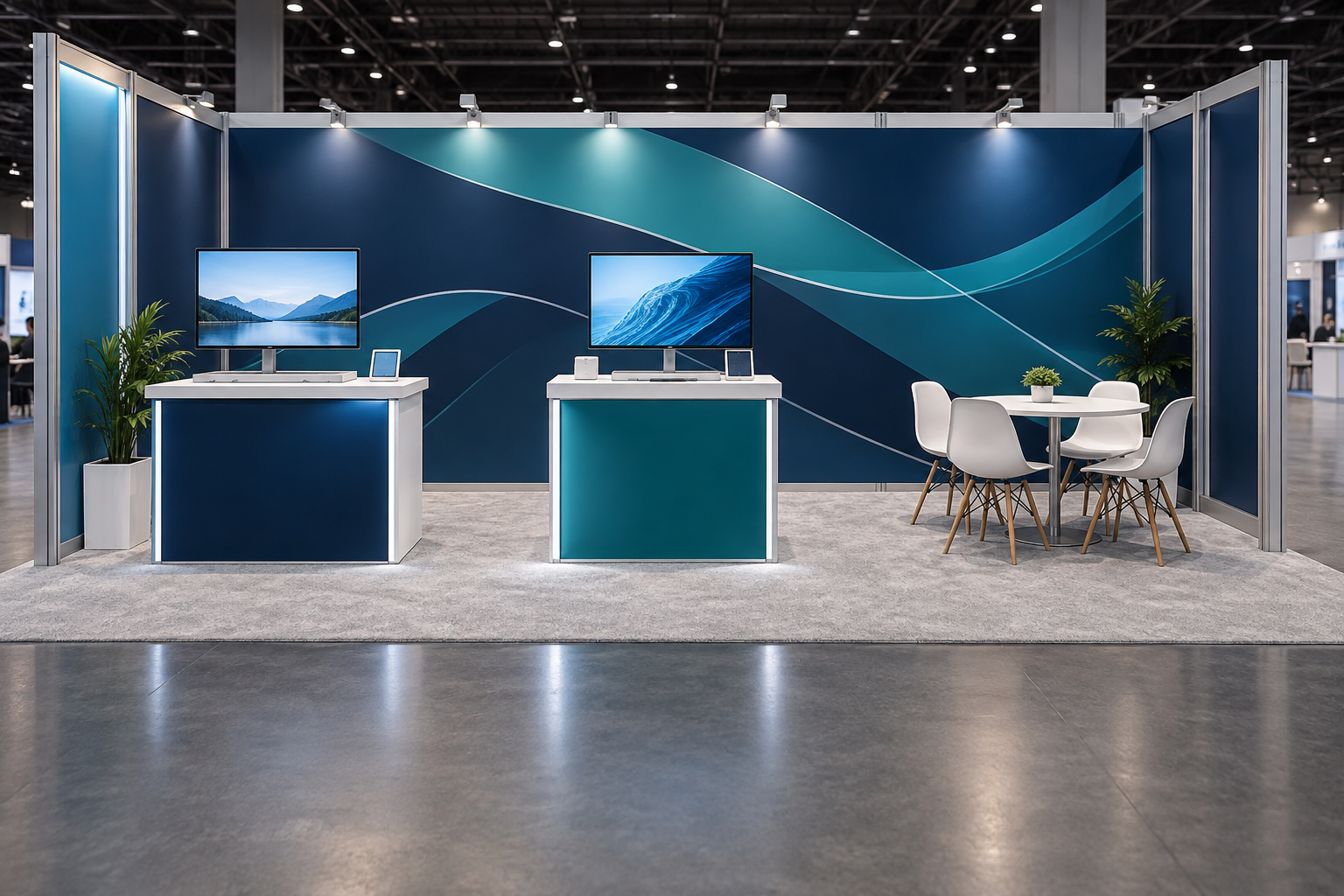
For initial planning, a small 10 × 10 ft booth, about 3 × 3 m, may focus on one main product, one compact counter and two or three staff members. A 10 × 20 ft booth, about 3 × 6 m, may support one demonstration area, two or three standing conversation points and four to six staff members. These are practical starting points, not fixed capacity rules.
Start With One Main Goal
Decide what the booth must achieve before choosing its shape, furniture, graphics, screens or lighting.
Common goals include:
- Generate qualified sales leads
- Launch a new product
- Meet distributors or local partners
- Book technical demonstrations
- Meet existing customers
- Enter a new market
- Collect buyer feedback
Do not give every goal the same priority. A booth designed for fast lead collection needs a different layout from one designed for private distributor meetings.
| Primary Goal | Useful Booth Features |
|---|---|
| Generate more leads | Wide entrance, short explanations, several standing conversation points and fast lead capture |
| Run demonstrations | Clear viewing area, safe distance, reliable power, operator space and backup equipment |
| Meet distributors | Product samples, program information, document storage, seating and a quieter discussion area |
| Launch a product | One main product, one benefit statement, a demonstration and a simple comparison |
Write the goal as one clear sentence. For example:
The booth must attract packaging equipment buyers and generate qualified conversations that lead to quotations, samples or technical meetings.
Avoid goals such as “create an impressive booth.” Impressive is a style, not a business result.
Check whether the target is realistic by estimating staff capacity.
For example, assume:
- Four sales staff
- Six effective visitor-contact hours per person each day
- Three initial conversations per person per hour
- A 30% qualification rate
The estimated daily capacity is:
4 staff × 6 hours × 3 conversations × 30% = about 22 qualified leads per day
This is a planning example, not an industry benchmark. Long technical discussions, staff breaks, meetings and demonstrations may reduce the actual number.
Before setting a target, consider:
- Expected relevant visitor traffic
- Number of available staff
- Average conversation time
- Demonstration capacity
- Meeting-space capacity
- Expected percentage of relevant visitors
If the team is small, do not design a process that gives every visitor a 15-minute technical presentation. Use a one- or two-minute first conversation and move serious buyers to a product specialist or scheduled meeting.
Define the Right Visitor
The booth should speak to the people you want to meet. Start by listing the main visitor groups and the information each group needs.
| Visitor | What They Usually Want to Know |
|---|---|
| Purchasing manager | Price, lead time, supply stability and payment terms |
| Engineer | Performance, specifications, compatibility and test evidence |
| Distributor | Margin, territory, training, stock and market support |
| Business owner | Return on investment, reliability and business risk |
| Operations manager | Setup time, maintenance, transport and labor |
| Designer or agency | Appearance, available sizes, customization and graphic options |
Job title alone is not enough. Two purchasing managers may be at different buying stages. One may only be collecting prices. Another may need a replacement supplier for a project starting next month.
For each priority visitor, record:
- The problem they are trying to solve
- The product or supplier they currently use
- What they dislike about the current option
- What may stop them from buying
- What proof they need
- When the project may start
- Who approves the purchase
- Whether local installation or service is required
A practical visitor profile can fit on one page and contain eight fields:
- Role
- Industry
- Main problem
- Buying stage
- Main objection
- Evidence needed
- Product to show
- Desired next step
Avoid general claims such as:
- Professional manufacturer
- Advanced technology
- High-quality service
- Trusted global partner
These claims do not explain why a visitor should stop. Replace them with practical benefits that can be checked:
- Reconfigure the same frame for several booth sizes
- Replace the fabric graphic without rebuilding the wall
- Pack the display into wheeled cases
- Use one type of tool for the main frame
- Display several products in a small area
Support important claims with evidence. Show the cases if you claim compact packing. Show the component plan if you claim several layouts. Demonstrate the setup process if you claim simple assembly.
Use One Clear Message
A visitor should not need to read a paragraph to understand the booth.
A useful headline explains:
What you provide + who it is for + the main benefit
Examples include:
- Modular Display Systems for Frequent Exhibitors
- Reusable Exhibition Booths for Global Shipping
- Tool-Free Lightbox Displays for Retail and Events
- Custom Aluminum Booths for International Exhibitors
For most English booth headlines, five to ten words is a useful starting range. The final wording can be longer when necessary, but every word should help the visitor understand the offer.
Avoid vague slogans as the main message:
- Creating the Future Together
- Innovation Without Limits
- Your Trusted Global Partner
- Quality Makes the Difference
A slogan can support the brand, but it should not replace the product message.
Limit the main wall to three levels of information:
- Brand: Who is exhibiting?
- Main offer: What does the company provide?
- Proof: What practical benefit makes it different?
For example:
Reusable Exhibition Booth Systems
Replaceable SEG graphics
Modular aluminum frames
Multiple booth configurations
Two or three proof points are normally enough for the main wall. Detailed specifications belong on product labels, brochures, screens or linked pages.
A booth may contain several products, but they should support the same main idea. For example, modular aluminum exhibition booths, lightboxes, counters and shelving can all support a wider message about reusable display systems.
Add one clear action near the product:
- Watch the setup demonstration
- Compare available models
- Request a material sample
- Review a custom layout
- Book a technical meeting
- Ask for a quotation
Test the message with five people who do not know the company. Give each person about five seconds to look at the design and ask:
- What does the company sell?
- Who is it for?
- What is the main benefit?
- What should a visitor do next?
If most answers are unclear, simplify the headline or product image.
Plan Sightlines and Readability
Visitors may approach from several directions. Review the hall floor plan before choosing the main graphic position.
Mark:
- Main entrances
- Main and cross aisles
- Conference rooms
- Food areas
- Large neighboring booths
- Columns and venue equipment
- Emergency exits
- Overhead sign restrictions
Use three viewing distances:
- Long distance, about 30 ft or 9 m: brand or product category
- Medium distance, about 15 ft or 4.5 m: main benefit, product or demonstration
- Close distance, about 3–6 ft or 1–2 m: specifications, samples and next steps
These distances are useful design tests, not fixed viewing rules.
For a corner booth, make both open sides useful. For an island booth, repeat the brand on several sides. If an overhead sign is permitted, a hanging banner display can help visitors identify a larger booth from different aisles.
For an inline booth, the back wall carries most of the message. Inline booths are commonly arranged with one side facing the aisle, and event rules may restrict the height of structures near neighboring exhibitors to protect their sightlines.[1]
Ask for design views from:
- 30 ft or 9 m away
- 15 ft or 4.5 m away
- The left aisle
- The right aisle
- The entrance
- Inside the booth
Include people, products, screens, furniture and counters in the rendering. An empty-booth image does not show which graphics will be blocked during the event.
Before printing all graphics, produce at least one full-size sample of the most important area. A useful test sample may include:
- The headline
- One supporting statement
- A product image
- The final background color
- The actual fabric, vinyl or panel material
Check:
- Letter size
- Text contrast
- Line length
- Background image detail
- Lighting
- Wall joints
- Door openings
- Shelves and screens
- People standing in front of the wall
Avoid thin white text over a detailed photograph. The words may disappear over bright areas or become difficult to read under hall lighting.
Translated text must be checked at final size. A translated sentence may be 20% or 30% longer than the original, so do not force it into the same text box without reviewing readability.
Do not use color as the only way to explain a comparison. Add labels, icons or patterns so the meaning remains clear.
Keep the Entrance Open
Do not place a large reception desk across the front of the booth. It creates a barrier between visitors and staff.
Better positions include:
- One front corner
- A side wall
- Slightly inside the booth
- Near the lead-capture point
For initial planning:
| Booth Size | Practical Starting Layout |
|---|---|
| 10 × 10 ft, about 3 × 3 m | One main product, one compact counter, one flexible conversation area and two or three staff |
| 10 × 20 ft, about 3 × 6 m | One product or demonstration area, two or three conversation points, small storage and four to six staff |
| 20 × 20 ft, about 6 × 6 m | Several entrances, one main product zone, meeting space, storage and separate staff roles |
The final capacity depends on furniture, product size, accessibility, demonstrations and local safety rules.
For a 10 × 20 ft booth, a simple arrangement is:
- Front: message and attraction
- Middle: product or demonstration
- Back: discussion and storage
Avoid dead ends. Visitors should be able to enter, stop, turn and leave without squeezing past other people.
A booth may be physically open but still feel private when:
- Staff stand in a line across the front
- Employees talk only to each other
- Every visitor is approached immediately
- All staff sit at the back
- The entrance leads directly to a sales desk
- No product or activity is visible
Staff should make natural eye contact without blocking the entrance. Give visitors a few seconds to look before starting a conversation.
Make the Visitor Path Simple
Draw the likely visitor path on the floor plan:
- See the brand
- Notice a product or benefit
- Stop without blocking the aisle
- Watch or try something useful
- Speak with a staff member
- Move to a discussion point
- Record the next step
- Leave without crossing incoming traffic
Not every visitor will follow the same path. A technical buyer may go directly to the product. An invited customer may go to a meeting. A journalist may need a short explanation and suitable images.
Also plan:
- Staff movement
- Sample replenishment
- Storage access
- Waste removal
- Demonstration equipment
- Power and cable routes
- Emergency access
A storage door should not open into the demonstration area. Staff carrying samples should not need to walk through a private meeting.
Estimate the number of people each zone can support. For example, a small demonstration area may work well for four to eight viewers but become difficult to use when 15 people gather around it. Test the layout with people standing in the planned positions rather than relying only on the floor plan.
Ask:
- Can two conversations happen without blocking the entrance?
- Can staff reach storage during a meeting?
- Can people watch the demonstration without standing in the aisle?
- Can a visitor using a mobility device enter, turn and reach the product?
In the United States, accessible routes must connect accessible spaces and elements. Applicable laws, building requirements, venue rules and event instructions should all be checked.[2]
Put the Product Before Decoration
The product should be easier to notice than the architecture around it.
Choose one main product based on:
- Relevance to the event audience
- Strength of its main benefit
- Ease of demonstration
- Launch priority
- Profitability
- Ability to represent the wider product range
Other products should support the main product or show clear alternatives.
For a 3 × 3 m booth, one main product and two or three supporting samples are usually easier to understand than ten products competing for attention. A larger booth can show more, but every product group still needs a clear purpose.
Decide what visitors need to do:
- See it
- Touch it
- Test it
- Compare it
- Open it
- Operate it
- Measure it
Interaction should explain a useful benefit. For example:
- Replace a graphic to show the attachment method
- Open a panel to show maintenance access
- Compare two samples to show material differences
- Operate a control to show how the product works
- Lift a component to compare weight
Each product label should answer four questions:
- What is it?
- Who is it for?
- What is the main benefit?
- What makes it different?
A product label usually needs one product name and two or three proof points, not a full technical data sheet.
For example:
Portable SEG Lightbox
Replaceable fabric graphic
Double-sided lighting option
Packs into transport cases
A lightbox exhibition booth can make an important graphic easier to see, but lighting cannot fix an unclear headline or weak product message.
If several products look similar, arrange them by application, size, performance, installation method or customer type. Do not place many similar models on one shelf without explaining how they differ.
If the actual product is too large, heavy or unsafe, use:
- A full-size section
- A cutaway model
- A material sample
- A working scale model
- A key component
- A video showing real use
- A floor outline showing the actual size
Clearly label prototypes, simulations and scale models. Do not let them create a false impression of the finished product.
Run Short, Useful Demonstrations
A demonstration should solve one clear problem.
Use this sequence:
- Show the old or difficult method
- Use the product
- Point out the visible difference
- Explain one measurable result
- Offer a relevant next step
For initial planning:
- A simple product action may take one to three minutes.
- A product comparison may take three to five minutes.
- A technical machine demonstration may need a scheduled five- to ten-minute session.
These time ranges are examples. The demonstration should be long enough to explain the benefit but short enough for a visitor to join without a major time commitment.
If you claim that setup is faster, explain the test conditions:
- Which product configuration was used
- How many people completed the setup
- Which tools were required
- Whether graphics and lighting were included
- What was prepared in advance
Do not promise a three-minute setup unless the complete process has been tested under the same conditions.
The demonstration area needs:
- Enough viewing space
- A visible presenter
- Safe product access
- Reliable power
- Protected cables
- Spare samples
- Backup equipment
Prepare for common failures:
- Save videos and software on at least two devices
- Train at least two people to run the demonstration
- Keep one complete set of critical consumables nearby
- Use a recorded demonstration if the main equipment stops
End with a specific action:
- Try the product
- Compare configurations
- Speak with a technical specialist
- Request a sample
- Book a longer demonstration
Use Screens Only When They Add Information
A screen should have a clear job. Do not add one simply to make the booth look more modern.
A screen is useful when:
- The product is too large to bring
- A process happens inside a machine
- Small details need to be enlarged
- Several applications must be shown
- Visitors need help choosing a configuration
- Live information must be displayed
Useful content includes:
- A short product loop
- Installation steps
- Before-and-after results
- Customer applications
- A demonstration close-up
- A simple product selector
For general aisle viewing, a 15- to 30-second loop is often easier to follow than a two- or three-minute company video. Each section should make sense even when the visitor starts watching in the middle.
A mobile LED screen may suit booths that need large moving images or live content. For specifications or model comparisons, a smaller screen or printed chart may be easier to use.
Remove sound unless it is necessary. Trade show halls are noisy, and many visitors will watch without hearing the audio.
Provide accurate captions for prerecorded video. W3C accessibility guidance states that captions should be provided for prerecorded audio content in synchronized media, subject to the stated exceptions.[3]
Check:
- Screen size
- Viewing distance
- Viewing angle
- Reflections
- Brightness
- Text size
- Caption timing
- Video loop transition
- File compatibility
- Backup playback
Test the final content on the actual screen before shipping. Keep the same files on at least two devices, and turn off automatic sleep or update settings that may interrupt playback.
Plan Lighting and Power Together
Use lighting for specific jobs.
- Brand lighting: make the main message readable
- Product lighting: show shape, texture, controls and finish
- Meeting lighting: help people read documents and inspect samples
- Shelf lighting: make small products easier to see
- Work lighting: help staff use storage and service areas
Do not use the same brightness everywhere. The main product or message should receive the most attention.
Check for:
- Glare on screens and acrylic
- Reflections on metal and glass
- Strong shadows
- Incorrect product color
- Light leakage around lightboxes
- Heat near sensitive products
- Flicker in photos or video
Create a power list before ordering electricity. Include the rated power of:
- Lightboxes
- Spotlights
- Screens
- Computers
- Chargers
- Demonstration equipment
- Refrigerators or coffee equipment
For example, a booth with two 300 W lightboxes, four 50 W spotlights, one 500 W screen and 400 W of computers and chargers has a listed load of:
600 W + 200 W + 500 W + 400 W = 1,700 W
This calculation is only the starting point. The venue electrical provider or qualified electrician should confirm circuits, startup loads, voltage, connectors and required capacity.
Confirm:
- Local voltage and plug type
- Power-entry location
- Dedicated-circuit needs
- Who may make electrical connections
- Whether power remains on after show hours
- How public-area cables must be protected
Temporary electrical wiring must use suitable equipment and approved wiring methods. OSHA includes requirements for temporary wiring and flexible cords in applicable workplaces.[4]
Choose the Right Structure and Graphics
The best structure depends on shipping, labor, storage, product weight, appearance, expected reuse and local support.
Modular aluminum systems can support fabric graphics, lightboxes, counters, shelves and screens. When reviewing an aluminum exhibition booth, check:
- Profile and connector type
- Wall height
- Load capacity
- Tool requirements
- Graphic attachment
- Spare-part availability
- Repair options
A frame that supports fabric graphics may not be strong enough for a heavy screen or shelf. Ask for information based on the planned configuration and actual product weight.
Wood structures can create custom shapes and smooth painted surfaces, but may require more labor, larger crates, local repair and additional storage.
Hybrid booths combine reusable frames with selected custom parts. A project may use reusable aluminum walls, replaceable graphics, a custom counter, rental furniture and locally supplied flooring.
The exhibition display range can be used to compare modular booths, fabric backdrops, lightboxes, overhead displays and screen-based options before choosing one structure.
Ask which parts are:
- Reusable
- Event-specific
- Rented
- Stored
- Available as standard replacements
- Owned by the exhibitor after the event
Common graphic materials include SEG fabric, tension fabric, rigid panels, vinyl and backlit media.
SEG fabric uses a sewn silicone edge inserted into a compatible frame channel. Confirm whether the material is frontlit or backlit, how it should be packed, and whether a very large graphic will require seams.
Tension fabric may use zippers, silicone edges or another attachment method. A tension fabric backdrop booth can provide a large printed surface with a lightweight frame, but installation time depends on size, shape and fixing method.
Rigid panels can provide a smooth finish and may support mounted items, but they normally need more packing protection.
Vinyl can work on counters, floors and local rental walls. Confirm that removal will not damage the surface.
Before printing, check:
- Correct dimensions
- Correct product version
- Correct language
- Working QR codes
- Image resolution
- Supported product claims
- Distance from seams and frame joints
- Permission to use photographs and artwork
Test every QR code on at least two different phones and, where possible, on both venue Wi-Fi and mobile data. The linked page should load quickly and show information that matches the printed call to action.
Original photographs are protected by copyright when created. Permission or another valid legal basis may be needed before using images owned by another person or company.[5]
Plan Storage, Packing and Reuse
Storage should be planned before decorative features are added.
Provide space for:
- Coats and bags
- Computers and chargers
- Samples
- Brochures
- Tools and spare parts
- Cleaning supplies
- Water and snacks
- Waste
For a three-day show with four staff, plan for at least four personal-belonging spaces, a charging area, daily sales materials and one accessible supply of cleaning items. Do not assume all supplies can be left on the counter.
Use shelves inside larger storage rooms. Separate personal belongings, sales materials, samples, tools, cleaning items and valuable equipment.
Do not store heavy items above head height or liquids above electrical equipment.
A reusable booth should be planned for realistic future sizes, such as:
- 10 × 10 ft, about 3 × 3 m
- 10 × 20 ft, about 3 × 6 m
- 20 × 20 ft, about 6 × 6 m
- Inline and corner locations
Do not design ten possible configurations if the company only expects to use two or three. Document the layouts that are likely to be purchased within the next two or three years.
For every layout, check:
- Main sightline
- Open sides
- Entrance width
- Product visibility
- Storage
- Staff capacity
- Lighting and power
- Graphic sizes
Use a separate component list for each layout. Label every part and case with a clear code such as “Wall A1,” “Lightbox B2” or “Counter C1.”
Packaging options may include:
- Padded graphic bags
- Wheeled hard cases
- Foam-lined cases
- Custom crates
- Panel sleeves
- Transport carts
- Palletized loads
Every case should show:
- Case number
- Project name
- Contents
- Weight
- Destination
- Handling instructions
Keep tools, drawings and first-use hardware in the first case to be opened. Prepare at least one spare of each critical custom connector, power supply or control part that cannot be purchased locally before opening day.
For international exhibitions, some reusable booth parts, professional equipment and commercial samples may qualify for temporary-import procedures such as an ATA Carnet. Goods that will be consumed, sold, given away or left in the destination country may need different customs treatment.[6]
Check Rules Before Production
Read the current exhibitor manual before approving the design.
Check:
- Booth and wall height
- Sightline rules
- Open-side requirements
- Hanging sign and rigging rules
- Covered ceiling limits
- Fire certificates
- Floor loading
- Electrical services
- Accessibility
- Sound limits
- Storage restrictions
- Move-in times
- Approved contractor rules
- Submission deadlines
Rules vary by event and venue. Major events publish venue-specific manuals covering booth rules, safety, freight, approved services and deadlines.[7]
Items that may require additional approval include:
- Suspended signs
- Covered structures
- Enclosed rooms
- Raised floors
- Moving equipment
- Vehicles
- Compressed gas
- Batteries
- Cooking
- Water features
- Lasers or smoke effects
Send technical drawings for approval before production is complete. A practical internal target is to complete the approval drawing four to eight weeks before move-in, but the event’s published deadline always takes priority.
Make sure the final production drawing matches the approved drawing. A later change in wall height, ceiling coverage, rigging weight or entrance design may require another review.
Avoid unsupported environmental claims. Words such as “green,” “eco-friendly,” “zero waste” or “fully sustainable” need clear evidence and limits. The FTC advises businesses not to use broad environmental benefit claims that cannot be properly explained and supported.[8]
Control the Full Cost
Do not compare suppliers only by the structure price.
Include:
- Design and engineering
- Structure and graphics
- Lighting and screens
- Furniture and flooring
- Packaging
- Freight and customs
- Material handling
- Installation and dismantling
- Electrical service
- Internet
- Rigging
- Cleaning
- Storage
- Repairs
- Project management
Also allow for approval fees, overtime, late orders, replacement graphics, missing parts, rush shipping and onsite changes.
For early budgeting, keeping 10% to 15% of the expected project cost as a contingency can help cover normal changes and delivery problems. This is a planning allowance, not a fixed industry requirement. A simple local booth may need less, while a complex international project may need more.
For example:
| Budget Item | Example Amount |
|---|---|
| Booth design and production | $30,000 |
| Freight, handling and installation | $15,000 |
| Venue services and equipment | $8,000 |
| Graphics, marketing and lead capture | $4,000 |
| 10% contingency | $5,700 |
| Example total | $62,700 |
The numbers above show how to organize a budget. They are not average market prices.
Ask for an itemized quotation showing:
- Quantity
- Size
- Material
- Unit price
- Total price
- Included services
- Excluded services
Keep optional decoration separate from essential functions. Protect the budget for safety, clear graphics, product display, reliable lighting, storage, installation testing and lead capture.
For a reusable booth, calculate:
Cost per use = total ownership cost ÷ expected number of events
If a reusable system costs $90,000 over its full planned life and is used at 12 events, the basic ownership cost is $7,500 per event before event-specific services and travel are added.
Check the Supplier and Test the Booth
Do not choose a supplier from renderings alone.
Ask for:
- Real project photographs
- Construction close-ups
- Material samples
- Graphic samples
- Packing examples
- Installation instructions
- Alternative layout drawings
- Quality-control records
- Warranty terms
- Replacement-part procedures
A capable supplier should ask about booth size, open sides, target visitors, products, product weight, power, storage, shipping, future events, budget and approval deadlines.
Confirm who is responsible for:
- Design
- Engineering
- Production
- Printing
- Packing
- Shipping
- Venue communication
- Installation support
- After-sales service
Test-assemble custom and high-risk parts before shipping whenever practical. For a very large or suspended booth, use partial mock-ups, component checks, engineering review and documented installation tests when a complete factory build is not possible.
Inspect:
- Overall dimensions
- Frame alignment
- Graphic fit
- Color consistency
- Lightbox output
- Shelf level and load
- Counter stability
- Door and lock operation
- Cable routes
- Screen mounts
- Product fit
- Storage space
- Missing parts
Use the final graphics and actual products, or accurate size and weight templates.
For a medium-size custom booth, reserve at least half a day for inspection and correction checks. A larger project may require a full day or more. The schedule should allow time for repairs before packing, not only time to take photographs.
Record each problem with:
- A photograph
- A short description
- The required correction
- The responsible person
- The completion date
- The reinspection result
Train Staff and Record Better Leads
The booth design cannot work if staff block the entrance, talk only to each other or fail to record visitor needs.
Prepare opening questions such as:
- What are you using now?
- Which booth sizes do you normally book?
- How many events do you attend each year?
- What is the main problem with your current display?
- Are you looking for a reusable or one-time solution?
Avoid starting with “Can I help you?” or “Do you want a brochure?” These questions are easy to answer with a quick “no.”
Before the show, each staff member should be able to give:
- A 30-second company and product introduction
- A one- to two-minute qualification conversation
- A short explanation of the main product
- A clear answer to common pricing questions
- A clear next-step request
Assign clear roles:
- Greeter
- Sales representative
- Product specialist
- Demonstrator
- Meeting host
- Lead recorder
Small teams may combine roles, but every task should still have an owner.
A badge scan is not a complete lead record. Use six to ten required fields that can normally be completed in about one minute.
Useful fields include:
- Product interest
- Project date
- Destination
- Budget range
- Decision role
- Main problem
- Technical requirement
- Agreed next step
- Sales owner
Possible next steps include:
- Send specifications
- Prepare a quotation
- Send samples
- Review a floor plan
- Arrange a technical call
- Book another demonstration
Use consistent lead categories based on fit, timing, decision role and agreed action. Do not mark a lead as “hot” simply because the visitor was friendly.
A practical follow-up target is:
- High-priority leads: send to the sales owner the same day or within 24 hours
- Other qualified leads: make the first relevant contact within two or three business days
- Long-term contacts: place them in a suitable follow-up or marketing process
These are useful operating targets, not legal or industry deadlines.
Collect only information that has a clear business purpose. When personal data from people in the European Union is processed, the GDPR may apply depending on the organization, processing activity and circumstances.[9]
Measure Useful Results
Set definitions before the event. Decide what counts as:
- A qualified lead
- A completed meeting
- A quotation request
- A distributor application
- A sales opportunity
Use a simple visitor funnel:
- Relevant visitors pass the booth
- Some notice it
- Some stop
- Some enter
- Some interact
- Some have a useful conversation
- Some become qualified leads
- Some accept a follow-up action
- Some become sales opportunities
For example, a three-day event may produce the following internal funnel:
| Stage | Example Number |
|---|---|
| Visitors who stop or enter | 600 |
| Useful conversations | 240 |
| Qualified leads | 120 |
| Agreed follow-up meetings or quotations | 45 |
| Sales opportunities created later | 18 |
These numbers are an example of funnel reporting, not standard exhibition conversion rates.
The funnel helps find the real problem:
- Many pass but few stop: message or sightline problem
- Many stop but few enter: entrance or staff-positioning problem
- Many enter but few interact: product or demonstration problem
- Many conversations but few qualified leads: targeting problem
- Many leads but weak follow-up: lead-record or ownership problem
Calculate:
Cost per qualified lead = total show cost ÷ qualified leads
If the total show cost is $60,000 and the event produces 120 qualified leads:
$60,000 ÷ 120 = $500 per qualified lead
Also review:
- Meetings completed
- Demonstrations delivered
- Samples requested
- Quotations requested
- Sales opportunities created
- Pipeline value
- Revenue influenced
Review results at several points:
- Immediately after the show
- After the first follow-up period
- After quotations are issued
- After sales opportunities are qualified
- After the normal sales cycle
Photograph the booth during busy periods. Empty-booth photos show appearance; busy-time photos show whether the entrance, product area and visitor flow work.
Final Checklist
- The booth has one measurable primary goal.
- The target visitor is clearly defined.
- The main headline is clear and easy to scan.
- The main wall uses no more than two or three proof points.
- The brand is visible from the main approach.
- At least one important graphic has been tested at full size.
- The main product can be seen from the aisle.
- The entrance remains open when staff are present.
- The visitor path does not create dead ends.
- The demonstration has a clear purpose and tested time.
- Video files are stored on at least two devices.
- QR codes have been tested on at least two phones.
- Lighting supports the product and message.
- Power requirements are confirmed.
- Storage is large enough for staff and daily supplies.
- Graphic and image rights are checked.
- Two or three realistic future booth layouts are documented.
- Cases and components are clearly labeled.
- Critical custom parts have suitable spares.
- Event rules and deadlines are confirmed.
- The quotation lists inclusions and exclusions.
- A suitable contingency budget has been considered.
- High-risk parts have been tested.
- Staff roles and lead fields are ready.
- Follow-up owners and deadlines are assigned.
Conclusion
A useful custom trade show display starts with one goal, one clear message and one visible main product. For a small 3 × 3 m booth, begin with one product, one compact counter and two or three staff. Keep simple demonstrations near one to three minutes, use six to ten lead fields, and send high-priority leads to sales within 24 hours. Before shipping, test one full-size graphic, all QR codes, video backups, power equipment and high-risk parts. After the show, divide the total event cost by qualified leads and compare the result with meetings, quotations and sales opportunities—not foot traffic alone.


