An aluminum display system is a reusable trade show structure made from aluminum profiles, connectors, bases, graphics, lighting, and display accessories. A good system must safely support the planned screens and shelves, fit the shipping method, assemble within the available time, and work across several events.
Do not choose a booth from the rendering alone. Compare the real structure, packed size, installation work, replacement parts, event rules, and cost per show. A low frame price can become expensive after adding graphics, cases, freight, labor, storage, repairs, and venue handling.
| Common booth size | Floor area | Typical use |
|---|---|---|
| 10 × 10 ft | 100 sq ft / about 9.3 m² | Small backwall, counter, and one product area |
| 10 × 20 ft | 200 sq ft / about 18.6 m² | Backwall, screens, shelves, storage, and meeting space |
| 20 × 20 ft | 400 sq ft / about 37.2 m² | Island booth with several visitor zones |
| 20 × 30 ft | 600 sq ft / about 55.7 m² | Large product display, meeting rooms, and tall structures |
These sizes are useful planning references. The event manual still decides the allowed height, wall position, open sides, setbacks, and hanging rules.
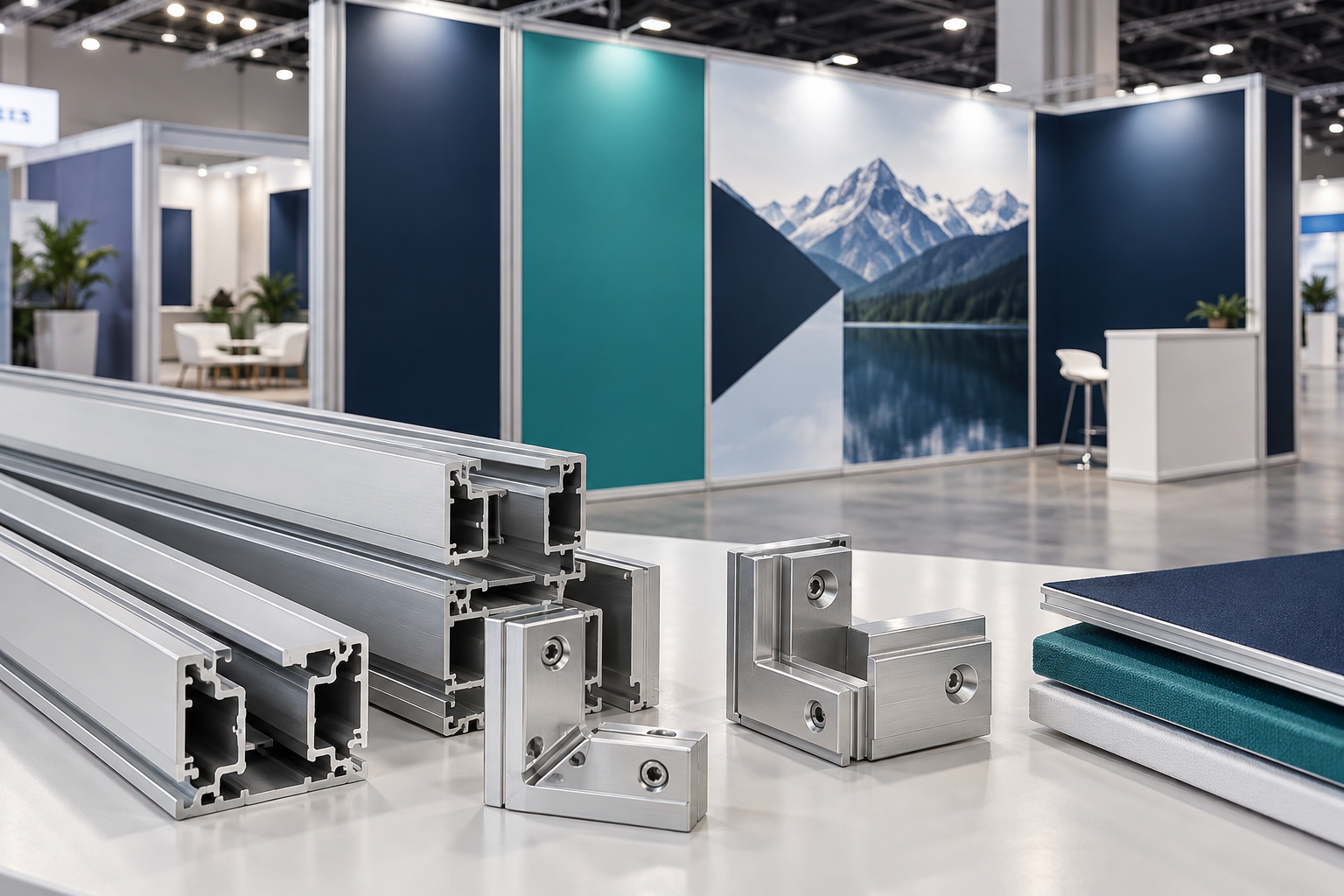
Define the Booth Before Asking for a Quote
Give every supplier the same information. Without a clear requirement list, one supplier may quote a simple graphic wall while another includes screen reinforcement, lighting, storage, and shipping cases. Their prices cannot be compared fairly.
Record the following:
- Booth width, depth, and maximum height
- Inline, peninsula, island, or another booth type
- Indoor or outdoor use
- Number of shows per year
- Countries, cities, and venues where the booth will be used
- Current and future layouts
- Screen model, weight, orientation, and mounting height
- Shelf size, product weight, and product position
- Lighting, sockets, media players, and cable requirements
- Storage-room, counter, and door requirements
- Number and experience of installers
- Setup and dismantling time
- Transport method and package limits
- Floor type and whether floor fixing is allowed
A useful request can be written like this:
Please quote a 10 × 20 ft indoor modular aluminum booth with one 25 kg screen, four shelves carrying 5 kg each, one lockable storage area, six LED lights, two-person installation, reusable 10 × 10 ft and 10 × 20 ft layouts, and transport cases suitable for domestic freight.
Use aluminum exhibition booth examples to identify useful functions and layout ideas. Do not copy a sample design without confirming its dimensions, loads, included parts, and exclusions.
Decide Whether to Buy, Rent, or Use Both
Buying usually makes sense when the company attends several shows each year, uses a stable brand design, has storage space, and can reuse most of the frame. Ownership gives better control over appearance and availability, but the buyer becomes responsible for freight, storage, inventory, repairs, graphics, and spare parts.
Renting may be better when there are only one or two events, booth sizes change often, most shows are overseas, or the design includes large structures that are expensive to ship.
A mixed plan is often practical for international events. The exhibitor can own compact branded items such as fabric graphics, counters, small lightboxes, and product modules while renting flooring, furniture, large screens, ballast, truss, and local labor.
As a simple buying reference:
- One or two shows per year: rental often deserves serious consideration.
- Three to six similar shows per year: compare rental cost with ownership cost carefully.
- More than six similar shows per year: buying may become more practical if freight and storage remain manageable.
These are planning ranges, not fixed rules. A booth used twice in the same city may be cheaper to own than one used ten times across different countries.
Choose a System That Matches the Job
Portable systems suit small booths, roadshows, short setup windows, and teams that move the display by car, courier, or small freight service. A tension fabric backdrop booth is useful when the main need is a clean brand wall rather than heavy shelves or large screens.
Modular systems use standard parts that can be rearranged. Ask the supplier to show every required layout using one parts list. The comparison should show which profiles, connectors, graphics, and cases are reused and which new parts are needed.
A simple way to compare modular systems is:
Part reuse rate = number of original parts used in the new layout ÷ total number of original parts × 100%
| Part reuse rate | Practical meaning |
|---|---|
| Below 40% | The system can be rearranged, but much of the original inventory is not reused. |
| 40%–70% | The system offers useful flexibility for several booth sizes. |
| Above 70% | Most of the main inventory can be reused, which may lower expansion cost. |
This is a purchasing comparison method, not an official industry rating. For a more accurate comparison, calculate reuse by part quantity, purchase value, packed volume, and graphic area.
SEG systems use fabric with a silicone edge that fits into a channel in the frame. SEG gives a smooth graphic surface, but it describes the graphic attachment method, not the strength of the booth.
A narrow SEG frame may hold fabric only. A deeper reinforced frame may support approved screens or shelves. For illuminated walls, compare SEG lightbox booth options and the practical points explained in this portable SEG lightbox guide.
Reinforced systems are needed when the booth includes tall walls, long spans, large screens, deep shelves, enclosed rooms, or large entrance structures. “Heavy-duty” is not a fixed rating. Ask which profiles, bases, braces, steel parts, and support points are used in the final booth.
As a practical reference, a freestanding graphic wall around 2.3–2.5 m high is common in small booths. Walls above about 3 m need closer checks for base size, bracing, screen position, venue rules, and engineering approval. The actual limit depends on the event and the structure.
Check the Aluminum Profiles and Finish
A wide or heavy profile is not automatically stronger. Strength depends on the alloy, temper, cross-section, wall thickness, internal ribs, unsupported length, load direction, connectors, and base design.
ASTM B221 covers aluminum and aluminum-alloy extruded bars, profiles, and tubes and includes requirements for listed alloys, tempers, chemical composition, and mechanical properties.[1]
Ask the supplier for:
- Alloy and temper
- Profile number and cross-section drawing
- Outside dimensions and wall thickness
- Internal ribs and connector channels
- Weight per meter
- Surface treatment
- Length, straightness, and fit tolerances
The Aluminum Association maintains alloy, temper, and dimensional-tolerance systems for aluminum products. A quotation should use an actual alloy and temper instead of broad terms such as “aircraft-grade aluminum.”[2]
Small production errors can add up across a long wall. A few slightly short profiles or loose joints can lead to leaning walls, rubbing doors, panel gaps, or uneven fabric tension. Ask for measurable tolerances and inspect both individual parts and the complete assembled booth.[3]
For anodized or powder-coated parts, check color consistency, sharp edges, scratches, connector holes, screw areas, and corners that touch the cases. Also confirm whether replacement profiles can be supplied later with the same color, gloss, and texture.
Inspect Connectors and Wear Parts
Good aluminum cannot make up for poor connectors. Joints that loosen after repeated use can cause movement, graphic gaps, and difficult alignment.
Ask the supplier to state:
- The correct tool and tightening method
- Tightening torque where needed
- The test profile length and load direction
- The allowed movement after testing
- The number of assembly and dismantling cycles tested
A connector that works well during three or four demonstrations may still become loose after repeated events. If the booth will be used ten times per year for five years, the important question is whether the connector can remain usable through about 50 assembly and dismantling cycles.
This does not mean every connector must have a 50-cycle certificate. It means the supplier should explain the expected service life, wear points, adjustment method, and replacement process.
Confirm that every lock remains reachable after graphics, screens, counters, storage panels, and nearby walls are installed. A connector that is easy to reach on a sample frame may be hidden in the completed booth.
Identify the parts most likely to wear, including cams, screws, threaded blocks, springs, plastic inserts, end caps, and corner parts. Each item should have a part number and should be replaceable without buying a complete new profile whenever possible.
Confirm Screen Loads
Do not accept a statement such as “the wall can hold a TV.” The supplier needs the actual screen, mount, height, position, and base arrangement.
The following ranges are useful for early planning. Actual weights vary by brand, model, housing, and commercial-use design.
| Screen size | Common screen weight | Possible mount weight |
|---|---|---|
| 43 inch | About 8–15 kg | About 2–5 kg |
| 55 inch | About 14–25 kg | About 3–7 kg |
| 65 inch | About 20–35 kg | About 4–8 kg |
| 75 inch | About 30–50 kg | About 5–10 kg |
These figures are not structural ratings. Always use the weight and mounting pattern of the exact screen model.
For every screen, provide:
- Screen and mount weight
- Screen dimensions
- Landscape or portrait position
- Mounting height
- Distance from the wall
- Position relative to the uprights
- VESA mounting pattern
- Cable and ventilation requirements
A 30 kg screen mounted close to two reinforced uprights does not load a booth in the same way as the same screen mounted 200 mm in front of one narrow upright. The farther the screen sits from the wall, the more it pulls and twists the brackets, connectors, and base.
Screen supports may need two uprights, horizontal reinforcement, steel plates, wider bases, rear stabilizers, counterweights, or a connection to another wall. Review the support again if the screen model changes.
Confirm Shelf Loads
Shelf capacity depends on shelf material, width, depth, bracket spacing, frame connection, and product position. Weight placed near the front of a deep shelf creates more force than the same weight placed close to the wall.
| Shelf use | Planning load range | Typical items |
|---|---|---|
| Small brochure shelf | About 3–5 kg | Leaflets, catalogs, and small samples |
| Standard product shelf | About 5–10 kg | Packaged products and small equipment |
| Large or deep shelf | About 10–15 kg | Several products or larger display items |
| Heavy product shelf | 15–30 kg or more | Requires separate structural design and testing |
These are purchasing references only. They are not safe working load values for a specific shelf.
When shelf depth increases from 200 mm to 400 mm, the product can sit twice as far from the wall. If the same weight is placed at the outer edge, the turning force on the brackets can increase greatly.
Aluminum retail shelf examples can help with layout planning, but the final shelf needs a stated working load for its exact size, brackets, frame, and product position.
Check the Base and Bracing
A stable booth needs both a suitable base and suitable bracing. The base helps prevent overturning. Bracing helps stop the frame from leaning or changing shape.
A heavy base does not automatically replace missing bracing. A decorative fabric or thin graphic panel should not be treated as a brace unless it was designed and tested for that purpose.
Ask the supplier to show:
- Base dimensions and weight
- Wall width and height
- Screen and shelf positions
- Rear support or return-wall dimensions
- Floor condition used for the test
- Any required ballast or floor fixing
A wall on thick carpet may move or tilt more than the same wall on a hard floor. Test the booth on a floor condition similar to the real venue whenever possible.
Outdoor use needs a separate design. Wind, anchoring, ballast, drainage, water entry, ground condition, outdoor electrical equipment, permits, and emergency dismantling must be checked for the exact site.
Choose Graphics That Fit Correctly
For SEG graphics, confirm the finished size, not only the visible image area. The finished size includes the fabric that enters the frame channel.
Also specify:
- Silicone strip width and thickness
- Sewing side
- Fabric stretch direction
- Corner construction
- Frontlit or backlit use
- Blockout liner where needed
- Correct installation order
A graphic that is too small may pull the frame out of alignment. A graphic that is too large may sag or wrinkle.
Keep important logos and text away from the graphic edges. As a practical artwork guide, leave about 30–50 mm between important content and an SEG sewing edge, silicone edge, panel joint, or hidden frame area. Larger safety margins may be needed for very large graphics.
When campaigns change often, a reusable frame with replaceable fabric can reduce the need to rebuild the entire display. This article on interchangeable SEG fabric displays shows how that approach can be used.
Pillowcase graphics pack into a small space and work well on many portable frames, but they can be harder to align around corners. Check zipper position, top and bottom labels, repeated-use tension, and any frame edges that could damage the fabric.
Rigid panels create a hard, flat surface but use more shipping space and are easier to scratch or break. They may hold light accessories only when the panel, attachment method, and frame have been approved for the load.
Backlit graphics should be tested at full size under the actual lightbox. Small samples may not show LED hotspots, dark edges, banding, or color shifts.
Check Print Quality and Viewing Distance
Do not approve important brand colors only on a monitor. Request a printed proof on the actual fabric or panel.
Confirm:
- File format and color space
- ICC profile
- Bleed and safe area
- Effective resolution at final size
- Viewing distance
- Panel joints and fabric seams
- Who is responsible for color conversion
A large trade show wall is often viewed from about 3–5 m away. The main message should be readable within a few seconds. Use a short headline, a clear product image, and fewer small paragraphs.
A design that looks clean on a laptop can become crowded when printed several meters wide. Avoid placing small text, faces, product details, or logos directly across panel joints and fabric seams.
Plan Lighting and Wiring
Plan lighting for a clear purpose:
- Spotlights for products
- Wall washers for graphics
- Backlighting for brand walls
- Shelf lights for small products
- General lighting for meeting areas
Record total power, voltage, plug type, color temperature, beam angle, glare, screen reflections, driver position, and cable length.
Prepare an electrical list for every device. Show its quantity, power, voltage, connection point, cable route, circuit, and service-access requirement.
For example, six 20 W LED lights use 120 W before screens, media players, illuminated counters, and lightboxes are added. A 55-inch commercial display may use roughly 80–200 W depending on the model and brightness setting. Use the actual product labels when preparing the final power list.
Do not run loose cables across visitor paths. A cable hidden inside an aluminum profile is not automatically safe or compliant.
OSHA rules for exhibitions, fairs, and similar events require protection for wiring and equipment where physical damage can occur and include requirements for weather protection and access to live parts.[4]
Check Event Rules and Visitor Access
Height, setbacks, sightlines, closed-wall limits, covered areas, hanging points, exits, and approval deadlines vary by event. Do not use a previous show manual without checking the current version.
IAEE publishes display-rule guidance to support more consistent North American exhibition standards, but organizers create rules for their own events. The current exhibitor manual and organizer approval therefore take priority.[5]
Record the manual version, rule source, approval contact, drawing format, engineering requirement, insurance requirement, and submission deadline.
For overhead signs, use hanging banner examples only as design references. The venue must confirm rigging points, total weight, hardware, approved contractor, and lifting method.
Review the visitor route after counters, bases, shelves, screens, doors, and cable covers are added. These items can turn a wide entrance in a rendering into a narrow path.
Where U.S. accessibility rules apply, accessible routes are generally at least 36 inches wide, subject to specific exceptions. For sales and service counters, the accessible portion is no higher than 36 inches; the required length and clear space depend on whether the visitor approaches from the front or side.[6]
Rules differ by country and venue. Check entrances, clear routes, door openings, ramps, raised floor edges, counter access, product reach, and meeting-area circulation.
Measure the Full Setup Time
A setup-time claim is useful only when the scope is clear. “Ten-minute setup” may cover the basic frame but exclude unpacking, graphics, wiring, lights, screens, shelves, counters, leveling, and final alignment.
| Booth type | Planning team | Common planning time |
|---|---|---|
| Simple 10 × 10 ft fabric backwall | 1–2 people | About 20–45 minutes |
| 10 × 20 ft modular booth with lights and counter | 2–3 people | About 1.5–3 hours |
| Booth with screens, shelves, and storage | 3–4 people | About 3–6 hours |
| Large island booth with several walls and rooms | 4 or more people | Half a day to a full day or longer |
These times are planning references, not supplier promises. Team experience, venue access, lifting rules, electrical work, graphics, and final alignment can change the result.
Require a continuous trial build using production parts, final graphics, actual accessories, final cases, normal tools, and the real screen or an equivalent test weight.
Record separate times for:
- First installation by an unfamiliar team
- Repeat installation by a trained team
- Dismantling
- Repacking
Measure from opening the first case to a show-ready booth. Record any step that needs two people, a ladder, lifting equipment, adjustment, or access before the graphics are installed.
Number every part and match each label to the assembly drawing. Similar profiles should show their length, position, orientation, and drawing reference. A system-specific video, such as this booth setup case, can help first-time installers understand the order of work.
Plan Cases and Manual Handling
Cases affect freight cost, handling, and product life. For each case, request the outside dimensions, empty weight, loaded weight, wheel and handle type, internal protection, stackability, forklift access, lock, and maximum load.
| Loaded case weight | Practical handling reference |
|---|---|
| Below 20 kg | Usually easier for one person to lift and move, depending on case shape |
| 20–25 kg | Often manageable for short moves, but wheels and good handles are useful |
| 25–35 kg | Two-person handling or a wheeled case is usually more practical |
| Above 35 kg | Plan for lifting equipment, team handling, or freight handling |
These figures are practical planning references, not legal lifting limits. Safe handling depends on case size, handles, floor condition, lifting height, stairs, and worker ability.
Separate profiles, graphics, lights, electrical items, shelves, connectors, and fragile parts. Do not pack printed fabric against sharp brackets.
Test every case when fully loaded. An empty case may roll easily but become difficult to control at its final weight.
Compare Packed Size and Freight Cost
A lighter booth can cost more to ship when a long case triggers an oversize charge or when poor packing creates too much volume.
As a practical reference:
- Packages below about 1.2 m are often easier to move through doors, lifts, and small vehicles.
- Packages around 1.5–2 m require more planning for vehicles, elevators, and courier limits.
- Packages longer than about 2 m are more likely to face oversize charges or freight-only handling.
Carrier limits vary, so confirm the exact service before fixing the profile length and case design.
For air freight, carriers may compare actual weight with volumetric weight and charge using the higher value.[7]
Ask every supplier for:
- Number of packages
- Dimensions of each package
- Gross weight of each package
- Total packed volume
- Longest package
- Stacking limits
Compare the packed shipment, not the assembled booth.
Plan Customs and Show-Site Handling
For international shipping, confirm the HS classification, packing list, commercial invoice, country of origin, wood-packaging treatment, customs responsibility, duties, taxes, broker fees, final delivery, show-site handling, and return freight.
For trade show goods entering the United States temporarily, CBP recommends documents showing the event date and location, exhibitor status, item values, tariff codes, and the planned temporary-import method. Display booths and other goods that will leave the country may require a Temporary Importation Under Bond or an ATA Carnet, depending on the shipment.[8]
An ATA Carnet can simplify temporary import and re-export for eligible exhibition goods. It does not cover samples that will be consumed or given away, and the holder must present the carnet to customs when entering and leaving each country.[9]
In North America, venue material handling is often called drayage. It may include receiving freight, moving it to the booth, storing empty cases, returning them after the event, and moving outbound freight to the loading area.
Ask for the minimum charge, weight method, special-handling rules, warehouse deadline, direct-to-show deadline, empty-case process, and outbound instructions.
Check Fire and Structural Documents
Do not accept a general “fireproof” statement. Request the actual test report or certificate and confirm that it matches the delivered fabric, liner, coating, print process, material weight, and treatment.
California’s Office of the State Fire Marshal includes trade show display equipment within its flame-retardant materials program and may require approved materials or treatments in covered public spaces.[10]
Check documents for graphics, liners, curtains, flooring, upholstery, artificial plants, ceiling fabric, foam, and other decorative materials. Final acceptance belongs to the organizer, venue, fire authority, or another local authority.
Tall, covered, suspended, enclosed, or multi-level booths may need structural calculations and an engineer’s approval.
Confirm:
- Who prepares the drawings
- Who pays for the review
- When the documents are due
- Whether design changes require resubmission
- Whether the completed booth must be inspected
Approval applies to the submitted design. Moving a screen, raising a wall, removing a return wall, changing a base, or adding a shelf can change how the load is carried through the frame.
Calculate the Cost per Show
Separate costs into three groups.
One-time costs: design, engineering, frame, connectors, graphics, lighting, mounts, shelves, counters, cases, trial build, and initial delivery.
Fixed ownership costs: storage, insurance, inventory control, inspection, spare-parts stock, and planned maintenance.
Event costs: outbound and return freight, drayage, installation, dismantling, electrical service, rigging, permits, cleaning, repairs, replacement graphics, and on-site support.
Use this calculation:
Cost per show = one-time cost ÷ expected uses + fixed ownership cost ÷ expected uses + event-specific cost
Example:
| Cost item | Amount |
|---|---|
| Frame, connectors, graphics, lights, mounts, and cases | $20,000 |
| Storage, inspection, and planned repairs for two years | $2,000 |
| Freight, handling, and labor per show | $3,500 |
| Expected use | 10 shows |
$20,000 ÷ 10 + $2,000 ÷ 10 + $3,500 = $5,700 per show
Changing the number of events produces a very different result:
| Number of shows | One-time cost per show | Fixed cost per show | Event cost | Total cost per show |
|---|---|---|---|---|
| 3 | $6,667 | $667 | $3,500 | $10,834 |
| 10 | $2,000 | $200 | $3,500 | $5,700 |
| 30 | $667 | $67 | $3,500 | $4,234 |
The table shows why repeated use lowers the hardware cost per event, but freight, labor, and venue handling remain important. Even after 30 events, the $3,500 event cost is still the largest part of the total.
Also test higher freight, more labor, more frequent graphic replacement, one large repair, or one lost case. This shows whether buying still makes sense when the event plan changes.
Compare Suppliers on the Same Basis
Ask every supplier to separate the quotation into:
- Frame and connectors
- Bases and bracing
- Graphics and printing
- Lights and electrical items
- Screen mounts and shelves
- Counters and storage
- Cases and spare parts
- Trial assembly
- Shipping and taxes
- Installation support
- Items not included
Use three levels of evidence:
- Weak evidence: verbal promises, renderings, broad brochures, and unexplained load numbers
- Supporting evidence: profile drawings, material specifications, samples, instructions, videos, and general test reports
- Strong evidence: a full trial build with production parts, load confirmation for the final design, approved drawings, matching fire documents, packed dimensions and weights, inspection records, and a written warranty
Before final payment, obtain:
- Final drawings
- Bill of materials
- Installation guide
- Packing list
- Graphic sizes
- Electrical layout
- Replacement-part numbers
- Warranty terms
- List of completed corrections
Approve the booth only when the real layout has been tested, loads and stability are documented, graphics fit, packing data is complete, setup time is realistic, and required documents are available.
Request a redesign when the main idea is usable but the base, screen support, shelf loading, cable access, packing, or documents remain incomplete. Reject a proposal that relies only on renderings, broad claims, unclear materials, or missing test and packing data.
Conclusion
A reliable aluminum display system should be checked with real numbers. Confirm the booth area, exact screen and shelf weights, base and bracing, graphic sizes, loaded case dimensions, setup time, and event rules before production. A 55-inch screen may add 14–25 kg before the mount, while a 10 × 20 ft booth can take two or three installers several hours to complete. Cost also changes sharply with reuse: the example falls from $10,834 per show at three events to $4,234 at 30 events. Clear drawings, a full trial build, labeled parts, and available spares reduce expensive problems at the venue.


