An LED lightbox is a good choice when you need a bright printed display with graphics that can be replaced. A good unit should provide even light, accurate print color, a straight frame, safe wiring and easy access to the LEDs and power supplies.
For an initial comparison, indoor lightboxes often start at about 500–1,500 cd/m², direct-lit SEG frames are commonly around 60–120 mm deep, and single-sided systems may use roughly 30–100 W of input power per square meter. These are useful starting ranges, not fixed standards. The final specification must be confirmed with the actual size, artwork, LEDs, fabric and installation environment.
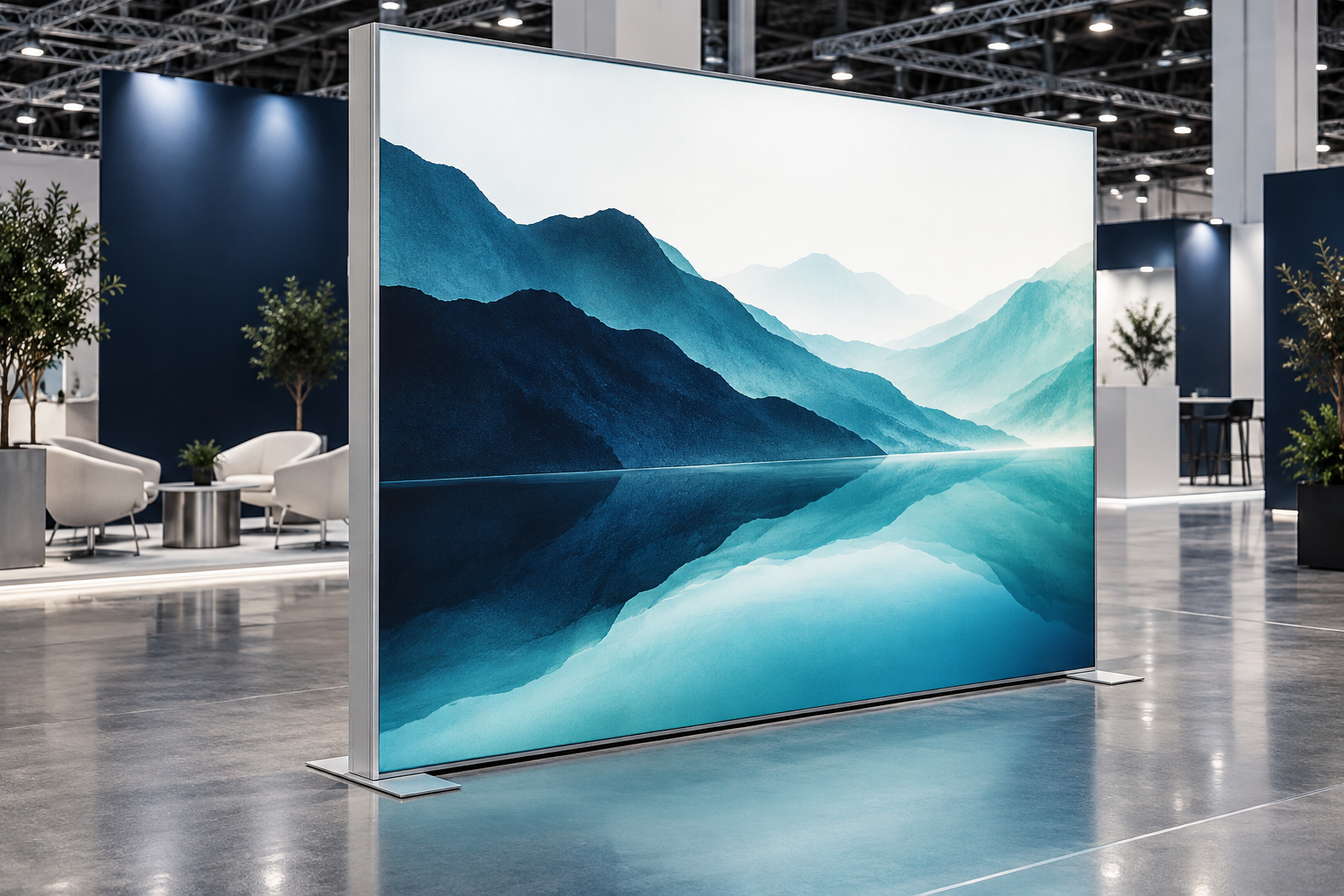
What Is an LED Lightbox?
An LED lightbox is an aluminum or rigid display frame that uses LEDs to illuminate a printed image. The light may come directly from behind the graphic or enter through the edges of a clear light guide panel.
A typical lightbox includes:
- An aluminum frame
- LED strips or LED modules
- One or more LED power supplies
- Wiring and connectors
- A reflective back panel or light guide panel
- A translucent printed graphic
- Wall, floor or ceiling mounting parts
LED lightboxes are commonly used for exhibition booths, retail displays, menu boards, reception walls, airports, shopping malls and branded advertising panels. You can view different LED lightbox display solutions to see how these parts are used in complete exhibition systems.
An LED lightbox is different from an LED video screen. A lightbox displays one printed image, while a screen shows video or changing digital content. A lightbox is usually more practical when the design changes only a few times each year.
Main Lightbox Configurations
A product name rarely describes the complete lightbox. Buyers should confirm the lighting method, graphic system, installation and operating environment separately.
| Item | Common Options | Main Effect |
|---|---|---|
| Lighting method | Direct-lit or edge-lit | Frame depth, brightness and uniformity |
| Graphic system | SEG fabric, backlit film or acrylic | Appearance and graphic replacement |
| Viewing faces | Single-sided or double-sided | Thickness, weight and power use |
| Installation | Wall-mounted, freestanding, suspended or built-in | Mounting and maintenance access |
| Environment | Indoor or outdoor | Water, UV, heat and structural protection |
| Mobility | Fixed, portable or modular | Packing, setup and repeated use |
For example, one product can be a direct-lit, double-sided, freestanding SEG lightbox. Describe the full configuration when requesting a quotation.
Typical Specification Ranges
The figures below are practical starting points for comparing products. They are not universal pass-or-fail standards. Large sizes, dark artwork, strong daylight and unusual frame shapes may require different values.
| Specification | Typical Starting Range | Where It Is Commonly Used |
|---|---|---|
| Edge-lit frame depth | 15–40 mm | Small and medium wall-mounted poster frames |
| Direct-lit wall SEG frame depth | 60–120 mm | Retail walls and exhibition backdrops |
| Freestanding or double-sided frame depth | 80–140 mm | Exhibition aisles and floor displays |
| Direct-lit LED module spacing | 50–150 mm | Depends on frame depth, lens and fabric |
| Indoor surface brightness | 500–1,000 cd/m² | Offices, corridors and close viewing |
| Retail and exhibition brightness | 800–1,500 cd/m² | Stores and exhibition halls |
| Window-display starting target | 1,500–3,000 cd/m² | Bright windows without direct full sunlight |
| Single-sided input power | 30–100 W/m² | Indoor direct-lit systems |
| Double-sided input power | 60–160 W/m² | Systems using two lighting sections |
| General CRI target | Ra 80 or higher | General advertising graphics |
| Color-sensitive CRI target | Ra 90 or higher | Food, cosmetics, fashion and skin tones |
| Common neutral-white range | 4,000–5,000 K | General commercial graphics |
| Sample warm-up time | 30–60 minutes | Brightness and uniformity testing |
| Extended sample test | 4–8 hours | Heat, noise and stability checks |
A product outside these ranges is not automatically wrong. A shallow frame may work well with closely spaced wide-angle LEDs, while a deeper frame may use fewer modules. Always compare the complete design.
Direct-Lit Lightboxes
A direct-lit lightbox places the LEDs behind the graphic. The LEDs face forward and illuminate the printed surface.
This structure is commonly used for:
- Large SEG fabric walls
- Exhibition booths
- Freestanding advertising towers
- Double-sided displays
- Modular backlit walls
Direct lighting is usually easier to use for large displays because LEDs can be spread across the full back panel. The main risk is visible LED dots. This happens when the frame is too shallow, the LED modules are too far apart or the fabric does not diffuse enough light.
A common starting point for a wall-mounted direct-lit SEG frame is about 60–120 mm deep. LED spacing may range from approximately 50–150 mm. A 60 mm frame normally needs closer LED spacing than a 120 mm frame.
The SEG LED lightbox booth is an example of a large direct-lit fabric display designed for trade shows and branded spaces.
For a double-sided direct-lit model, ask how both graphics are illuminated. Common designs include LEDs on both sides of a center panel or two single-sided lighting sections fitted back to back. These options affect thickness, heat, weight and power use.
Edge-Lit Lightboxes
An edge-lit lightbox places LEDs along one or more sides of a clear light guide panel. The panel moves the light from the edges toward the center.
This structure is commonly used for:
- Slim poster frames
- Menu boards
- Small wall signs
- Standard poster sizes
- Locations with limited wall depth
Edge-lit frames are often around 15–40 mm deep. They can be thinner than direct-lit frames, but large panels are more difficult to illuminate evenly.
Common problems include:
- Bright edges
- A dark center
- Uneven corners
- Scratched light guide panels
- Reduced brightness after dust enters the optical layers
Do not choose an edge-lit model only because it is thin. Compare the center-to-edge brightness, total weight and cost of replacing the light guide panel.
Frame Depth and LED Spacing
Frame depth and LED spacing must be selected together. There is no single depth or spacing that works for every lightbox.
A shallow direct-lit frame normally needs:
- More LED modules
- Smaller gaps between modules
- Wider LED lenses
- A stronger diffuser
- More accurate installation
A deeper frame gives the light more room to mix but increases shipping volume and wall projection.
Ask the supplier to provide these figures in millimeters:
- Finished frame depth
- Distance from the LEDs to the graphic
- Horizontal LED spacing
- Vertical LED spacing
- LED lens angle
- Distance from the first LED row to the frame edge
As a basic example, a supplier may propose 80 mm frame depth with LED modules arranged on a 100 × 100 mm grid. That figure is useful only when the final fabric, LED lens and brightness setting are also known.
Do not approve a sample made with a deeper frame, different fabric or denser LED layout than the production model.
Brightness
LED wattage and visible brightness are not the same thing.
- Watts show how much electrical power the system uses.
- Surface luminance shows how bright the finished graphic appears and is measured in cd/m².
- Ambient illuminance shows how much light is already present in the room and is measured in lux.
Two lightboxes using 80 W/m² can look different because the LED efficiency, frame depth, print density and fabric transmission are different.
Use these ranges as a first comparison:
- 500–1,000 cd/m²: offices, corridors and close viewing
- 800–1,500 cd/m²: retail walls and trade show displays
- 1,500–3,000 cd/m²: bright window areas without strong direct sun
A lightbox facing direct midday sun may still look weak at 3,000 cd/m². In that situation, a different location, stronger shading, higher-output design or digital display may work better.
Standard LED testing controls electrical input, operating temperature and output stabilization. Ask how and where the supplier measured the product instead of accepting one unexplained brightness figure.[1]
Light Uniformity
Uniformity shows how similar the brightness is across the full graphic.
Inspect the lightbox after a 30–60 minute warm-up period. Check for:
- Visible LED dots
- Dark corners
- Bright edges
- Dark lines
- Shadows from frame supports
- Different brightness between sections
- Different LED colors between rows
For a basic measurement grid, check at least nine points:
- The center
- The four corners
- The midpoint of each edge
Large modular walls should also be measured along each frame joint.
A useful project formula is:
Uniformity = lowest reading ÷ average reading
Practical project targets may be:
- 0.80 or higher: acceptable starting target for general commercial displays
- 0.85 or higher: better target for large white backgrounds or several adjoining panels
These figures are buyer-defined acceptance targets, not universal legal requirements. The measurement method must be written into the purchase specification.
A phone photograph can reveal obvious light bands, but it is not a calibrated measurement. Automatic exposure, HDR and sharpening may hide or exaggerate problems.
Frame Strength
Most commercial lightboxes use extruded aluminum. Aluminum is light and easy to transport, but frame strength depends on more than wall thickness.
It also depends on:
- The shape of the profile
- Internal reinforcing ribs
- Aluminum alloy and temper
- Corner connectors
- Internal support spacing
- Mounting method
- Finished frame size
A large frame may bend when the SEG fabric is stretched into place. This can create open corners, wrinkles and changes in the LED-to-graphic distance.
For a large or reusable display, request:
- A profile cross-section drawing
- The finished frame weight
- The internal support layout
- The joint design
- The recommended maximum unsupported span
A modular aluminum exhibition booth should be assembled and dismantled at least three to five times during sample evaluation. This can reveal locks, threads or corners that loosen after repeated use.
Frame Finish
Common frame finishes include silver anodizing, black anodizing and powder coating.
Inspect:
- Corners
- Screw holes
- Locking points
- Foot connections
- Areas that touch the packing case
These areas usually show damage first. Dark finishes may also become hotter in direct sunlight.
For several displays installed together, approve the frame color and gloss level. Two batches of black or white coating may look different when placed side by side.
LED Color
LED color temperature affects how the printed image looks.
- Warm white can make white areas look yellow.
- Cool white can make food, skin tones and warm colors look cold.
- Neutral white around 4,000–5,000 K is a practical starting point for many commercial graphics.
The main requirement is consistency. Adjacent lightboxes should not look green, pink, yellow or blue compared with each other.
Practical color-consistency targets include:
- SDCM 5 or lower: general independent lightboxes
- SDCM 3 or lower: adjoining modules or several lightboxes in one line
Ask for:
- LED manufacturer and model
- Nominal color temperature
- Allowed color-temperature range
- Color bin or SDCM specification
- Approved replacement LED model
Color Rendering
CRI is a basic way to describe how naturally colors appear under a light source.
A practical purchasing target is:
- CRI Ra 80 or higher: general advertising
- CRI Ra 90 or higher: food, cosmetics, clothing, packaging and skin tones
CRI does not fully explain how saturated red, blue or green colors will appear. ANSI/IES TM-30-24 provides more detailed information about color fidelity and changes in color saturation.[2]
The most useful test is still the final printed graphic under the final LEDs. Do not approve an important brand color only from a computer screen or an unlit print.
Power Supply and Driver Load
The power supply, also called the LED driver, is a common failure point.
A poor driver may cause:
- Flicker
- Buzzing
- Overheating
- Unstable brightness
- Dimming problems
- Complete section failure
Ask for:
- Driver manufacturer and model
- Input voltage range
- Output voltage and current
- Rated power
- Actual connected LED load
- Operating-temperature range
- Dimming compatibility
- Short-circuit and overtemperature protection
A practical starting target is to run a driver at about 70%–85% of its rated output. For example, an 80 W LED load may be matched with a suitable 100 W driver. The final limit must follow the driver manufacturer’s data and temperature derating curve.
Do not use a much larger driver without checking its correct operating range. The output voltage, current, dimming system and LED circuit must still match.
Power Distribution
Large lightboxes need more than one long chain of LED modules.
Long cables, small wire sizes or too many modules on one circuit can cause voltage drop. LEDs near the power input may appear brighter than LEDs farther away.
Ask:
- How many modules are connected to each circuit?
- Where does each section receive power?
- Are long sections powered from both ends?
- What cable size is used?
- Can each section be disconnected separately?
During sample testing, compare brightness at the beginning and end of each circuit.
Power Use
Use the measured input power of the complete lightbox, not the total printed on individual LED modules.
Typical starting ranges are:
- Single-sided lightbox: approximately 30–100 W/m²
- Double-sided lightbox: approximately 60–160 W/m²
A dark graphic, shallow frame or bright shop window may require more power. A deep indoor frame with efficient LEDs may require less.
For example, a 6 m² single-sided lightbox using 60 W/m² has an estimated LED load of:
6 m² × 60 W/m² = 360 W
The measured input power may be slightly higher because the driver also uses energy.
Service Access
LED modules and drivers should remain replaceable after installation.
Before ordering, ask:
- Can the driver be reached from the front?
- Is rear access needed?
- Must the full frame be removed?
- Does one driver power the entire display?
- Are all circuits labeled?
- Are replacement parts available locally?
Do not seal a driver behind a finished wall or fixed cabinet without an access opening.
Good-quality white LED products are often expected to provide about 30,000–50,000 operating hours, but a driver, connector or other electronic part may fail earlier. LED life should therefore be judged as the life of the complete system, not only the LED chip.[3]
For spare parts, a practical starting quantity is:
- At least one spare driver for every driver model used
- About 2%–3% spare drivers for a large multi-unit project
- About 2%–5% spare connectors, locks and small hardware
- Several spare LED modules from the same color batch
Flicker and Camera Use
Flicker matters when the lightbox will be filmed or photographed.
Changes in LED output may create:
- Visible flicker
- Moving dark bands in video
- Stroboscopic effects on moving objects
- Different results at different dimming levels
The U.S. Department of Energy explains that visible flicker and stroboscopic effects can occur at different light-output frequencies.[4]
Test the final lightbox using the actual:
- Camera
- Frame rate
- Shutter speed
- Driver
- Dimmer
- Operating brightness
A phone can be used for an initial check, but a clean phone video does not prove that the system is flicker-free.
Heat Management
LEDs create heat. Excessive temperature can shorten the life of LEDs, drivers, wiring, adhesives and graphics.
Check whether:
- LED strips are fixed to aluminum or another heat-conductive surface
- Drivers have space around them
- A wall recess traps hot air
- The lightbox receives direct sunlight
- Adhesive begins to lift after warming up
Run the sample for at least four hours. For permanent displays or bright window units, an eight-hour test is more useful.
Record the temperature after approximately:
- 30 minutes
- 60 minutes
- Two hours
- Four hours
Inspect the LED mounting surface, driver case, internal air and frame. The temperature should remain within the limits stated by the LED and driver manufacturers.
Watch for:
- Local hot spots
- Plastic smells
- Driver discoloration
- Buzzing that becomes louder
- Brightness loss after warming up
- Adhesive lifting
SEG Fabric
SEG means silicone edge graphic. A silicone strip is sewn around the fabric and pushed into a channel in the aluminum frame.
SEG fabric offers:
- A nearly frameless appearance
- Large printed areas
- Low transport weight
- Easy graphic replacement
- Less front reflection than a glazed poster frame
The portable SEG lightbox system is useful when a brand needs an illuminated display that can be moved between exhibitions.
The fabric must balance light transmission and diffusion. Thin fabric can reveal the LED layout. Heavy fabric can reduce brightness.
Ask for:
- Fabric composition
- Fabric weight
- Light transmission
- Stretch direction
- Crease recovery
- Cleaning instructions
- Fire-performance documents where required
Graphic Resolution
Large graphics are viewed from farther away, so they do not always need the same resolution as a small poster.
| Normal Viewing Distance | Practical Final-Size Resolution |
|---|---|
| Less than 1 meter | 120–150 dpi |
| 1–3 meters | 80–120 dpi |
| 3–5 meters | 50–80 dpi |
| More than 5 meters | 30–60 dpi |
These are starting ranges. Small product labels, fine text, faces and detailed logos may need more resolution even when the overall graphic is large.
Check the resolution at the final printed size, not only at the size shown in the design software.
Graphic Safe Areas
Keep important content away from silicone edges, seams and modular joints.
Practical starting allowances include:
- Keep text and logos at least 30–50 mm from the visible edge.
- Keep important faces and product details at least 50 mm from corners.
- Keep important content 50–100 mm away from a modular frame joint.
- Allow extra space for very stretchy fabric or large graphics.
The final safe area depends on the silicone width, sewing allowance, frame channel and fabric stretch.
Printing and Ink Density
Backlit graphics often need more ink density than normal front-lit prints.
Too little ink can create:
- Gray blacks
- Weak colors
- Washed-out photographs
- Low contrast
Too much ink can block light and hide detail in dark parts of the image.
Approve an illuminated print sample made with the final:
- Fabric
- Ink
- Print mode
- LED color temperature
- Brightness setting
A sample approximately 500 × 500 mm can be useful for basic color approval, but it cannot prove that a large wall will have good frame strength or light uniformity.
Graphic Fit and Installation
SEG graphic size should not be calculated only from the outside dimensions of the frame.
The printer must consider:
- The visible opening
- Fabric stretch
- Silicone width and thickness
- Sewing allowance
- Corner construction
- Frame joints
A graphic that is too large may wrinkle. A graphic that is too small may be difficult to install and may pull on the seams.
For repeat orders, keep a record of:
- Visible size
- Fabric cutting size
- Silicone profile
- Sewing allowance
- Print settings
- Approved sample
Install the graphic by fitting the corners first, then the center of each side, followed by the remaining silicone.
A large graphic wider than about two meters is usually easier to install with two people. Do not install one complete side before starting the others.
Outdoor Lightboxes
An outdoor lightbox needs more than waterproof LED modules.
The relevant enclosure should protect:
- Drivers
- LEDs
- Cable joints
- Connectors
- Service covers
- Mounting holes
- Graphic edges
IEC 60529 defines the IP Code used to classify the protection provided by electrical enclosures.[5]
Confirm that the stated IP rating applies to the tested enclosure or finished configuration, not only to the LED module.
Outdoor projects should also consider:
- Wind load
- Condensation
- Drainage or pressure equalization
- UV exposure
- Temperature changes
- Corrosion
- Coastal salt exposure
An IP rating does not prove that the frame is strong enough for wind or that the graphic will resist long-term sunlight.
Electrical Safety
Electrical requirements depend on the input voltage, product construction, installation and destination country.
Check:
- Correct input voltage
- Cable size
- Connector protection
- Strain relief
- Fuse or circuit protection
- Driver certification
- Electrical isolation
- Protective grounding where required
OSHA requires an effective grounding path for equipment and enclosures where grounding is required, while approved double-insulated equipment may use a different protection method.[6]
A certified driver does not automatically mean the complete lightbox is certified. Check that the supplied documents match the actual driver, cable, connectors and finished construction.
Installation Checks
For wall-mounted lightboxes, check:
- Wall material
- Anchor type
- Frame weight
- Wall straightness
- Power location
- Driver access
- The force needed to change the graphic
For freestanding lightboxes, check:
- Base length and weight
- Total height
- Center of gravity
- Floor condition
- Public contact
- Cable trip hazards
For suspended lightboxes, check:
- Approved suspension points
- Full hanging weight
- Secondary safety devices
- Venue rigging rules
- A safe maintenance method
When illumination is not required, a tension fabric hanging banner may be a lighter option for overhead booth identification.
For built-in lightboxes, check:
- The real wall opening before production
- Space to remove the graphic
- Driver access
- Ventilation
- Cable access
- Wall tolerances
Main Benefits
Better visibility: A backlit graphic is easier to notice than a non-lit poster in a busy store or exhibition hall.
Lower graphic replacement cost: The frame and LEDs can remain in place while only the fabric graphic is changed.
Lower transport weight: Fabric graphics usually weigh less and have a lower breakage risk than large rigid printed panels.
Cleaner appearance: SEG fabric can create a wide printed surface without a large snap-frame border.
Reusable structure: A modular frame can support several campaigns when the connectors, wiring and graphic sizes remain compatible.
For repeat exhibitions, a modular exhibition display system can combine lightboxes with counters, banners, non-lit walls and other booth components.
Main Applications
Trade shows: Focus on setup time, packed size, total weight, labeling, spare parts and cable management. Test the full system before shipping it to the venue.
Retail stores: Check daylight, ceiling lights, shelving and how staff will replace the graphic. Chain stores should use the same LED color, fabric and print settings at every location.
Restaurants: Check text size, food color, cleaning and flicker. When prices or menu content change frequently, compare the lightbox with an LED video screen.
Offices: Use moderate brightness and check glare, driver noise and reflections on computer screens.
Showrooms: Test reflections on glass, vehicles, screens and polished products from the customer’s normal position.
Airports and malls: Give priority to secure mounting, repair access, long operating hours, spare parts and fire documents.
Short events: When illumination is not needed, a tension fabric backdrop booth may offer lower weight, simpler wiring and faster setup.
Energy Use and Annual Cost
Calculate energy use from the measured input power of the complete lightbox.
Use this formula:
Power in kilowatts × hours per day × operating days per year
For example:
0.4 kW × 12 hours × 365 days = 1,752 kWh per year
At an electricity price of $0.15 per kWh:
1,752 kWh × $0.15 = $262.80 per year
| Operating Method | Estimated Annual Energy | Estimated Cost at $0.15/kWh |
|---|---|---|
| 0.4 kW for 12 hours every day | 1,752 kWh | $262.80 |
| Average measured power reduced to 0.3 kW | 1,314 kWh | $197.10 |
| 0.4 kW for 10 hours every day | 1,460 kWh | $219.00 |
Reducing measured average power from 0.4 kW to 0.3 kW saves about 438 kWh and $65.70 per year in this example.
Dimming and timer controls can reduce energy use when full output is not required. The actual saving should be calculated from measured input power because a 75% brightness setting does not always equal 75% power.[7]
Total Ownership Cost
Do not compare only the purchase price.
Include:
- Frame and LEDs
- Printed graphics
- Packing and shipping
- Installation
- Electricity
- Replacement graphics
- Spare drivers and LED modules
- Maintenance labor
- Storage and repeated transport
- Business interruption when a display fails
A cheaper frame may cost more over three to five years if it uses more power, cannot be repaired in sections or requires a new frame whenever the graphic changes.
Information to Send Suppliers
Send every supplier the same information so quotations can be compared fairly.
- Finished width and height
- Quantity
- Indoor or outdoor location
- Single-sided or double-sided use
- Wall, floor, ceiling or built-in installation
- Maximum allowed frame depth
- Normal viewing distance
- Daily operating hours
- Input voltage
- Required brightness range
- Required color temperature
- Dimming requirements
- Camera or livestream use
- Fire-document requirements
- Delivery address
- Packing limits
- Installation responsibility
Ask each supplier to return:
- Frame profile drawing
- Frame depth
- LED model and spacing
- Driver model and connected load
- Total measured input power
- Measured surface brightness
- Graphic material
- Print method
- Product weight
- Packing dimensions
- Warranty terms
- Spare-parts list
- Assembly instructions
- Electrical diagram
Prototype Test
Before a large order, request a lit sample or a full-size section made with the production materials.
The sample should use the final:
- Frame profile and depth
- LED model and spacing
- Driver
- Back panel
- Fabric
- Printing process
- Ink density
- Wiring method
A useful sample test should include:
| Test | Practical Starting Method |
|---|---|
| Warm-up | 30–60 minutes before final readings |
| Uniformity | At least nine measurement points |
| Extended operation | 4–8 hours at expected brightness |
| Assembly | Three to five setup and dismantling cycles |
| Flicker | Test at normal and low dimming settings |
| Graphic fit | Install and remove the final SEG fabric |
| Service access | Remove and replace one driver or LED section |
Keep the approved sample or a complete written record. Final production should match it.
Final Inspection
Before shipping, confirm:
- Profiles are straight
- Corners close tightly
- No LED dots or dark bands are visible
- Adjacent sections match in brightness and color
- The graphic is clean and correctly fitted
- Drivers and circuits are labeled
- Plugs match the destination
- Spare parts are included
- Profiles cannot rub together in the packaging
- Packages fit through the site doors and elevators
For a large order, inspect the agreed sample quantity rather than checking only one unit. Compare the LED model, driver, fabric, connectors and wiring layout with the approved specification.
Common Buying Mistakes
- Choosing the thinnest frame without checking visible LED dots
- Comparing LED wattage instead of finished surface brightness
- Approving white test fabric instead of the final artwork
- Allowing a different LED or fabric in mass production
- Ignoring voltage drop in long frames
- Allowing support bars to create visible shadows
- Installing drivers where they cannot be reached
- Treating waterproof LEDs as proof of a waterproof lightbox
- Producing a built-in frame before measuring the wall opening
- Ordering without spare connectors or drivers
- Failing to label modular sections and power cables
Final Buying Advice
A reliable LED lightbox should provide even light, correct print color, a straight frame, safe wiring and replaceable parts. Use 60–120 mm frame depth, 500–1,500 cd/m² indoor brightness and 30–100 W/m² single-sided power only as starting references. Ask for the actual LED spacing, driver load and measured input power. Warm the sample for 30–60 minutes, run it for 4–8 hours and measure at least nine surface points. Keep the approved LEDs, fabric, print settings and frame details on record so future graphics and replacement parts remain compatible.


