Set up a modular exhibition stand by checking the event rules and approved drawing, measuring the real booth space, laying the floor and cables, building and supporting the frame, and then adding graphics, lights, screens, shelves, counters, and furniture. Finish by testing the loaded structure, power, media, visitor route, and booth boundary before staff take control.
Use the instructions for the exact stand system. The approved drawing, exhibitor manual, venue rules, and local safety requirements take priority over any general guide. IAEE’s display guidelines help North American event organizers create consistent rules, but each exhibition can set its own limits and approval process.[1]
Decide which jobs your team may complete before arriving. Main power connections, ceiling rigging, suspended signs, lifting-platform work, plumbing, compressed air, and structural changes may require approved contractors. Temporary structures should be planned, installed, checked, and dismantled by people with the right skills.[2]
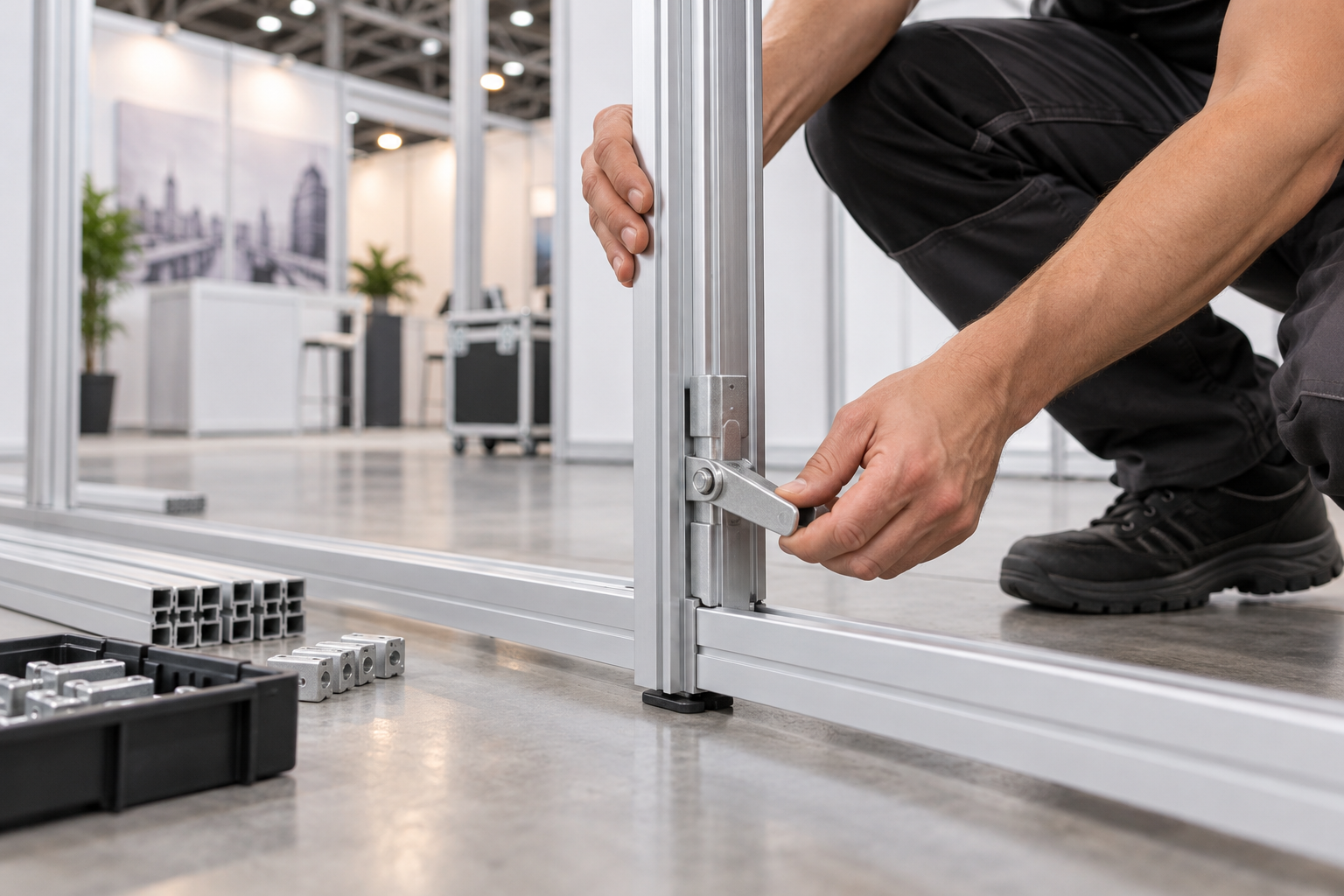
Use the Right Installation Order
- Read the exhibitor manual and approved drawing.
- Check the stand size, height, open sides, services, and contractor rules.
- Prepare a part list, packing list, graphic map, and cable plan.
- Test-build a new or changed stand before shipping.
- Pack the cases so the first parts needed are easy to reach.
- Inspect the shipment at the venue.
- Measure and mark the real booth space.
- Install the floor and hidden cable routes.
- Build, align, support, and check the frame.
- Fit panels, doors, and the storage room.
- Install graphics, lights, screens, shelves, and counters.
- Place furniture and test the visitor and staff routes.
- Test power, media, products, and demonstrations.
- Complete the final safety and handover check.
Do not skip the early steps. A wall positioned only 50 mm from its planned location can move the screen center, reduce door clearance, misalign graphics, push furniture into the entrance, or place a base foot outside the booth line. In a simple example, a planned 900 mm door opening becomes 850 mm if the adjoining wall is installed 50 mm too close, before handles, trims, or floor edges are considered.
Check the Exhibition Rules
Read the exhibitor manual before manufacturing or shipping the stand. Record the rules that affect the design and installation.
- Booth width, depth, and marked boundary
- Maximum wall and sign height
- Open-side and setback rules
- Build-up, inspection, show, and breakdown times
- Rules for raised floors, ramps, fixings, and floor protection
- Requirements for rear wall finishes and shared walls
- Limits on enclosed rooms, covered ceilings, sound, cooking, and machinery
- Electrical, internet, water, air, freight, storage, and waste services
- Fire certificates, risk assessments, method statements, and technical drawings
- Jobs reserved for approved labor, electricians, riggers, or lifting contractors
Confirm whether the organizer needs a measured floor plan, wall elevations, structural calculations, electrical load schedule, material certificates, screen and shelf details, raised-floor plan, rigging plan, or accessibility information. Submit these before the deadline. A rejected wall, door, canopy, or floor is easier to change before it is packed.
Keep the approved drawing, service orders, installer instructions, and contact list on a phone and in print. Mobile coverage can be poor during build-up.
Confirm the Layout
Build from a drawing with exact measurements, not a sales rendering. The drawing should show:
- Booth number and aisle directions
- A fixed reference corner
- Wall positions, heights, and frame codes
- Open sides and entrances
- Storage room and door swing
- Counters, furniture, products, and meeting areas
- Screen centers and mounting heights
- Shelves and approved load positions
- Power points, sockets, data points, and cable routes
- Graphic numbers and lighting positions
- Columns, floor boxes, access panels, and overhead limits
- Raised-floor edges and ramps
Use one measurement system. Write “10 ft × 20 ft” or “3 m × 6 m,” not only “10 × 20.” A 3 m × 3 m booth provides 9 m² of floor area, while a 3 m × 6 m booth provides 18 m². Doubling the area does not always double the build time because wall height, lightboxes, screens, doors, cable routes, and storage rooms can add more work than floor area alone.
Plan for movement, not just furniture footprints. Pull chairs out, open every door, stand behind the counter, and allow space for visitors watching a demonstration. At least one entrance should be clear and easy to see. Extra openings are useful when they improve flow and remain consistent with the approved plan.
Keep required exit and emergency routes free from furniture, products, cases, packaging, and cables. OSHA requires workplace exit routes to remain free and unobstructed.[3]
Where possible, mark the layout at full size on a warehouse floor. Use tape, cartons, paper shapes, or the actual counter and chairs. This quickly shows whether a doorway, meeting area, or product display has enough room.
Make a Part and Packing List
Create a list for the exact stand configuration. A 10 ft × 10 ft stand and a 10 ft × 20 ft stand may use the same frame system but need different posts, beams, feet, graphics, and connectors.
| Record | Details |
|---|---|
| Part code | A code that also appears on the drawing and case label |
| Description | Post, beam, foot, connector, panel, graphic, light, bracket, shelf, or counter part |
| Required quantity | The quantity needed for this layout |
| Packed quantity | The quantity checked before dispatch |
| Case number | The case or carton holding the part |
| Position | The wall, corner, storage room, screen, shelf, or counter location |
| Special note | Direction, tool, support, load limit, or final check |
Mark the parts that can stop the build if missing. A trim can often wait, but a special corner lock, base plate, support foot, screen reinforcement, or system tool may prevent safe installation.
Use durable labels that will survive transport without covering a locking point, cable opening, visible finish, or graphic surface.
For low-cost, frequently used consumables such as approved cable labels, hook-and-loop straps, and non-structural clips, an internal spare allowance of about 5% to 10% is often practical. Count structural locks, braces, feet, and system-specific connectors individually; never replace them with a percentage estimate or an unapproved local part.
Test-Build Before Shipping
Test-build the stand before its first event, after a major layout change, or when new screens, shelves, doors, or products are added. Use the real components, graphics, screen model, products, cables, tools, and installation order.
- Check that every frame part matches the drawing.
- Open and close the storage door through its full movement.
- Confirm that feet and braces fit inside the booth area.
- Install every graphic in the correct frame and direction.
- Check that cables reach through protected routes without being pulled tight.
- Make sure power supplies can release heat and remain accessible.
- Fit the exact screen and check plug, adapter, and ventilation space.
- Load shelves with the real products.
- Place the counter and furniture to test the entrance and staff space.
- Dismantle and repack the stand to check the return process.
Photograph the finished stand, rear supports, cable routes, screen bracket, power supplies, door hardware, shelf brackets, and correct case layout. A short video of the actual configuration can be more useful than a generic manual. In Milin’s DRYPAX booth setup case, a video made with the customer’s own parts reduced on-site assembly time by two hours.
Record the time and crew size for unpacking, floor work, frame assembly, graphics, equipment, testing, cleaning, and repacking. Use the results to plan the venue schedule. Four installers working for six hours use 24 crew-hours. If the team spends two of those hours waiting for freight or venue power, the project still uses paid labor even though the frame is not being assembled.
Pack and Load Safely
The packing order inside a case, the loading order in a vehicle, and the installation order are different. Put early-use parts near the case opening. Keep critical fasteners in labeled bags and separate graphics from dirty tools, metal parts, oils, and sharp edges.
- Use fitted foam, sleeves, dividers, straps, and corner protectors.
- Restrain heavy brackets so they cannot strike lights or power supplies.
- Keep rigid graphics flat or vertical as required by the supplier.
- Keep fabric graphics clean, dry, and free from crushing loads.
- Add a packing photograph or diagram inside each reusable case.
- Number the cases clearly, such as “Case 1 of 8.”
Do not arrange a vehicle only for easy unloading. The loading plan must also control total weight, axle load, center of gravity, movement, and load restraint. UK government guidance requires loads to be positioned, stabilized, and secured for the actual vehicle and journey.[4]
Keep the approved drawing, master list, contacts, and setup instructions with the installation supervisor rather than inside sealed freight.
Prepare the Team and Tools
Assign one person to control the drawing and sequence, one to manage cases and inventory, and qualified people to handle electrical work, rigging, lifting, or other restricted tasks.
Manual handling includes lifting, lowering, pushing, pulling, carrying, and moving loads. Avoid unnecessary handling and assess the task, load, work area, and worker capability when handling cannot be avoided.[5]
- Tape measure, laser measure, and spirit level
- Manufacturer-approved hex keys, hand tools, and locking tools
- Torque tool when a set tightening value is required
- Work gloves and separate clean graphic gloves
- Small-parts trays and labeled hardware bags
- Approved access equipment
- Eye protection, safety footwear, and high-visibility clothing where required
- Removable labels, low-residue tape, and hook-and-loop straps
- Cleaning cloths and surface-safe cleaner
- System-specific spare locks, connectors, lights, and fasteners
Use a ladder only when the task is low risk, short, and suitable for ladder work. The ladder must be stable, in good condition, and used correctly. It should not be the automatic choice for every high connection.[6]
Do not stand on chairs, counters, transport cases, shelves, or frame beams. Do not drill, grind, cut, or enlarge structural parts unless the manufacturer or engineer has approved the change.
Inspect the Shipment
Count all cases before opening them. Compare their numbers with the packing list and photograph broken seals, crushed corners, punctures, or water damage.
- Check main frame sections and base parts.
- Check system locks, connectors, and tools.
- Check feet, braces, and reinforcement.
- Check screen brackets, lights, drivers, and power equipment.
- Check graphics, panels, counters, shelves, and furniture.
Create separate areas for structural parts, graphics, electrical equipment, screens, counters, spares, empty packaging, and damaged items. Keep the working route and public aisle clear. Save the foam, sleeves, labeled bags, and dividers for dismantling.
Check case numbers as well as the total count. Receiving Cases 1, 2, 3, 4, 5, 6, 7, and another Case 7 still gives eight cases, but Case 8 is missing. This simple check can find a shipment error before the build reaches the missing part.
Measure and Mark the Booth
Measure the real floor before building. Check the front and rear widths, both side depths, diagonals, available height, floor-service positions, columns, neighboring walls, aisle direction, and overhead obstructions.
Inspect the floor for uneven areas, joints, loose carpet, service covers, and existing damage. HSE notes that ground and floor conditions affect where temporary structures can be placed and how they can be supported.[7]
Mark the booth line with a venue-approved method. Then mark the reference corner, main wall, storage room, screen center, counter, power point, and entrance.
Do not use a carpet seam, floor-tile line, neighboring wall, or another stand as the main reference. If the real space does not match the drawing, keep all parts inside the rented area and obtain approval before changing the layout.
Install the Floor and Hidden Services
Remove screws, wire, glass, clips, stones, and packaging debris. Sweep and vacuum the floor. Inspect it visually and use a stiff brush or protected gloved hand where needed. Do not run a bare hand over a surface that may contain sharp objects.
- Keep carpet-tile pile direction consistent.
- Secure all exposed carpet and vinyl edges.
- Allow cold or tightly rolled vinyl to relax before final fixing.
- Place cable routes and access panels before closing a raised floor.
- Photograph hidden cables with a clear measurement from a fixed point.
- Keep floor boxes and required service points accessible.
Do not choose a ramp by eye or force it into the space left after furniture is placed. Local rules may set the slope, clear width, landings, handrails, surface, and edge protection. For example, the U.S. Access Board normally limits an ADA ramp run to a 1:12 slope and requires at least 36 inches of clear width, together with other conditions.[8]
Plan the Power and Cable Routes
List each powered item and use its nameplate rating. Include lights, lightboxes, screens, media players, laptops, chargers, routers, refrigerators, printers, motors, pumps, audio equipment, and product demonstrations.
Do not order power by counting plugs. Add the connected wattage and identify starting loads and overnight equipment. For example:
| Equipment | Example load |
|---|---|
| One screen | 300 W |
| One lightbox | 250 W |
| Six spotlights | 6 × 30 W = 180 W |
| Two laptops | 2 × 90 W = 180 W |
| Small refrigerator | 150 W |
| Charging equipment | 100 W |
| Total connected load | 1,160 W |
The 1,160 W total does not by itself determine the circuit size. Voltage, power factor, starting current, protective devices, venue supply, and local rules must also be checked by the approved electrical contractor.
Separate lighting, lightboxes, screens, counter equipment, demonstrations, and overnight equipment where practical. Label both ends of important cables. Keep power supplies ventilated and reachable. If three screens each use one power cable and one video cable, the booth already has six cable runs and 12 cable ends to identify before network, audio, USB, or control cables are added.
Protect cords from sharp edges, doors, and other pinch points. OSHA requires flexible cords to be protected from accidental damage.[9] Portable cord-and-plug equipment and extension cords should also be visually inspected for damage before use.[10]
Do not run loose cables across entrances. Use an approved cable cover if a crossing cannot be avoided. Do not connect the main supply, open a venue floor box, modify plugs, or work on fixed wiring unless authorized and qualified.
Build and Align the Frame
Start at the reference corner. Lay out base plates, beams, and posts before connecting them. Check the part code and direction instead of choosing a piece only because it looks the right length.
Base plates, feet, and rear supports must stay inside the rented area. A wall can appear correctly placed while a hidden foot projects into the aisle.
Systems such as Milin’s aluminum exhibition booth use repeatable aluminum parts, but the connection method and support plan still depend on the exact model and layout.
- Position the first base section.
- Add the first posts and beams.
- Connect the next wall section or return wall.
- Add the required temporary and permanent supports.
- Check width, height, level, plumb, and alignment.
- Complete the final locking and tightening process.
Do not fully tighten a long wall before adjacent sections are aligned unless the manufacturer requires that order. Do not release a tall section before its support is fitted.
For a rectangular frame, first confirm the correct side lengths. Then measure both diagonals from the same points. Equal diagonals show that the rectangle is square within the allowed tolerance, but they do not replace checks for the right parts, level, plumb, or twisting.
If a beam does not fit, check the code, direction, connector, trapped cable, floor level, adjustable feet, and previous wall. Do not use heavy blows to force the joint.
Add Structural Support
An empty wall can feel stable and then move after a screen, shelf, product, light, or door is added. Install every rear foot, brace, return wall, base weight, connector, and reinforcement shown in the approved design.
Do not remove a support because it is visible or takes up storage space. Change the layout instead.
Check the full mounted load, not only the main product. A screen installation includes the screen, bracket, adapter, media player, cables, and other parts. For example, a 20 kg screen with a 4 kg bracket and a 1 kg media player creates at least 25 kg of installed equipment before cable pull, forward projection, or visitor contact is considered. A shelf installation includes the shelf, brackets, product, labels, and any visitor handling force. The bracket rating alone does not prove that the wall and base can support the load.
Use an approved rigging contractor for hanging banners and other suspended signs. Do not attach an overhead item to a stand wall unless the complete connection has been designed and approved.
Stop work if a support is missing, a base lifts, a lock is damaged, the wall stays twisted, a profile bends, or the real equipment is heavier than the approved load.
Fit Panels, Doors, and Storage
Install panels after the frame is aligned and supported. Check the panel code, finish, direction, cable opening, screen cutout, and door side.
Use enough people to control large panels. Do not force a panel into an out-of-square frame.
- Open the storage door through its full movement.
- Check that it does not hit the floor, counter, chair, shelf, or cable.
- Keep the door inside the booth line and out of required routes.
- Check the hinges, handle, latch, and lock.
- Keep the electrical area clear, ventilated, and reachable.
- Store heavy stock low and keep liquids away from power equipment.
Install the Graphics
Finish drilling, dusty floor work, and dirty cable work first. Use clean gloves and a clean surface. Do not place printed faces on the floor.
A SEG lightbox booth and a tension-fabric backdrop can use different frame depths, graphic sizes, and fitting methods. Match each graphic to its exact frame code.
For SEG fabric, follow the supplier’s method. A common sequence is to fit the four corners and then work from the center of each side toward the corners. Do not fully tension one side while the opposite side is loose.
Support rigid panels across their width. Clean magnetic strips and frame surfaces before fitting magnetic graphics. For a multi-panel image, begin at the marked reference panel so small errors do not build up across the wall.
- Text and logos are level.
- Images align across seams and corners.
- Furniture does not hide key content.
- No loose edge, wrinkle, frame strip, or packing mark is visible.
- Door and screen openings match.
- The correct language and artwork version are installed.
Install Lights, Screens, and Shelves
Use approved mounting points, brackets, drivers, and cables. Aim each light at a clear target and check glare from the aisle and staff positions. Do not operate venue lighting controls without permission.
For lightboxes, check even illumination, correct LED and driver connections, ventilation, cable routing, and access for repair. Stop using a light or driver that smells burned, becomes unusually hot, buzzes abnormally, or repeatedly fails.
Before mounting a screen, confirm the exact model, weight, hole pattern, plug position, ventilation, bracket rating, reinforcement, and removal space. Use enough people or the correct lifting aid. Do not press the display surface. For large-format content, compare the wall load with a purpose-built LED screen system rather than assuming an oversized consumer display is suitable for a lightweight stand wall.
Use approved shelf positions and brackets. Check whether the stated load applies per shelf, per bracket, per wall section, or only to an evenly spread load. Test with the real product. Place heavy items low and close to the wall. For branded product storage, a purpose-built modular aluminum shelf system may be safer and easier to plan than adding unapproved shelves to a display wall.
Stop using any screen or shelf if the bracket moves, the wall leans, a base lifts, the shelf bends, or the product can slide or tip.
Place the Counter and Furniture
Build the counter on a clean, level floor. Fit its shelves, doors, cable openings, locks, and graphic before final placement. Use the approved feet to level it; do not use folded paper or loose packing as a permanent shim.
Place large items first:
- Counter
- Product displays and demonstration equipment
- Meeting table
- Chairs and stools
- Brochure holders and small items
After each large item, walk the real route. Enter from the aisle, greet a visitor, move to a product, sit at the table, pull out the chairs, open the storage door, pass behind the counter, and leave. Move furniture now if it blocks the entrance, cables, doors, graphics, service panels, or staff space.
Check Visitor Flow and Accessibility
Stand in each approach aisle. Visitors should be able to see the company name, understand the main offer, find a reason to stop, and identify the entrance within a few seconds.
- Keep the main route free from cases, chair legs, cables, tools, and base plates.
- Keep demonstration audiences inside the booth rather than in the public aisle.
- Avoid dead-end corners beside doors or meeting tables.
- Make raised-floor changes easy to see.
- Provide at least one useful counter or table position for a seated visitor.
- Place basic brochures, samples, and controls within practical reach.
- Keep emergency and service access open.
Use short text, large type, and strong contrast. WCAG is written for digital content, not printed booth graphics, but its 4.5:1 minimum contrast ratio for normal web text is a useful readability benchmark for screen content and small digital text.[11]
Add accurate captions to videos so visitors can follow them in a noisy hall. W3C requires captions for prerecorded audio in synchronized web media, which is also a useful standard for exhibition screen content.[12]
Test Power, Media, and Demonstrations
After the approved main connection is complete, switch on equipment in groups:
- General lights
- Lightboxes
- Screens
- Media players and computers
- Counter equipment
- Product demonstrations
- High-power or motor-driven equipment
Pause between groups. Watch for a trip, flicker, hot plug, warm cable, loose socket, burning smell, buzzing driver, screen restart, or adapter hanging under its own weight. Do not keep resetting a protective device without finding the cause.
Run the full booth long enough for drivers, computers, screens, and enclosed power supplies to warm up. Label the main switches and mark approved overnight equipment.
Play every video from start to finish. Check orientation, brightness, sound, captions, loop settings, restart behavior, and the correct language. Remove personal alerts and private files. Keep local copies of important media and test a backup device, backup file, and static holding screen.
For touchscreens, test every button, form, language option, timeout, reset function, and unexpected input. Leave a short restart guide for staff.
Complete the Final Loaded Check
Inspect the stand three times: after the empty frame, after mounted equipment is added, and after products and furniture are in place.
- Check every lock, connector, brace, foot, and base plate.
- Check screen bolts, shelf brackets, light brackets, counter joints, and door hinges.
- Open and close doors several times.
- Watch for lifting feet, wall movement, noise, loose connections, or cable pull.
- Check the booth line at floor, waist, and head height.
- Check doors, chairs, drawers, and moving products in their open or working positions.
Do not test a wall by pushing it heavily or hanging extra weight from it. Use the manufacturer’s loaded-frame check or an approved test method.
Close the affected area and get technical help if a wall remains unstable, a bolt cannot be fitted, a base lifts, a shelf bends, a product can tip, a screen causes movement, or a structural part is cracked or permanently bent.
Clean and Hand Over the Stand
Remove exposed protective film after dirty work is complete. Remove any film trapped inside a joint before closing that joint.
Clean from top to bottom: high frames and lights, panels and graphics, screens and shelves, products and counter, furniture, and floor. Use a cleaner that is safe for the surface. Do not spray liquid directly onto screens, sockets, drivers, or power supplies.
Remove tools, temporary labels, packaging, tape scraps, unused hardware, and waste. Keep only labels needed for switches, storage, load limits, or emergency use.
A short opening check is easier to maintain than a long inspection that staff skip. A five-minute check can cover wall movement, screen security, shelf condition, lighting, floor edges, cable covers, storage access, and media playback. Over a four-day event, this uses about 20 minutes of planned checking.
Show staff:
- How to switch approved equipment on and off
- Which equipment stays on overnight
- How to restart screens and media players
- Where backups and spare items are stored
- Which furniture, supports, cables, and displays must not be moved
- Who to call for structural, electrical, media, or venue problems
- Which faults require an area to be closed
Use a Final Checklist
| Area | Acceptance check |
|---|---|
| Structure | The frame is aligned, supported, locked, loaded, and free from abnormal movement. |
| Boundary | Fixed and moving parts stay inside the approved booth area. |
| Electrical | Equipment is tested, protected, labeled, ventilated, and approved for use. |
| Graphics | Artwork is correct, clean, level, and visible from the planned approach. |
| Visitor route | The entrance, meeting area, accessible route, and demonstration space remain usable. |
| Storage | The door works and stock does not block access or electrical equipment. |
| Media | Content loops correctly, captions work, alerts are disabled, and backups are tested. |
| Staff | The team understands switching, daily checks, closing, and emergency contacts. |
Correct structural movement, damaged cables, exposed electrical parts, loose screens or shelves, trip hazards, blocked emergency equipment, unstable products, and booth-line projections before opening.
Take final photographs of every open side, rear supports, storage room, electrical area, screen bracket, shelves, floor entrance, and completed content. Save them with the event name, date, drawing revision, and installation report.
Fix Common Problems
| Problem | Check | Action |
|---|---|---|
| Frame does not fit | Part code, connector direction, trapped cable, orientation, floor level, and real booth size | Loosen nearby sections and correct the cause. Do not cut the frame. |
| Wall leans | Base level, missing foot, loose corner, heavy screen, overloaded shelf, and support position | Remove the load if needed, correct the base and supports, and stop use if the wall still leans. |
| Fabric wrinkles | Graphic code, direction, inserted edge, damaged silicone, dirty channel, and frame alignment | Remove and refit it using the supplier’s sequence. |
| Graphics do not align | Panel order, starting panel, frame width, corner artwork, and square frame | Return to the graphic map and reinstall from the correct reference panel. |
| Screen moves | Bracket bolts, reinforcement, rear feet, base plates, cable tension, and wall type | Stop use and correct the structural cause. Do not use tape or loose straps. |
| Lights flicker | Connector, driver, cable, electrical output, circuit load, and supply | Isolate the unit and use an approved spare or qualified electrician. |
| Counter rocks | Feet, floor level, locks, internal panels, and cable covers below it | Empty heavy items and level or rebuild the counter correctly. |
| Door will not close | Frame alignment, floor rubbing, hinges, handle, cable route, furniture, and door direction | Correct the frame and clearance before altering the door. |
Plan Enough Time
Do not estimate the schedule from frame assembly alone. Include unloading, case checks, sorting, floor measurement, venue-service delays, cable work, screen handling, graphics, testing, cleaning, inspection, and staff handover.
The following table is a planning example, not an industry-wide installation standard. The real time depends on the stand system, height, equipment, crew experience, loading distance, and venue restrictions.
| Installation stage | Example time |
|---|---|
| Unload, count, and sort cases | 45 minutes |
| Measure and mark the booth | 30 minutes |
| Install flooring and hidden cables | 90 minutes |
| Build and support the frame | 150 minutes |
| Install graphics, lights, and screens | 120 minutes |
| Place furniture, test, and clean | 90 minutes |
| Example total | 525 minutes, or 8 hours 45 minutes |
For a first-time layout, an internal schedule allowance of about 15% to 25% can cover freight delays, service waiting, graphic corrections, and equipment faults. Applied to the 8-hour-45-minute example, this adds about 1 hour 20 minutes to 2 hours 10 minutes. It is a planning buffer, not permission to reduce safety checks.
Set an internal completion target before the organizer’s deadline. Use the final period to correct faults, test backups, clean the booth, train staff, and complete the inspection—not to mount the first screen or open the graphic cases.
Dismantle and Pack for Reuse
Start only when the organizer permits breakdown. Remove products, private documents, screens, lights, shelves, and other heavy or projecting items before removing structural supports.
Keep the remaining frame supported. Do not pull down a complete wall or let several people dismantle the same wall without one person controlling the order.
Separate parts into three groups: ready to reuse, needs cleaning or repair, and must be replaced. Record missing parts, bent profiles, damaged locks, torn graphics, failed lights, worn brackets, and cable damage before leaving the venue.
Repack parts in their marked positions, update the inventory, and save the final layout and setup notes. A modular stand only reduces future cost when damaged parts are removed from service and every case is ready for the next event.
Conclusion
A reliable modular stand setup uses measured information rather than guesses. A 3 m × 6 m booth has 18 m² of floor area, but screens, doors, lightboxes, and cable routes may affect build time more than area alone. The sample power schedule totals 1,160 W, while four installers working six hours use 24 crew-hours. Measure the real booth, keep every foot inside the boundary, calculate the full mounted load, and test the stand after products and furniture are added. For a new layout, keep a 15% to 25% time buffer and record faults, photos, crew time, and missing parts for the next event.


