Quick answer: Check the care label, remove dry dust first, and test any cleaner on a hidden area. Use cool water and mild detergent only when the fabric allows wet cleaning. Do not machine wash, steam, iron, or dry-clean the graphic without supplier approval. Dry all fabric, seams, zippers, silicone edges, and backing before packing.
Useful maintenance numbers:
- Dry wet or damp fabric within 24–48 hours to reduce the risk of mold.
- Try to keep storage humidity within about 30–60% RH.
- Avoid long-term storage at or above 65% RH.
- Unpack and test important displays 24–48 hours before an event.
- Stop after 2–3 gentle spot-cleaning attempts if there is no clear improvement.
- Judge the final result from close range and from about 1–3 metres away.
- Use at least two people for graphics that cannot be fully supported by one person.
Many exhibition graphics are made from polyester, but they may use different inks, coatings, backings, seams, zippers, or silicone edges. These parts do not react to water, heat, detergent, and friction in the same way.
ISO 3758 care symbols show the strongest textile treatment that should not cause irreversible damage. However, the display supplier’s instructions should take priority when the complete graphic contains coatings, zippers, silicone strips, adhesive parts, or other attachments.[1]
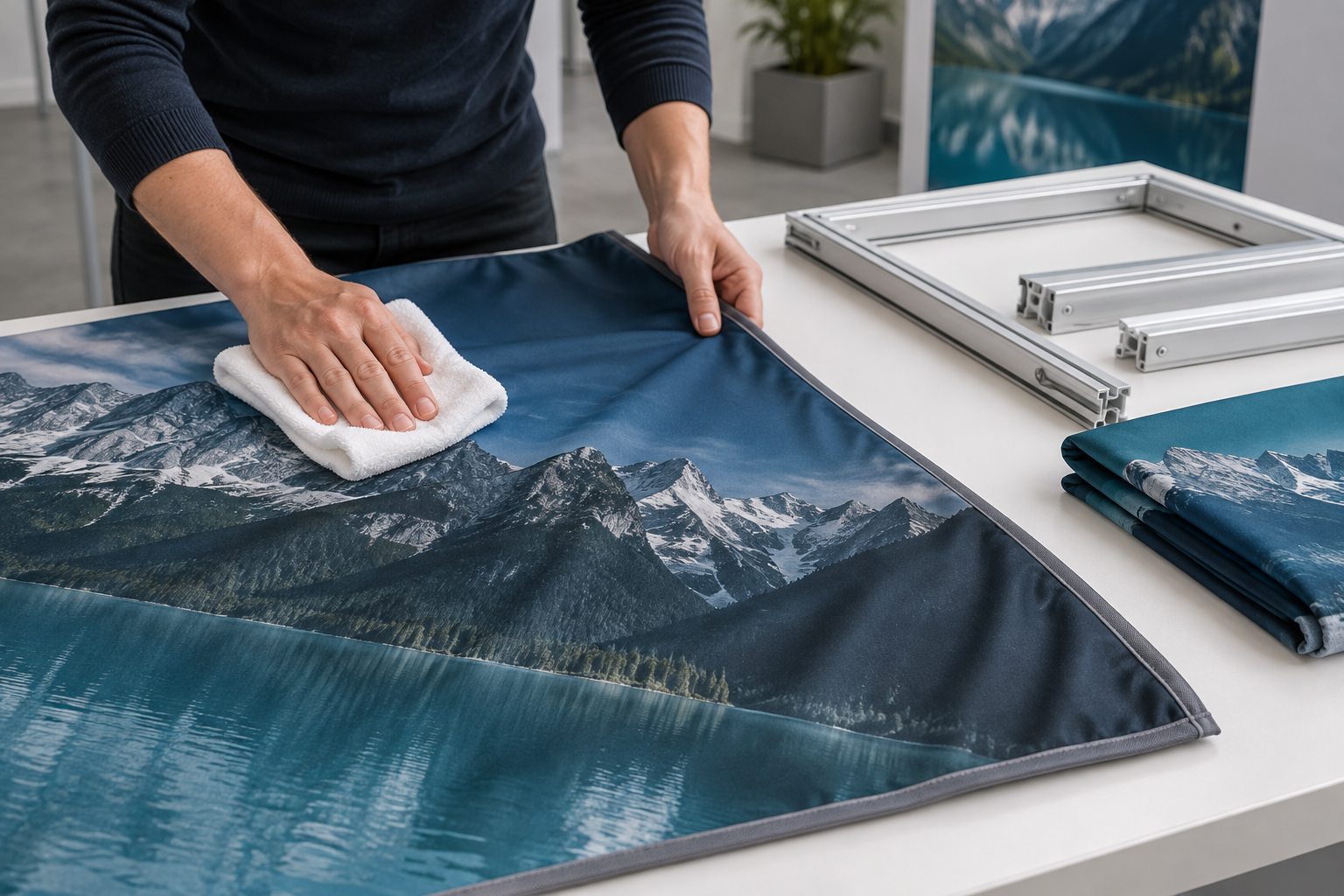
Check the Fabric and Care Label
Do not assume that every polyester graphic is washable. Check the care label, order record, technical sheet, storage bag, or supplier instructions before adding water.
Confirm four details:
- Fabric: stretch polyester, knitted fabric, woven fabric, backlit textile, blockout fabric, or coated fabric.
- Printing: dye sublimation, direct sublimation, pigment printing, UV printing, or another method.
- Backing: white, grey, black, coated, laminated, or uncoated.
- Edge system: silicone edge, zipper, hook-and-loop strip, sleeve, pull tab, or rigid attachment.
Stretch fabric must keep its original size. Even a small amount of shrinkage can stop a zipper from closing or make an SEG panel pull away from its frame channel.
Knitted fabric can catch on rough frame parts, damaged hook-and-loop strips, jewellery, or sharp fingernails. Woven fabric may be less stretchy, but tight folds can leave visible lines after long storage.
Backlit fabric needs extra care. Detergent marks, water rings, and rubbed areas may become much more visible when light passes through the graphic.
For example, graphics used on a tension fabric backdrop booth must keep the correct size and zipper alignment. A graphic may look clean after washing but still be unusable if it has changed shape.
Choose the Lowest-Risk Method
Use the least aggressive method that can remove the dirt. Full washing should not be the first choice for every mark.
| Condition | First Method to Try | Main Risk |
|---|---|---|
| Loose dust, hair, or lint | Soft brush, suitable lint roller, or low-suction vacuum | Pulling fibres or damaging weak seams |
| Fresh water spill | Blot with a clean white towel | Water rings caused by uneven drying |
| Small food or drink mark | Tested spot cleaning | Colour loss, residue, or a larger ring |
| Large dirty area | Ask whether full washing is approved | Shrinkage, coating damage, or uneven cleaning |
| Ink, paint, oil, or adhesive | Prevent spreading and contact the supplier | Solvent damage to ink or coating |
| Peeling backing or changed dimensions | Repair assessment or replacement | Further damage from washing or heat |
| Visible mold | Isolate and inspect all affected layers | Mold remaining inside porous material |
Spot cleaning is often suitable for a small mark, but it is not always safer for backlit or coated fabric. Local wetting can create a visible ring or uneven light transmission. Check the care instructions before treating only one part of a backlit panel.
Inspect the Graphic
Place the graphic on a clean table or white sheet. Use bright, even light and inspect both sides.
Check for:
- Dust, hair, fingerprints, and shoe marks
- Food, drink, grease, makeup, ink, paint, or adhesive
- Water rings and detergent residue
- Musty odour or visible mold
- Fading, scratches, shiny patches, or pulled threads
- Loose seams, zippers, silicone edges, and pull tabs
- Cracked, sticky, or peeling backing
Photograph serious marks before cleaning. For a backlit graphic, take one photograph in normal light and another with the lightbox switched on.
Make sure the mark is dirt rather than permanent damage. Cleaning cannot restore faded ink, scratches, heat damage, cracked backing, or a worn surface.
As a practical rule, compare the mark from about 1 metre and 3 metres away. A faint mark that cannot be seen from the normal visitor distance may not justify a high-risk cleaning method.
Prepare the Cleaning Area
Do not clean the graphic on a warehouse floor, loading dock, venue carpet, or hotel floor. These areas may contain grease, metal particles, tape residue, cleaning chemicals, screws, glass, or moisture.
Use a clean table, white sheet, or clean plastic cover. Remove rings, watches, badges, and tools that could catch the fabric.
Wash and dry your hands before handling the graphic. Use at least two people when the panel is too large for one person to support without folding or dragging it.
Prepare the drying area before starting. Do not wash a large graphic if there is no clean place where the full panel can dry without touching the floor, walls, or equipment.
Use Clean Tools
A basic cleaning kit can include:
- White microfiber cloths
- White absorbent towels
- A clean soft brush
- A low-tack lint roller
- A vacuum with adjustable low suction
- A clean mesh screen for the vacuum nozzle
- Cool clean water
- Supplier-approved mild liquid detergent
- Cotton swabs for testing
- Disposable gloves
- A blunt plastic edge
White cloths make it easier to see whether printed colour is coming off the fabric.
Do not use a cloth that has previously touched bleach, oil, polish, glass cleaner, disinfectant, degreaser, or adhesive remover.
Label every cleaning bottle. In workplaces that use hazardous cleaning chemicals, OSHA requires hazard information to be provided through labels, Safety Data Sheets, and worker training.[2]
Test Before Cleaning
Test the cleaner and method on a hidden area. Suitable locations may include an inside seam, a rear corner, fabric hidden inside the frame, or a section behind a counter.
Where possible, test:
- A dark printed area
- A light or white area
- The back coating
- A seam or edge attachment
Apply a small amount of cleaning solution and allow the area to dry fully.
Stop if you notice:
- Colour on the cleaning cloth
- Fading or ink movement
- A shiny or rough patch
- A water ring
- Sticky or stiff fabric
- Soft, cracked, or peeling backing
- Shrinkage or stretching
- Changes to the zipper or silicone edge
Do not judge the test while the fabric is wet. Damp fabric often looks darker. Check it again after drying and, when relevant, after it is installed under normal tension.
Remove Dust First
Remove dry dust before adding water. Wetting dust or soil can turn it into a darker mark and push it further into the fibres.
Use a lint roller only on strong, stable fabric. A highly adhesive roller can lift loose fibres or damaged coatings.
Use a clean soft brush in one direction. Do not use a brush that has been used on shoes, floors, frames, or machinery.
For a large graphic, use a clean upholstery nozzle with low suction. Keep the nozzle just above the fabric or place a clean screen between the nozzle and textile. The Canadian Conservation Institute recommends weighing the benefit of removing dirt against the possible damage from cleaning and using suitable low-suction equipment for stable textiles.[3]
Do not vacuum directly over loose stitching, tears, pull tabs, damaged silicone edges, peeling coatings, or fragile repairs.
Spot-Clean Small Marks
Use this method only when the fabric allows local wet cleaning:
- Remove loose dry material.
- Place a clean white towel behind the stain when possible.
- Mix a small amount of approved detergent with cool water.
- Dampen a white cloth without soaking it.
- Blot from the outer edge toward the centre.
- Move to a clean part of the cloth after each blot.
- Use another damp cloth to remove detergent residue.
- Press the area with a dry white towel.
- Leave the fabric open until dry.
- Check it under normal lighting and frame tension.
Do not pour detergent directly onto the fabric. Do not scrub. Hard rubbing can spread the stain, remove colour, or create a shiny patch.
Use 2–3 light treatments instead of one aggressive treatment. If the mark shows no clear improvement after the third attempt, stop. More rubbing may damage the printed area without removing the stain.
Treat Common Stains
| Stain | What to Do | What to Avoid |
|---|---|---|
| Clean water | Blot with a dry white towel and allow even airflow. | Rubbing or soaking a larger area |
| Soft drink | Blot, then remove sugar with a damp cloth and weak detergent solution. | Packing the fabric while it still feels sticky |
| Coffee or tea | Blot first and use a tested mild detergent solution. | Hot water, especially when milk or cream is present |
| Food | Lift solids with a spoon or blunt plastic edge before blotting. | Pressing crumbs or sauce into the fibres |
| Grease | Blot with an absorbent towel and use a small amount of diluted detergent. | Acetone, thinner, or industrial degreaser |
| Makeup | Lift thick material, then blot with diluted detergent. | Untested makeup remover or alcohol |
| Ink or paint | Prevent spreading and contact the supplier. | Hand sanitizer, acetone, or ink remover |
| Adhesive | Pull tape back slowly at a low angle. Use a blunt plastic edge for dry residue. | Heat or unapproved adhesive remover |
For an unknown stain, start with dry removal and a hidden-area water test. Do not combine several stain removers. Stop if the mark spreads or the surface changes.
Handle Spills During an Event
Act before the spill spreads through the fabric or reaches the backing.
- Stop the source of the spill.
- Place a white towel behind the graphic when possible.
- Press another towel onto the front.
- Blot instead of wiping.
- Lift solid material with a blunt plastic edge.
- Keep the area open so it can dry.
- Mark the location for inspection after the event.
Do not use an unknown venue cleaner. Products made for carpets, glass, counters, or floors may damage printed fabric.
Do not leave a damp graphic folded overnight. Start drying it as soon as possible and aim to have all damp areas dry within 24–48 hours.
Wash Only With Supplier Approval
Machine washing and hand washing are not standard methods for every exhibition graphic. Wash only when the label or supplier confirms that the fabric, print, backing, seams, and edge system are washable.
Before washing:
- Remove the graphic from the frame.
- Remove detachable hardware.
- Check how the zipper and hook-and-loop strips should be secured.
- Inspect seams, repaired areas, silicone edges, and backing.
- Check the machine or basin for bleach, oil, rust, and sharp objects.
- Prepare a clean drying space.
A mesh laundry bag may protect some small graphics, but it is not suitable for every product. A large graphic forced into a small bag or machine may crease, rub against itself, or rinse unevenly.
For an approved machine wash, follow the supplier’s instructions for temperature, detergent, cycle, and spin speed. Cool water, mild liquid detergent, and a gentle cycle are common recommendations, but they are not permission to wash an unidentified graphic.
Hand washing also requires approval. Move the fabric gently through cool water. Do not scrub, twist, or wring it.
Wet fabric is heavy. Support the full panel when lifting it and use at least two people for a large graphic. Do not lift it by one corner, zipper, pull tab, or silicone edge.
Dry cleaning is not automatically safe or unsafe. Use it only when the supplier confirms that the ink, fabric, coating, adhesive, and edge system are compatible with the process.
Clean SEG Graphics
SEG graphics have a silicone strip sewn around the edge. The strip fits into a channel in the aluminum frame.
Removable panels are a key part of interchangeable SEG fabric displays, but the panel must keep its original size and edge shape.
When removing an SEG panel:
- Start at the pull tab or specified corner.
- Release a short section at a time.
- Support the fabric.
- Do not pull the entire panel from one corner.
- Keep the silicone edge away from the floor.
Inspect the silicone strip for loose stitching, cracks, stretched sections, permanent bends, dirt, and separation from the fabric.
When reinstalling, fit the corners first unless the product instructions specify another order. Press the middle of each side into the channel, then work toward the corners.
Stop if the panel requires unusual force, one side remains loose, the edge keeps leaving the channel, or diagonal wrinkles appear.
Do not cut, heat, or stretch the silicone strip to correct shrinkage. The same checks apply to removable panels used in a custom aluminum SEG exhibition booth.
Clean Zippered Graphics
Check the supplier’s instructions before washing a zippered cover. Some zippers should be closed during washing, while other products may require a different preparation method.
Inspect:
- Zipper teeth
- The slider
- Reinforced zipper ends
- Stitching beside the zipper
- Corner tension
After drying, install the cover on its correct frame and close the zipper slowly.
Do not force a zipper that no longer aligns. The cover may have shrunk, stretched, or changed shape. Forcing it can break the slider or tear the seam.
Clean Backlit Graphics
Backlit fabric must be checked with the light switched on. A small cleaning mark may be invisible on a table but obvious inside a lightbox.
Before removing a lightbox graphic, switch the unit off and unplug it.
Clean the frame and fabric separately. Do not allow water or cleaning solution to enter:
- LED strips
- Power supplies
- Electrical connectors
- Cables
- Switches
After the graphic is completely dry:
- Clean and dry the frame channel.
- Reinstall the panel.
- Switch on the lightbox.
- Inspect it from about 1–3 metres away.
Look for dark rings, light rubbed areas, detergent streaks, dirty edge lines, folds, or damp sections.
Stop using the lightbox if you notice a burning smell, flickering, damaged cables, visible moisture, loose connectors, or unusual heat.
Clean Hanging Graphics
Lower and support a hanging graphic before cleaning it. Do not try to clean an overhead panel while it remains suspended.
A large hanging banner display may contain long seams, sleeves, zippers, and attachment points. Inspect these parts before the banner is used again.
Cleaning the fabric does not prove that the rigging is safe. Cables, connectors, frame joints, and suspension points should be checked separately by a qualified person according to the venue’s rules.
Dry the Graphic Safely
The graphic must be completely dry before folding, rolling, sealing it in a bag, or placing it in long-term storage.
The EPA recommends drying wet or damp materials within 24–48 hours after a spill or leak because quick drying reduces the chance of mold growth.[4]
Air drying is usually the lowest-risk method when heated drying is not approved.
Use a drying area with:
- Good airflow
- Low dust
- No direct heat
- No dirty or damp walls
- No rusty rails or sharp parts
- Enough support for the full graphic
Do not hang a large wet panel from one corner. The weight can stretch the fabric, zipper, seam, or silicone edge.
Avoid radiators, heat guns, high-temperature hair dryers, open flames, and prolonged direct sunlight unless the supplier approves the method.
Check the areas that dry slowly:
- Seams
- Zippers
- Silicone edges
- Folded sections
- Reinforced corners
- Double-layer fabric
- Coated backing
Some non-electrical tension graphics may be installed while slightly damp if the supplier specifically recommends drying them under frame tension. Do not use this method for an electrical lightbox or unidentified fabric.
Remove Wrinkles
Many light storage creases relax after the graphic is installed under normal tension. Assemble the display early enough to check the result before the event.
As a practical rule, unpack and install an important display 24–48 hours before the event. This leaves time for wrinkles to relax and for damaged graphics to be cleaned, repaired, or replaced.
Do not use more heat when a wrinkle is caused by shrinkage, a failed seam, incorrect installation, cracked backing, or permanent heat damage.
Use a garment steamer only when approved. Work from the back when possible, use the lowest effective setting, and keep the steamer moving.
Do not press the metal steamer head against the fabric. Keep steam away from electrical parts, adhesives, and sensitive coatings.
Use an iron only when the care label allows it. Use low heat, work from the back, and place a clean pressing cloth between the iron and the graphic.
Check the Fit After Cleaning
A clean graphic is not ready until it has been tested on the correct frame.
- Confirm that the panel is dry.
- Measure it if original dimensions are available.
- Install it on the actual frame.
- Check every corner and edge.
- Close the zipper or insert the silicone strip.
- Inspect the printed image.
- Check the seams and pull tabs.
- View the display from about 1–3 metres away.
- Switch on the lighting when applicable.
Look for excessive tension, loose areas, diagonal wrinkles, curved text, distorted logos, zippers that do not close, or silicone edges that leave the channel.
Clean the Frame
A dirty frame can immediately mark a clean graphic.
Clean and inspect:
- Aluminum tubes and profiles
- SEG channels
- Base plates and feet
- Connectors and brackets
- Countertops
- Magnetic strips
- Zipper contact areas
- Transport cases
Apply cleaner to the cloth instead of spraying it directly onto the frame. Dry every part before assembly.
Check for sharp edges, metal filings, loose screws, rust, grease, lubricant, and tape residue.
Do not use the same cloth on the frame and fabric. A cloth used on the base plate or transport case may transfer dirt back to the graphic.
Avoid Unsafe Chemicals
Do not use these products unless the graphic supplier approves them:
- Chlorine or oxygen bleach
- Acetone or nail polish remover
- Paint thinner
- Strong alcohol
- Industrial degreaser
- Carpet cleaner
- Upholstery shampoo
- Adhesive remover
- Furniture polish
- Glass cleaner
- Hand sanitizer
- Multi-surface wipes
“Colour-safe,” “natural,” or “gentle” does not mean that a product is safe for printed exhibition fabric.
Never mix cleaning products. The CDC warns that household chlorine bleach can release dangerous gas when mixed with certain other cleaning products.[5]
Follow the product label and Safety Data Sheet. Use gloves, eye protection, and ventilation when required.
Prevent and Handle Mold
Mold usually appears because the fabric, bag, foam, case, or storage room stayed damp.
The EPA recommends keeping indoor humidity at about 30–60% RH to reduce mold growth and drying damp materials within 24–48 hours.[6]
The Canadian Conservation Institute notes that relative humidity between 65% and 100%, warm temperatures, and poor air movement promote mold growth on textiles.[7]
For practical storage, aim for a stable, dry room and avoid keeping fabric for long periods at or above 65% RH.
Reduce the risk by:
- Drying every part before packing
- Cleaning spills before storage
- Keeping cases off damp concrete floors
- Checking walls and pipes for leaks
- Removing wet towels and food from the case
- Inspecting stored graphics every 1–3 months when they are valuable or rarely used
- Investigating repeated musty odours
The 1–3 month inspection interval is a practical recommendation, not a universal industry rule. Storage areas with known humidity problems should be checked more often.
Do not use fragrance spray to hide a musty smell.
If mold is visible, isolate the graphic and inspect the fabric, backing, bag, foam, frame, case, and storage area. Do not dry-brush mold in an occupied indoor area.
Professional assessment or replacement may be necessary when:
- Mold covers a large area.
- It has entered a backing, foam, or lining.
- The smell remains after drying.
- The graphic stayed wet for more than 48 hours.
- Mold returns after cleaning.
- The material cannot be dried fully.
Protect Flame-Test Documents
Some exhibition fabrics are supplied with flame-test reports or venue compliance documents. Cleaning may affect a surface-applied treatment or make an existing report unsuitable for the cleaned material.
Before washing a graphic that must meet fire requirements, check:
- Which fabric and production batch the report covers
- Whether washing is allowed
- Whether the treatment is permanent or surface-applied
- Whether the report remains applicable after cleaning
- Whether the venue accepts the document
- Whether retesting or retreatment is required
NFPA 701 contains test methods used to assess flame propagation in textiles and films. Passing the test should not be treated as permanent approval for every cleaning history, installation, or venue.[8]
Do not apply household flame-retardant spray, waterproofing spray, starch, or fabric protector without approval. These products may change the print, flexibility, smell, or fire performance.
Fold or Roll the Graphic
Follow the original supplier packing method when available.
Flexible stretch covers may be folded loosely if the supplier allows it. Use existing seams where possible and avoid making the same sharp fold repeatedly.
Do not fold directly through:
- Silicone edges
- Zippers
- Pull tabs
- Thick seams
- Coated areas that may stick together
Flat storage supports the full textile and reduces stress from its own weight. The Canadian Conservation Institute recommends keeping folds to a minimum when textiles are stored flat.[9]
Large flat or coated graphics may store better on a clean tube. Keep the edges straight, use even pressure, and do not place tape directly on the printed surface.
Do not fold a graphic in half before rolling it. Use a clean support tube with a suitable diameter. Weak or badly damaged textiles should be stored flat rather than rolled.[10]
Separate Fabric From Hardware
Do not pack the graphic directly against base plates, frame tubes, screws, connectors, tools, or cables.
These items can cause:
- Punctures
- Grease marks
- Rust stains
- Abrasion
- Pressure lines
- Permanent folds
Use a separate clean fabric bag. Keep cleaning liquid, food, drinks, tape, dirty gloves, and damp towels out of the graphic compartment.
Store the Display Correctly
Use a clean, dry storage room. Where possible, keep the room within about 30–60% RH and avoid prolonged conditions above 65% RH.
Keep cases away from leaking pipes, damp exterior walls, direct sunlight, heaters, and industrial chemicals.
Raise cases at least a small distance above concrete floors so minor leaks or floor moisture are easier to detect. Do not place heavy equipment on top.
A graphic packed closely for transport should not remain compressed for several months. Repack it for long-term storage when the shipping arrangement creates strong folds or pressure.
Keep the product name and storage label visible so staff do not repeatedly unpack the wrong graphic.
Check Before and After Events
For an important exhibition, unpack and assemble the display 24–48 hours before opening. This is a practical planning range rather than a mandatory industry standard.
Before each event:
- Check for stains, moisture, mold, and odour.
- Install the graphic on the correct frame.
- Test zippers and silicone edges.
- Check seams, pull tabs, and backing.
- Clean the frame.
- Test the lighting.
- Confirm that the printed information is current.
- View the final display from about 1–3 metres away.
After each event:
- Inspect both sides.
- Remove loose dust when present.
- Treat fresh compatible stains.
- Dry every damp area within 24–48 hours.
- Check seams, zippers, and silicone edges.
- Clean the frame and case.
- Record damage and cleaning work.
- Pack the fabric away from hardware.
Do not place the graphic on wet venue floors or pack it while cleaning chemicals are being sprayed nearby.
Keep a Maintenance Record
Create one record after every full wash, spot treatment, repair, or serious spill.
Record:
- Graphic name and size
- Cleaning date
- Type and location of the stain
- Cleaner or detergent used
- Number of cleaning attempts
- Drying time
- Changes in size, colour, texture, or backing
- Problems found during installation
- Repairs completed
These records make it easier to see whether the graphic is shrinking, collecting the same type of stain, or becoming more expensive to maintain than to replace.
Repair or Replace
Small edge problems may be repairable, including loose secondary seams, damaged zipper pulls, torn pull tabs, worn hook-and-loop strips, and short detached sections of silicone edge.
Use the original supplier or a repair service familiar with tension graphics. The thread, zipper, silicone size, seam position, and finished dimensions must match the frame.
Do not use staples, safety pins, household glue, or strong tape on a visible or load-bearing area.
Replace the graphic when:
- The stain remains visible from about 1–3 metres away.
- The mark covers important text, a logo, a face, or a product image.
- The print has faded or rubbed away.
- The graphic no longer fits.
- The backing is peeling or sticky.
- Mold cannot be removed safely.
- Main seams continue to fail.
- The zipper no longer aligns.
- The silicone edge is badly distorted.
- The printed information is outdated.
- Required fire documents are missing.
- Cleaning is creating a larger damaged area.
- Repair cost is close to replacement cost.
A small mark that cannot be seen from the aisle may not justify a risky chemical treatment. Repeated cleaning can turn a faint stain into a large faded or shiny area.
Conclusion
Safe fabric display care depends on four details: the fabric, printing method, backing, and edge system. Remove dry dust first, test cleaners on a hidden area, and stop after two or three gentle attempts if a stain does not improve. Dry damp fabric within 24–48 hours and avoid long-term storage above 65% RH. Before an important event, assemble the display 24–48 hours early and inspect it from 1–3 metres away. Keep fabric separate from metal hardware, record every major cleaning or repair, and replace graphics that no longer fit, remain visibly stained, or have damaged backing, seams, or silicone edges.


