Quick answer: Choose an SEG lightbox that fits the usable booth space, produces even light across the finished fabric graphic, meets the venue’s electrical and fire rules, and can be installed, packed, transported, and repaired at a reasonable cost. Do not choose by frame price, LED quantity, or frame thickness alone.
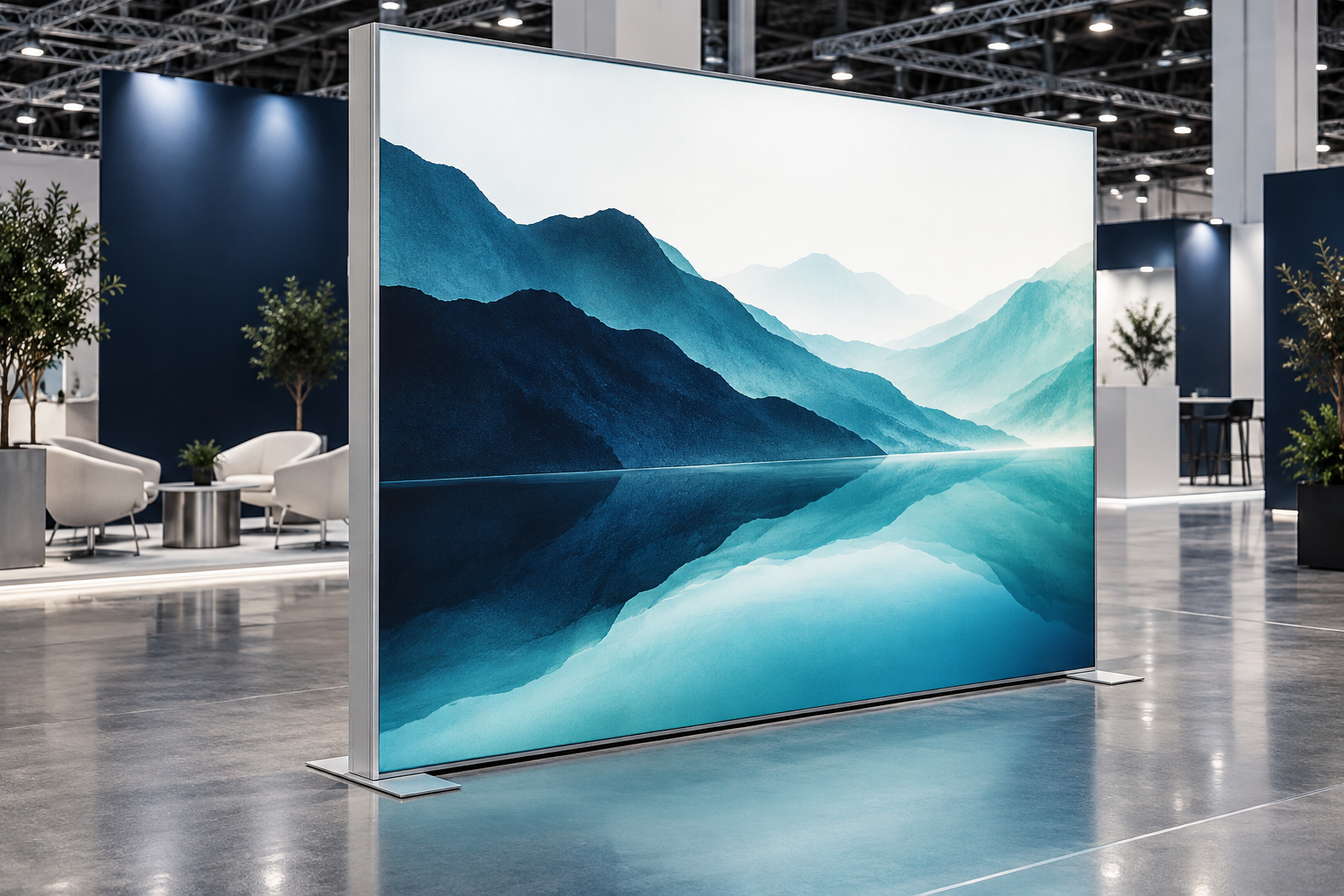
SEG means Silicone Edge Graphic. A silicone strip is sewn around the edge of a printed fabric graphic and pushed into a channel in an aluminum frame. This pulls the fabric tight and creates a smooth display without visible clips. The frame, LEDs, drivers, fabric, print, silicone edge, connectors, feet, and cases should be checked as one complete system.
Quick SEG Lightbox Reference
| Item | Useful Planning Reference |
|---|---|
| Common booth examples | 3 × 3 m, 3 × 6 m, or 6 × 6 m |
| Direct-lit frame depth | About 80–120 mm |
| Edge-lit frame depth | About 40–80 mm |
| Finished-graphic luminance | About 800–1,500 cd/m² for an initial indoor comparison |
| Uniformity test | At least 9 points: center, 4 corners, and 4 edge midpoints |
| Practical uniformity target | Lowest reading at least 75%–80% of the average reading |
| Common LED color temperature | About 5,000–6,500 K |
| Driver power reserve | About 10%–20% above the normal operating load |
| Initial operating test | About 60–120 minutes |
| Planned daily event use | Often 8–12 hours per show day |
| Two-person setup allowance | About 20–40 minutes after training for a standard 3 m wall |
| First-time setup allowance | About 40–60 minutes for the same wall |
| One-person case-weight target | Preferably below about 25–30 kg |
| Touring spare LED modules | About 2%–5% of the installed quantity |
These figures are practical planning references, not universal standards. The correct values depend on the lightbox size, optical design, fabric, venue lighting, local rules, transport method, and supplier instructions.
Start With the Booth, Not the Product
Decide what the lightbox must do before asking for a quotation. A back wall, freestanding tower, double-sided aisle display, reception counter, and hanging sign require different frames, bases, wiring, graphics, and cases.
Answer these questions first:
- How many events will use the lightbox?
- Will the booth size stay the same?
- Who will install and dismantle it?
- Will it travel by car, truck, courier, or air?
- Will it be used for interviews, photography, or livestreaming?
- Will monitors, shelves, counters, or products be attached?
- Will replacement graphics need to be printed locally?
A one-time overseas event may be cheaper to rent or produce locally. A system used at several events needs reusable sections, replaceable parts, clear graphic templates, manageable cases, and reliable technical support.
For a standard illuminated back wall, review the construction of a SEG lightbox exhibition booth. For a complete stand with several walls, counters, and display areas, an aluminum exhibition booth may be easier to plan as one connected system.
Measure the Usable Booth Space
A 3 × 3 m booth does not always provide 3 m of free wall space. Base plates, power boxes, storage rooms, counters, neighboring stands, and required walkways may reduce the usable area.
Measure:
- Maximum frame width and height
- Floor space needed for feet or base plates
- Distance from the frame to the aisle
- Space behind the frame for cables and repairs
- Power-outlet position and cable route
- Door, elevator, loading-bay, and case dimensions
- Space needed to install and remove the fabric
- Space needed to reach drivers and connectors
Ask the supplier for three separate dimensions:
- Overall frame size: the complete outside dimensions
- Visible graphic size: the area visitors can see
- Production graphic size: the fabric size used for printing and sewing
These dimensions are not interchangeable. Fabric stretch, silicone width, sewing position, frame joints, and channel shape affect the finished graphic. Always use the supplier’s approved artwork template rather than calculating the fabric size from the frame dimensions.
Check the Event Rules
A lightbox can fit inside the booth but still be rejected because of height, power, fire, rigging, or walkway rules.
Read the event manual before production and check:
- Maximum booth and side-wall height
- Sightline and setback rules
- Open-side requirements
- Hanging-sign restrictions and deadlines
- Electrical-service rules
- Fire-document requirements
- Floor-loading limits
- Emergency-exit clearance
- Sprinkler and smoke-detector clearance
- Official contractor or union labor requirements
Written approval is especially important for suspended signs, enclosed rooms, tall freestanding walls, and frames carrying monitors or products. Approval from the organizer may not replace approval from the venue, electrician, rigger, or local authority.
Choose the Right Lightbox Type
| Type | Best Use | Main Checks |
|---|---|---|
| Wall-mounted | Booths with an existing rigid wall | Wall strength, fixing points, driver access, cable route, ventilation |
| Freestanding | Reusable back walls and dividers | Base size, approved height, bracing, trip risk, public contact |
| Single-sided | Displays with the rear facing a wall or storage area | Rear cover, light leakage, wiring access, total depth |
| Double-sided | Island booths, entrances, and aisle displays | Light on both sides, heat, power, graphic access, repair access |
| Modular | Brands using different booth sizes | Approved layouts, shared parts, graphic sizes, future compatibility |
| Hanging | Long-distance visibility in large halls | Total weight, lifting points, rigging approval, power drop, deadlines |
Do not choose by appearance alone. A thin frame may pack well but require a more carefully designed LED layout. A heavy base may improve stability but make transport harder. A double-sided system may improve visibility but use more power and take longer to repair.
Not every booth surface needs lighting. A tension fabric backdrop booth can be combined with one illuminated feature wall to reduce power, packed weight, and cost. If overhead lighting is not essential, compare a suspended lightbox with a lighter tension fabric hanging banner.
Compare Direct-Lit and Edge-Lit Systems
Direct-lit lightboxes place LEDs behind the fabric and point them toward the graphic. A practical frame-depth range for many exhibition systems is about 80–120 mm. Larger LED spacing or narrower lenses may require more depth to prevent bright dots and dark gaps.
Edge-lit lightboxes place LEDs around one or more edges and guide light across the display. A practical planning range is about 40–80 mm, although large formats may need more space to avoid bright edges and a dark center.
These depth ranges are not quality grades. A well-designed 80 mm direct-lit frame may perform better than a poorly designed 120 mm frame. Compare the finished product using the final fabric rather than judging the profile alone.
Measure the Finished Lightbox
The number of LEDs does not show how the completed graphic will look. The result depends on LED spacing, lenses, frame depth, reflective surfaces, fabric diffusion, driver quality, cables, and internal connectors.
Ask for luminance in cd/m² instead of accepting a vague “high brightness” claim. The Illuminating Engineering Society explains that luminance is measurable, while brightness is commonly used for a person’s visual impression.[1] The SI unit of luminance is candela per square meter.[2]
For an indoor trade show, about 800–1,500 cd/m² can be used as an initial comparison range for the finished graphic. This is not a universal pass mark. A dark hall may need less output, while strong overhead lighting or nearby LED screens may require more.
Measure the lightbox with the finished fabric installed. A report based on bare LEDs does not show the visible result. Record the graphic material, dimming level, measurement direction, room conditions, and measurement points.
Test Lighting Uniformity
Use at least nine measurement points:
- One point in the center
- Four points near the corners
- Four points at the middle of each edge
A useful calculation is:
Uniformity ratio = lowest measured luminance ÷ average luminance of all measured points
For a practical purchasing target, the lowest reading should be at least about 75%–80% of the average. For example, if the average is 1,000 cd/m², the lowest point should ideally remain around 750–800 cd/m² or higher.
Also inspect frame joints, areas around drivers, and spaces crossed by cables. A nine-point test can miss a narrow dark line or local hot spot.
Test with:
- White and light-gray graphics
- Large solid-color areas
- Dark images
- Brand colors
- Small text
- Human faces
- The final artwork
White and light gray make dark corners, LED lines, bright spots, and section differences easier to see. View the wall from the front, from both sides, and from the normal visitor distance. A busy image can hide lighting problems.
Check Color Temperature and Graphic Color
Many exhibition lightboxes use LEDs in the 5,000–6,500 K range. A lower number looks warmer and more yellow, while a higher number looks cooler and more blue. The exact choice matters less than keeping all sections consistent.
Record the LED brand, module model, production batch, color temperature, and driver model. Adjacent sections should use matched LEDs. For an important touring wall, order spare modules from the same batch where possible.
Do not use CRI as the only proof of graphic color accuracy. CRI measures how the color of objects changes when they are lit by a light source.[3] A backlit print is also affected by the fabric, ink, print profile, LED spectrum, and dimming level.
If the lightbox also lights nearby physical products or people, CRI 80 can be used as a basic reference and CRI 90 or higher may be preferable for cosmetics, food, fashion, or skin tones. The final decision should still be based on an illuminated production sample.
Check Flicker and Dimming
Some LED drivers and dimmers create moving bands, pulsing, or exposure changes on camera. The U.S. Department of Energy notes that LED flicker, formally called temporal light modulation, is strongly affected by the current waveform from the driver and dimmer.[4]
Test the lightbox at full output, medium output, and the lowest setting you expect to use. Use the same camera, frame rate, and shutter settings planned for the event.
A phone can find obvious problems, but it is not a laboratory measurement. Rolling shutter and automatic exposure can create or exaggerate bands. A booth used for interviews or livestreaming should be tested with the actual production camera.
A useful dimming system should:
- Adjust smoothly
- Keep all sections at a similar output
- Avoid sudden brightness jumps
- Maintain a stable white tone
- Restart at a predictable setting
- Avoid visible camera flicker
Check Heat and Driver Load
Exhibition lightboxes may operate for 8–12 hours per day. A five-minute factory demonstration is not enough to reveal heat or driver problems.
Run the complete production unit for about 60–120 minutes as an initial check. Record the room temperature, operating power, dimming level, driver temperature, frame temperature, smell, noise, visible color change, and unexpected shutdowns.
This test can identify obvious problems, but it does not prove the product’s full service life. LED reliability depends on the complete system, including LEDs, drivers, connectors, heat control, operating hours, and transport stress.[5]
Avoid running a driver continuously at 100% of its rated capacity. A practical design target is to leave about 10%–20% power reserve. For example, a lighting zone drawing 80 W can be paired with a driver rated around 90–100 W, provided the output voltage and current also match the LED system.
More driver capacity is not automatically better. An oversized driver still needs the correct output range and dimming compatibility.
Check the Fabric and Print
Use fabric made for backlighting. Ordinary display fabric may look dull, show LED points, or reveal shadows from internal parts.
Request:
- Fabric material and weight
- Stretch direction
- Print method
- Light-diffusion performance
- Cleaning method
- Rolling or folding method
- Wrinkle recovery
- Flame-test document
The fabric must pass enough light to keep the display clear while hiding the LEDs behind it. A material that blocks too much light looks dull. A material that passes too much light may show dots, cables, and internal shadows.
Approve the print while it is installed and illuminated. Check it unlit, at full output, and at the planned event setting. Include the logo, brand colors, neutral gray, black, gradients, product colors, small text, and skin tones where needed.
Do not approve color from a computer screen alone. A screen produces light, while printed fabric passes and spreads light. When several graphics form one wall, use the same fabric and print batch where possible.
For campaigns that change often, read more about interchangeable SEG fabric displays and confirm that local printers can follow the same fabric, silicone, sewing, and finished-size specifications.
Check the Silicone Edge
The silicone strip must match the frame channel. If it is too thin, the graphic may come loose. If it is too thick, installation may damage the fabric or pull the frame out of shape.
Check:
- Silicone width and thickness
- Silicone hardness
- Sewing position
- Corner construction
- Finished graphic size
- Fabric stretch direction
- Top, bottom, left, and right labels
Test-fit every production graphic before shipping, especially when the frame and print come from different suppliers. Small differences in silicone or sewing position can create loose edges, twisted corners, or excessive installation force.
Check Frame Stability
Build the frame on a flat floor and compare its two diagonal measurements. Install the graphic and check again because fabric tension can pull a weak frame out of square.
Inspect:
- Profile shape and wall thickness
- Joints and corner alignment
- Internal supports
- Fasteners and locks
- Cable channels
- Feet and base plates
- Sharp or unfinished edges
- Replacement-section availability
Frame strength cannot be judged from aluminum thickness alone. Total size, profile shape, connectors, supports, feet, and final layout all matter.
Test a freestanding wall with its final graphic, feet, cables, and accessories installed. Do not attach monitors, shelves, counters, or products unless the exact configuration has been designed for those loads.
Protect Visitors and Walking Routes
Keep feet and cables inside the booth. Do not allow base plates, brackets, shelves, or power cords to extend unexpectedly into a walkway.
Check for:
- Sharp edges
- Unstable feet
- Cables across walking areas
- Hot accessible surfaces
- Loose graphics
- Low-level obstacles
- Projecting monitor brackets
- Blocked exits or accessible routes
Local access and safety rules vary. Where a cable must cross an approved floor area, use a cable protector accepted by the venue.
Check Power and Electrical Documents
Request the total power draw for the complete lightbox, not the theoretical rating of one LED strip.
Confirm:
- Input voltage and frequency
- Plug type
- Maximum wattage
- Driver output voltage and current
- Grounding method
- Cable length and rating
- Switch and driver locations
- Number of power connections
- Maximum permitted daisy chain
- Wiring-zone diagram
Calculate the complete booth load, including lightboxes, monitors, computers, chargers, product lighting, appliances, and demonstration equipment. Do not connect the entire booth to one unverified extension cable.
For U.S. events, OSHA requires cord-and-plug equipment and extension cords to be visually checked for defects such as missing pins, damaged insulation, or crushed jackets before use.[6] Other countries and venues have their own requirements.
A certified LED or driver does not automatically mean the complete lightbox has the same approval. UL explains that a Recognized Component is intended to be built into a larger end product and is not certification of a complete standalone product.[7]
Ask for documents that match the actual model, voltage, driver, frame, production site, and destination market. Send them to the organizer or venue before shipping.
Check Fabric Fire Documents
The graphic and other textile parts may require flame-test documents. NFPA 701 is a test standard for flame propagation of textiles and films.[8] It is not automatic approval for every venue.
The document should match:
- The actual fabric
- The fabric weight
- The print and finishing process
- The production supplier
- The requirements of the destination event
Rear covers, blackout liners, curtains, and other fabric parts may need separate documents. Ask the organizer what it accepts before production.
Test Setup Time
Ask for a complete setup video that starts with opening the cases and ends with a finished, powered display. Edited videos often remove difficult steps.
For initial planning, allow about 20–40 minutes for two trained people to assemble a standard 3 m modular wall. A first-time team may need about 40–60 minutes. Larger walls, double-sided frames, attached accessories, unclear labels, and difficult graphics can take longer.
Measure the real process from opening the cases until:
- The frame is stable
- The fabric is smooth
- Every lighting zone works
- Cables are safe
- Empty cases and packaging are removed
Record the number of installers, required tools, setup time, graphic-installation time, difficult connections, loose parts, dismantling time, and repacking time.
A “tool-free” frame may still need tools for feet, brackets, screens, or electrical access. Number every section, label left and right parts, protect electrical plugs, and mark the top of each graphic.
The DRYPAX booth setup case shows why clear video instructions and labeled parts matter when customers assemble custom lightbox booths without on-site factory technicians.
Check Cases and Packed Weight
Request the actual loaded size and weight of every case. Compare them with airline, courier, elevator, loading-dock, and manual-handling limits.
When one person is expected to move a case, keeping the loaded weight below about 25–30 kg is a useful internal target. This is not a legal lifting limit. Case shape, handles, wheels, stairs, distance, and local workplace rules also matter.
A hard case protects parts better but adds weight and volume. One large case may be difficult to move, while many small cases are easier to handle but easier to separate.
Each case should include:
- A case number
- A packing list
- A photo of the correct part layout
- The loaded weight
- A destination label
- Contact information
Store graphics separately from dirty feet, sharp connectors, and tools. Follow the approved rolling or folding method for the fabric.
Prepare Spare Parts
Before ordering, ask which parts can be replaced on-site. Useful spares include LED modules, drivers, cables, connectors, corner pieces, feet, fasteners, dimmers, and a complete replacement graphic.
For a lightbox that travels to several events, keeping spare LED modules equal to about 2%–5% of the installed quantity is a practical starting point. A system using 100 modules could therefore travel with about 2–5 matching spares.
Keep at least one spare driver for each driver model used in the booth. A very large system or an event far from technical support may need more.
Get part numbers, prices, lead times, wiring maps, and replacement instructions before the first event. A good design allows one failed lighting zone to be repaired without turning off the complete wall.
A portable system is valuable only when it remains practical after several trips. This guide to portable SEG lightboxes provides more detail on sectional frames, transport, and reusable graphics.
Compare the Real Cost
Do not compare only the factory price. Calculate the cost over the number of events you realistically expect to use the system.
Total lifetime cost = frame and lighting + graphics + cases + freight + customs + venue handling + electrical service + installation + dismantling + storage + repairs
Estimated cost per use = total lifetime cost ÷ expected number of uses
For example, a system costing $6,000 to buy and prepare, with $4,000 in total transport, labor, storage, and repair costs over ten events, has an estimated cost of $1,000 per event:
($6,000 + $4,000) ÷ 10 events = $1,000 per event
This calculation should then be compared with rental or local-production quotations for the same ten events.
Buying usually makes more sense when booth sizes repeat, storage is available, and graphics change more often than the frame. Renting may be better for one-time overseas events, changing booth sizes, short setup windows, or locations with expensive freight and official labor.
Ask each supplier to quote the same scope. Check whether the price includes graphics, feet, rear covers, dimmers, cables, cases, spare parts, setup hardware, drawings, and final testing.
Compare Suppliers Using Evidence
Score suppliers in these areas:
- Fit with the booth and venue
- Lighting uniformity
- Graphic quality and fit
- Frame stability
- Electrical documents
- Setup time
- Packed size and weight
- Repair and spare-part support
- Warranty response
- Total lifetime cost
Give more value to drawings, test reports, live demonstrations, labeled samples, and written specifications than to claims such as “premium,” “maximum brightness,” or “lifetime use.”
Do not allow the supplier to change the LED module, driver, fabric, silicone, connector, frame profile, or electrical design without written approval. A cheaper replacement can change light output, white tone, heat, graphic fit, document validity, and repair compatibility.
Complete a Final Inspection
Inspect the complete production unit rather than a small sample.
- Confirm the model, serial number, and all dimensions.
- Measure the frame diagonals.
- Install every production graphic.
- Check corners, seams, tension, and silicone fit.
- Turn on every lighting section.
- Test white, light gray, brand colors, dark areas, and final artwork.
- Record luminance at the agreed measurement points.
- Calculate the uniformity ratio.
- Check dimming and camera flicker.
- Run the unit for the agreed operating-test period.
- Switch the system off and restart it.
- Dismantle and repack the system.
- Weigh and photograph every loaded case.
If you cannot visit the factory, request a live video inspection. Ask the supplier to show the serial number, measure the frame, switch individual lighting zones, install and remove the graphic, show the internal wiring, and weigh the packed cases.
Release final payment only after the agreed checks have been completed and recorded faults have been corrected.
Warning Signs
Be cautious when a supplier:
- Cannot provide exact frame and graphic dimensions
- Shows only computer renderings
- Refuses a white or light-gray lighting test
- Cannot identify the LEDs, drivers, or fabric
- Uses unclear certification claims
- Provides no wiring diagram or packed weight
- Does not test-fit production graphics
- Has no assembly guide or spare-part list
- Changes components without written approval
- Calls a system modular but provides no layout drawings
- Cannot confirm future graphic and part compatibility
Final Summary
A practical SEG lightbox should pass measurable checks before shipment. Ask for three separate graphic-related dimensions, test the finished wall at at least nine lighting points, and use a 75%–80% minimum-to-average ratio as an initial uniformity target. Allow 60–120 minutes for an operating check, keep about 10%–20% driver capacity in reserve, and record the actual weight of every case. A touring system should also include matching LED modules, at least one spare driver for each model, clear wiring maps, and tested production graphics. These details matter more than the lowest price or thinnest frame.


