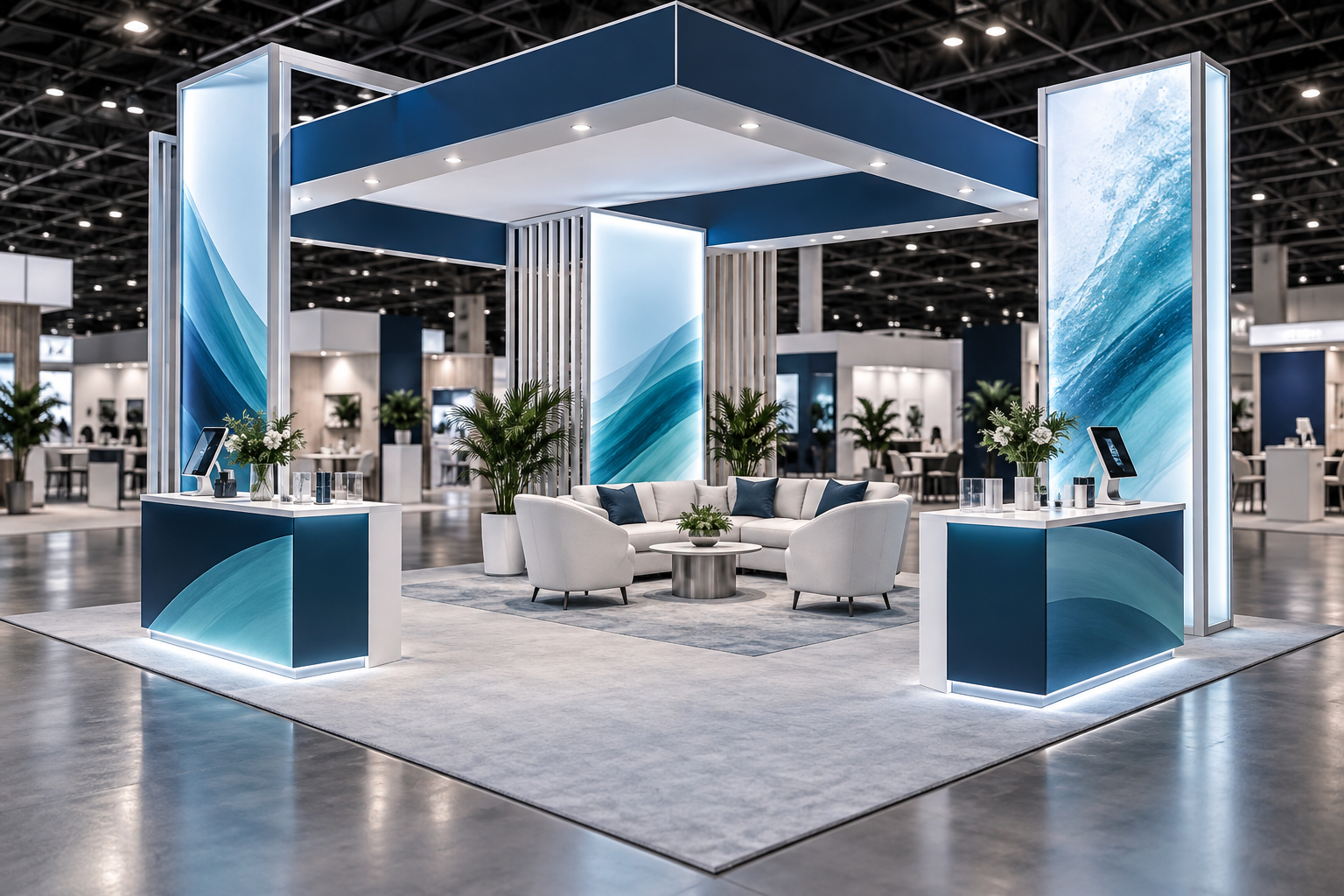
A 20×20 trade show booth provides 400 square feet of floor space. It measures 20 feet by 20 feet, or about 6.10 meters by 6.10 meters, with a total area of about 37.16 square meters. It has an 80-foot perimeter and provides four times the area of a 10×10 booth or twice the area of a 10×20 booth.
The extra space can support products, demonstrations, meetings, storage, media, and several staff roles. It can also make the exhibit harder to understand. A 20×20 booth should not be treated as four separate 10×10 booths. It should work as one space where visitors can understand the offer, enter easily, reach the right person, and leave with a clear next step.
The best design is not the one that fills every square foot. It is the one that gives every area a clear business purpose.
Start With One Main Goal
Choose the main result before selecting walls, counters, screens, or furniture. Common goals include generating qualified leads, launching a product, running demonstrations, meeting customers, finding distributors, or entering a new market.
Make the goal measurable. “Increase brand awareness” is too broad to guide a floor plan. A goal such as “complete 100 qualified conversations and book 25 technical follow-up meetings” gives the team a number it can plan around.
A practical goal has three parts:
- Primary result: the outcome the booth must deliver
- Secondary results: one or two useful extra outcomes
- Operating limit: something the design must not compromise
For example, lead generation may be the primary goal, product demonstrations may be secondary, and keeping the main entrance clear may be the operating limit.
Break the target into daily and hourly work. A goal of 120 qualified conversations during a three-day event equals 40 conversations per day. If the booth has seven active selling hours each day, the team must average about six qualified conversations per hour. If one qualified conversation lasts about 12 minutes, one continuously occupied conversation point can handle a theoretical maximum of five conversations per hour. The plan would therefore need at least two active conversation points, shorter conversations, or additional capacity during peak periods.
Define the Visitors That Matter
Do not design for “everyone.” Choose the two or three visitor groups that matter most and decide what each group needs to see.
| Visitor | Main Question | Useful Booth Content | Next Step |
|---|---|---|---|
| Purchasing manager | Can this supplier deliver reliably? | Product range, service process, delivery information, customer examples | Sales meeting or proposal |
| Engineer | Will the product work in our system? | Specifications, test data, compatibility details, demonstration | Trial, sample, or technical call |
| Distributor | Can I sell and support this product? | Product range, training, partner terms, market support | Partner review |
| Existing customer | What should we add or upgrade? | Roadmap, upgrade options, application examples | Account follow-up |
Also consider the buying stage. A first-time visitor may need a simple explanation, while someone evaluating an active project may need detailed proof and time with a specialist.
Confirm the Booth Type and Show Rules
A 20×20 space may be an island booth, a peninsula booth, a split-island booth, or another event-specific configuration. IAEE model guidelines describe an island booth as open to aisles on all four sides, a peninsula booth as open on three sides, and a split-island booth as two peninsula booths sharing a back wall. The same guidelines make clear that organizers and facilities set the rules that apply to a specific event.[1]
Before approving the design, confirm:
- The official booth classification and open sides
- Maximum structure and sign height
- Wall setbacks and sightline rules
- Rules for exposed wall backs and double-sided graphics
- Hanging-sign and rigging approval
- Fire-resistant material requirements
- Columns, floor boxes, fire equipment, and building obstructions
- Rules for sound, machinery, food, batteries, liquids, and compressed gas
Do not reuse a design from another event without checking the new manual. A structure accepted at one show may need changes at another.
Choose a Layout That Fits the Goal
Divide the space into working zones rather than placing items wherever they fit. The table below shows three complete examples. These figures are planning examples, not industry standards.
| Zone | Lead-Generation Layout | Demonstration Layout | Meeting-Led Layout |
|---|---|---|---|
| Open circulation and visitor conversations | 150 sq. ft. / 37.5% | 140 sq. ft. / 35% | 90 sq. ft. / 22.5% |
| Product display or demonstration | 100 sq. ft. / 25% | 120 sq. ft. / 30% | 80 sq. ft. / 20% |
| Meetings or consultation | 60 sq. ft. / 15% | 60 sq. ft. / 15% | 140 sq. ft. / 35% |
| Welcome or waiting | 40 sq. ft. / 10% | 40 sq. ft. / 10% | 50 sq. ft. / 12.5% |
| Storage and service | 50 sq. ft. / 12.5% | 40 sq. ft. / 10% | 40 sq. ft. / 10% |
| Total | 400 sq. ft. / 100% | 400 sq. ft. / 100% | 400 sq. ft. / 100% |
A modular system, such as an aluminum exhibition booth, can be useful when the same hardware must support different layouts at later events. The final choice should still be based on product weight, structural needs, assembly rules, and the sizes of future booth spaces.
Use Real Dimensions
The 400-square-foot footprint includes more than open visitor space. Walls, cabinets, door swings, equipment clearance, furniture movement, staff working space, and cable routes all consume area.
Use the real size of every item in the floor plan. Include chairs when occupied, space for bags, storage doors, product covers, service panels, camera stands, and the distance needed around moving equipment.
A meeting room with a clear internal size of 10 feet by 8 feet already needs 80 square feet, which is 20% of the entire booth. Wall thickness, door clearance, ventilation, and access must be added outside that clear internal area.
Place fixed products and required safety clearance first. Add furniture and decorative structures only after the main operating plan works.
Plan Entrances and Visitor Flow
Visitors should be able to see where to enter, what is happening inside, where to stand, and how to leave. Long counters across an open side can create a barrier, while a smaller counter placed to one side is usually easier to approach.
Test the layout under several conditions:
- Normal traffic with visitors arriving gradually
- A crowd gathering before a demonstration
- Scheduled customers arriving early
- Several groups entering from different sides
- Staff restocking or fixing equipment while the booth remains open
Mark where people will stop, not only where they will walk. A route that looks wide on an empty drawing can be blocked by three people having a conversation.
Keep demonstration audiences, waiting visitors, and lead-capture stations inside the booth boundary. Avoid placing popular activities at narrow corners or directly beside storage doors.
Area disappears quickly when routes are drawn at real size. For example, a straight route that is 3 feet wide and runs across the full 20-foot booth uses 60 square feet, or 15% of the footprint. This does not mean every booth needs one full-width route, but it shows why circulation cannot be treated as leftover space.
Protect Sightlines
Review the design from every open aisle, from nearby intersections, and from inside the booth. Add people to the rendering because products and low graphics may disappear behind a crowd.
Use different heights for different jobs:
- High-level branding helps visitors find the booth from farther away.
- Eye-level messages explain the main customer benefit.
- Product-level labels support detailed evaluation.
- Lower interaction points support seated visitors.
An overhead hanging banner can improve long-distance recognition where rigging is allowed, but its size, weight, height, hanging points, and installation schedule must be approved by the organizer and venue.
A central tower or service core can hide storage and utilities, but it should not block views across the booth or create narrow routes. For a practical example of combining an overhead sign with illuminated walls, see the ProCom 20×20 booth case.
Build a Clear Message System
The booth should answer five questions quickly:
- What does the company provide?
- Who is it for?
- What problem does it solve?
- Why should the visitor consider it?
- What should happen next?
Use three levels of information. The long-range message should contain the company name, product category, and one useful benefit. Mid-range messages can explain two or three main solutions. Close-range content can provide product names, specifications, compatibility details, test results, QR codes, and next steps.
Avoid headlines that could describe any company, such as “Innovative Solutions for a Better Future.” A useful headline tells the visitor what the product does and why it matters.
For large companies, do not give every department equal space. Choose the products and messages that match the event and the priority visitors.
Use Claims That Can Be Proved
Performance numbers, comparison claims, and statements such as “best,” “fastest,” or “most efficient” should only be used when the company has suitable evidence. The U.S. Federal Trade Commission states that objective advertising claims need a reasonable basis before they are published.[2]
Before placing a claim on a wall or screen, confirm what was tested, which product version was used, what comparison was made, and which limits or conditions must be stated. A smaller, accurate claim is more useful than a large claim that sales staff cannot explain.
Plan Product Displays and Graphics
Products should be visible, reachable, and easy to understand. Do not hide a key product behind lounge furniture or place it where staff must cross a busy route to demonstrate it.
For each display, show the product name, main application, essential specifications, compatibility, operating limits, and next step. Use a short label beside the product instead of a long paragraph on a distant wall.
A tension fabric backdrop booth can provide a large graphic surface with less visual weight than a solid wall. A SEG LED lightbox booth can help illuminate large graphics where the product and hall lighting make a backlit wall useful. Select the system based on message needs, available power, freight, setup time, and event rules rather than appearance alone.
Design Demonstrations Around the Audience
A demonstration area needs a clear viewing direction, room for the operator, audience space, safe equipment clearance, storage for supplies, and a process for moving interested visitors into a sales conversation.
Keep the public version focused:
- State the customer problem.
- Show the current difficulty.
- Demonstrate the product.
- Explain the result.
- Give one proof point.
- Offer a clear next step.
Calculate capacity from the full cycle. A six-minute demonstration followed by two minutes for questions and reset allows up to seven complete sessions per hour at one station. Over six presentation hours, that station can complete up to 42 sessions. With eight viewers per session, the theoretical audience capacity is 336 views per day. Actual attendance will usually be lower because of uneven traffic, questions, breaks, and technical delays. This is a planning example, not a target for every product.
Plan for noise, heat, moving parts, pressure, liquids, ventilation, bright light, and emergency shutdown where relevant. Use a camera and screen when small details are difficult to see. Prepare a local video or printed explanation in case the live product is unavailable.
Choose Meeting Areas Carefully
Match the furniture to the length and purpose of the conversation.
| Meeting Type | Best Use | Main Risk |
|---|---|---|
| Standing counter | Fast qualification and short product discussions | Groups can block circulation |
| Small table | Detailed discussion using a laptop, sample, or document | Chairs need more space than the table alone |
| Lounge seating | Relationship building and informal customer talks | Low capacity and high floor-space use |
| Private room | Scheduled or sensitive meetings | Ventilation, access, waiting space, and limited sound control |
Exhibit walls rarely provide strong sound isolation. Truly confidential legal, financial, or technical discussions may be better held in a venue meeting room.
Include at least one interaction point suitable for a seated visitor.
Meeting capacity can also be calculated before the design is approved. Two four-person tables can seat up to eight people at one time. If each meeting lasts 25 minutes and five minutes are reserved for reset, each table can support two meetings per hour. Two tables therefore provide a theoretical capacity of four meetings per hour, or 24 meetings over six meeting hours.
Add Storage and Service Space
Storage is an operating requirement, not leftover space. List what the team will use during a full show day:
- Product samples and demonstration supplies
- Literature and promotional items
- Coats, bags, water, and staff devices
- Chargers, adapters, tools, and spare cables
- Cleaning materials and waste containers
- Valuable or confidential items
Use shelves and lockable cabinets where needed. Keep daily supplies near the door, but do not block electrical panels, network equipment, or product service points.
A 40-square-foot storage area uses 10% of the booth, while 50 square feet uses 12.5%. Cutting storage from 50 to 25 square feet releases only 25 square feet, or 6.25% of the full booth, but reduces the planned storage area by half. That trade-off should be based on the daily supply list rather than appearance alone.
Do not assume shipping crates will remain at the booth. Check the event’s empty-container and material-handling process. Plan waste separation and daily removal rather than allowing packaging and used materials to collect behind displays. EPA guidance for special events notes that exhibitors and vendors are important parts of event waste and recycling plans.[3]
Build Accessibility Into the Floor Plan
Accessibility should be planned from the first drawing. Provide clear routes, stable flooring, safe transitions, readable text, captioned video, strong contrast, and more than one way to receive important information.
For U.S. projects, the U.S. Access Board states that accessible walking surfaces generally need at least 36 inches of continuous clear width. The route may narrow to 32 inches for no more than 24 inches under defined conditions, and more clearance is required at some turns and wheelchair turning areas.[4]
Do not treat 36 inches as the only number needed. Doors, ramps, counters, seating, turning areas, and clear floor spaces have separate requirements. Confirm the rules for the event location with the organizer, venue, and qualified project professionals.
Also consider hearing, vision, color perception, language, reading ability, and attention. Videos should remain useful without sound, and color should not be the only way to explain a status or product difference.
Choose Flooring and Lighting for Daily Use
Flooring affects comfort, safety, cleaning, freight weight, setup time, cable routing, and access. Raised floors can hide cables but need safe edge transitions. Glossy floors may reflect screens and lights. Soft carpet can make wheeled products harder to move.
Check whether the floor can support heavy equipment and whether staff can stand on it for a full day. Request a physical sample when color, texture, cleaning, or product presentation is important.
Use lighting for three separate jobs:
- Brand lighting: helps people recognize the exhibit
- Product lighting: shows materials and details
- Working lighting: supports meetings, storage, and staff tasks
Test glare on glass, metal, glossy graphics, and screens. Confirm fixture heat, power load, beam direction, mounting method, and replacement access before shipping.
Plan Technology and Content
Technology should solve a communication problem. Use a screen when motion, scale, data, or process is easier to show in video. Use an interactive device when visitors need to compare options. Do not add a device only because it makes the rendering look modern.
For every device, confirm:
- Screen size and viewing distance
- Mounting height and angle
- Power and cable route
- Internet requirement
- Content format and readability
- Daily startup and shutdown process
- Security and privacy settings
- Staff ownership and backup operation
A large LED screen can support demonstrations or scheduled presentations, but it also affects viewing distance, power, structure, sound, and audience placement. Test the actual content on the actual screen size.
Content length changes how often passing visitors can see the main message. A 30-second video loop repeats 120 times in one hour, while a five-minute video repeats only 12 times. Short loops give more visitors a chance to see the main point without waiting for the video to restart.
Store important files locally, turn off notifications, remove private accounts, and prevent visitors from leaving the intended application. The booth should still explain its main offer when a screen is unavailable.
Plan Power, Internet, and Audio
Create a list of every powered item, including screens, computers, lights, chargers, demonstration equipment, network devices, refrigerators, and lead scanners. Record voltage, normal load, startup load, outlet location, operating time, and whether the item is critical.
Power planning should happen before walls and flooring are finalized. Place outlets near the equipment they serve and keep plugs, controls, and electrical panels accessible. OSHA’s general-industry electrical rules include specific requirements for temporary wiring and flexible cords, so use the venue’s approved electrical service and qualified personnel rather than running improvised cables through the booth.[5]
Separate internet needs by task. Local video usually does not need a live connection, while a cloud demonstration, CRM system, video call, or lead-capture platform may need a stable and secure network. Test the real application and prepare an offline version for critical content.
Keep speakers aimed inward and use captions on important videos. Do not use OSHA’s 85 dBA eight-hour action level as a booth volume target; it is an employee noise-exposure threshold, and an event may set a much lower sound limit.[6]
Staff the Booth and Capture Useful Leads
Choose staff numbers from the positions that must remain active, not from a fixed staff-per-square-foot rule. Positions may include greeting, qualification, demonstrations, technical support, meetings, lead recording, booth management, and break coverage.
Too few staff members leave visitors waiting. Too many make the booth look closed and create internal groups. Set shifts and make handoff rules clear so visitors do not have to repeat the same information to several people.
A demonstration-led planning example may require seven people during peak periods: one greeter, one qualifier, one presenter, one technical specialist, one meeting representative, one booth manager, and one rotating break person. Seven people in a 400-square-foot booth equal about 57 square feet per staff member before visitors, furniture, and products are counted. Twelve staff members reduce that figure to about 33 square feet per person, which can make the space feel crowded once visitor groups arrive.
A badge scan identifies a person but does not explain the opportunity. Keep the form short and record:
- Visitor type and job role
- Product interest
- Main need or project
- Current solution
- Project stage or timing
- Decision influence
- Agreed next action
- Sales owner
- One useful note
Define lead categories and follow-up deadlines before the event. Do not collect information that the company will not use, and make sure the process follows applicable privacy requirements.
Lead volume creates work after the show. If 150 records require an average of two minutes each for review, duplicate checking, cleaning, and assignment, the processing workload is about 300 minutes, or five staff hours, before sales follow-up begins. If 60 priority leads must be contacted within two business days and three sales owners share the work equally, each owner must complete about 10 priority follow-ups per day.
Build the Full Event Budget
The visible structure is only one part of the total cost. Include:
- Floor space
- Design, engineering, and approval work
- Rental or fabrication
- Graphics and content production
- Flooring, furniture, lighting, and audiovisual equipment
- Electrical service and internet
- Freight and material handling
- Installation and dismantling labor
- Rigging, cleaning, storage, and insurance
- Travel, hotels, meals, and staff time
- Lead capture and follow-up
- Repairs and contingency
Separate one-time development costs, reusable assets, show-specific services, and internal costs. A low booth-construction quote may still create a high total cost if the structure is heavy, slow to install, difficult to store, or expensive to repair.
Use the same calculation method for every supplier option:
Total event cost = floor space + booth development or rental + show services + freight and handling + labor + travel + internal labor + follow-up cost.
For reusable systems, compare the total over the expected number of events rather than using the purchase price alone:
Cost per event = purchase and development cost ÷ number of planned uses + average show-specific cost + storage and maintenance allocation.
Rent, Buy, or Use a Hybrid
| Option | Suitable When | Main Cost to Check |
|---|---|---|
| Rent | Booth sizes and designs change often | Repeated customization, graphics, and rental charges |
| Buy | The same system will be reused at suitable events | Storage, repairs, freight, and asset management |
| Hybrid | Brand elements remain stable but structures change | Coordination between owned and rented components |
For an owned system, include design updates, packaging, inspection, maintenance, storage, graphic replacement, and disposal. For a rental system, check availability, modification limits, damage charges, and repeated setup costs.
Before buying, confirm that the system can be reconfigured for 10×10, 10×20, regional, and other likely spaces. The wider range of exhibition display systems can help compare structural options before committing to one format.
Plan the Schedule and Logistics
Work backward from the first show day. The schedule should include:
- Goal, budget, and product approval
- Floor plan and rule review
- Engineering and drawing approval
- Graphic copy and production
- Video and demonstration content
- Electrical, internet, rigging, and labor orders
- Staff selection and training
- Freight booking and warehouse deadlines
- Installation, testing, cleaning, and rehearsal
- Dismantling and return shipping
- Lead distribution and performance review
Set internal deadlines earlier than official deadlines. Assign one owner to every task and record dependencies. Electrical planning depends on equipment requirements, graphic production depends on approved copy, and staff training depends on the final demonstration process.
Test Before Shipping
When possible, assemble or test the booth before it leaves the supplier. Check graphic size and color, product fit, lighting, screen content, furniture clearance, door movement, cable routes, storage capacity, assembly order, and missing hardware.
Test the full operating sequence:
- Start the screens, lighting, and demonstration equipment.
- Move an audience into position.
- Run the full presentation.
- Begin sales conversations.
- Open storage and replace supplies.
- Simulate a power or network problem.
- Restart and reset the booth.
Invite people to sit at tables, stand at counters, open cabinets, and walk through the space. Photograph the finished setup and label every crate and component.
Measure Results
Do not judge the booth only by photographs or total visitor count. Use measures linked to the main goal, such as qualified leads, target accounts reached, customer meetings, demonstrations completed, follow-up meetings booked, samples requested, trials started, opportunities created, and cost per qualified lead.
| Measure | Calculation Example | Result |
|---|---|---|
| Cost per qualified lead | $80,000 total event cost ÷ 160 qualified leads | $500 per qualified lead |
| Demonstration conversion rate | 36 qualified conversations ÷ 120 completed demonstrations | 30% |
| Meeting completion rate | 34 completed meetings ÷ 40 scheduled meetings | 85% |
| Follow-up completion rate | 72 leads contacted on time ÷ 80 assigned priority leads | 90% |
These are calculation examples, not industry benchmarks. Use the same formulas with the event’s real costs and results.
Also record operating problems:
- Crowded entrances
- Unused furniture
- Messages visitors did not understand
- Storage shortages
- Technical failures
- Missing staff skills
- Poor lead notes
Hold a short review at the end of each show day so the team can fix practical problems before the next morning. After the event, separate new leads, existing opportunities influenced by the show, customer relationships supported, and orders directly connected to the event.
Final Checklist
- The primary goal and priority visitors are clear.
- The booth type, open sides, height, rigging, fire, and approval rules are confirmed.
- All zones add up to 400 square feet.
- Real furniture, equipment, wall, and door dimensions are shown.
- Entrances, accessible routes, audience areas, and staff routes remain clear.
- The main message explains the product, customer, benefit, and next step.
- Performance claims have suitable evidence.
- Product displays, meetings, storage, and demonstrations have enough space.
- Flooring, lighting, power, internet, audio, and cable routes are tested.
- Critical content and demonstrations have simple backup options.
- Staff roles, shifts, handoffs, and lead fields are defined.
- The budget includes freight, handling, labor, services, travel, storage, and contingency.
- Internal deadlines are earlier than official deadlines.
- The full booth is tested before shipping whenever possible.
- Business and operating results will be reviewed after the show.
Conclusion
A 20×20 booth works best when every area has a clear job. The open sides should invite the right visitors, the message should explain the offer quickly, and products, demonstrations, meetings, storage, and staff routes should support one another.
Start with the business goal, confirm the show rules, and build the visitor path around the most important interactions. Use real dimensions, test the busiest condition, and plan power, access, storage, staffing, and follow-up before the structure is approved.
The result should be more than a large display. It should be a practical environment that helps visitors understand the offer, speak with the right person, and agree on a useful next step.
xiao’g


