A 10×20 exhibition booth provides 200 square feet of floor space, or about 18.6 square meters. That sounds generous compared with a 10×10 booth, but usable space falls quickly after you add walls, counters, products, screens, chairs, storage, staff, and visitors.
A good layout should help the right visitor see what you offer, enter without hesitation, understand the main benefit, and take one clear next step. That step may be watching a demonstration, testing a product, speaking with a salesperson, booking a meeting, or requesting a quotation.
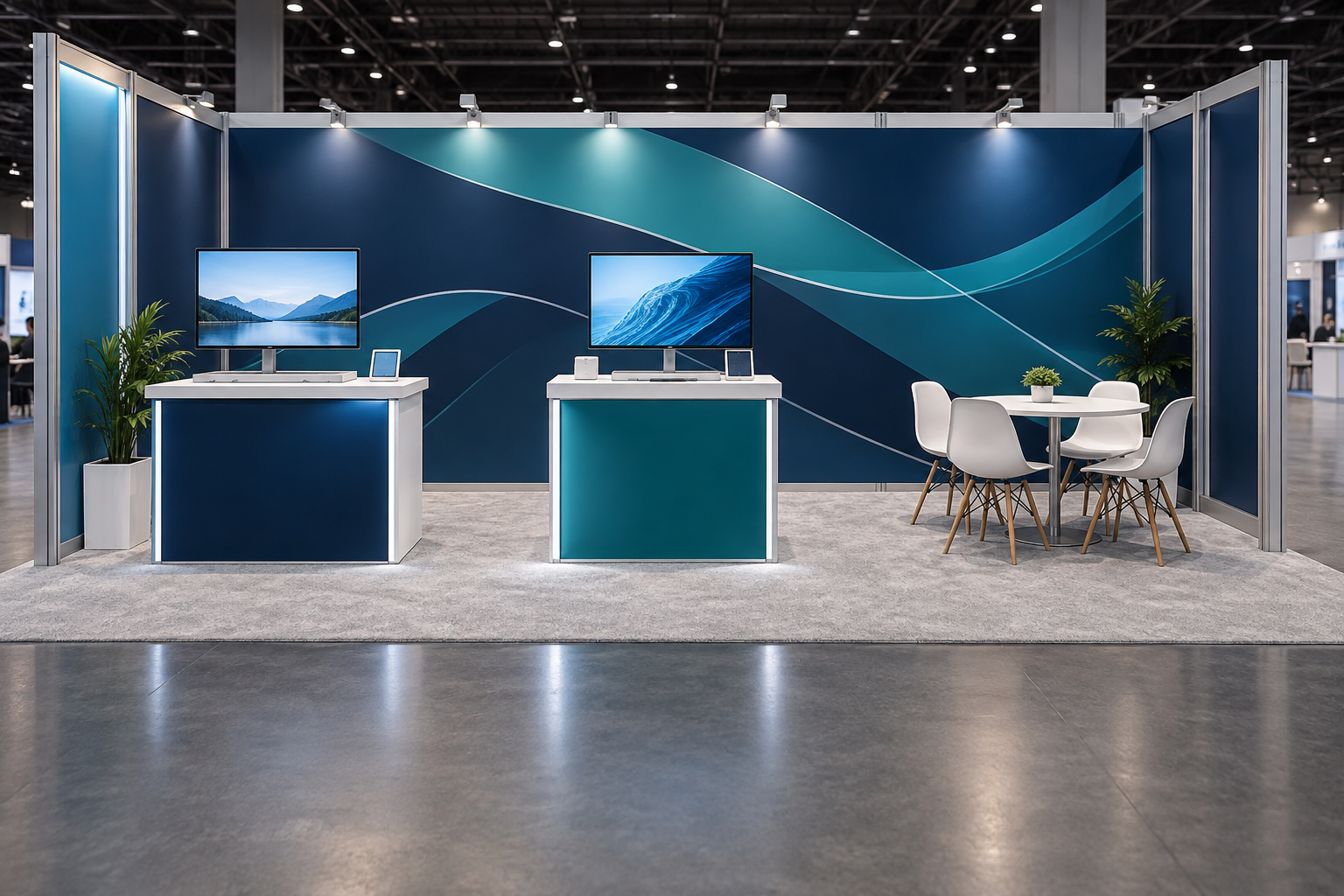
Booth Size and Configuration
A 10×20 booth is 20 feet wide and 10 feet deep, or about 6.10 by 3.05 meters. It has twice the floor area and frontage of a 10×10 booth with the same depth. It is often configured as two adjacent 10×10 spaces, although the organizer may sell and classify it as one booth.
The official floor plan and exhibitor manual determine how the space can be used. IAEE publishes display-rule guidance to support consistent exhibition standards, but organizers are expected to adapt the rules to their own event.[1]
| Booth type | Typical open sides | Main design issue |
|---|---|---|
| Inline | One | The front is the only public entrance, so large objects should not block it. |
| Corner | Two | Both aisle-facing sides should remain useful and easy to enter. |
| End-cap | Often three | Wall height and sightline limits may be stricter than expected. |
IAAPA describes a corner booth as having two sides exposed to aisles and an end-cap booth as a two-booth unit with aisles on three sides. These definitions are common, but the event’s own classification always takes priority.[2]
An inline booth usually needs a strong back wall because most branding faces one aisle. A corner booth benefits from traffic approaching in two directions, so placing a solid cabinet or long counter along the second open side wastes the main advantage of the location. An end-cap can offer strong visibility, but a wall that works in an inline booth may violate sightline rules when reused in that position.
Check the Event Rules First
Do not finalize the layout before reading the current exhibitor manual. Rules from a previous event may not apply at a different venue or even at the next edition of the same show.
Confirm:
- The official booth type and number of open sides
- Maximum wall, product, and sign height
- Sidewall and sightline restrictions
- Required drawings, engineering documents, and approvals
- Fire-resistant material requirements
- Electrical, internet, water, drainage, or compressed-air service locations
- Rules for sound, heat, fumes, food, liquids, and moving equipment
- Flooring, raised-platform, ramp, and cable-cover requirements
- Approved labor and contractor requirements
- Move-in, setup, dismantling, and move-out times
Suspended signs, large structures, double-deck booths, vehicles, kitchens, heavy machinery, and working equipment need more technical planning than a standard ground-level display. Even a lightweight hanging banner normally requires organizer approval, an approved rigging point, and professional installation.
Choose One Main Goal
A 10×20 booth can support more than one activity, but one activity should receive the most space, visibility, and staff. A booth designed for quick lead collection will not offer the same privacy as a booth designed for scheduled sales meetings.
Choose the main result:
- Collect qualified leads
- Run product demonstrations
- Launch a new product
- Hold scheduled meetings
- Let visitors test a product
- Meet distributors or partners
- Sell products at the event
- Support existing customers
- Increase awareness in a new market
| Main goal | Layout priority | Useful result to measure |
|---|---|---|
| Qualified leads | Open entry and fast staff handoff | Qualified contacts with an agreed next step |
| Demonstrations | Clear product view and an internal audience area | Completed demos and follow-up requests |
| Meetings | Comfortable seating away from the main entrance | Meetings completed and actions agreed |
| Product launch | One strong focal product and clear proof | Trials, questions, scans, or quotations |
| On-site sales | Product access, payment, packing, and stock control | Orders, revenue, and conversion rate |
Do not treat every badge scan as a successful lead. A useful lead record should include the visitor’s role, need, product interest, expected timing, and agreed follow-up. The booth should make that next action easy to complete.
Plan the Full 200 Square Feet
Use real dimensions rather than judging the layout from a perspective rendering. A chair needs more room when someone is sitting in it. A cabinet needs clearance for its doors. A demonstration table needs space for the presenter, equipment, audience, and follow-up conversation.
The examples below show three ways to divide the same 200 square feet. They are planning examples, not fixed industry ratios.
| Use | Lead-focused booth | Demo-focused booth | Meeting-focused booth |
|---|---|---|---|
| Open entry and standing conversations | 105 sq ft | 65 sq ft | 70 sq ft |
| Product, demo, or screen area | 35 sq ft | 45 sq ft | 30 sq ft |
| Meeting or follow-up area | 0 sq ft | 35 sq ft | 55 sq ft |
| Welcome and lead capture | 20 sq ft | 0 sq ft | 0 sq ft |
| Storage and product reset | 15 sq ft | 20 sq ft | 15 sq ft |
| Walls, bases, counters, and cable clearance | 25 sq ft | 35 sq ft | 30 sq ft |
| Total | 200 sq ft | 200 sq ft | 200 sq ft |
A machinery exhibitor may need more product space and no seated meeting area. A software company may use a smaller product zone and more standing conversation space. The important check is that every column adds up to the full 200 square feet rather than treating several overlapping ranges as separate areas.
Mark a 10×20 rectangle on the floor with tape before approving the design. Add boxes or full-size outlines for every wall, base, counter, product, screen, chair, and cabinet. Pull the chairs into occupied positions, open the storage doors, add the expected staff, and walk through the booth from each open side.
Where the U.S. ADA Standards apply, accessible walking surfaces generally require at least 36 inches of clear width, with limited exceptions for short narrow sections and additional space required at some turns.[3] The final design should also follow the venue’s accessibility rules and the laws that apply in the event location.
Open Layout
An open layout is a practical choice for general sales, services, software, education, recruitment, and products that do not require a controlled safety area.
A simple open booth may use:
- One main back wall
- One product display or screen
- One or two small counters placed to the side
- An open center for standing conversations
- Hidden storage inside a rear unit or counter
A tension fabric backdrop booth can provide a clear visual wall without using several separate banners. For a reusable structure that may later change size or configuration, an aluminum exhibition booth gives more options for shelves, screens, counters, and new graphics.
Avoid placing a long reception desk across the front edge. It creates a physical barrier and can make visitors feel that they need permission to enter. As a planning example, keeping about 8 to 12 feet of a 20-foot inline frontage visually open often creates a clearer entrance. This is not a show rule; the final opening depends on products, counters, accessibility, and visitor volume.
Put the counter near one side and place one useful item slightly inside the booth, such as a product sample, comparison display, touchscreen, or consultation point.
Demo and Presentation Layout
A demonstration layout needs a product area, a viewing area, and a follow-up area. Place the demo toward one side rather than directly in the center, where it may split the booth into two narrow spaces.
The product should be visible from the aisle, but viewers should stand inside the booth. A crowd that stops in the public aisle can block traffic and may breach show rules.
Use a screen when controls, movements, or results are too small to see from a few feet away. A camera can show a close view while the presenter works. Keep the demonstration focused:
- Show the problem.
- Show how the product works.
- Show the result.
- Ask one useful qualifying question.
- Move interested visitors to the next conversation.
The right length depends on the product. For a repeatable trade show demonstration, a practical planning cycle may include 3 to 6 minutes for the presentation, 2 to 4 minutes for questions and lead capture, and 1 to 3 minutes for reset and cleaning.
| Demo activity | Example time |
|---|---|
| Presentation | 3–6 minutes |
| Questions and lead capture | 2–4 minutes |
| Reset, cleaning, and equipment check | 1–3 minutes |
| Total cycle | 6–13 minutes |
At a 10-minute cycle, one demo station can complete about 6 sessions per hour. At a 15-minute cycle, capacity falls to about 4 sessions per hour. A technical system may need longer scheduled sessions, so calculate capacity from the complete cycle rather than presentation time alone.
For rough layout testing, allow about 5 to 8 square feet per standing viewer once normal spacing and movement are included. A 40-square-foot audience area may therefore support roughly 5 to 8 standing visitors, depending on equipment, booth shape, and accessibility needs. These figures are planning examples, not legal occupancy limits.
A mobile LED screen may suit detailed software, live camera feeds, or scheduled presentations. A lightbox exhibition booth is more suitable when the main need is a bright static brand or product image rather than moving content.
Add captions to videos that contain important speech. Captions help people who are deaf or hard of hearing and also make content easier to follow in a noisy hall. W3C accessibility guidance requires captions for prerecorded synchronized media in the digital content it covers.[4]
Prepare a simple backup if a live demonstration fails. Store key videos, screenshots, diagrams, and presentations locally rather than depending only on venue Wi-Fi.
Product Display Layout
A 10×20 booth should not become a warehouse or a copy of the full catalog. One main product and two or three supporting products are usually easier to understand than six to ten items with equal visual weight. If the range contains more than four or five products, use a screen, sample book, catalog, or QR code to show the remaining options.
Choose products based on:
- Fit with the event audience
- Sales priority
- Ability to show a clear benefit
- Size, weight, and shipping cost
- Power and safety needs
- Security and staff supervision
Each product label should answer four questions:
- What is it?
- Who uses it?
- What problem does it solve?
- What should the visitor do next?
Keep claims specific and support them with reliable evidence. The U.S. Federal Trade Commission states that advertising claims must be truthful, not deceptive or unfair, and evidence-based.[5] Avoid unsupported phrases such as “best quality,” “world-leading,” or “guaranteed results.”
Confirm the real product weight, load capacity of the stand, stability, heat, moving parts, sharp edges, charging needs, cleaning, refill requirements, security, insurance, and return shipping. Test the product in its working position, including open doors, raised lids, arms, cables, and attachments.
Meeting and Hybrid Layouts
A 10×20 booth can support one proper meeting area or two small standing discussion points. Too many chairs can make the booth feel full before visitors arrive.
A compact meeting area may include one small table, three or four chairs, a nearby screen or sample surface, partial visual separation, and storage for bags or sales material. Place it toward the rear or side rather than across the main entrance.
| Furniture setup | Example occupied area | Best use |
|---|---|---|
| 30–36 inch round table with 3–4 chairs | About 30–40 sq ft | Longer technical or commercial meetings |
| Narrow high table with 2 stools | About 15–25 sq ft | Short discussions and quick qualification |
These figures include approximate chair movement and access space, not only the furniture footprint. Partial walls, shelving, or slatted panels can reduce visual distraction, but they do not provide full sound privacy. Confidential legal, personnel, pricing, or technical discussions may be better handled in a separate meeting room.
A hybrid booth combines two main functions, such as a demo and meeting area or a product display and lead-capture point. One function should remain the priority. Give it more space and staff.
Check for conflicts:
- Will a demo audience block the meeting area?
- Will presentation sound make conversation difficult?
- Will a lead-scanning queue block the entrance?
- Does product testing need the same staff member as sales meetings?
- Can qualified visitors reach the follow-up area without crossing the next audience?
Visitor Flow and Staffing
Plan the journey from the aisle inward:
- The visitor sees the product category and main benefit.
- The entrance appears open.
- A product, question, demonstration, or visual gives the visitor a reason to stop.
- A staff member identifies the visitor’s need.
- The visitor completes a useful next step.
- The visitor can leave without crossing a blocked area.
Do not place large counters, tall literature racks, bins, boxes, staff stools, or personal bags at the main entry. In a corner booth, decide whether both open sides lead to the same activity or whether one supports product discovery while the other leads to a demonstration or meeting.
For a simple 10×20 booth, three to five staff members may be workable, but the correct number depends on the activity and visitor volume. As a planning example, an open booth may feel comfortable with 3 to 5 staff members and about 4 to 8 visitors at one time. A demo layout may briefly hold 6 to 10 visitors if most remain standing and the audience stays inside the booth. These are operating examples, not legal capacity limits.
| Team size | Example simultaneous activity |
|---|---|
| 3 people | One main conversation plus one short visitor interaction |
| 4 people | Two conversations, or one demo plus one follow-up discussion |
| 5 people | Two to four short interactions if roles are clearly divided |
A demo booth may need a presenter, qualifier, salesperson, and break cover. Do not make one presenter responsible for the demonstration, every badge scan, all technical questions, and product reset at the same time.
Assign responsibilities before the show:
- Who greets visitors?
- Who qualifies leads?
- Who runs the demonstration?
- Who handles technical questions?
- Who records the next action?
- Who covers breaks and restocking?
- Who owns each follow-up after the event?
Use opening questions that help identify a real need. “What system are you using now?” or “Which part of the process causes the most delay?” provides more useful information than “Can I help you?”
Message, Graphics, and Screens
The main wall should tell a new visitor what the company offers without requiring a long explanation. Use:
- The brand name
- The product or service category
- One main customer benefit
- One clear next step
A vague slogan such as “Building the Future Together” does not explain the business. A direct message such as “Automated Inspection Systems for Packaging Lines” gives the visitor useful information immediately.
Keep the main copy short. A practical main-wall message may use a 5- to 10-word headline, one 10- to 20-word supporting line, two or three proof points, and one short call to action. These are writing ranges, not fixed design rules. Move detailed specifications to product labels, a screen, a brochure, a QR code, or a staff conversation.
Check every graphic at real scale and from the main traffic direction. Products, counters, screens, staff, and visitors should not hide important text. A simple tension fabric backdrop can provide a large continuous message area, while interchangeable SEG graphics may be useful when campaigns change regularly. Milin’s article on interchangeable SEG fabric displays explains how a reusable frame can be paired with replaceable graphics.
Use a screen only when it adds information that a static graphic or physical product cannot show clearly. Suitable uses include close-up product views, software workflows, process diagrams, customer results, and meeting content. One main screen is normally enough for a single-purpose 10×20 booth. A second screen is useful only when the booth has two separate visitor zones.
For a small group standing about 6 to 10 feet away, a 43- to 55-inch screen may be workable for simple video and large text. Detailed software interfaces may require a larger screen, a closer viewing position, or a live camera view. Test the real content at the real distance and avoid long corporate videos, rapid animation, small website text, and content that requires a constant internet connection.
When a lead form or scanning device collects personal data, show only the information staff need and keep visitor details out of public view. Where the GDPR applies, personal data should be adequate, relevant, and limited to what is necessary for the stated purpose.[6]
Lighting, Storage, and Flooring
Lighting: Use even light across the main graphic and focused light for products, shelves, and labels. Test glare on screens, glass, polished metal, and glossy packaging from the visitor’s position. Confirm power-entry points, cable routes, transformer ventilation, and whether electrical work requires approved labor.
Backlit graphics can create a strong focal point, but they add power supplies, cabling, frame parts, and packing requirements. Review the full setup rather than comparing only the visual effect. Milin’s page on portable SEG lightboxes provides an example of a backlit system designed around replaceable fabric graphics and portable frames.
Storage: List the items that must stay in the booth, including staff bags, coats, water, samples, brochures, cleaning supplies, spare cables, tools, and valuable devices. A compact storage area of about 12 to 20 square feet may be enough for daily supplies in many 10×20 layouts. A 4×4-foot closet uses 16 square feet, or 8% of the entire booth, so shelves and lockable storage counters may be more efficient.
Keep only the day’s supply of brochures, giveaways, and samples in the booth. For a three-day show with evenly used stock, keeping one day’s quantity inside can leave roughly two-thirds of the total stock outside the visitor area. Confirm where crates and empty cases will be stored during the event. Storage doors should not block a path, chair, screen, product, or staff position.
Flooring: Compare comfort, weight, installation time, cleaning, edge treatment, repair, packed size, and reuse.
| Flooring | Main benefit | Main concern |
|---|---|---|
| Carpet | Common and comfortable with padding | May look basic and show dirt |
| Vinyl | Clean appearance and easy maintenance | Harder underfoot and may become slippery |
| Laminate | Premium look and clear zone definition | Heavier and slower to install |
| Foam tiles | Lightweight and comfortable | Seams, lifted edges, and wear may be visible |
A raised floor can hide cables, but it adds weight, cost, edge treatment, and accessibility requirements. Use it only when it solves a clear operating problem.
Portable, Modular, or Custom
| System | Best suited to | What to check |
|---|---|---|
| Portable | Simple branding, lighter shipping, and self-setup | Case weight, setup steps, stability, and replacement parts |
| Modular | Several shows, changing layouts, and regular graphic updates | Reconfiguration drawings, new parts, and connector availability |
| Custom | Major launches, large products, or a special brand experience | Reuse, freight, labor, repair, storage, and future layouts |
Portable does not always mean simple. Some lightweight systems have many small parts, weak cases, or poor instructions. Ask to see the complete packed system and a full setup.
Modular does not mean that every new layout uses the same parts. Ask which frames, graphics, connectors, lights, counters, and cases are reused when the booth changes from 10×20 to 10×10, corner, 10×30, or 20×20.
A custom booth should have a clear commercial reason. It may be justified for a major launch, high-value product, or special demonstration, but it should not be selected only because the rendering looks impressive.
Buy or Rent
Buying may make sense when the company attends several shows, uses similar booth sizes, changes graphics slowly, has storage, and can manage repairs and inventory.
Renting may make sense when the company attends one or two shows, tests a new market, changes booth sizes often, exhibits internationally, or wants local installation and support.
A hybrid plan can reduce unnecessary ownership. A company may own graphics, product stands, counters, and branded accessories while renting large walls, flooring, screens, furniture, plants, or special lighting near the venue.
There is no dependable rule that buying becomes cheaper after a fixed number of shows. The answer changes with booth weight, shipping distance, storage, labor, graphic changes, damage, venue rules, and international use. Compare purchase and rental over the same period, such as the next six events or the next three years.
Calculate the Full Cost
Compare the complete event cost, not only the booth purchase or rental price.
| Cost area | Items to include |
|---|---|
| Space | Booth rental, corner fee, registration, and required sponsorship |
| Display | Frames, walls, counters, shelves, graphics, cases, and crates |
| Transport | Outbound shipping, return shipping, customs, and temporary import |
| Material handling | Dock or warehouse receiving, delivery to the booth, empty-container handling, and return to the loading area |
| Labor | Installation, dismantling, electrical work, overtime, and supervision |
| Services | Power, internet, cleaning, waste, security, rigging, water, or drainage |
| Equipment | Screens, mounts, media players, furniture, lighting, and lead capture |
| Ownership | Storage, inspection, cleaning, repair, replacement parts, and insurance |
| People | Travel, accommodation, meals, training, and local transport |
IAAPA defines material handling, also called freight handling or drayage in its show policy, as moving freight from a carrier, loading dock, or advance warehouse to the booth and returning it for outbound transport. The service may also include handling empty containers.[7] Shipping to the advance warehouse or directly to the show site follows separate destinations and arrival dates.[8]
Ask for the packed dimensions and weight of every case, not only the total weight. One unusually heavy case can create handling problems even when the total system weight appears reasonable. If a system packs into four cases, keep a four-line inventory showing each case’s outside dimensions, weight, contents, and destination rather than recording only one combined figure.
Questions to Ask the Supplier
Size and layout
- What are the exact outside dimensions?
- Do bases, shelves, doors, or screen mounts extend beyond those dimensions?
- How much clear floor area remains after setup?
- Can the supplier provide dimensioned plans and elevations?
- Can the system work in inline and corner positions?
Setup
- How many people are needed?
- How long does a first-time team need?
- Does the stated time include graphics, lights, screens, and counters?
- Are tools, lifting equipment, or approved labor required?
- Are instructions, part labels, and training included?
Packing and graphics
- How many cases or crates are included?
- What are the size and weight of each case?
- How are graphics, lights, and fragile parts protected?
- Can one graphic panel be replaced without reprinting the whole booth?
- How should graphics be cleaned, packed, and stored?
- Who owns the final artwork files?
Support and future use
- What does the warranty cover?
- Which replacement parts are kept in stock?
- Is support available during move-in hours?
- Which parts are reused in future booth sizes?
- Will expansion require new graphics, cases, or professional labor?
Do not approve a booth from a perspective rendering alone. Request a dimensioned floor plan, front elevations, a parts list, packing information, and a written list of what the quotation includes and excludes. Milin’s exhibition display range can be used to compare modular booths, lightboxes, tension fabric structures, screens, and overhead display options before requesting a configuration.
Test Setup and Final Checklist
Complete a full test setup before the booth is shipped. Install the frames, graphics, lighting, screens, products, counters, furniture, lead-capture devices, cables, and storage items.
During the test:
- Confirm that the booth stays inside the 10×20 boundary.
- Time setup and dismantling.
- Count the people required.
- Open every cabinet and storage door.
- Check graphic alignment and screen height.
- Test every light, cable, video, and demonstration.
- Add the expected number of staff and visitors.
- Confirm that occupied chairs do not block paths.
- Check product stability and working clearances.
- Confirm that every part can be packed again.
Photograph the correct packing order and label every case with its number, contents, booth section, and setup order. Keep a separate kit with approved spare cables, adapters, connectors, graphic clips, basic tools, cleaning cloths, and other small parts that may fail or go missing.
Record labor in person-hours as well as clock time. For example, three people working for two hours use 6 person-hours for setup. If the same three people need another 90 minutes to dismantle, that adds 4.5 person-hours, bringing the total to 10.5 person-hours before venue waiting time or freight handling is included.
Before the show opens, brief the staff, test lead capture, remove boxes and personal items, check that entrances remain clear, and confirm the cleaning and restocking plan.
After the event, review qualified leads, completed meetings, demonstrations, product trials, quotation requests, orders, follow-up completion, setup time, damage, missing parts, and staff feedback.
| Post-show measure | Calculation |
|---|---|
| Cost per qualified lead | Total event cost ÷ qualified leads |
| Cost per completed meeting | Total event cost ÷ completed meetings |
| Demo-to-follow-up rate | Follow-up requests ÷ completed demonstrations × 100% |
| On-time lead follow-up rate | Leads contacted by the deadline ÷ qualified leads × 100% |
| Planned activity utilization | Time used for planned booth activities ÷ total show-open time × 100% |
Use the same definitions at every event. For example, decide what counts as a qualified lead before the show so the result can be compared fairly with later events.
Conclusion
A successful 10×20 booth makes it easy for the right visitor to enter, understand the offer, and take the next step. Check the event rules, design around one main goal, protect open floor space, compare the full cost, and test the complete setup before shipping.


