A 10×10 trade show booth gives you 100 square feet of floor space. That is enough for one clear offer, one main visitor activity and a small team. It becomes crowded when you try to add several product displays, a meeting area, a large screen, storage and too many staff members at the same time.
The best small booths are easy to understand and easy to enter. A person walking past should quickly see what the company offers, why it matters and what to do next. Every wall, counter, screen and chair should support that purpose.
The information below reflects common U.S. trade show practice. Booth rules, labor requirements, included services and prices vary by event, venue and city. Always use the exhibitor manual and written organizer instructions for the specific show as the final authority.
Decide Whether 10×10 Is Large Enough
A 10×10 booth usually works well when you have one focused product or service, a short demonstration and no need for a private meeting room. It can also suit a company testing a new show before investing in a larger space.
The size is likely to work when you need:
- One main product, service or product family
- One short demonstration station
- One narrow counter with closed storage
- Two staff members during normal traffic
- Brief standing conversations
Consider a 10×20 booth when you need two demonstrations, large machinery, several conversations at once, a waiting area or substantial stock. Do not move to a larger booth only to make the display look more impressive. The extra space should support a defined activity that cannot fit safely and comfortably in 100 square feet.
Read the Exhibitor Manual Before Designing
Most 10×10 spaces are inline booths, with neighboring exhibitors on both sides and one open side facing the aisle. A corner booth has two open aisle sides. A perimeter booth is placed along an outside wall and may have different height rules.
The International Association of Exhibitions and Events publishes display guidelines to help North American organizers create more consistent exhibiting standards, but individual events can adopt different rules.[1] Do not treat a common industry layout rule as permission for a specific show.
Check the manual for:
- Maximum back-wall and sidewall heights
- Sightline limits in the front half of an inline booth
- Rules for corner and perimeter booths
- Whether hanging signs are allowed
- Approved flooring, lighting and electrical equipment
- Product demonstration, food and sample rules
- Required insurance or safety documents
- Official contractors and advance-order deadlines
Also confirm what is included in the booth fee. Some events provide pipe and drape, carpet or a company sign. Others provide only the marked floor space. Electricity, internet, furniture, cleaning, lead retrieval and material handling are commonly ordered separately.
If you need a reusable structure rather than a simple back wall, review the dimensions and packing method of a modular aluminum exhibition booth before approving the floor plan. If the event permits overhead signage, compare hanging banner display options only after confirming the organizer’s rigging, height and contractor rules.
Set One Measurable Goal
Choose the main result before selecting graphics or furniture. A useful booth goal is specific enough to guide the layout and staffing plan.
Examples include:
- Book 25 technical demonstrations
- Collect 40 qualified buyer contacts
- Meet 15 existing customers
- Recruit five potential distributors
- Complete 30 product tests with target users
Use one primary goal, one supporting measure and one quality check. For example:
- Primary goal: Book 25 technical reviews
- Supporting measure: Complete 60 qualified conversations
- Quality check: At least 70% of booked reviews match the target customer profile
Planning example: If the team wants 40 qualified leads during 14 open show hours, it must average about 2.9 qualified leads per hour. Because breaks, quiet periods and long conversations reduce active selling time, the team may set an internal working target of four qualified conversations during each busy hour. This is a planning target, not an industry average.
Draw the Real Floor Plan
A booth may measure 10 feet by 10 feet, but the full area is not available for people. The back wall, counter, display bases, storage doors, cables and product operating space all reduce the usable floor area.
Space example: A counter measuring 4 by 1.5 feet uses 6 square feet. A 3-by-2-foot demonstration station uses another 6 square feet, and a 2-by-5-foot product display uses 10 square feet. These three items occupy 22 square feet before staff, visitors, door clearance and cable routes are added. The remaining 78 square feet is not all free space because people need room to stand, turn and pass one another.
Draw the booth to scale before ordering anything. A simple method is one inch on paper for each foot of floor space. Use the actual width and depth supplied by the vendor. Do not estimate furniture dimensions from photographs.
Add these items to the drawing:
- The display wall and support feet
- The counter, including the space needed to open its door
- The screen, stand or wall mount
- The product and the operator’s working position
- Two staff members
- Two or three visitors
- A person waiting for the demonstration
- A visitor using a wheelchair or mobility aid
- Outlet and cable routes
The layout is ready only when people can enter, use the display and leave without blocking the aisle or storage.
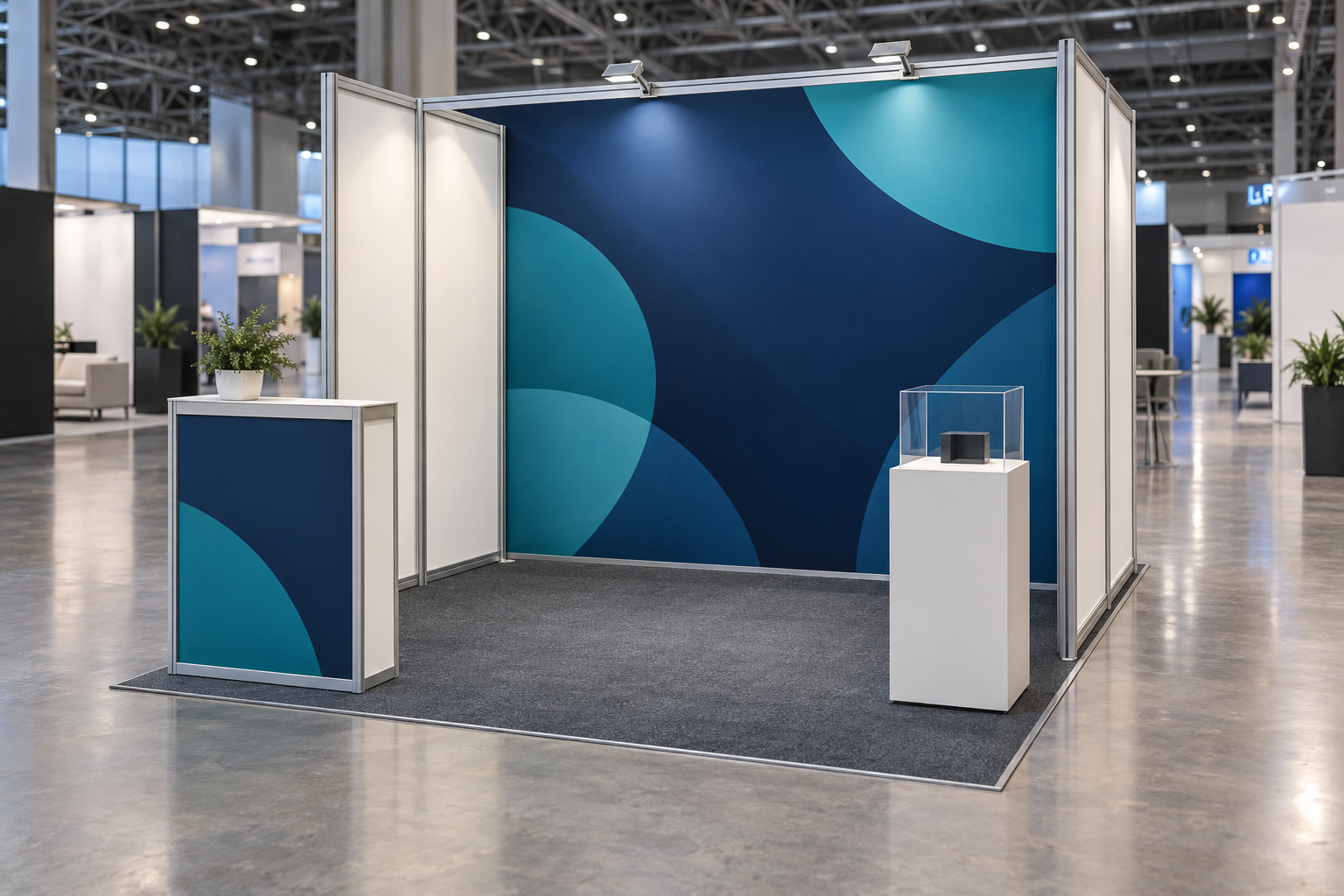
Choose a Layout That Matches the Activity
| Layout | Best use | Basic arrangement | Main risk |
|---|---|---|---|
| Open | Software, consulting and services | Back wall, side counter and open center | The offer may feel vague without a clear message |
| Demo | Products or software that must be shown in use | Demo station slightly inside the booth with rear storage | Waiting visitors may spill into the aisle |
| Product | Samples, components and compact equipment | One main product with a few supporting items | Too many products make comparison difficult |
| Appointment | Mostly pre-booked meetings | Small table, two chairs and a narrow welcome point | Furniture reduces walk-in capacity and does not create privacy |
For a simple graphic-led booth, a tension fabric backdrop booth can keep the structure close to the rear wall and preserve more open floor space. For stronger illumination, a SEG LED lightbox booth may provide a brighter back wall, but it also adds electrical, packing and installation requirements. This 10×10 backlit booth case provides a practical example of how illuminated graphics can be arranged in a small footprint.
Avoid a long table across the front unless registration, payment or sample distribution is the main activity. A narrow side counter usually keeps the entrance more open. In a corner booth, keep both aisle-facing sides clear.
Write a Clear Booth Message
The main wall should answer three questions:
- What do you offer?
- Who is it for?
- What result does it help produce?
A headline such as Innovative Solutions for a Better Future does not identify the product or the customer. A clearer headline is Automated Seal Inspection for Small Packaging Lines. A benefit-led version is Find Seal Defects Before Products Leave the Line.
Use a simple message order:
- Headline: The main customer result
- Supporting line: The product type and target user
- Proof: One verified fact, result or relevant certification
- Action: See the demo, test a sample or book a review
Use words customers already know. Internal product names may confuse first-time visitors.
Every objective claim should be supportable. The U.S. Federal Trade Commission states that advertising claims must be truthful, not misleading and, when appropriate, backed by evidence.[2] Keep the test method, comparison point, date and important limitations available for any percentage or performance claim.
Make Graphics Readable from the Aisle
Use the back wall as a sign, not as a printed brochure. A clean 10-foot wall normally needs one logo, one headline, one main image, one proof point and one call to action.
Check the design at three distances:
- Farther down the aisle: The visitor can identify the company and type of offer.
- Near the booth: The visitor can see the product, benefit and reason to enter.
- Inside the booth: The visitor can read specifications, options and case details.
Keep important text away from the lower part of the wall, where counters, products and people can cover it. Also keep text away from frame joints, curved edges, lighting hardware and screen mounts.
Print a rough full-size section or project the design at close to real size. A headline that looks large on a laptop may be difficult to read from an angle under hall lighting.
Use images that explain product size, operating environment, user interaction or visible results. Avoid generic stock photography that does not help a visitor understand the offer.
Use Screens and Demos Carefully
A screen earns its space when it shows something a printed graphic cannot, such as a machine operating, a software workflow, a rotating product view or a clear before-and-after result.
Choose screen size by viewing distance, text size, mounting position, weight and expected audience. A larger screen can add freight, power and mounting work without improving understanding.
Prepare the screen for a public environment:
- Store important media locally
- Add captions because the hall may be noisy
- Use large labels and simplified screens
- Turn off notifications and automatic updates
- Use a demonstration account with approved sample data
- Prevent the device from entering sleep mode
- Keep a backup playback device when the screen is essential
For content that needs more movement than a standard monitor provides, review the dimensions and installation needs of an event LED screen. In a 10×10 space, dynamic media should support the product message rather than become the only thing visitors notice.
Build the demonstration around one visitor problem. It should not explain every product feature.
Use this flow:
- Ask: Start with one short question about the visitor’s process or problem.
- Show the problem: Use a sample, screen or example the visitor can recognize.
- Show the action: Demonstrate the most relevant feature.
- Show the result: Make the output visible instead of only describing it.
- Set the next step: Book a technical review, request a sample or prepare a quotation.
Prepare a roughly 60-second version for passing traffic and a two- to five-minute version for qualified visitors. Longer technical sessions are usually better handled by appointment.
Capacity example: A four-minute demonstration followed by a two-minute reset creates a six-minute cycle, so the theoretical maximum is 10 demonstrations per hour. A 10-minute demonstration with the same reset time reduces the maximum to five per hour. Real output will be lower when staff answer questions, record notes or take breaks.
Time the full process, including the opening question, sample loading, lead notes and equipment reset. A three-minute product sequence can occupy much longer when these tasks are included.
Keep screenshots or a recorded run as a backup. Staff should know how to move to the backup without spending several minutes restarting failed equipment.
Plan Storage and Security
Use closed storage for staff bags, charging cables, printed materials, small samples, cleaning supplies and spare parts. Before ordering a counter, check its internal dimensions, shelves and door direction. A counter can look large while providing little usable space.
Store only the quantity needed for one show day. Refill brochures, samples and giveaways before opening rather than filling the booth with cartons.
Create a separate plan for laptops, tablets, confidential documents and valuable samples. A rental counter with doors may not have a working lock. Confirm overnight hall access and security, and remove sensitive equipment when needed.
Build the Full Cost Before Approving the Booth
The display structure is only one part of the event cost. Build the budget from the show’s service forms and written supplier quotations rather than a general online price range.
| Cost area | Include |
|---|---|
| Exhibit space | Booth fee, corner fee, registration, insurance and required permits |
| Display | Structure, graphics, cases, lighting and monitor support |
| Show services | Electricity, internet, furniture, flooring, cleaning and lead retrieval |
| Freight | Inbound shipping, return shipping and possible carrier waiting time |
| Material handling | Dock-to-booth movement, empty-container storage and outbound reloading |
| Labor | Installation, dismantling, electrical work and on-site support |
| Staff | Travel, hotel, meals, local transport and working time |
| Marketing | Samples, printed materials, invitations and customer meetings |
| Reserve | Replacement parts, extra labor, delayed freight and urgent printing |
The following figures are a hypothetical planning example for a regional three-day show with two employees. They are not a national market average, supplier quotation or guarantee:
| Item | Planning example |
|---|---|
| Booth space | $4,000 |
| Display and graphics | $3,200 |
| Furniture and flooring | $800 |
| Electricity and internet | $600 |
| Inbound and return freight | $700 |
| Material handling | $900 |
| Lead retrieval | $450 |
| Staff travel and hotel | $2,800 |
| Printing and samples | $450 |
| Emergency reserve | $1,100 |
| Total | $15,000 |
This example shows why the booth structure should not be treated as the full event budget. In this scenario, space and display graphics account for $7,200, or 48% of the total, while services, logistics, travel and other items account for the remaining 52%.
Ask each supplier to show what is included and excluded. Terms such as turnkey do not always cover the same services.
Compare at least two options with the same scope. A lightweight display may cost more to buy but less to ship and handle. A lower hardware price may lead to a higher total when the system requires several large cases or specialist labor.
Milin Displays’ exhibition display collection can help you compare structural types, but the final budget should still include venue services, logistics, staff travel and return freight.
Decide Whether to Rent or Buy
Renting can be practical when you attend only a few shows, change booth sizes, exhibit far from your office or want a supplier to manage installation. Buying may make sense when you repeatedly use the same 10×10 size, have stable branding and can store, inspect and ship the equipment.
Compare the complete cost:
Purchase cost per show = total ownership cost ÷ expected number of uses
Ownership example: A $5,000 display used at five shows has a basic hardware cost of $1,000 per show. That figure is incomplete until replacement graphics, repairs, storage, freight, material handling and setup labor are added.
Total ownership cost may include the purchase price, replacement graphics, storage, freight, material handling, setup labor, repairs, missing parts and staff time. Compare that amount with a rental quotation covering the same work.
Estimate uses realistically because branding, booth size or equipment condition may change.
Separate Shipping from Material Handling
Shipping moves the packed booth from your office or supplier to the event warehouse or venue. Material handling usually covers moving the shipment from the dock to the booth, storing empty cases and returning the packed freight for outbound loading.
Before shipping, confirm:
- Advance-warehouse and direct-to-show delivery windows
- Minimum handling charges
- Late, after-hours and special-handling rates
- Carrier check-in and appointment requirements
- Who completes outbound paperwork
- What happens if the return carrier is late
Label every case with the event name, company name, booth number, delivery address and case count. Use labels such as Case 1 of 4. Remove old labels so the current destination is clear.
Photograph the contents and closed condition of each case. Record dimensions, weight, contents, serial numbers and tracking details. Place setup instructions in the first case and keep a digital copy available to more than one team member.
Order Power and Internet from the Equipment List
List every powered device, including screens, laptops, chargers, lights, routers, product equipment and any unit that must remain on overnight. Use the nameplate or manufacturer specification rather than guessing.
For a simple single-phase estimate, apparent power in volt-amperes is voltage multiplied by current. Actual power in watts may also depend on power factor; the U.S. Department of Energy defines power factor as the ratio of real power to apparent power.[3] Ask the equipment supplier or show electrician about motors, compressors, heating devices and other loads with high starting demand.
Load example: A 120-watt display, a 65-watt laptop power supply, 40 watts of booth lighting and 20 watts of charging equipment total 245 watts of listed load. Use the actual equipment labels and include any startup demand or required reserve when placing the electrical order.
Send a marked floor plan with the electrical order. Show the aisle, back wall, counter, screen, product and required outlet position. An outlet in the wrong corner can leave a cable across the walking path.
Do not rely on venue internet for the only copy of a video or demonstration. Store the essential files locally and order internet only when the live function is necessary.
Keep walking routes clear. Keep cables, boxes, flooring edges and open counter doors out of the visitor path. OSHA requires passageways and walking-working surfaces to be kept orderly and maintained free of recognized hazards.[4]
Use only equipment, cable covers and installation methods approved by the event and venue. Do not hide an unprotected cable under loose carpet. Check the booth again after installation because a contractor may place an outlet or cable differently from the original plan.
Make the Booth Easier to Access
Plan for visitors with different mobility, hearing and vision needs. Keep a usable route into the booth, provide stable flooring, caption videos and make important information available at a reachable height.
Under the U.S. Access Board’s ADA standards, a sales or service counter designed for a parallel approach generally needs an accessible section at least 36 inches long and no higher than 36 inches. A forward approach uses a minimum 30-inch counter section and requires knee and toe space.[5] The exact legal application depends on the facility, event and activity, so complex counters, platforms and enclosed structures may need qualified review.
Useful practices include:
- Provide at least one reachable interaction surface
- Keep samples visible from standing and seated positions
- Offer a shorter or seated demonstration
- Use captions and high-contrast text
- Avoid abrupt flooring edges and raised platforms
- Speak directly to the visitor rather than only to a companion
- Ask before giving physical assistance
Staff the Booth for the Workload
Two people are a practical starting point for many 10×10 booths with one main activity. Add staff when one person is continuously running a demonstration, appointments overlap or technical questions require a specialist.
Estimate staffing from:
- Target conversations per hour
- Average conversation length
- Demonstration and reset time
- Booked appointments
- Time needed to record notes
- Meal and rest breaks
Workload example: A 10-minute conversation followed by three minutes of note-taking occupies 13 minutes. One person can theoretically complete about 4.6 such cycles per hour, but the practical number will be lower when demonstrations, handoffs and breaks are included.
Give each person a role:
- Greeter: Opens the conversation and identifies why the visitor stopped.
- Qualifier: Checks whether the need, role and timing fit the offer.
- Specialist: Runs the relevant demo and handles technical questions.
During quiet periods, two people can combine these roles. Extra employees should rotate in rather than standing together inside the booth and blocking the entrance.
Qualify Leads with Useful Notes
A badge scan gives you contact details, not buying intent. Start with one useful question, show something relevant and then collect only the information needed for the next step.
Useful fields include:
- Job role and company type
- Main problem or project
- Current solution
- Product interest
- Project stage and timing
- Decision role
- Promised document or action
- Follow-up owner and date
Write specific notes. Interested in product is too vague. A better note is: Runs two packaging lines. Current camera misses side-seal damage. Reviewing replacement options in Q4. Send sample report and book a call with the plant engineer.
Not every visitor belongs in the sales pipeline. Use separate categories for existing customers, partners, suppliers, press, students, job seekers and general visitors.
Protect contact data. Do not assume that scanning a badge gives permission for every kind of future marketing. Tell visitors what you will send, collect only the information needed and keep lead records away from public screens.
For U.S. commercial email, the CAN-SPAM Act requires accurate header information, non-deceptive subject lines, a valid postal address and a working opt-out method, among other requirements.[6]
When the EU General Data Protection Regulation applies, personal data needs a lawful basis for processing, and individuals can object at any time to the use of their data for direct marketing.[7] Electronic marketing may also be subject to country-specific privacy and communications rules.
Prepare Follow-Up Before the Show
Create follow-up materials before the event, but personalize the final message. A useful email refers to the actual problem discussed, provides the promised material and asks for one clear next action.
You mentioned that your current inspection system misses side-seal damage at higher line speeds. I have attached the sample report we discussed. The next useful step is a 30-minute review with your plant engineer.
Assign every qualified lead to a named person before the team leaves the event. Follow up fastest when the visitor requested a quotation, has a current deadline or is comparing suppliers during the same week.
A practical internal service target is to contact high-priority leads within one business day and other qualified leads within three business days. These are workflow targets rather than legal or industry deadlines; shorten them when the buyer has an active request or near-term decision.
Track the result with statuses such as meeting booked, sample received, quotation prepared, no response, not qualified and future review date.
Measure the Event with Consistent Numbers
Use the same cost definition for every event:
Total event cost = space + display + services + freight + travel + marketing + staff time
Track the measures that match the original goal:
- Meaningful conversations
- Qualified leads
- Meetings booked
- Product tests or samples requested
- Quotations requested
- Opportunities created
- Pipeline value
- Contribution profit linked to the event
Useful calculations include:
Cost per qualified lead = total event cost ÷ qualified leads
Meeting rate = meetings booked ÷ qualified leads
Opportunity rate = opportunities created ÷ qualified leads
ROI = (attributed contribution profit before event cost − total event cost) ÷ total event cost
Measurement example: Assume the event costs $15,000 and produces 30 qualified leads. The cost per qualified lead is $500. If six of those leads become sales opportunities, the opportunity rate is 20%. If the event later produces $40,000 in attributable contribution profit before event cost, the calculated ROI is approximately 166.7%: ($40,000 − $15,000) ÷ $15,000.
Use contribution profit or gross profit attributable to the event, not sales revenue alone. Define the attribution method and time window before reporting the result. A show may create a new opportunity, influence an existing deal or help retain a customer.
Work Backward from Official Deadlines
| Timing | Main tasks |
|---|---|
| About 12 weeks before | Confirm booth type, read the manual, set the goal, approve the budget, choose rent or buy and draw the layout. |
| About 8 weeks before | Approve graphics, order power and internet, book freight, choose lead capture, invite customers and submit required forms. |
| About 4 weeks before | Assemble the full booth, rehearse the demo, test the layout with people, train staff and record packed case weights. |
| About 1 week before | Confirm freight, service orders, appointments and outbound pickup. Charge devices, save offline files and pack spare parts. |
| During move-in | Check the layout before heavy items are fixed in place. Test power, screens, demos, lead capture and security. |
| After the show | Photograph packed cases, submit outbound paperwork, confirm pickup, assign leads and review invoices and results. |
These are planning checkpoints, not universal deadlines. Large events may require forms, graphics and freight bookings much earlier. Use the official discount and submission dates first, then work backward.
Check the Booth Before Opening
- Can visitors understand the offer within a few seconds?
- Can the headline be read from both aisle directions?
- Is the entrance open?
- Are cables and flooring edges secure?
- Can visitors using mobility aids enter and reach an interaction point?
- Does the demo work without venue internet?
- Are videos captioned?
- Are personal items and cartons hidden?
- Are the scanner and manual lead forms ready?
- Do staff know the opening question and handoff process?
- Are promised documents ready to send?
- Is return shipping arranged?
Ask someone unfamiliar with the product to walk past for five seconds. Then ask what the company offers, who it is for, what problem it solves and what the visitor should do next. If the answers are unclear, simplify the message instead of adding more text.
For a custom structure, graphic package or display configuration, send the show rules, booth dimensions and planned equipment through the Milin Displays contact page so the quotation can be based on the actual event requirements.
Final Takeaway
A successful 10×10 booth does not need to look large. It needs one clear goal, one easy-to-understand message and enough open space for the planned activity.
Read the exhibitor manual first, test the layout with real people, verify every performance claim, budget the complete event and prepare follow-up before the doors open. When visitors can quickly understand the offer, see a useful result and agree on a clear next step, a small booth can produce strong results without unnecessary equipment or cost.


